Blog

  • Phone Speakers for Workouts: Sweat, Movement, and Safe Care

    Phone Speakers for Workouts: Sweat, Movement, and Safe Care

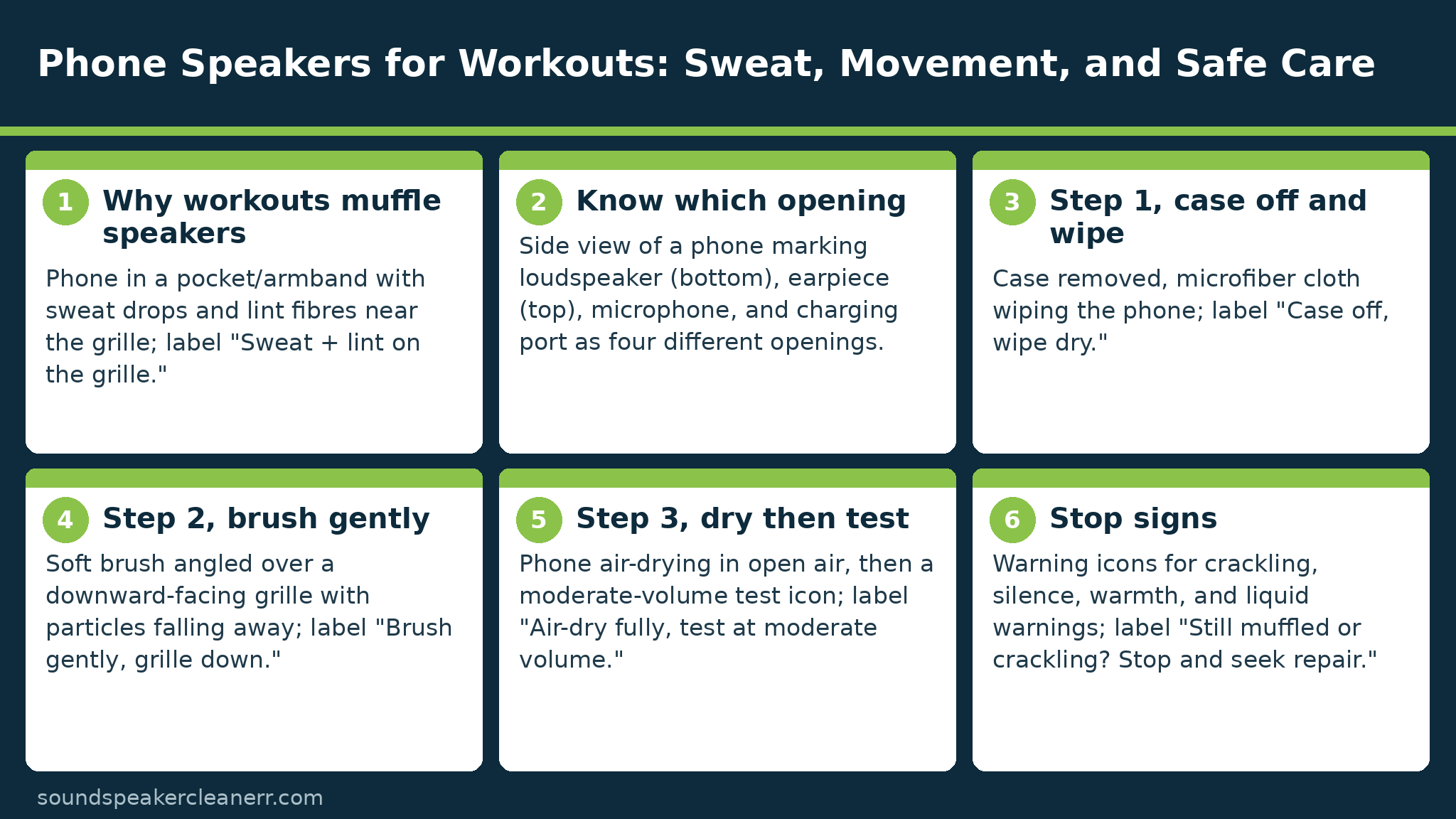
    Your phone speaker sounds muffled after a workout usually because sweat, salt residue, and pocket lint are sitting on the speaker grille, not because the speaker has failed. Wipe the phone dry, brush the grille gently, let it air-dry fully, then test at moderate volume. If sound stays muffled or crackles afterwards, stop and seek repair.

    Why workouts are hard on phone speakers

    A workout exposes a phone to a combination that a desk or a pocket alone does not. Sweat is salty water, and when it dries it can leave a thin film across the fine mesh that covers the speaker. That film, plus lint from a pocket or an armband sleeve, can narrow the openings sound passes through. The result is often a quieter, duller sound, especially on calls and voice messages where the earpiece is involved.

    Movement adds a second problem. A phone bouncing in a pocket, bouncing in an armband, or sliding around on a gym bench picks up dust and fibres with every shift. The grille faces fabric for long stretches, and fabric sheds. A phone that lives in the same sweaty pocket for every session will collect buildup faster than a phone that is wiped and stored dry between sessions. None of this means the speaker is damaged. It means the path sound travels through is partly blocked, and a gentle routine is worth trying before assuming a fault.

    Heat matters too, in a quieter way. A phone pressed against the body during exercise warms up, and warm, damp fabric against the grille can keep moisture in contact with the mesh longer than a quick splash would. That is why the post-workout routine in this guide starts with drying the outside of the phone, not with playing a sound or poking at the grille.

    Sweat, salt, and the speaker grille

    Sweat is not the same as clean water. When sweat dries on a grille, the water evaporates and dissolved salts and skin oils can remain behind as a crusty or sticky film. That film is one reason a speaker can sound fine during a workout and muffled afterwards: the film forms as the phone dries in a bag or a locker. Wiping the phone promptly after exercise, while the surface is still damp, removes more of that residue than wiping it hours later after it has hardened.

    This is also why rinsing a phone under a tap is not the right response to sweat, even for a phone advertised as water resistant. Water resistance is a manufacturer rating for a specific model under specific conditions, and it is not a promise that the phone can be washed after every workout. A wipe with a clean, dry microfiber cloth, followed by a wipe with a cloth that is only very slightly damp if the maker's guidance allows it, is safer than running water over the grille. If your phone maker's guidance says not to use liquids on the device, follow that guidance and keep the cloth dry.

    Salt residue also explains why a speaker can improve slowly rather than instantly. A single wipe may remove surface film while residue deeper in the mesh still needs a gentle brush and time to dry.

    Earpiece versus loudspeaker after a workout

    A phone has more than one sound opening, and workouts affect them differently. The loudspeaker, usually on the bottom edge, is the one that plays music and speakerphone calls. The earpiece, the narrow slot near the top of the phone, is the one you hold to your ear on a normal call. Sweat reaches the earpiece when the phone is pressed against a sweaty ear or forehead, or when it is stored earpiece-down in a damp pocket.

    If music sounds normal but calls sound muffled, the earpiece grille is the more likely problem. If calls sound normal but music sounds dull, the loudspeaker grille is the more likely problem. Checking both separately saves time: play a short voice recording through the loudspeaker, then make a short test call or play the same recording with the phone held to your ear at moderate volume. Do not hold the phone to your ear while playing a cleaning tone at full volume.

    The microphone is a third opening, and it is easy to confuse with a speaker problem. If other people say you sound muffled on calls after a workout, the microphone opening, not the speaker, may be blocked by sweat residue or lint. Keep the openings distinct in your checks: speaker problems affect what you hear, microphone problems affect what others hear, and a charging port problem affects charging, not sound. Treating the wrong opening wastes effort and can push debris into an opening that was fine.

    The post-workout check, in order

    Do this routine after every workout where the phone got sweaty, and do the steps in this order. Order matters because each step prepares the next one.

    First, remove the case. Cases trap sweat and lint against the grille, and cleaning with the case on leaves the blocked area untouched. Wipe the case separately and let it dry before putting it back. If the inside of the case is damp or gritty, that damp case may be re-soiling the grille every time you put the phone back in.

    Second, wipe the phone with a clean, dry microfiber cloth. Wipe the whole phone, not just the speaker area, so sweat does not migrate back onto the grille from the frame. Pay attention to the bottom edge and the earpiece slot, but wipe across them rather than pressing into them. If the phone is visibly wet, hold it with the speaker grille facing down on a dry cloth for a few minutes first so surface moisture can drain away from, not into, the openings.

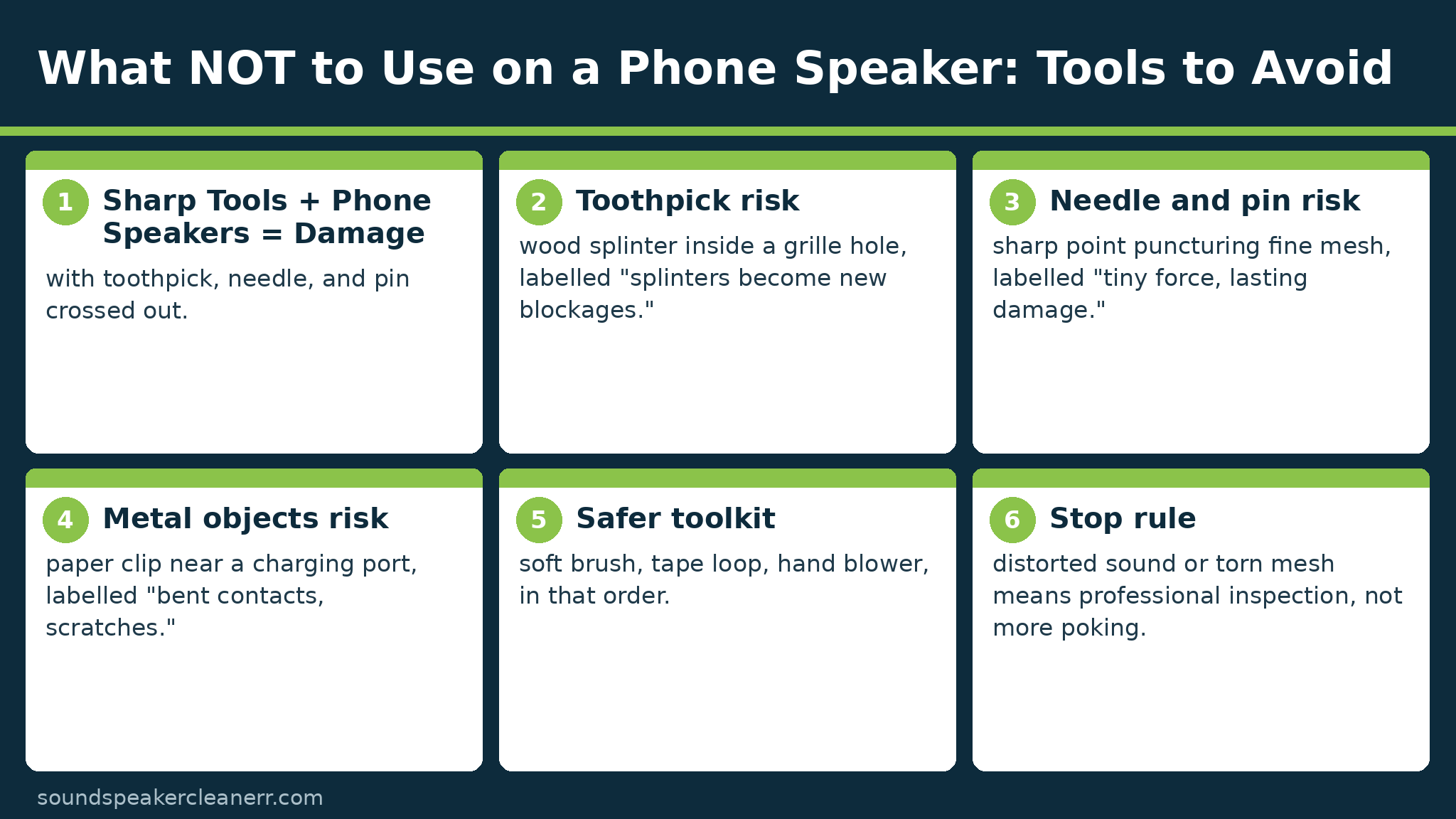
    Third, brush the grille gently with a soft, dry brush, such as a clean soft toothbrush. Brush at an angle, with the grille facing down, so loosened particles fall away from the phone instead of into it. Use light strokes and stop if you feel resistance. Never push a pin, needle, toothpick, or SIM tool into the grille holes. Those tools can tear the mesh or push debris deeper, turning a cleaning job into a repair.

    Fourth, let the phone air-dry fully in a ventilated spot at room temperature before charging it or putting it back in a closed pocket or bag. Do not use a hair dryer, direct heat, or a sealed container of rice to speed drying. Heat can damage seals and components, and rice dust can add new debris. If the phone shows any liquid warning, or the charging port is wet, do not charge it until it is fully dry and follow your phone maker's guidance for wet devices.

    Fifth, test at moderate volume. Play a familiar song or voice recording through the loudspeaker, then test the earpiece on a short call. Moderate volume is enough to judge clarity, and it avoids stressing a speaker that may still be damp. If sound is clear, the routine is done. If it is still muffled, one gentle repeat of the brush step after further drying is reasonable. More than that is not better.

    When sound can help, and when it cannot

    A browser-based speaker cleaner tool plays tones that vibrate the speaker, and that vibration may help move light moisture and loose dust near the grille. It is a reasonable next step after the phone is wiped and mostly dry, not a replacement for wiping and drying. Use short cycles at moderate volume, with the speaker facing down on a soft dry cloth, and stop when sound is clear.

    Sound has clear limits, and knowing them prevents wasted effort. Sound does not repair a torn mesh, a damaged speaker, or corrosion from repeated sweat exposure. Sound does not dry the inside of a phone, and it does not restore water resistance. If the speaker is completely silent, sound cannot help, because a silent speaker is not vibrating at all. If crackling gets louder with each cycle, if the phone gets warm, or if sound cuts in and out, stop and seek professional help.

    Repeated cycles are a warning sign in themselves. A grille that needs a cleaning tone after every single workout is probably collecting residue from its case, armband, or pocket rather than from one workout. Fix the storage habit — a dry case, a clean armband sleeve, a different pocket — instead of adding more cycles. A clean, dry speaker gains nothing from extra cleaning sounds.

    Workout habits that prevent the next muffled speaker

    Prevention during workouts is simpler than cleaning afterwards. Keep the phone in a clean, dry pocket or a clean armband sleeve, not loose against sweaty skin for the whole session. If you use an armband, check that its window and edges do not press damp fabric directly over the speaker grille, and wash or wipe the sleeve regularly so dried sweat does not transfer back onto the phone.

    Take the phone out of its case after a sweaty session, even if you do not do the full routine every time. A quick wipe and a few minutes of air before the phone goes back into a bag or a locker prevents the damp, closed environment where salt film forms fastest. Keep a small microfiber cloth in your gym bag so the wipe is easy rather than a chore you skip.

    Avoid using the phone as a speaker pressed against sweaty equipment. A phone lying face-down on a damp bench, a sweaty towel, or a mat collects moisture and fibres directly on its grille. Face-up on a dry towel or on a clean surface is a small change that removes the worst of the exposure. The same applies to the earpiece: if you take a call mid-workout with a sweaty ear, wipe the earpiece area afterwards rather than letting that sweat dry in place.

    Finally, check your case. A case that covers the speaker holes partly, or one whose edges have collected lint and sweat residue, will muffle sound no matter how clean the grille is. Remove the case and test without it before assuming the speaker is at fault. If sound improves with the case off, clean or replace the case, and make sure any replacement lines up exactly with the speaker openings.

    What not to do after a sweaty workout

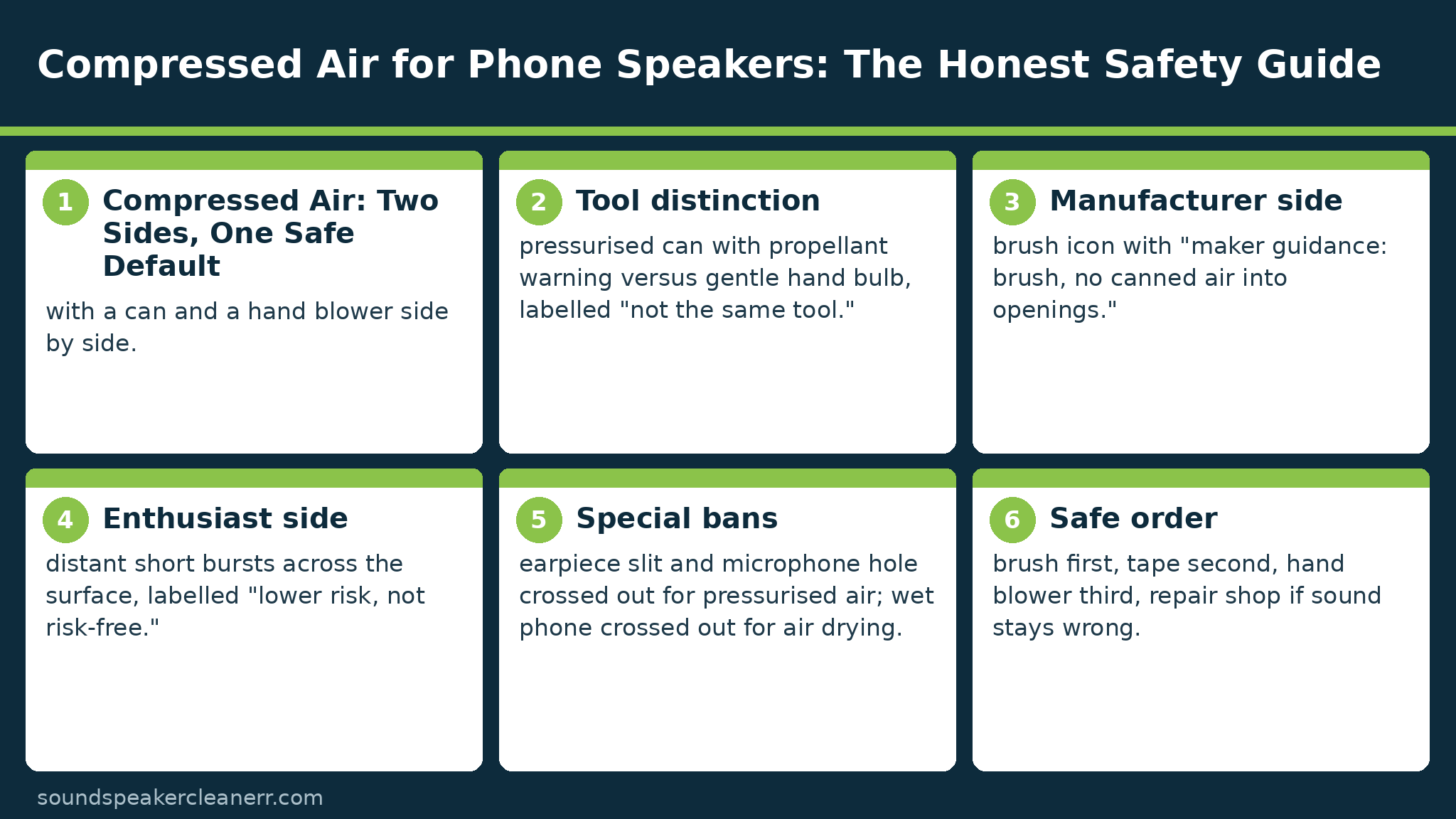
    Some common fixes make things worse. Do not rinse the phone under a tap to wash off sweat unless your phone maker explicitly allows it, and even then do not treat it as a routine. Do not use household cleaners, solvents, or abrasive cloths on the grille; they can damage coatings and the mesh. Do not blow hard into the grille with your mouth, because breath adds moisture. Do not use canned compressed air at close range, which can force debris deeper or discharge liquid into the phone.

    Do not charge a wet phone. Sweat in or near the charging port is a reason to wait until the phone is fully dry and to follow the maker's guidance for wet devices. Charging while wet risks damage that is far more serious than a muffled speaker. If the port itself is blocked with lint, that is a separate job from speaker cleaning and needs its own gentle approach, without metal tools.

    Do not ignore warning signs. A speaker that stays muffled after wiping, brushing, drying, and a short sound cycle; a speaker that crackles, buzzes, or cuts out; a phone that was dropped in water during the workout rather than merely sweated on — all of these deserve professional checking. Continuing to play loud tones at a damaged speaker will not fix it and may make the damage harder to assess.

    FAQ

    Can sweat damage a phone speaker permanently?

    Sweat can leave salt and oil residue on the grille that muffles sound, and repeated exposure without wiping can let residue harden. Wiping and brushing gently after workouts usually restores clarity. Lasting damage is more likely if moisture reaches internal parts or the mesh is torn by sharp tools, which is why gentle methods and drying matter.

    Why does my speaker sound muffled only after a workout?

    During exercise the phone sits against sweaty skin, damp fabric, and lint-shedding pockets or armband sleeves. As sweat dries, a thin film can form across the grille. That film narrows the openings sound passes through, so the speaker sounds dull until the film is wiped and brushed away.

    Should I rinse my phone after a sweaty workout?

    No, not as a routine. Water resistance is model-specific and is not a promise that a phone can be washed after every session. Wipe with a clean dry cloth instead, and use only a very slightly damp cloth if your phone maker's guidance allows it. Follow the maker's guidance for any wet device.

    Can I use a speaker cleaner sound after every workout?

    You can use a short sound cycle after wiping and drying if sound is still muffled, but it should not be a daily habit. A clean, dry speaker gains nothing from extra cycles. If you need sound after every session, check the case, armband, or pocket that is re-soiling the grille.

    How do I tell if the earpiece or the loudspeaker is blocked?

    Play music through the loudspeaker and note its clarity, then test a normal call held to your ear. If only calls are muffled, the earpiece is the likely problem. If only music and speakerphone are muffled, the loudspeaker is the likely problem. Test both at moderate volume.

    Is it safe to charge my phone right after a sweaty workout?

    Not if the phone or charging port is still wet. Let the phone air-dry fully first and follow your phone maker's guidance for wet devices. Charging while wet risks damage that is more serious than a muffled speaker.

    What should I do if the speaker still crackles after cleaning?

    Stop cleaning and seek professional help. Crackling that persists after wiping, brushing, drying, and one short sound cycle can mean mesh or speaker damage, and repeated loud tones will not repair it. Note when the crackling started and whether it affects calls, music, or both.

    Does my gym armband cause speaker problems?

    It can, if its fabric presses damp material over the grille or if dried sweat inside the sleeve transfers back onto the phone. Keep the sleeve clean and dry, check that it does not cover the speaker openings, and wipe the phone after taking it out of the armband.

    Related tools on this site

    Related guides on this site

  • Mono vs Stereo Phone Speakers: What Is Actually Different

    Mono vs Stereo Phone Speakers: What Is Actually Different

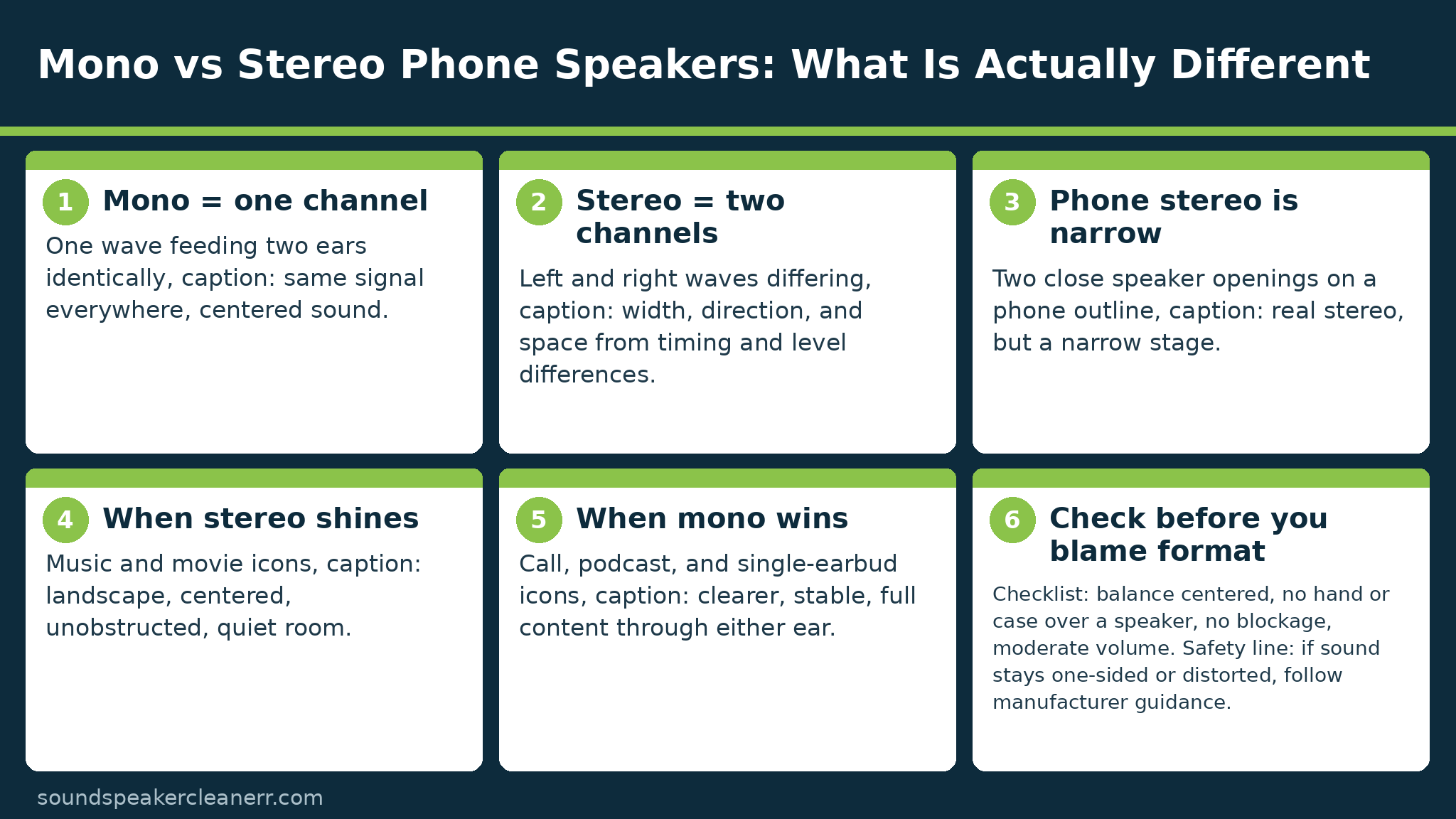
    Mono sound uses one audio channel, so the same signal reaches every speaker and every ear. Stereo sound uses two channels, left and right, which can carry different information and create width, direction, and space. On a phone, stereo can sound wider for music, while mono is often clearer for calls.

    Neither format is better in every situation. The right choice depends on the content, the listening position, and the listener. A phone that plays stereo is not automatically better than a phone that plays mono, and a stereo recording does not automatically sound stereo when played through a phone held in one hand. Understanding what each format actually does — and what limits phone stereo in practice — helps you judge what you hear without being misled by a "stereo speaker" label.

    What mono really means

    Mono, short for monophonic, means a single audio channel. Every speaker playing a mono signal plays the same waveform. If you listen through headphones, both ears hear identical content. If you listen through several speakers, every speaker plays the same thing. The sound appears to come from a single central point, rather than from a spread-out stage.

    That simplicity is a strength, not a flaw. Because there is only one channel, there is nothing to lose if you hear only one side. A listener with hearing loss in one ear hears the full content through the other ear, because both ears would have received the same signal anyway. A listener using a single earbud, or holding a phone to one ear, hears everything. A listener in a noisy room, where fine left-right detail would be masked anyway, hears a stable, centered sound that does not depend on sitting in exactly the right spot.

    Mono is also the foundation of most recordings. A single voice, a single microphone on an instrument, or a direct vocal capture starts as mono. Stereo mixes are built from mono sources placed across a left-right field. So mono is not an outdated fallback; it is the basic building block of audio, and it remains the right choice for content where clarity and reliability matter more than spatial effect — spoken word, podcasts, audiobooks, announcements, and phone calls.

    On a phone, mono playback happens in several everyday situations, even on a device capable of stereo. A call through the earpiece is effectively a single-channel experience, because you are listening through one small speaker held to one ear. A voice message, a notification sound, or a ringtone is often mono by design, because its job is to be heard clearly, not to create a soundstage. That is normal, and it is not a defect.

    What stereo really means

    Stereo, short for stereophonic, means two audio channels: left and right. The two channels can carry different information. A guitar might be louder on the left, drums louder on the right, and vocals centered, because the mix places each element at a different point across the field. Your brain uses those timing and level differences — the same cues it uses to locate sounds in real life, with two ears spaced apart — to perceive width, depth, and placement.

    That perception is called the soundstage: the imagined space where the music or movie seems to happen. A good stereo recording through well-placed speakers or headphones can make a band feel spread across a stage, a movie scene feel like it has space around it, and a game feel like sounds are coming from different directions. Stereo does not add new notes or new words; it adds spatial information about where the existing sounds seem to be.

    Stereo recordings are usually made with two microphones capturing the same source from slightly different positions, or built in a mix by placing mono sources at different points across the field. Effects such as reverb and delay can also create stereo width from a mono source, by introducing small differences between the channels. Those differences are what the ear reads as space — but they only work if the two channels actually reach your two ears separately and distinctly.

    That last condition is the key limit for phones, and it leads to the next section.

    Why phone stereo is real, but limited

    A phone described as having stereo speakers usually has two speaker openings that play the left and right channels separately — often the loudspeaker at the bottom and the earpiece at the top acting as a second speaker for media playback. That is genuinely stereo in signal terms: two channels are being played. But the physical separation between those two speakers is very small, often only the length of the phone. Your two ears, by contrast, are separated by the width of your head, and stereo perception relies on the difference in what each ear receives.

    When the two speakers are close together and you hold the phone close to you, the left and right signals mix in the air before they reach your ears. The result is still wider and fuller than a single speaker, especially for music and video, but it is not the same wide soundstage you get from speakers placed apart or from headphones, where each ear receives only its own channel. Hold the phone in landscape orientation, with the speakers pointing left and right, and the effect is usually clearer than holding it in portrait orientation, where both speakers are roughly in line with your body and the separation is even less effective.

    Your listening position matters too. Stereo works best when you are centered in front of the two speakers, at a reasonable distance, with both speakers unobstructed. If you hold the phone to one side, cover one speaker with your hand, or listen from an angle, one channel dominates and the stereo image collapses toward mono. That does not mean the phone is broken; it means the conditions for stereo perception are not met. A case that covers one opening, a hand over the earpiece speaker during media playback, or dust blocking one grille can all reduce stereo width in the same way.

    In short, phone stereo is best understood as "stereo-capable with a narrow stage." It adds fullness, separation, and a sense of space compared with a single speaker, especially for music and movies, but it cannot reproduce the wide stage of separated speakers or headphones. Judging a phone's stereo by headphone standards will always disappoint; judging it by single-speaker standards will show a real, if modest, improvement.

    When stereo matters, and when mono is better

    Stereo matters most for content mixed for width: music with instruments placed across the field, movies with sound effects that move across the screen, and games where direction helps you locate events. For those, a stereo-capable phone in landscape orientation, held centered and unobstructed, will sound more immersive than a single speaker, even with the narrow stage. Headphones will sound wider still, because each ear receives only its own channel.

    Mono is better, or at least no worse, for content where spatial effect adds nothing: phone calls, voice messages, podcasts, audiobooks, news, and announcements. For those, a centered, stable, single-channel sound is clearer and more robust, because it does not depend on your position or on both channels reaching you equally. Mono is also the better choice for accessibility. If you have hearing loss in one ear, a mono setting ensures you hear the full content through your better ear, instead of missing whatever was mixed to the weaker side. Most phones offer a mono-audio accessibility setting for exactly this reason, and using it is not a downgrade — it is a sensible adaptation to how you hear.

    Mono is also more reliable in noisy or single-ear situations. If you are listening with one earbud while keeping the other ear free, or holding a phone to one ear on a call, mono guarantees you hear everything. Stereo in that situation guarantees you miss half the mix. The same applies in a car, a workplace, or a public place where you cannot sit centered in front of two speakers: mono's centered stability beats stereo's fragile width.

    A practical rule follows: let the content and the situation decide. For music and movies in a quiet room, with the phone centered and unobstructed, enjoy stereo. For calls, speech, single-ear listening, or noisy environments, mono is the clearer and more reliable choice, and you lose nothing that matters for that content.

    Mono, stereo, and the earpiece-loudspeaker distinction

    A common confusion on phones comes from mixing up the earpiece, the loudspeaker, and stereo playback. The earpiece is the small speaker you hold to your ear for calls. The loudspeaker is the larger speaker used for speakerphone, media, and ringtones. On a stereo-capable phone, the earpiece may also act as a second loudspeaker during media playback, so that media plays through two openings at once. That does not turn the earpiece into a second loudspeaker for calls: during a call, you still listen through the earpiece alone, and the other speaker's role is different.

    That distinction matters for troubleshooting. If media sounds wide and full but calls sound quiet or one-sided, the issue is not that "stereo is broken." Calls are a different use, through a different part, with different expectations. If media sounds one-sided — louder from one end of the phone than the other — check for a hand or case covering one opening, dust blocking one grille, or a balance setting that has been moved off-center. A balance slider dragged to one side will shunt sound toward that side and can easily be mistaken for a speaker fault.

    Also note that a phone with a single loudspeaker opening is not necessarily a poor phone. A well-designed single speaker can sound clear, balanced, and satisfying for speech and general media, and it avoids the one-sided problems that come from a blocked or unbalanced second speaker. Stereo is an advantage for music and movies, not a requirement for good sound. Judge a single-speaker phone by clarity and distortion at a moderate volume, not by the absence of a stereo label.

    How to test mono and stereo on your phone

    Test with content you know, in conditions you control. For stereo, play a piece of music with clear left-right placement — for example, a track where an instrument is obviously on one side — first through headphones, where the separation is clearest, then through the phone's loudspeakers in landscape orientation, held centered and unobstructed. You should hear a wider, fuller sound than from a single speaker, but a narrower stage than through headphones. That difference is expected, not a fault.

    For mono, try the accessibility mono-audio setting, if your phone offers one. With mono audio on, both headphone channels play identical content, and any left-right placement disappears. Speech should become more centered and stable, and you should hear the full content through either ear alone. If you have hearing loss in one ear, or you often listen with one earbud, mono audio is worth trying for everyday use, not just as a test.

    If sound is one-sided, muffled, or distorted, check the ordinary causes before concluding the format is at fault: a balance setting moved off-center, a case or hand covering one opening, dust in a grille, or a software setting routing sound to the wrong part. Clean gently, without sharp tools, and test at a moderate volume. Sound played through a speaker may help with loose surface dust in some cases, but it does not always eject water or dust, and it does not repair damage. If the problem persists, follow the manufacturer's guidance or seek professional repair.

    Do not chase a "stereo fix" for a problem that is really a blockage, a setting, or damage. Format is about channels; faults are about parts. Keeping those ideas separate makes troubleshooting faster and avoids the common mistake of treating every one-sided sound as a mono-versus-stereo issue.

    FAQ

    What is the difference between mono and stereo in simple terms?

    Mono uses one audio channel, so every speaker and every ear hears the same signal. Stereo uses two channels, left and right, which can carry different information and create width, direction, and space.

    Is stereo always better than mono?

    No. Stereo is better for music, movies, and games where width and placement add to the experience. Mono is better for calls, speech, single-ear listening, and noisy places, where a centered, stable sound is clearer and more reliable.

    Why does phone stereo sound narrower than headphone stereo?

    Because the phone's two speakers are very close together, so their signals mix in the air before reaching your ears. Headphones send each channel to only one ear, so the separation is complete. Phone stereo is real, but its stage is narrow by physics.

    Does holding my phone in landscape improve stereo?

    Usually, yes. In landscape, the two speakers point left and right, which helps separation. In portrait, they are roughly in line with your body, so the stereo effect is weaker. Holding the phone centered and unobstructed also helps.

    What is the mono-audio setting on my phone for?

    It is an accessibility setting that mixes stereo into a single channel, so both ears hear identical content. It helps listeners with hearing loss in one ear, and anyone listening with one earbud, hear the full content instead of only one side.

    Why does my phone sound one-sided during media but normal on calls?

    Media may play through two speakers, so a blocked opening, a hand over one speaker, or a balance setting moved off-center can make it sound one-sided. Calls use the earpiece alone, so they are not affected the same way. Check for blockages and balance settings first.

    Is a phone with a single speaker worse than a stereo phone?

    Not necessarily. A well-designed single speaker can sound clear and balanced for speech and general media. Stereo is an advantage for music and movies, not a requirement for good sound. Judge by clarity and distortion at a moderate volume.

    Can a mono recording sound stereo on my phone?

    No, not truly. A mono recording has only one channel, so playing it through two speakers still plays the same signal from both. Effects can add artificial width, but they do not restore left-right information that was never recorded.

    Related tools on this site

    Related guides on this site

  • The Decibel Scale for Phone Speakers: A Plain Guide

    The Decibel Scale for Phone Speakers: A Plain Guide

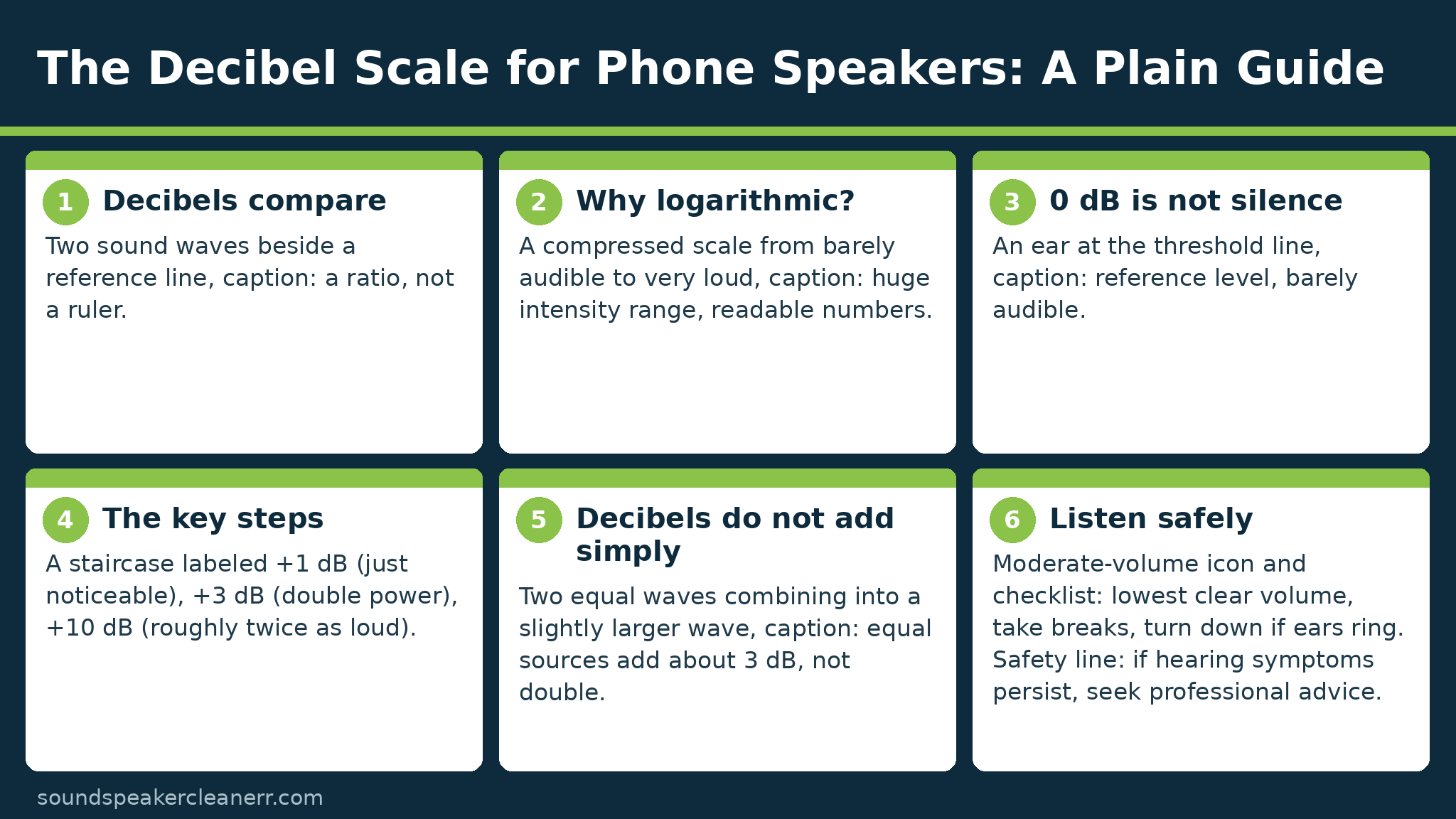
    A decibel (dB) is not a direct measure of loudness like a meter measures length. It is a ratio comparing one sound with a reference sound, on a logarithmic scale. That is why small decibel changes can mean large power changes.

    Once you grasp that one idea — decibels compare, they do not count like ordinary numbers — the rest of the scale falls into place. You will stop adding decibels together as if they were ordinary numbers, stop assuming that a higher dB figure always means a proportionally louder phone, and start reading speaker specs with far more confidence. You will also have a better sense of when volume is getting into the range where moderation and hearing protection matter.

    Why we need a logarithmic scale at all

    Human hearing covers an astonishing range. The quietest sound a healthy ear can detect and the loudest sound it can tolerate differ in intensity by an enormous factor — many orders of magnitude. If we tried to describe that range with a straight, linear scale, the numbers would be unwieldy: tiny numbers for quiet sounds, huge numbers for loud ones, and almost no useful detail in between.

    The decibel solves this by compressing the range. It takes the ratio between a sound and a reference sound, takes the logarithm of that ratio, and multiplies by ten. The result is a compact scale that runs, for everyday sounds, roughly from 0 dB upward past 100 dB. A whisper, a conversation, a busy street, and a loud concert can all sit on the same readable scale, even though their actual intensities differ by factors of thousands or millions.

    This compression is not just a mathematical convenience. It also matches how we hear. Our ears respond to proportional changes, not absolute ones. Adding the same amount of power to a quiet sound makes a bigger impression than adding the same amount to an already loud sound. A logarithmic scale captures that behavior: equal steps on the decibel scale feel like roughly equal steps in loudness, even though the power steps behind them grow larger and larger.

    The unit itself is named for Alexander Graham Bell. The original unit, the bel, described a tenfold ratio of power. A bel proved too large for everyday use, so the decibel — one-tenth of a bel — became the standard. That history explains the "deci" in decibel and the factor of ten in the formula, but you do not need the formula to use the scale well. You need the rules of thumb that follow from it.

    What 0 dB does and does not mean

    One of the most common misunderstandings is that 0 dB means silence. It does not. In sound pressure level, written dB SPL, 0 dB is the reference level — roughly the quietest sound an average healthy ear can detect under ideal conditions. A sound at 0 dB SPL is barely audible, not absent. Sounds below 0 dB SPL exist in measurement terms but are generally below the threshold of hearing.

    This matters because decibels always need a reference to mean anything absolute. When you see "dB SPL," the reference is a standard quiet threshold. When you see "dB" on a phone's volume display, a mixing desk, or a digital file, the reference may be different — for example, the maximum level a digital system can represent, where levels are negative and 0 dB is the ceiling, not the floor. Two figures that both say "dB" but use different references cannot be compared directly. Always check which kind of decibel you are looking at.

    For phone speakers, the most useful reference is dB SPL: the actual sound pressure reaching your ears. A sensitivity figure, for example, is stated in dB SPL at a standard distance, because it describes real sound in the air. A volume slider position, by contrast, is not a dB SPL figure at all — it is a control setting. That is why two phones at "half volume" can produce very different sound levels: the slider does not measure the sound, it only sets the signal.

    The rules of thumb that matter

    Four rules cover most everyday uses of the decibel scale. First, about 1 dB is the smallest change most people can reliably notice under good listening conditions. A change smaller than that is real in measurement terms but may be imperceptible in practice. Second, doubling the power adds about 3 dB. This is the same rule that appears in the wattage and sensitivity explainers, because power and decibels are linked: twice the power is a small step on a logarithmic scale, not a doubling of loudness.

    Third, a change of about 10 dB feels roughly twice as loud, or half as loud, to most listeners. Reaching that 10 dB step requires about ten times the power. That is why loudness is expensive in power terms: each step that feels like a doubling costs ten times the energy of the step before it. Fourth, decibels do not add like ordinary numbers. Two separate sources each producing the same level do not double the decibel number. Two independent sources at the same level together produce a level about 3 dB higher, not twice the number. If you see "60 dB + 60 dB = 120 dB," that calculation is wrong.

    These rules explain many everyday puzzles. They explain why turning a phone from half volume to full volume does not sound twice as loud, or even close to it, in a simple proportional way. They explain why a speaker that is a few decibels more sensitive can be noticeably louder with far less power. And they explain why a small decibel difference in a spec sheet — 3 dB, for example — is not a trivial detail but a meaningful gap.

    Distance also follows a rule worth knowing. As sound spreads from a small source, its level falls as you move away. Doubling the distance from a phone speaker reduces the level noticeably, though the exact amount depends on the environment — walls, furniture, and reflections all shape the result. The practical point is simple: moving a phone closer is often more effective, and safer, than turning it up much louder.

    Reading decibel figures on phones and speakers

    When you encounter a decibel figure for a phone or a speaker, ask what it describes. A sensitivity figure describes loudness at a standard distance from a standard input, and is useful for comparing efficiency when the measurement conditions match. A maximum loudness figure, if given, describes the loudest output the design can produce, usually at a close distance and often with some distortion allowed — so it is not a figure for comfortable listening. A volume or gain figure in decibels, such as on a mixer or an audio app, describes a change relative to a reference, not an absolute loudness in the room.

    Be cautious with figures that lack context. A claim that a device "reaches" a certain decibel level means little without the distance, the test signal, and the distortion limit. A figure measured very close to the speaker will always look larger than the same speaker measured from a normal listening distance. A trustworthy description states those conditions; a marketing claim that omits them should be treated as incomplete.

    Also remember that decibels describe level, not quality. A loud speaker is not automatically a clear speaker. Distortion, harshness, and muddiness can all increase as volume rises, especially from a small phone driver pushed to its limit. A speaker that sounds clean at a moderate volume is more useful than a speaker that can reach a high decibel figure only by distorting. Judge by listening, not by the largest number on the page.

    Decibels, hearing, and safe listening

    Decibels are also a hearing-safety tool, because risk depends on both level and time. Brief exposure to a moderately loud sound is very different from prolonged exposure to the same level. As a general principle, the louder the sound, the shorter the safe listening time. That is why moderation matters more than any single number: a phone at a comfortable volume for a call or a video is very different from a phone at maximum volume held close to the ear for a long period.

    A few practical habits follow from the scale. First, keep the volume at the lowest level that lets you hear clearly. If you must raise it to overcome background noise, consider moving to a quieter place or using headphones at a moderate level rather than pushing the loudspeaker to its limit. Second, take breaks from loud listening, and do not fall asleep with a loudspeaker or headphones playing at high volume. Third, pay attention to warning signs: ringing in the ears, a feeling of fullness, or needing to raise your voice to be heard over the sound are all signals to turn down and rest your ears.

    For children, extra caution applies. Young ears are more vulnerable, and children may not report discomfort or may keep listening at high volume without realizing the risk. Keep volumes moderate, favor the loudspeaker at a distance over headphones at high volume where possible, and use any volume-limit settings the device provides.

    If you notice persistent ringing, muffled hearing after listening, or difficulty understanding speech, stop loud listening and seek professional advice. This guide is educational, not medical advice, and it cannot diagnose hearing problems. The safe rule is simple: if it sounds uncomfortably loud, it is too loud, regardless of what any number says.

    A plain-language scale you can use

    Without claiming precise measurements for any phone, a general sense of the scale helps. Near the bottom, around the reference level, sounds are barely audible. Quiet speech and a quiet room sit in the lower part of the scale. Normal conversation sits higher. A busy street, a vacuum cleaner, or a loud television sits higher still. Very loud music, power tools, and engines sit near the top of the everyday scale, where prolonged exposure becomes a hearing concern.

    The key lesson is not the exact number for each example, but the spacing: each 10 dB step feels roughly like a doubling, each 3 dB step is a doubling of power, and each 1 dB step is just noticeable. When you see a decibel figure, translate it with those steps rather than reading it as a percentage or a score. A device that is 3 dB louder is meaningfully louder. A device that is 10 dB louder is dramatically louder. A device that is 1 dB louder is barely different.

    That translation skill is the real payoff of understanding decibels. It lets you read sensitivity figures, wattage discussions, and loudness claims without being misled by big numbers or small differences. It also lets you make safer choices: you can recognize when a small increase in the volume slider represents a large increase in power, and when a sound has crossed from comfortable into the range where moderation matters.

    FAQ

    What is a decibel in simple terms?

    A decibel (dB) is a unit that compares one sound with a reference sound on a logarithmic scale. It does not measure loudness like a ruler measures length; it expresses a ratio, so small dB changes can represent large changes in power.

    Does 0 dB mean complete silence?

    No. In sound pressure level (dB SPL), 0 dB is the reference level, roughly the quietest sound an average healthy ear can detect. It means barely audible, not absent. Other dB references, such as digital maximum, use 0 dB differently, so always check the reference.

    Why is the decibel scale logarithmic instead of linear?

    Because human hearing covers an enormous range of intensities, and our ears respond to proportional changes. A logarithmic scale compresses that range into readable numbers and matches how we perceive equal steps in loudness.

    How much louder is +3 dB?

    Doubling the power adds about 3 dB, which most listeners notice as a small increase, not a doubling. A 3 dB sensitivity gap is still meaningful, because it represents roughly twice or half the power for the same volume.

    How much louder is +10 dB?

    About twice as loud in perception, and it requires about ten times the power. That is why loudness is expensive in power terms, and why chasing large loudness gains with power alone quickly becomes impractical.

    Do decibels add up like normal numbers?

    No. Two independent sources at the same level together produce a level about 3 dB higher, not double the number. For example, two equal sources do not produce twice the decibel figure; they produce a modest increase.

    Is my phone's volume slider measured in decibels?

    No, not as sound in the room. The slider sets the signal level sent to the amplifier and processing. The actual sound level in decibels depends on the speaker, enclosure, distance, and environment, so the same slider position can sound different on different phones.

    How loud is too loud for safe listening?

    As a general principle, the louder the sound, the shorter the safe listening time. Keep volume at the lowest level that lets you hear clearly, take breaks from loud listening, and turn down if you notice ringing, fullness, or difficulty hearing afterward. This guide is educational, not medical advice.

    Related tools on this site

    Related guides on this site

  • Phone Speaker Sensitivity Explained: Why Phones Sound Louder

    Phone Speaker Sensitivity Explained: Why Phones Sound Louder

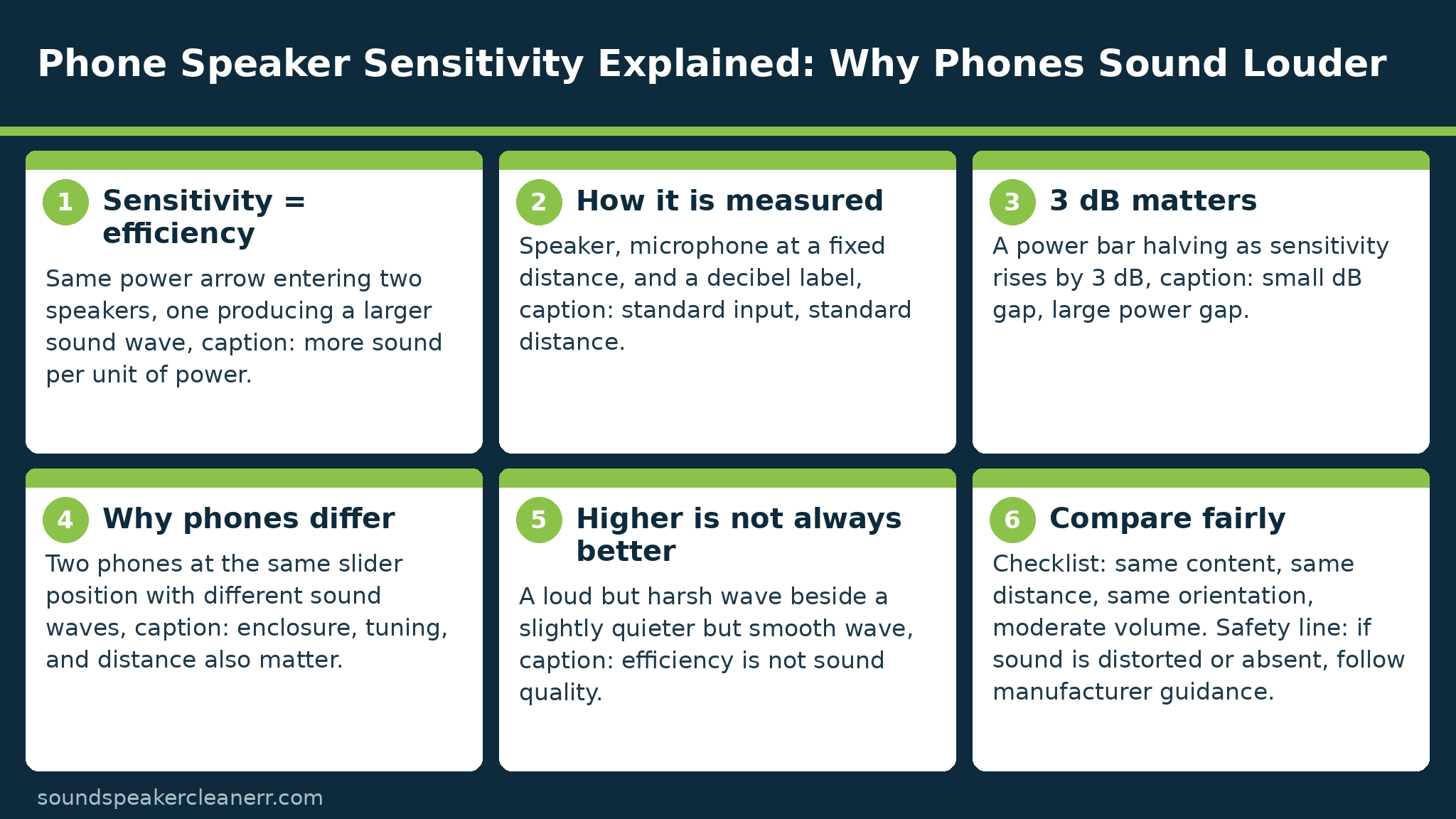
    Speaker sensitivity describes how efficiently a speaker turns power into sound, measured in decibels from a standard input at a standard distance. A more sensitive speaker sounds louder with the same power, which is why two phones at the same setting can sound quite different.

    If you have ever wondered why a friend's phone sounds louder than yours even though both are "turned up," sensitivity is the most likely general explanation — alongside enclosure design, tuning, and how close you are holding the device. Understanding it takes only one idea: a small difference in decibels represents a large difference in power. Once that clicks, spec sheets become far less mysterious, and the temptation to rank speakers by watts alone fades.

    What sensitivity means in plain language

    Imagine two speakers receiving exactly the same power. One turns that power into sound efficiently, wasting little as heat. The other wastes more and produces less sound from the same input. The first speaker has higher sensitivity. Sensitivity is therefore a measure of efficiency: how much audible sound you get for each unit of power you put in.

    In general audio specifications, sensitivity is usually stated as a decibel figure measured under standard conditions — commonly one watt of power measured from one meter away, written as dB SPL at 1 watt and 1 meter. Some specifications use an equivalent voltage standard instead, which can shift the number slightly for speakers of different impedance, so two figures are only directly comparable when they were measured the same way. The key idea, however, stays the same: the figure tells you how loud the speaker plays for a given input, at a fixed distance.

    A worked comparison shows why the number matters. If one general speaker design is rated a few decibels more sensitive than another, it needs noticeably less power to reach the same volume. The standard rule is that every 3 dB of extra sensitivity roughly halves the power needed for the same loudness. Turn that around: a speaker that is 3 dB less sensitive needs roughly twice the power to sound equally loud. A 6 dB gap means roughly four times the power, and a 10 dB gap means roughly ten times the power. Small decibel gaps therefore hide large power gaps.

    That rule also explains the link to wattage. A sensitive speaker paired with a modest amplifier can sound louder and cleaner than an insensitive speaker paired with a much more powerful amplifier, because the sensitive design converts its smaller power input into sound more efficiently. Wattage describes the input; sensitivity describes how well that input is used. You need both ideas to understand loudness, and neither alone is enough.

    Why phones sound different at the same volume setting

    On a phone, the volume slider is not a loudness meter. It is a control that sets the signal level sent to the phone's internal amplifier and processing. Two different phone designs can interpret the same slider position very differently, because their speakers, enclosures, amplifiers, and tuning are different. Sensitivity, in the general sense, is one of the reasons for that difference — but on a phone it is bundled with everything else, not published as a single number you can compare across models.

    Distance also changes what you hear far more than most people expect. The standard sensitivity measurement is taken from one meter away, but you usually hold a phone much closer than that — in your hand, near your ear, or on a desk in front of you. Sound gets louder as you get closer, so a phone that sounds loud in the hand may sound far quieter across a room. That is normal physics, not a fault, and it is why a fair comparison means holding both devices the same way, at the same distance, playing the same content, at a moderate volume.

    Enclosure and tuning matter just as much. A phone speaker is a tiny driver in a tiny enclosure, and the enclosure shapes the sound as surely as the driver itself. The size and shape of the internal cavity, the grille opening, the case you use, and even whether your hand covers part of the speaker all change the output. Digital processing also shapes the sound before it reaches the speaker, boosting some frequencies and limiting others to protect the small driver from distortion. Two phones with similar drivers can therefore sound quite different, because the whole system — not one component — produces the sound.

    Background noise plays a role too. In a quiet room, a modest volume sounds clear and full. On a busy street or in a noisy kitchen, the same volume can sound faint, because your ears must pick the phone's sound out of competing noise. That is not a change in sensitivity; it is a change in listening conditions. If a phone sounds quiet only in noisy places, the environment is likely the explanation, not a failing speaker.

    Is higher sensitivity always better?

    No, and this is an important correction. Higher sensitivity means more volume per unit of power, which is useful — especially in a battery-powered device where every unit of power counts. But it does not automatically mean better sound quality. A highly sensitive speaker can still sound harsh, thin, or distorted if its driver, enclosure, or tuning are poor. A less sensitive speaker with excellent design and tuning can sound more natural, clearer, and more pleasant, even if it needs more power to reach the same volume.

    There are also trade-offs in design. A speaker optimized purely for maximum sensitivity might sacrifice bass control, smoothness, or durability. A speaker optimized for balanced sound might accept lower sensitivity in exchange for cleaner tone. Good design balances these goals for the device's actual use. For a phone, that use is close listening — calls, videos, voice messages, and music in the hand — so clarity at a moderate volume matters more than maximum loudness at full volume.

    Another caution: sensitivity figures are only comparable when measured the same way. A figure measured at one watt and one meter cannot be directly compared with a figure measured at a different voltage, a different distance, or with different test tones, without converting between standards. That is one more reason not to rank phones by a sensitivity number you happen to find in a technical document. If the measurement conditions are not stated, the number is incomplete information.

    Sensitivity, wattage, and impedance together

    Sensitivity, wattage, and impedance are three parts of one story, and each answers a different question. Wattage asks: how much power can this design handle or deliver? Impedance asks: what electrical load does the speaker present to its amplifier? Sensitivity asks: how much sound does that power produce? No single answer describes loudness or quality on its own.

    Consider two general examples. A sensitive speaker with a modest power rating can play loudly and cleanly, because it uses its power well. An insensitive speaker with a large power rating can also play loudly, but only by consuming far more power and generating more heat to reach the same level. If both are well designed, both can sound good — they simply arrive at loudness by different routes. If either is poorly designed, no combination of numbers will save it.

    For a phone buyer, the practical conclusion is the same as for wattage and impedance: you do not shop by one number. You listen. The three specs are useful for understanding why devices differ, and for spotting misleading claims, but they are not a buying ranking. A seller who claims that a single sensitivity figure guarantees better sound is overstating what the figure can show.

    What to check when one phone sounds quieter

    Before concluding that a phone has a "weak" speaker, work through the ordinary causes. First, compare fairly: same content, same distance, same orientation, same volume setting, and no case covering the speaker. Second, check settings: a volume limit, a balance setting moved to one side, a mono-audio setting, or a "do not disturb" style mode can all change what you hear. Third, check the speaker itself: dust or lint in the grille, a case that muffles the opening, or moisture after exposure to water can all reduce loudness and clarity.

    Also check which speaker you are testing. The earpiece and the loudspeaker are different parts. The earpiece is designed for calls held to the ear and will always sound quieter at arm's length than the loudspeaker, because that is its job. The loudspeaker is designed for speakerphone, media, and ringtones. Testing the earpiece as if it were the loudspeaker, or vice versa, will give a misleading result. Test each part in its normal use, at a moderate volume.

    If one phone genuinely sounds quieter than another in a fair comparison, that does not necessarily mean it is faulty. It may simply be a less sensitive design, or a design tuned for clarity rather than maximum loudness. That trade-off may suit you or not, depending on how you use the phone. If the sound is distorted, muffled, rattling, or absent, rather than merely quieter, that points to a blockage, a setting, or damage — not to sensitivity — and the right step is gentle cleaning, a restart, and, if the problem persists, the manufacturer's guidance or professional repair.

    Sound played through a speaker may help with loose surface dust in some cases, but it does not always eject water or dust, and it does not repair damage. Do not keep raising the volume to force a quiet speaker louder, and do not use sharp tools inside a speaker opening. Moderate volume protects both your hearing and the speaker.

    How to use sensitivity without being misled

    Use sensitivity as an explanation, not as a score. When a device sounds louder than expected for its size or power, efficiency is a likely part of the explanation. When a device sounds quieter than expected, lower efficiency is a possible part of the explanation — but so are enclosure, tuning, distance, and environment. A trustworthy description will mention sensitivity alongside those other factors, and will state how it was measured.

    Be wary of any claim that treats a small sensitivity gap as unimportant, or a large one as a guarantee. A 3 dB gap is not trivial: it represents roughly a doubling or halving of power. At the same time, a sensitivity advantage does not guarantee pleasant sound. The best test remains listening at your normal volume, in your normal conditions, to the content you actually use — speech first for clarity, then music for clean loud passages.

    In short, sensitivity explains why power alone does not decide loudness. It rewards efficient design, it punishes wasteful design, and it reminds you that the ear hears ratios, not raw watts. Keep that idea, and watt figures, ohm figures, and decibel figures will all make more sense — without any one of them becoming a false ranking.

    FAQ

    What is speaker sensitivity in simple terms?

    Sensitivity is how efficiently a speaker turns power into sound, stated as loudness in decibels from a standard input at a standard distance, commonly 1 watt at 1 meter. Higher sensitivity means louder sound from the same power.

    Why does one phone sound louder than another at the same volume?

    Because their speakers, enclosures, amplifiers, and tuning differ, and sensitivity is one part of that difference. Distance, case, hand position, and background noise also change what you hear, so compare fairly before concluding one speaker is faulty.

    How much difference does 3 dB of sensitivity make?

    A lot. Every 3 dB of extra sensitivity roughly halves the power needed for the same volume. A 3 dB less sensitive speaker needs roughly twice the power, and a 10 dB gap means roughly ten times the power for the same loudness.

    Is a more sensitive speaker always better quality?

    No. Sensitivity measures efficiency, not tone or clarity. A highly sensitive speaker can still sound harsh or distorted, while a less sensitive speaker with better design and tuning can sound more natural and pleasant.

    Can I compare sensitivity figures between two phones directly?

    Only if they were measured the same way, with the same input standard, distance, and test conditions. If those conditions are not stated, the figures are not directly comparable, and phone makers do not generally publish a headline sensitivity spec for comparison shopping.

    Does sensitivity affect battery life?

    Indirectly, yes. A more efficient speaker needs less power for the same volume, which can ease the load on the amplifier. But battery life also depends on processing, screen use, and how loudly you listen, so sensitivity alone does not predict it.

    Why does my phone sound quieter across a room than in my hand?

    Because sound spreads as it travels and gets quieter with distance. Sensitivity is measured at a fixed distance, usually one meter, but you normally hold a phone much closer, so moving it away will always reduce what you hear.

    Should I buy a phone based on its sensitivity rating?

    No. Use sensitivity to understand why devices differ, not as a buying score. Listen at a moderate volume, check speech clarity and clean loud passages, and test the earpiece and loudspeaker separately in their normal uses.

    Related tools on this site

    Related guides on this site

  • Phone Speaker Wattage Explained: What Watts Really Mean

    Phone Speaker Wattage Explained: What Watts Really Mean

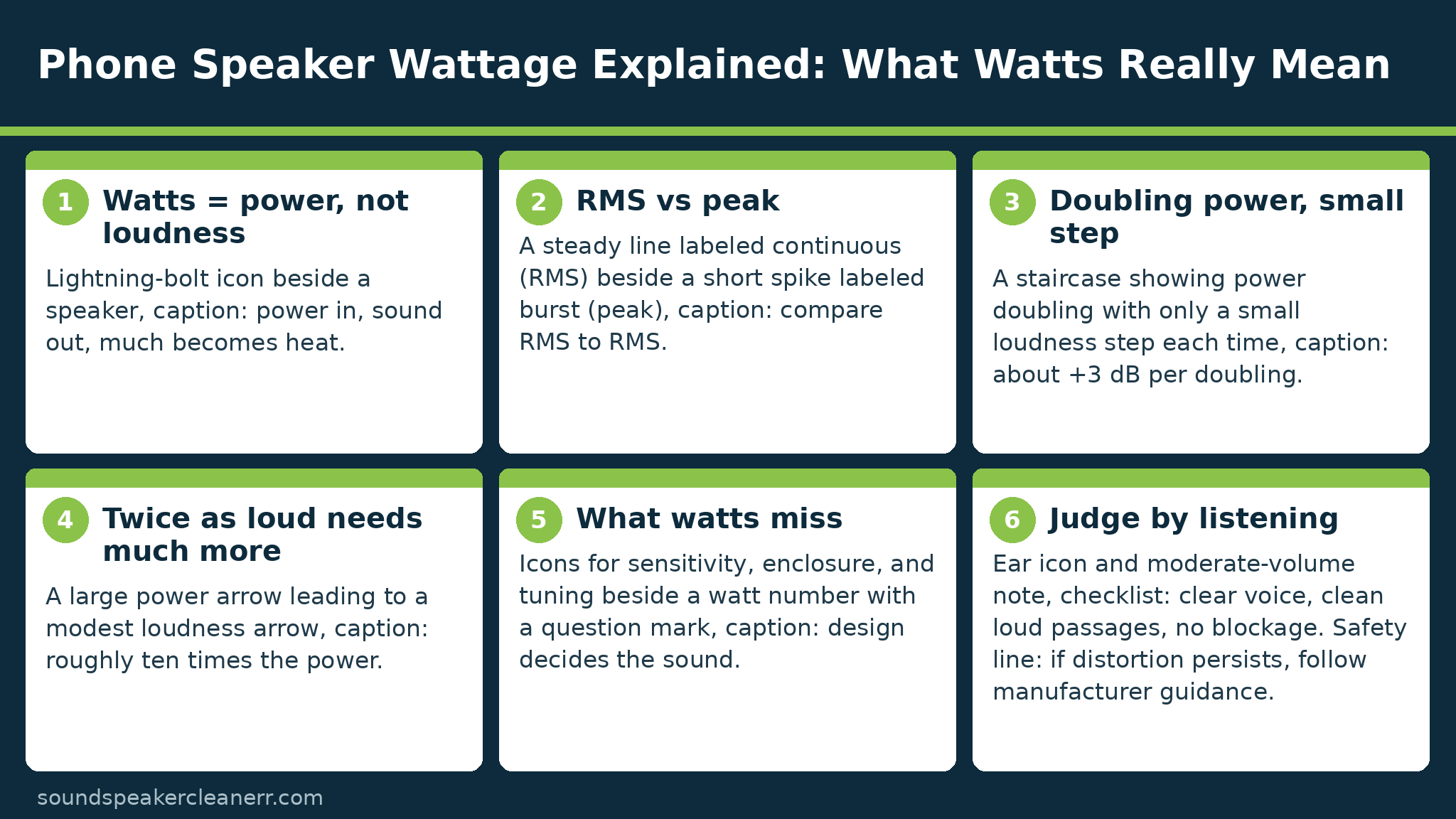
    Watts measure electrical power, not loudness itself. For a speaker, a watt rating usually describes power handling — how much power the speaker can receive without distortion or damage — and for an amplifier it describes how much power it can send. More watts do not automatically mean louder sound, because loudness also depends on sensitivity, design, and how human hearing works.

    That distinction is the whole point of this guide. Wattage is one of the most quoted specs in audio, and one of the most misunderstood. A bigger watt number looks like a better speaker, but on its own it tells you very little about what you will hear from a phone. Once you know the difference between continuous power and short-burst power, and why doubling power only adds a small step in loudness, watt figures become much easier to read — and much harder to be misled by.

    What a watt actually is

    A watt is a unit of power. In audio, power is the electrical energy an amplifier delivers to a speaker over time. The amplifier turns an audio signal into electrical power, the speaker's voice coil turns that power into movement, and the moving diaphragm turns movement into sound waves in the air. Not all of the electrical power becomes sound; much of it becomes heat in the coil and the amplifier. That is normal, and it is one reason efficient design matters more than raw power alone.

    When a speaker is described with a watt figure, the figure usually means power handling: the amount of power the speaker can take before the sound starts to distort or the parts risk damage. When an amplifier is described with a watt figure, it usually means power output: the amount of power it can deliver. Those are two sides of the same pairing, and in a well-designed system they suit each other. Confusing the two — for example, assuming a speaker "produces" watts the way an amplifier does — leads to the most common misreadings.

    For a phone, the amplifier and speaker are designed together, inside a small, battery-powered device with very limited space for heat to escape. The power available is therefore modest by home-audio standards, and the design must be efficient. That is not a flaw; it is a trade-off. A phone speaker is designed to be clear at the distances people actually use it — in the hand, on a desk, or on speakerphone — not to fill a large room the way a home speaker is.

    RMS vs peak: the only watt distinction that matters most

    If you remember one watt distinction, make it this one: RMS versus peak. RMS stands for root mean square, and in plain language it means continuous power — the power a speaker or amplifier can handle or deliver steadily over time during normal use. Peak power means the maximum power handled or delivered in a very short burst, such as a sudden drum hit or a loud sound effect. Peak figures are always higher than RMS figures for the same device, sometimes several times higher.

    That gap is where marketing creeps in. A product advertised with a large peak number can look far more powerful than a product advertised honestly with its RMS number, even if the two perform similarly in everyday listening. Some listings use an even less meaningful figure called PMPO, or peak music power output, which describes an extreme short burst under favorable conditions and is widely treated as a marketing number rather than a useful comparison. The safe rule is simple: compare RMS to RMS, and treat a listing that shows only a peak or PMPO figure as incomplete information.

    Why does continuous power matter more? Because music, speech, and video are continuous. A speaker does not play one burst and then stop; it plays for minutes or hours. A rating that only describes a fraction of a second does not describe that experience. RMS gives a realistic picture of what the device can sustain without distortion or strain. Peak still has a role — it describes headroom for sudden loud moments — but it should never be the only number you compare.

    On a phone, you will rarely see either figure advertised as a headline spec, because the internal amplifier and speaker are not sold separately. When watt figures do appear in technical discussions of phones, they are best read as design notes about the internal pairing, not as a ranking you can use to choose between phones. The sound you hear depends on the whole system, not on one power number.

    Why doubling watts does not double loudness

    Human hearing does not work in a straight line. It works logarithmically, which means equal steps in perceived loudness require ever larger steps in power. The standard rule of thumb from audio guides is clear: doubling the power adds only about 3 decibels, which most listeners notice as a small increase, not a doubling. To make a sound feel roughly twice as loud, you need about ten times the power, an increase of about 10 decibels.

    A worked example makes this concrete in general terms. If a system is playing at a given level and you double its power, the level rises by about 3 dB. Double again, and it rises another 3 dB. After two doublings — four times the original power — the level is about 6 dB higher, which is clearly louder but still not twice as loud in perception. Reaching roughly twice-as-loud requires about ten times the power. That is why chasing watt numbers quickly becomes impractical: each extra step in loudness costs far more power than the last.

    This rule also explains why a modest, well-designed speaker can sound satisfying while a high-wattage speaker can disappoint. If the high-wattage design is inefficient, or if its enclosure and tuning waste energy, the extra power may be spent as heat or distortion rather than as clean sound. Power is an input. Loudness is an output, and the conversion between them depends on efficiency. That conversion is described by sensitivity, covered in the companion explainer.

    Distance matters too. Sound spreads as it travels, so a phone held close to you sounds louder than the same phone across a room, even at the same volume setting. Room surfaces, background noise, and whether the speaker faces you or is muffled by a case or a hand also change what you hear. None of those factors appear in a watt figure, which is another reason watts alone cannot predict your experience.

    What watts do tell you, and what they do not

    Watts are still useful, when read correctly. A power-handling figure tells you about the limits of a design: how much continuous power it can take before distortion or damage becomes a risk. An amplifier output figure tells you about the headroom available for clean peaks. In a system with separate parts, matching those figures sensibly matters — an amplifier that constantly drives a speaker far beyond its continuous rating risks distortion and damage, while a very weak amplifier pushed to its limit can also distort.

    What watts do not tell you is sound quality. Tone, clarity, bass control, voice intelligibility, and distortion at your normal listening volume are not described by a watt number. Two speakers with the same watt rating can sound very different because of driver design, enclosure, tuning, and processing. A speaker with a lower watt rating but a better design can sound clearer and more satisfying than a higher-rated speaker that distorts early or sounds harsh.

    Watts also do not tell you about battery life in a simple way. A phone that can deliver more power is not automatically a phone that drains faster, because efficiency, processing, and how loudly you actually listen all matter. Listening at a moderate volume, which is also safer for your hearing and for the speaker, uses far less power than listening at maximum volume. If battery life matters to you, real-world usage matters more than a watt figure.

    Wattage myths to leave behind

    The first myth is "more watts always means louder." As shown above, loudness grows slowly with power, and sensitivity and design intervene. A second myth is "a high peak number means a powerful speaker." Peak numbers describe short bursts, not sustained performance, and PMPO numbers are not a reliable comparison at all. A third myth is "you need the highest wattage for good sound." For close listening — calls, videos, podcasts, and music in the hand or on a desk — clarity and clean output at a moderate volume matter far more than maximum power.

    A fourth myth is specific to phones: "a phone with a bigger watt figure must have a better speaker." Phone makers do not generally compete on internal watt figures, and the figure, when it appears, describes an internal pairing you cannot change. Judging a phone speaker by an internal watt number is like judging a meal by the size of the stove it was cooked on. The stove matters, but the recipe, ingredients, and cook matter more.

    Finally, beware of comparisons that mix RMS and peak figures. A listing that shows one device's peak number beside another device's RMS number is not a fair comparison, even if the numbers look similar. Always check which kind of watt figure you are looking at, and if the listing does not say, treat it as incomplete.

    How to judge a phone speaker instead

    Judge by listening, at the volume you actually use. Play speech first: a clear phone speaker keeps voices intelligible without harshness or muddiness. Then play music with a mix of quiet and loud passages: a good speaker stays clean on the loud parts instead of distorting or rattling. Check both the earpiece and the loudspeaker separately, because they are different parts with different jobs. The earpiece is for calls held to the ear; the loudspeaker is for speakerphone, media, and ringtones. A fault in one does not prove a fault in the other.

    Check the simple causes before blaming power or specs. A case covering the speaker, a hand over the grille, dust or lint blocking the opening, or a software setting that has lowered volume can all make a speaker sound quiet or dull. Clean gently, without sharp tools, and keep the volume moderate while testing. Sound played through a speaker may help with loose surface dust in some cases, but it does not always eject water or dust, and it does not repair damage. If sound stays distorted, muffled, or absent, follow the manufacturer's guidance or seek professional repair rather than forcing maximum volume.

    If you are comparing phones in a store or from reviews, listen for the same things reviewers should describe: clarity at moderate volume, distortion at higher volume, and whether voices stay natural. A trustworthy review describes what was heard, not just what the spec sheet says. Watt figures, when mentioned, should be labeled as RMS or peak, and should sit alongside listening impressions — not replace them.

    FAQ

    Do more watts mean a louder phone speaker?

    Not automatically. Doubling power adds only about 3 dB, a small increase, and roughly ten times the power is needed for a sound to feel twice as loud. Sensitivity, design, and processing also decide loudness, so watts alone cannot predict it.

    What is the difference between RMS and peak watts?

    RMS is continuous power — what a speaker or amplifier can handle or deliver steadily during normal use. Peak is the maximum for very short bursts. RMS is the meaningful figure for comparison; peak alone is incomplete and often inflated for marketing.

    What is PMPO, and should I trust it?

    PMPO, or peak music power output, describes an extreme short burst under favorable conditions. It is widely treated as a marketing figure rather than a useful comparison. If a listing shows only PMPO, treat it as incomplete and look for an RMS figure.

    Is a high-wattage speaker always better quality?

    No. Wattage describes power handling or output, not tone, clarity, or distortion. A lower-rated but well-designed speaker can sound clearer than a higher-rated speaker that distorts early or sounds harsh.

    Why do phone makers rarely advertise speaker watts?

    Because the amplifier and speaker are built together inside the phone and are not sold or swapped separately. The watt figure describes an internal pairing, not a feature you can upgrade, so it is not a useful headline buying spec for most buyers.

    Can too much power damage a speaker?

    In a system with separate parts, driving a speaker far beyond its continuous rating can cause distortion or damage, and pushing a weak amplifier to its limit can also distort. On a phone, the pairing is fixed by design, so do not try to force extra power through it.

    Does listening louder drain the battery faster?

    Listening at maximum volume uses more power than listening at a moderate volume, but battery life also depends on efficiency and processing. Moderate volume is kinder to both battery and hearing, and to the speaker itself.

    How should I compare two phone speakers if not by watts?

    Listen at your normal volume. Check speech clarity, whether loud passages stay clean, and whether the earpiece and loudspeaker each work well. Check for blockages or settings first if one sounds quiet or dull.

    Related tools on this site

    Related guides on this site

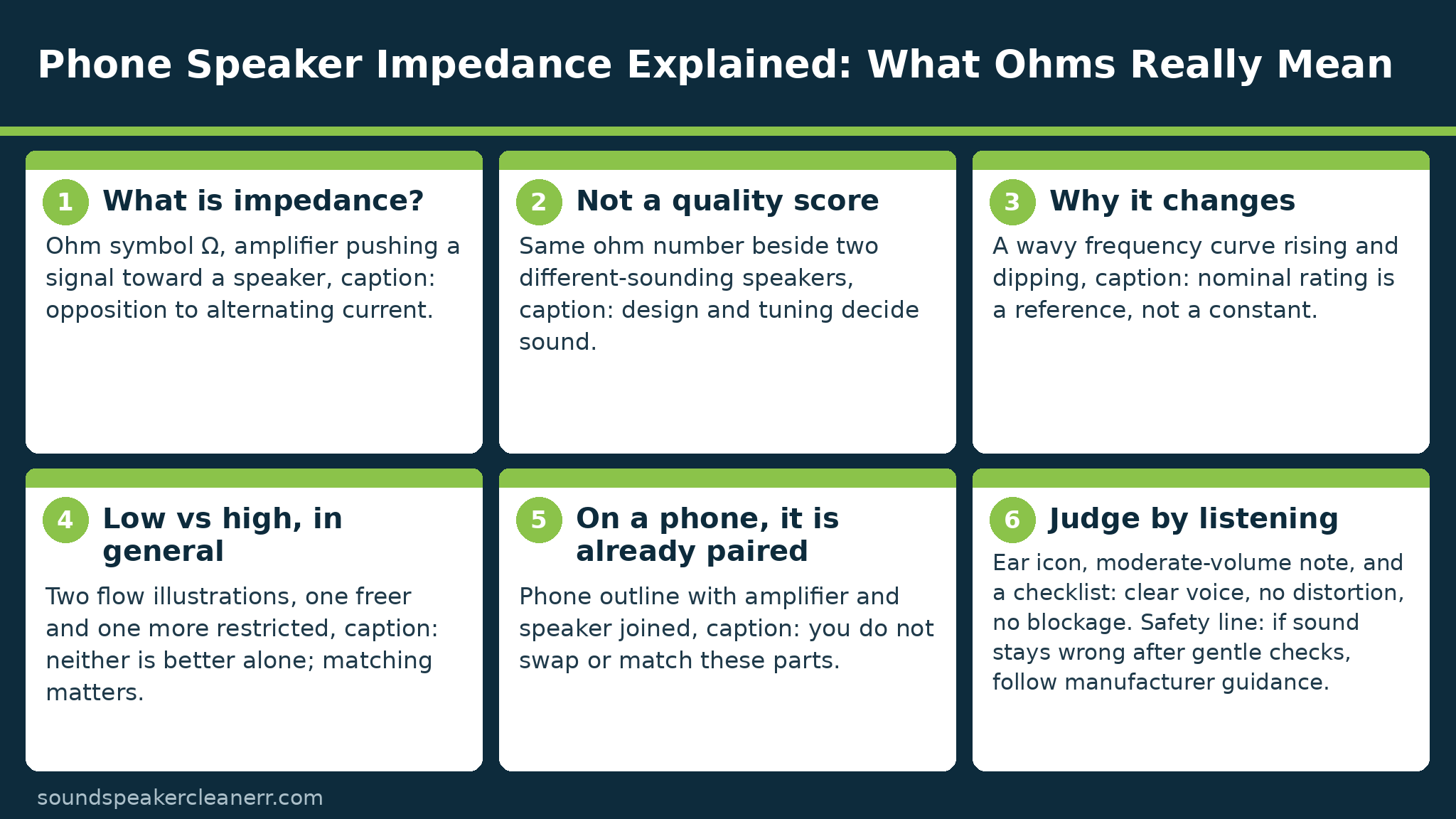
  • Phone Speaker Impedance Explained: What Ohms Really Mean

    Phone Speaker Impedance Explained: What Ohms Really Mean

    Impedance is how much electrical opposition a speaker presents to its amplifier, measured in ohms (Ω). Lower ohms mean current flows more easily; higher ohms restrict it. Impedance alone does not tell you whether a phone speaker sounds good or how loud it will play.

    That short answer surprises many readers, because ohms look like a score. They are not. Impedance is an electrical description of the relationship between an amplifier and a speaker. It matters most when you are choosing separate parts that must work together, for example a home amplifier and a pair of passive speakers. On a phone, the amplifier and the speaker are designed together inside one device, so you do not match them yourself. What you can use impedance for is understanding why two devices can behave differently even when their other numbers look similar, and why a single ohm figure should never be used as a buying ranking.

    What impedance actually measures

    Think of an amplifier as pushing an electrical signal, and the speaker as the load that receives that push. Voltage is the push, current is the flow that results, and impedance describes how much opposition that flow meets. A helpful everyday comparison is a garden hose: higher pressure pushes more water through, a narrower hose restricts the flow, and a wider hose lets more through. In a speaker, the "hose" is mainly the voice coil, a tightly wound coil of wire that sits in a magnetic field. When current flows through the coil, the magnetic field moves the coil, and the coil moves the diaphragm that makes sound.

    Impedance is not the same as simple resistance, even though both are measured in ohms. Resistance describes opposition to a steady, direct current. Audio is an alternating signal that constantly changes direction and frequency, and a coil behaves differently as that frequency changes. Part of impedance comes from the wire itself, and part comes from inductance, the coil's tendency to oppose changes in current. Together they form impedance, which is why the correct description is "opposition to alternating current," not just "resistance."

    This distinction matters because it explains why an ohm rating is never a complete description. A speaker that is described with one number is being summarized. The real electrical behavior is a curve that rises and falls as the music changes pitch. The printed number is a useful shorthand, not a promise that the speaker always presents exactly that opposition.

    Why impedance changes with frequency

    Music is not a single tone. A phone speaker plays low notes, midrange voices, and high detail at the same time, and the coil responds differently to each. At some frequencies the coil's mechanical resonance makes impedance rise sharply. At others it may dip lower than the headline figure. Enclosures, ports, and any crossover parts in larger speakers also shape that curve, though a small phone speaker has a simpler internal path than a multi-driver home speaker.

    The practical point is simple: do not treat a nominal rating as a fixed fact. When audio guides say "nominal impedance," they mean a standardized reference value that lets engineers compare designs and check that an amplifier can handle the load. It is the number used for planning, not a measurement you will see at every second of playback. If you ever read a detailed impedance curve for a general speaker design, you will see peaks and dips. That variation is normal, and it is one reason a single spec cannot capture how a speaker sounds.

    For a phone owner, this also explains why volume and clarity can change between types of content. A deep bass note, a spoken voice, and a sharp notification sound place different electrical demands on the same speaker. The speaker is not changing its rating; the signal is changing, and the impedance follows the signal.

    What "low" and "high" impedance mean in general

    In general audio terms, a lower-impedance speaker allows more current to flow for the same voltage, so it draws more power from the amplifier. A higher-impedance speaker restricts current, so the amplifier must supply more voltage to reach the same output. Neither direction is automatically better. The right choice depends on what the amplifier was designed to drive.

    That is why matching matters in systems with separate parts. If an amplifier is designed for a higher-impedance load and is connected to a much lower-impedance speaker, it may be asked to supply more current than it can comfortably deliver. The result can be heat, strain, or protective shutdown, and in extreme cases damage. If the impedance is much higher than the amplifier expects, the system may simply play more quietly, because not enough current flows. Good design avoids both problems by pairing parts that suit each other.

    On a phone, that pairing has already been done by the manufacturer. You cannot plug a different internal speaker into the phone's amplifier, and you should not try to open the device to change it. So the question "should I choose a low-impedance phone or a high-impedance phone?" is not a question a buyer can act on in the way a home-audio buyer can. Phone makers do not generally advertise internal speaker impedance as a headline buying spec, and even when a figure appears in a technical document, it describes the internal design, not a part you can swap.

    Why impedance is not a sound-quality score

    One of the clearest points in the SERP sources is also the most useful: impedance has nothing to do with sound quality on its own. A speaker does not sound better because its ohm number is higher or lower. Sound quality comes from the whole design working together — the driver, the enclosure, the tuning, the amplifier, and the digital processing that shapes the sound before it reaches the speaker. Two speakers with the same nominal impedance can sound very different, and two speakers with different impedance can sound equally good.

    This is a common trap in spec-sheet shopping. A single number feels objective, so it is tempting to rank devices by it. Impedance resists that use. It tells you about an electrical relationship, not about tone, clarity, distortion, or how natural a voice sounds. If you want to judge a phone speaker, listening at a moderate volume in a quiet room, checking speech clarity on a call, and checking whether loud passages distort will tell you far more than any ohm figure.

    The same caution applies to loudness. A lower-impedance speaker can draw more power and may play louder on the same amplifier setting in a general system, but loudness also depends on sensitivity, amplifier design, enclosure size, and processing. On a phone, those factors are bundled together, so you cannot predict loudness from impedance alone. The companion explainers on wattage and sensitivity cover those two factors in plain language.

    Impedance, headphones, and external speakers

    Impedance becomes more practical when you connect something external, but the rules are still about matching, not about chasing a "best" number. Wired headphones and earphones have their own impedance, and a phone's headphone output or adapter is designed for a typical range. Very high-impedance headphones may sound quiet on a phone because the phone cannot supply enough voltage for that load, while very low-impedance models may be easy to drive but more sensitive to noise. Again, neither is better in isolation; the question is whether the source and the load suit each other.

    With a Bluetooth speaker or Bluetooth headphones, the situation is different again. The amplifier and speaker are inside the external device, not in the phone, so the phone is only sending a digital signal. The impedance of the Bluetooth device's internal speaker is a matter for its own designer, not for the phone owner. That is one reason Bluetooth loudness and clarity vary so much between external devices: the whole design, not one number, decides the result.

    If you use a wired connection and the sound is unexpectedly quiet, distorted, or uneven, check the simple causes first: volume settings, a balance setting that has been moved to one side, a dirty connector, or a damaged cable. Do not assume impedance is the cause, and do not buy an adapter or amplifier on the basis of an ohm figure alone without checking that it is designed for your device.

    What to do if your phone speaker sounds wrong

    Impedance is rarely the cause of a muffled, crackling, or quiet phone speaker, and it is not something you can fix by changing a setting. The common causes are far more ordinary: dust or lint blocking the grille, water or moisture in the loudspeaker opening, a case covering the speaker, a software setting that has lowered volume or routed sound to the earpiece instead of the loudspeaker, or physical damage after a drop. Start with those checks, at a moderate volume, and follow the manufacturer's guidance for a wet device rather than forcing sound through it.

    It helps to be precise about which part you mean. The earpiece is the small speaker you hold to your ear on a call. The loudspeaker is the larger speaker used for speakerphone, media, and ringtones. The microphone captures your voice, and the charging port is a separate opening. A problem in one part does not automatically mean the others are affected, and cleaning or testing one part is not the same as testing the others. Keeping those parts distinct makes troubleshooting faster and avoids the common mistake of treating every sound problem as a "speaker" problem.

    Sound played through a phone speaker may help dislodge loose surface dust or water in some cases, but it does not always eject water or dust, and it does not repair damage. If sound stays muffled, distorted, or absent after gentle cleaning and a restart, or if the device was exposed to liquid, stop and follow the manufacturer's guidance or seek professional repair. Do not keep raising the volume to force a result, and do not use sharp tools inside a speaker opening.

    How to read an impedance spec without being misled

    When you do see an ohm figure, read it as a design note, not a verdict. Ask three questions. First, is this a nominal rating, meaning a reference value rather than a constant? Second, what amplifier or system is it paired with, because impedance only has meaning in that pairing? Third, what else does the design include — sensitivity, power handling, enclosure, and tuning — that will matter more for the sound you actually hear?

    If a listing gives only an ohm number and no other context, treat it as incomplete information, not as a reason to choose or reject a device. If a seller claims that a particular ohm value guarantees better bass, clearer voices, or louder sound, that claim goes beyond what impedance can show. A trustworthy description will present impedance alongside other measurements and listening impressions, and will explain the pairing it was designed for.

    For most phone buyers, the honest conclusion is reassuring: you do not need to shop by impedance. Choose a phone by listening, by how clearly calls and media sound at the volume you actually use, and by whether the device suits your daily needs. Leave the impedance matching to the engineers who designed the amplifier and speaker together, and spend your attention on the things you can control — keeping the grille clean, using a moderate volume, and protecting the device from water, dust, and drops.

    FAQ

    What does speaker impedance mean in simple terms?

    Impedance is the electrical opposition a speaker presents to its amplifier, measured in ohms (Ω). Lower impedance lets current flow more easily; higher impedance restricts it. It describes the amplifier-speaker relationship, not sound quality by itself.

    Is lower impedance better than higher impedance?

    Neither is better on its own. The right impedance is the one the amplifier was designed to drive. A mismatch in a system with separate parts can cause quiet sound, heat, or strain, but on a phone the amplifier and speaker are already paired by the manufacturer.

    Does impedance affect how loud a phone speaker sounds?

    It can influence loudness in a general system, but it does not decide loudness alone. Sensitivity, amplifier design, enclosure, and processing also matter, and on a phone they are bundled together, so impedance alone cannot predict how loud a phone will sound.

    Why does impedance change instead of staying at one number?

    Because audio is an alternating signal and a speaker coil's opposition changes with frequency. The printed figure is a nominal rating, a reference value for design and comparison, not a constant that holds at every pitch.

    Can I change my phone's speaker impedance?

    No. The internal speaker and amplifier are built together and are not user-swappable parts. Do not open the device to change them. If sound is wrong, check for blockages, settings, or damage, and follow the manufacturer's guidance.

    Is impedance the same as resistance?

    Not exactly. Resistance describes opposition to steady direct current. Impedance describes opposition to alternating current and includes both wire resistance and the coil's inductance, which changes with frequency. Both are measured in ohms.

    Does impedance matter for Bluetooth speakers?

    Not in the way it matters for a wired separate amplifier. With Bluetooth, the amplifier and speaker are inside the external device, so its internal impedance is a design matter for that device. The phone only sends a digital signal.

    Should I compare phones by their ohm rating?

    No. Phone makers do not generally present internal speaker impedance as a headline buying spec, and even when a figure is available it does not rank sound quality or loudness. Listen at a moderate volume and judge clarity and distortion instead.

    Related tools on this site

    Related guides on this site

  • Compressed Air for Phone Speakers: The Honest Safety Guide

    Compressed Air for Phone Speakers: The Honest Safety Guide

    Manufacturers and enthusiast guides disagree about compressed air for phone speakers, so here is the honest position: Apple advises against it, enthusiasts argue careful distant use can work, and the safe default is to follow the manufacturer and not spray canned air into speaker openings. A soft brush, tape, and a hand-squeezed blower cover the dust that home cleaning can safely remove.

    What "Compressed Air" Actually Means

    The phrase "compressed air" covers more than one product, and that confusion fuels much of the disagreement. A can of compressed air, often called a spray duster, is a pressurised canister that releases a strong jet of gas. It is not simply air from a pump. Many cans contain a propellant, and if the can is tilted or shaken, liquid propellant can be discharged along with the gas.

    A hand-squeezed air blower is a different tool. It is a rubber bulb you squeeze by hand, producing a much gentler puff of room air with no propellant and no high pressure. When guides say "air blowers are safe" while also saying "compressed air is not recommended," they are usually drawing exactly this distinction. Treating the two tools as the same thing is the first mistake to avoid.

    There is also a difference between blowing across a surface and blowing into an opening. Air aimed across a grille can dislodge loose surface dust. Air aimed straight into a tiny hole concentrates force on the mesh and whatever sits behind it, and can drive dust and moisture deeper instead of out. Any discussion of compressed air that does not specify the tool, the distance, and the direction is incomplete.

    The Manufacturer Position

    Apple's cleaning guidance, as summarised consistently by third-party guides, advises against using compressed air on iPhone, along with avoiding cleaning products and moisture in openings, and recommends a small, soft-bristled brush that is clean and dry. The reasoning is straightforward: pressurised gas is forceful, it can push debris and moisture deeper into the phone, and it can damage delicate speaker and microphone parts.

    That position is conservative by design. A manufacturer must give advice that is safe across millions of devices, many users, and many levels of care. A warning that assumes careful use by an expert would fail for the average user who sprays at close range, holds the can at an angle, or uses a long burst. The manufacturer warning therefore sets a simple, memorable rule: do not do it.

    It is also worth noting that a manufacturer warning protects more than the speaker. The same openings that house speakers sit near microphones and, on some models, near seals that contribute to water resistance. A single rule covering all openings is easier to follow and harder to misapply than a set of exceptions for each opening type. If your phone maker gives similar guidance, that guidance should win over any general blog post, including this one, where the two conflict.

    The Enthusiast Position

    Enthusiast guides make a different argument, and it deserves a fair hearing rather than dismissal. Their claim is that compressed air is only dangerous when misused: sprayed from very close range, in a long continuous blast, straight into the opening, or with a tilted can that discharges liquid propellant. Used from a distance, in short bursts, aimed across the grille rather than into it, they argue, the force is low enough to dislodge loose dust without harming the speaker.

    Some enthusiasts go further and report using compressed air routinely without apparent damage. That experience is real for those users, but it has limits as evidence. "No apparent damage" is not the same as "no damage." A slightly loosened mesh, a small amount of dust pushed deeper, or a microphone that degrades gradually may not be noticed immediately, and a single user's success does not establish safety for every phone model, canister type, or spraying technique.

    The enthusiast position is also strongest for a narrow case: loose, dry, surface dust on a sturdy loudspeaker grille. It is weakest for the cases that matter most: fine earpiece mesh, microphone openings, wet or sticky debris, and phones that already sound distorted. In those cases, even careful compressed air adds risk without a clear benefit over a brush or blower.

    Why the Two Sides Disagree

    The disagreement is less about physics than about risk tolerance and audience. Manufacturers optimise for the worst case across a huge population. Enthusiasts optimise for the best case with a careful user and a specific technique. Both can be internally consistent, and both can be right about their own scenario, while giving opposite-sounding advice.

    Another source of disagreement is the tool itself. A guide that says "compressed air is safe" may be thinking of a gentle hand blower, while a guide that says "never use compressed air" is thinking of a pressurised can. Readers who do not notice that distinction can follow the wrong advice for the tool they actually hold. That is why this guide names the tool every time: canned air versus hand blower are not interchangeable.

    Finally, there is a survivorship effect in online advice. People whose phones survived compressed air are more likely to write about it than people whose phones were damaged and went to a repair shop instead of a comments section. The visible record therefore overstates success. Manufacturer guidance, by contrast, is informed by repair data that individual users never see.

    The Safe Default This Guide Recommends

    Given that disagreement, this guide follows manufacturer guidance as the safe default: do not spray canned compressed air into phone speaker openings. That rule is simple, it matches the most authoritative advice available for iPhone users, and it costs nothing, because safer alternatives cover the same dust.

    The recommended home sequence starts with a soft, dry brush, used lightly across the grille with the phone held so loosened dust falls away. Next, low-adhesive tape looped sticky-side out around a finger, pressed lightly on the surface, lifts surface dust without airflow or propellant. For loose dust that remains, a hand-squeezed air blower used with short, gentle squeezes, aimed across the surface from a short distance, is the gentler air option.

    If you have already used canned air and the phone sounds fine, there is no need to panic, but do not repeat it as a routine. Note it as a method to avoid in future, and if sound changes later, mention the canned-air use to a technician. If sound changed immediately after canned air, stop home cleaning and seek professional inspection rather than trying another air-based method to fix it.

    Special Cases: Earpiece, Microphone, and Wet Phones

    The earpiece deserves a stricter rule than the loudspeaker. Its slit is narrow, its mesh is fine, and it is close to the ear during calls. Do not aim any pressurised air at the earpiece, and do not treat a method that seems acceptable for a loudspeaker as acceptable for the earpiece. A light dry brush is the safer home method, and persistent earpiece problems need professional inspection.

    Microphones are similarly sensitive. Their internal membranes respond to air pressure by design, which is exactly why a strong air jet is a risk. Never aim canned air, or any strong airflow, at a microphone opening. If a microphone sounds muffled after cleaning, that is a sign to stop and get help, not to blow harder.

    Wet phones are a separate case entirely. Canned air should never be used to dry a wet speaker or to blow water out of openings. It can drive water deeper, spread it to parts that were dry, and discharge cold propellant onto wet electronics. Follow manufacturer guidance for wet devices: do not charge while wet, let the phone dry in open air, and avoid heat and forced-air shortcuts. Sound-based tools may help move loose water from a grille, but they do not repair damage or dry the inside of the phone.

    How to Judge Advice You Read Online

    When you encounter compressed-air advice online, check four things before following it. First, does it name the tool: canned air or hand blower? Second, does it specify distance, burst length, and direction? Third, does it distinguish the loudspeaker from the earpiece and microphone? Fourth, does it acknowledge the manufacturer position, or does it pretend the disagreement does not exist? Advice that fails those checks is not necessarily wrong, but it is incomplete, and incomplete advice is risky for a fragile part.

    Be especially cautious of advice that promises a fast result, uses absolute language about safety, or treats one successful attempt as proof. Speaker cleaning is a low-stakes job when done gently and a potentially expensive one when done forcefully. The method that takes a few extra minutes with a brush is worth more than the method that saves a minute with a can.

    Compressed air is not a mystery, and the disagreement about it is not a conspiracy. Manufacturers warn against it because pressurised gas can damage small, delicate parts and push debris deeper. Enthusiasts defend careful use because, in a narrow case with the right technique, it can dislodge loose dust. Both views contain truth, but only one makes a safe default for every reader. Follow the manufacturer, skip the can, and let a brush, tape, and a hand blower do the work that home cleaning can safely do.

    FAQ

    Does Apple advise against compressed air for iPhone speakers?

    Yes, according to guidance summarised by multiple third-party sources. Apple recommends a small, soft-bristled brush that is clean and dry, and advises against compressed air, cleaning products, and moisture in openings.

    Is a hand-squeezed air blower the same as compressed air?

    No. A hand blower is a rubber bulb squeezed by hand, producing gentle room air with no propellant. Canned air is a pressurised canister with a much stronger jet and possible liquid propellant discharge.

    Can I use canned air if I hold it far away and use short bursts?

    Enthusiast guides argue that distant, short, across-the-surface bursts are lower risk, but this guide follows manufacturer guidance as the safe default: do not spray canned air into speaker openings. A brush and hand blower cover the same dust more safely.

    Why do some guides say compressed air is safe?

    They are usually describing careful use on loose surface dust, or they mean a hand blower rather than a can. They also reflect individual success stories, which do not capture cases where damage was gradual or unnoticed.

    Can compressed air damage a microphone?

    Yes. Microphone membranes are sensitive to air pressure, so strong airflow aimed at a microphone opening is a risk. Never aim canned air at a microphone hole.

    Can I use compressed air to dry a wet phone speaker?

    No. It can drive water deeper and discharge cold propellant onto wet electronics. Follow manufacturer guidance for wet devices and let the phone dry in open air.

    What should I use instead of compressed air?

    A soft dry brush first, low-adhesive tape for surface dust second, and a gentle hand-squeezed blower for loose dust. Test sound at moderate volume afterwards.

    What if I already used canned air and the sound changed?

    Stop home cleaning and seek professional inspection. Do not try another air-based method to fix it, and mention the canned-air use to the technician.

    Related tools on this site

    Related guides on this site

  • Professional Ultrasonic Speaker Cleaning: When It Helps

    Professional Ultrasonic Speaker Cleaning: When It Helps

    Professional ultrasonic cleaning is a workshop process for liquid-damaged circuit boards, not a home method for a dusty phone speaker. A technician disassembles the phone, removes the battery and sensitive parts, and cleans the bare board in a specialised tank. If your speaker is only dusty, gentle home methods are the right step, and an assembled phone should never go into an ultrasonic cleaner.

    What Ultrasonic Cleaning Actually Means

    Ultrasonic cleaning uses high-frequency sound waves in a liquid bath to create millions of microscopic bubbles. When those bubbles collapse, a process called cavitation, they loosen deposits from surfaces they touch, including tiny crevices that a brush cannot reach. In electronics repair, the liquid is a specialised electronics-safe solution, not ordinary tap water, and the process is controlled for time and temperature.

    That description often leads to a misunderstanding. People hear "sound waves clean a phone" and imagine placing a whole phone in a small ultrasonic jewellery cleaner at home. That is not what professional ultrasonic cleaning is. The professional process is about a disassembled circuit board, not an assembled phone, and the distinction matters more than any other detail in this guide.

    A phone contains parts that should never enter an ultrasonic tank: a battery, a display, cameras, speakers, and microphones, among others. Each of those parts can be damaged by immersion, vibration, or the cleaning solution itself. Professional cleaning works precisely because those parts are removed first.

    What a Shop Actually Does

    A professional ultrasonic job usually follows a careful sequence. First, the technician inspects the phone and asks what liquid it was exposed to and when. Salt water, pool water, and sugary drinks leave different residues from clean water, and time matters because corrosion progresses while the phone sits wet. The phone is powered off and, where possible, the battery is disconnected early to reduce the risk of short circuits.

    Next comes disassembly. The display, battery, cameras, speakers, and other modules are removed, and the main circuit board is separated. Protective metal shields over chips may be removed so that hidden corrosion underneath can be reached. This step alone explains why ultrasonic cleaning is not a home job: it requires tools, knowledge of the specific phone model, and a safe way to handle a battery and fragile connectors.

    Only then does the bare board go into the ultrasonic tank, usually in a basket that keeps it off the tank floor, for a controlled cycle. Afterwards the board is dried carefully, inspected again under magnification, and any damaged components are replaced before reassembly and testing. Drying is not a quick step. Rushing reassembly while moisture remains can undo the cleaning and cause new faults.

    Notice what is absent from that sequence: the speaker itself is not ultrasonically cleaned as a unit. The speaker is removed before the board goes into the tank. If a speaker is faulty, it is inspected, tested, and replaced if needed. Ultrasonic cleaning may help the board that drives the speaker, but it is not a way to wash a speaker clean while it stays inside the phone.

    When Ultrasonic Cleaning Helps

    Ultrasonic cleaning is most relevant after liquid exposure that has reached the inside of the phone. Signs include a phone that was submerged or heavily splashed, sound problems that persist after the phone has dried in open air, corrosion visible on connectors, or a phone that behaves erratically after getting wet. In those cases, residue and corrosion on the circuit board may be interfering with signals, and a board-level clean can remove deposits that surface cleaning cannot touch.

    It can also help when a phone has been exposed to a liquid that leaves mineral or sugary residue. Clean water may dry without leaving much behind, but salt water leaves salt deposits, and drinks leave sticky residue that can attract moisture and encourage corrosion. A technician can judge whether board-level cleaning is worthwhile based on the liquid, the time since exposure, and what the inspection shows.

    Timing matters. The sooner a liquid-damaged phone reaches a technician, the better the chances that corrosion has not yet caused permanent damage. That does not mean rushing to power the phone on to test it, which is one of the worst things to do after liquid exposure. It means keeping the phone off, not charging it, and getting it assessed promptly.

    When It Does Not Help

    Ultrasonic cleaning is not the answer to ordinary dust in a speaker grille. Dust on the surface of a grille has not reached the circuit board, and a board-level process cannot remove it. For surface dust, a soft dry brush and low-adhesive tape are faster, cheaper, and far less invasive. Sending a dusty phone for ultrasonic cleaning would be like rebuilding an engine because the windscreen is dirty.

    It also does not repair a physically damaged speaker. If a speaker diaphragm is torn, a mesh is punctured, or a speaker has failed for an unrelated hardware reason, cleaning the board will not restore it. A technician can diagnose that distinction, but the reader should not expect ultrasonic cleaning to be a general speaker repair. It is a corrosion and residue treatment for boards, not a speaker fix in itself.

    There are also cases where even professional cleaning cannot save a phone. If corrosion has already destroyed traces or components, if the phone was powered on repeatedly while wet, or if damage extends beyond the board, cleaning may improve the situation without restoring full function. A reputable technician should explain that uncertainty honestly before starting work, rather than promising a guaranteed recovery.

    Why You Must Never Put an Assembled Phone in a Tank

    Home ultrasonic cleaners are sold for jewellery, glasses, and small metal items, and that marketing creates a dangerous temptation. An assembled phone in such a tank faces several risks at once. Liquid can be forced into seals, speakers, microphones, and ports that were never designed for immersion under vibration. Adhesives holding the display and internal parts together can weaken. The battery can be stressed by vibration and by contact with cleaning solution. Displays and cameras can be damaged by the same process that cleans a metal ring safely.

    Water resistance ratings do not change this. A rating describes resistance under specific test conditions, not immunity to immersion in a vibrating cleaning bath with a chemical solution. A phone that survives rain or a brief splash has not been proven safe for an ultrasonic tank, and the tank adds forces and chemicals that the rating never covered.

    The same warning applies to individual phone parts. Do not place a speaker, microphone, display, or battery in a home ultrasonic cleaner. The only parts that belong in a professional tank are bare boards and similar robust components, handled by someone who knows which parts to remove, which solution to use, and how long to run the cycle.

    What to Do Before You Visit a Shop

    If you suspect liquid damage, the steps before the shop visit matter as much as the shop visit itself. Power the phone off and do not charge it. Remove the case, dry the outside gently with a soft cloth, and let the phone dry in open air. Do not use heat, do not use rice as a drying method, and do not use forced air into openings. Those shortcuts can move water deeper or add new residue.

    Note down what happened while it is fresh: what liquid, how deep or how long the exposure was, whether the phone was on or charging at the time, and what symptoms appeared and when. That history helps a technician judge urgency and likely damage. If sound is the main symptom, note whether it affects the loudspeaker, the earpiece, or both, and whether it is muffled, distorted, or intermittent.

    When you contact a shop, ask what the inspection involves, whether disassembly and board cleaning are part of the service, and what happens if cleaning does not restore function. You do not need to name or endorse any particular shop from this guide, and you should compare the answers you receive rather than choosing based on a single claim. A shop that explains limits and uncertainty is more trustworthy than one that promises a certain outcome.

    DIY Stops Here: A Clear Boundary

    Home cleaning has a clear boundary, and ultrasonic cleaning sits firmly beyond it. At home, you can brush surface dust, lift it with tape, use a gentle hand blower, and test sound at moderate volume. You can also follow manufacturer guidance for a wet phone and let it dry safely. Those steps cover the problems that surface cleaning can solve.

    Beyond that boundary, the phone needs to be opened, inspected, and handled by someone with the right tools and training. That includes board-level ultrasonic cleaning, mesh replacement, speaker replacement, and any work involving the battery or internal connectors. Attempting those steps at home risks turning a recoverable phone into an unrecoverable one.

    Professional ultrasonic cleaning is a powerful tool in the right context: a disassembled board, a trained technician, and a liquid-damage problem that surface methods cannot reach. It is not a home shortcut, not a speaker wash, and not a cure for dust. Knowing which side of that boundary your problem falls on is what keeps a simple cleaning job simple and gives a liquid-damaged phone its best chance.

    FAQ

    What is professional ultrasonic speaker cleaning?

    It is a workshop process in which a technician disassembles a liquid-damaged phone, removes the battery and sensitive modules, and cleans the bare circuit board in an ultrasonic tank. The speaker itself is removed, not washed inside the phone.

    Can I put my whole phone in an ultrasonic cleaner at home?

    No. An assembled phone must never go into an ultrasonic tank. Liquid, vibration, and cleaning solution can damage the battery, display, speakers, microphones, and adhesives.

    Does ultrasonic cleaning fix a dusty speaker?

    No. Surface dust in a grille has not reached the circuit board, so board-level cleaning cannot remove it. A soft brush and tape are the right methods for surface dust.

    When does ultrasonic cleaning actually help?

    Most often after liquid exposure that has reached inside the phone, where corrosion or mineral residue on the circuit board affects function and persists after drying in open air.

    Can ultrasonic cleaning repair a damaged speaker?

    No. It removes corrosion and residue from a board; it does not repair a torn diaphragm, punctured mesh, or failed speaker. Those parts need inspection and possible replacement.

    Does water resistance make ultrasonic cleaning safe?

    No. A water-resistance rating covers specific test conditions, not immersion in a vibrating tank with cleaning solution. It does not make home ultrasonic cleaning safe.

    What should I do before taking a wet phone to a shop?

    Power it off, do not charge it, dry the outside gently, let it dry in open air, and note what liquid, how long the exposure lasted, and which symptoms appeared. Avoid heat, rice, and forced air.

    How do I choose a repair shop for this work?

    Ask what the inspection involves, whether board cleaning is included, and what happens if cleaning does not restore function. Prefer a shop that explains limits honestly over one that promises a guaranteed result.

    Related tools on this site

    Related guides on this site

  • What NOT to Use on a Phone Speaker: Tools to Avoid

    What NOT to Use on a Phone Speaker: Tools to Avoid

    Do not put toothpicks, needles, pins, paper clips, or any other sharp or pointed object into a phone speaker. These tools can tear the fine mesh, push dust deeper, scratch internal parts, or snap off inside the opening. A soft dry brush and low-adhesive tape remove the surface dust that home cleaning can safely handle, and anything deeper needs professional help.

    Why Sharp Tools Feel Tempting

    A speaker grille looks like a set of tiny holes with something stuck in them, and a pointed tool looks like the obvious way to pick that something out. The tip fits, the motion feels precise, and the first speck of dust that comes away feels like proof that the method works. That feeling is misleading, because the damage a sharp tool causes is often invisible at first and only shows up later as muffled, distorted, or uneven sound.

    The core problem is scale. You cannot see what the tip is touching once it enters a grille hole. The mesh, the speaker diaphragm, and nearby internal parts are all within a millimetre or two of the surface. A tool that feels gentle in your hand can still exert a large force on a tiny, fragile part at its tip, because all of the force is concentrated on a very small point.

    Sharp tools also give a false sense of control. You may believe you are only touching surface dust, while the tip is actually pressing on mesh fibres, catching an edge, or pushing a clump of dust sideways under the mesh where it is harder to remove. Once dust is pushed deeper, gentle methods are less likely to retrieve it, and the cleaning job has made the problem worse.

    Toothpicks: Wood Can Splinter and Push Dust In

    A toothpick is the most commonly suggested sharp tool, and it is still not safe for a speaker grille. Wood is softer than metal, but a toothpick tip is still hard and pointed relative to speaker mesh. Pressed into a grille hole, it can snag mesh fibres, widen a hole, or push a dust clump deeper instead of lifting it out.

    Toothpicks also splinter. A tiny wood fibre can break off inside a grille hole and become a new blockage, one that is harder to remove than the dust you were trying to clean. Because the fibre is light-coloured and small, it may not be visible without magnification, so you may not even realise a new problem has been created.

    There is a related risk in the charging port, which is often cleaned in the same session as the speaker. A toothpick in a charging port can bend or scratch the small contacts inside, leading to unreliable charging. That is a separate opening with its own risks, and it is a good illustration of a general rule: if a tool can bend, scratch, or snap inside one small phone opening, it should not be used in any of them.

    Needles and Pins: The Highest Puncture Risk

    Needles and pins are the most dangerous common household tools for a speaker, because they combine a very sharp point with a hard metal shaft. A needle can puncture mesh with little force, and once the mesh is punctured, its protective function is reduced. More dust can enter, and the torn area can catch further debris.

    A needle can also scratch or puncture parts behind the mesh. The speaker diaphragm is a thin, moving part, and a scratch or dent can change how it moves and therefore how it sounds. Unlike a surface smudge, that kind of damage does not improve with further cleaning. It usually needs a part replacement.

    Pins add a further risk: they are smooth, thin, and easy to lose grip on. If a pin slips, it can scratch the phone body around the grille, or, in a worst case, break or bend inside the opening. Retrieving a broken tip from a speaker grille at home usually means more poking, which compounds the damage. If any object breaks inside a speaker opening, stop immediately and seek professional help rather than trying to fish it out.

    Paper Clips, SIM Tools, and Other Metal Objects

    Paper clips and SIM ejector tools are sometimes suggested because they are already in a drawer and roughly the right size. They are still metal objects with hard edges, and they carry the same risks as pins: scratching, bending contacts, and pushing debris deeper. A SIM tool is designed to press a small release mechanism inside a SIM tray, not to scrape inside a speaker or charging port. Using it for a different job applies force in a direction and location it was never designed for.

    Metal objects also conduct electricity. That matters most in the charging port, where a metal tool can bridge contacts, but it is another reason to keep metal out of phone openings generally. The safe rule is simple and covers every case: no metal object goes into a speaker, microphone, or charging-port opening during home cleaning.

    What Else to Keep Away

    Sharp tools are the headline risk, but several other common items should also stay away from speaker openings. Cotton swabs can shed fibres that become new blockages, especially if pushed into a hole. Liquid cleaners, sprays, and drips can enter the grille and reach parts that should stay dry, and they can loosen adhesives around the mesh. Strong tape can pull at mesh in the same way sticky putty can, so only low-adhesive tape, pressed lightly on the surface, is appropriate.

    Household vacuum suction and canned compressed air are separate topics with their own warnings, and neither should be used as a way to blast out dust that a sharp tool has pushed deeper. Escalating from one risky method to another rarely fixes the original problem and often adds a second one. If a sharp tool has already been used, the correct next step is a gentle inspection and, if sound has changed, professional assessment, not a stronger home method.

    Damage Mechanisms, Summarised

    It helps to name the mechanisms plainly, because each one points to a different warning sign. Puncture happens when a sharp tip goes through mesh or a diaphragm. Tearing happens when a tip catches mesh fibres and pulls them apart. Scratching happens when a hard edge drags across mesh, a diaphragm, or charging contacts. Compaction happens when a tool pushes dust deeper or packs it under the mesh. Breakage happens when a tool splinters or snaps inside an opening. Shorting is a charging-port risk when metal bridges contacts.

    Warning signs include sound that is suddenly quieter, muffled, distorted, or uneven; a grille hole that looks larger, torn, or lifted; visible fibres or fragments in an opening; and charging that becomes unreliable after port cleaning. Any of these signs after using a sharp tool means home cleaning should stop. Further poking will not reverse puncture, tearing, or scratching.

    What to Use Instead

    The safe home toolkit is short on purpose. A soft, dry brush is the first method: brush lightly across the grille, with the phone held so loosened dust falls away. A piece of low-adhesive tape, looped sticky-side out around a finger and pressed lightly on the surface, lifts surface dust without entering holes. A hand-squeezed air blower can dislodge loose dust with short, gentle squeezes aimed across the surface.

    After cleaning, test sound at moderate volume with different audio, such as music and a voice recording, and compare the loudspeaker and earpiece separately. Moderate volume is important: it gives a realistic picture of clarity without stressing a speaker that may already be damaged. If sound does not improve after gentle methods, that is information, not a reason to escalate. It suggests the problem is deeper than surface dust, or is not dust at all.

    If a Sharp Tool Has Already Been Used

    Do not panic, but do stop. Inspect the grille in bright light and, if possible, with magnification. Look for torn or lifted mesh, fragments, and holes that look different from their neighbours. Play audio at moderate volume and note exactly what sounds wrong: quieter, muffled, distorted, crackling, or uneven between speakers. That description will help a technician.

    Do not try to repair mesh with glue, tape pressed into the hole, or further poking. Do not pour liquid cleaner into the grille to flush out fragments. If a fragment is visible on the surface and lifts away with low-adhesive tape, that is acceptable, but anything lodged in a hole should be left for a professional. A repair shop can inspect under magnification, remove fragments safely where possible, and replace a damaged mesh or speaker.

    The temptation to use a toothpick, needle, or pin is understandable, because the tool fits and the dust looks reachable. But a phone speaker is not a surface to be picked at. Its mesh and diaphragm are fragile, the damage is easy to cause and hard to see, and the safe alternatives handle the dust that home cleaning can actually remove. Put the sharp tools back in the drawer, use a brush and tape, and let a professional handle anything deeper.

    FAQ

    Can I use a toothpick to clean my phone speaker?

    No. A toothpick can snag mesh, push dust deeper, widen holes, and splinter inside the grille. Use a soft dry brush or low-adhesive tape instead.

    Is a needle safe if I am very careful?

    No. A needle's sharp metal point can puncture mesh or scratch the speaker diaphragm with very little force, and the damage is often invisible at first. Care does not remove that risk.

    What about a pin or paper clip?

    Both carry the same risks as a needle: scratching, puncturing, pushing debris deeper, and, in a charging port, bending contacts. No metal object should go into a speaker, microphone, or charging-port opening.

    Can a SIM ejector tool clean a speaker grille?

    No. It is designed to press a SIM tray release, not to scrape inside a speaker. Using it in a speaker applies force where it was never designed to go.

    What should I do if a toothpick splinters inside the speaker?

    Stop immediately. Do not try to fish the fragment out with another sharp tool, and do not pour liquid into the grille. If surface tape cannot lift it, seek professional help.

    Are cotton swabs safe for speaker holes?

    No, not pushed into holes. Cotton can shed fibres that become new blockages. Keep swabs, if used at all, to wiping the flat surface around the grille, and never force them into openings.

    What is the safest way to clean a phone speaker at home?

    A soft dry brush first, then low-adhesive tape pressed lightly on the surface, then a gentle hand blower for loose dust. Test sound at moderate volume afterwards.

    When should I get professional help instead of cleaning?

    If sound stays distorted or muffled after gentle cleaning, the mesh looks torn or lifted, a fragment is lodged in a hole, or a sharp tool has already been used and sound has changed.

    Related tools on this site

    Related guides on this site

  • Vacuum Cleaner for a Phone Speaker: Safe or Risky?

    Vacuum Cleaner for a Phone Speaker: Safe or Risky?

    A household vacuum cleaner is not a safe way to clean a phone speaker. Its suction is far stronger than a speaker grille needs, it can generate static, and a sealed nozzle can stress the fine mesh and the parts behind it. Use a soft dry brush, low-adhesive tape, or a gentle hand blower instead, and check your phone maker's guidance before trying any suction tool at all.

    Why the Idea Sounds Reasonable

    The logic behind vacuuming a speaker is easy to follow. Dust sits in small holes, a vacuum pulls things out, so a vacuum should pull dust out of the holes. For a keyboard, a car seat, or a rug, that logic works well enough. Those surfaces are large, sturdy, and designed to tolerate suction.

    A phone speaker is none of those things. The grille holes are tiny, the mesh is fine, and the speaker itself is a small, delicate moving part sitting just behind that mesh. The gap between "enough suction to lift surface dust" and "enough suction to stress the mesh or the speaker" is narrow, and a household vacuum gives you almost no fine control over where you land in that gap. That lack of control is the main reason this guide advises against it.

    There is also a mismatch in scale. A household vacuum is built to move large volumes of air across floors and furniture. Even on a low setting, its airflow and nozzle size are designed for a different job. Holding that nozzle against a phone concentrates that airflow on a very small, fragile area.

    The Suction Problem

    Suction does not only pull dust outward. When a nozzle seals against a flat phone edge, it can create a pressure difference across the grille and the speaker behind it. The speaker diaphragm is designed to move with sound, not to be pulled hard in one direction by a vacuum seal. A brief, strong pull is unlikely to be helpful and could, in a worst case, disturb the mesh, loosen adhesive, or stress the speaker assembly.

    The seal problem is easy to create by accident. If the nozzle rim sits flat against the phone, air cannot flow around it, so the vacuum pulls harder on the sealed area. If the nozzle is held at an angle with a gap, suction drops sharply and the vacuum may do little at all. Between those two extremes there is no reliable, repeatable safe setting on a household machine, because the machine was never designed for this task.

    Small handheld vacuums are sometimes suggested as a gentler option. They are smaller, but "smaller" does not automatically mean safe. A handheld vacuum can still seal against a grille, still pull hard on a small area, and still generate static. If a specialised phone-cleaning tool uses gentle suction, that is a different product category with a different design, and even then the phone maker's guidance should be checked first. Do not treat a household handheld vacuum as equivalent to a purpose-built tool.

    Static Electricity

    Vacuum cleaners move large amounts of air and dust through plastic parts, and that movement can build up static charge. Phones contain sensitive electronics, and a static discharge is a risk that home cleaning guides rightly flag, even when the chance of a serious discharge in any single attempt is low. The problem is that the risk is invisible: you cannot see static building up, and you cannot tell from the outside whether a discharge has stressed a component.

    This risk is one reason the safer methods are mechanical and gentle rather than powered. A soft brush, tape, or a hand-squeezed blower does not introduce the same static and airflow concerns. They work by lifting or dislodging surface dust, which is all that home cleaning should attempt in the first place. Anything that needs force to remove probably needs professional inspection, not a stronger home tool.

    The Seal and Mesh Risk

    Speaker mesh protects the speaker from dust, lint, and small debris. If suction pulls the mesh outward, loosens its adhesive, or tears a weakened section, the protection is reduced and more dust can enter later. That can turn a minor dust problem into a recurring one, where the speaker sounds worse over time even though each cleaning session seemed to help at first.

    A damaged mesh is also hard to judge at home. A small lift or tear may not be obvious without magnification and good light. If you have ever used a vacuum on a speaker and the sound changed afterwards, do not repeat the method to try to fix it. Inspect the grille carefully, try only a gentle dry brush, and if the sound stays distorted or muffled, seek professional inspection. A technician can check the mesh and speaker properly and replace a damaged part if needed.

    Microphones deserve an even stricter warning. Microphone openings are small and their internal membranes are sensitive to air pressure. Guides that discuss earbud and headphone cleaning explicitly warn against vacuuming microphones for this reason. The same caution applies to a phone: never aim vacuum suction at a microphone hole, and never assume a method that seems fine for a loudspeaker is fine for every opening on the phone.

    What About Dust That Seems Stuck?

    If dust does not come away with a brush or tape, the natural temptation is to escalate to a stronger tool. Resist that escalation. Dust that resists gentle methods is often packed under the mesh, mixed with skin oil or moisture, or sitting in a place that surface tools cannot reach. Stronger suction will not reliably solve any of those cases, and it can push debris deeper or damage the mesh while trying.

    Instead, change the question. Ask whether the problem is actually dust, and whether it is actually the speaker. Check for a case that covers part of the grille, a screen protector or case edge shedding lint, and volume or balance settings. Test the loudspeaker and the earpiece separately, and test with different audio, such as music, a call, and a voice recording. If only one speaker or one type of audio sounds wrong, that pattern is useful information for a technician and helps rule out a simple dust problem.

    If the phone was exposed to water, dust is not the first concern. Follow manufacturer guidance for wet devices: do not charge while wet, let the phone dry in open air, and avoid heat and forced-air shortcuts. A vacuum is not a drying tool, and suction on a wet grille can move water and debris together into places they should not go.

    Safer Methods to Use Instead

    Start with a soft, dry brush. Brush lightly across the grille with the phone held so loosened dust falls away from the phone, not deeper into it. Use short, gentle strokes and check your progress in good light. A brush is controllable in a way a vacuum is not: you can see what you are touching, adjust pressure instantly, and stop the moment something looks wrong.

    Next, try low-adhesive tape looped sticky-side out around a finger. Press it lightly on the flat surface around the grille and lift. Tape lifts surface dust without airflow, suction, or static, and a fresh piece for each press avoids re-depositing dust. Do not use strong tape, and do not press tape into the holes.

    A hand-squeezed air blower, the kind you squeeze by hand rather than a canned-air canister, is another gentle option for loose dust. Use short, light squeezes from a short distance, aimed across the surface rather than straight into the openings. Canned compressed air is a separate topic with its own manufacturer warnings, and it should not be treated as interchangeable with a hand blower.

    Finally, a sound-based speaker tool can help you judge the result. Play a tone at moderate volume, listen for clarity, and compare before and after cleaning. Sound does not repair damage or remove packed dust, so if repeated gentle cleaning does not improve the sound, stop and get professional help rather than escalating to stronger tools.

    When Professional Help Is the Right Step

    Seek professional inspection if the speaker sounds distorted after gentle cleaning, if the mesh looks lifted or torn, if a microphone sounds wrong after any cleaning attempt, or if the phone has liquid damage that still affects sound after drying. A shop can open the device safely where the design allows, inspect the speaker and mesh under magnification, and clean or replace parts that home tools cannot reach.

    That step is also the right one if you are unsure which opening is which. Phones pack loudspeakers, earpieces, microphones, and charging ports into a small area, and a method that is acceptable for one opening can be harmful for another. A technician will not have to guess, and you will not risk turning a cleaning job into a repair.

    A household vacuum cleaner belongs on floors and furniture, not on a phone speaker. Its suction is too strong, too hard to control, and too poorly matched to a tiny mesh and a delicate speaker, and static adds a risk that gentle methods avoid entirely. Brush, tape, and a hand blower cover the dust that home cleaning can safely remove. Everything beyond that is a job for a professional, not a stronger machine.

    FAQ

    Can I vacuum my phone speaker?

    No, a household vacuum is not recommended. Its suction is too strong and hard to control for a small speaker grille, and it can generate static and stress the mesh.

    Is a small handheld vacuum safer for a phone speaker?

    Not necessarily. A handheld vacuum can still seal against the grille and pull hard on a small area. Check your phone maker's guidance first, and prefer a soft brush or tape.

    Can vacuuming damage a phone speaker?

    It can stress or loosen the fine mesh and, in a worst case, disturb the speaker behind it. Damage may not be visible without magnification, so stop if sound changes after any suction attempt.

    Can I vacuum a phone microphone?

    No. Microphone membranes are sensitive to air pressure, and cleaning guides explicitly warn against vacuuming microphones. Never aim suction at a microphone hole.

    What if dust will not come out with a brush?

    Do not escalate to a vacuum. Dust that resists gentle methods may be packed under the mesh or mixed with oil or moisture. Try tape, check for case or settings causes, and seek professional help if sound stays wrong.

    Can a vacuum dry a wet phone speaker?

    No. A vacuum is not a drying tool, and suction on a wet grille can move water and debris deeper. Follow manufacturer guidance for wet devices and let the phone dry in open air.

    What is the safest way to clean a phone speaker at home?

    A soft dry brush first, then low-adhesive tape for surface dust, then a gentle hand-squeezed blower for loose dust. Test sound at moderate volume and stop if it does not improve.

    When should I stop cleaning and get repair help?

    If sound stays distorted, the mesh looks lifted or torn, a microphone sounds wrong, or liquid damage still affects sound after drying. A technician can inspect and repair what home tools cannot reach.

    Related tools on this site

    Related guides on this site