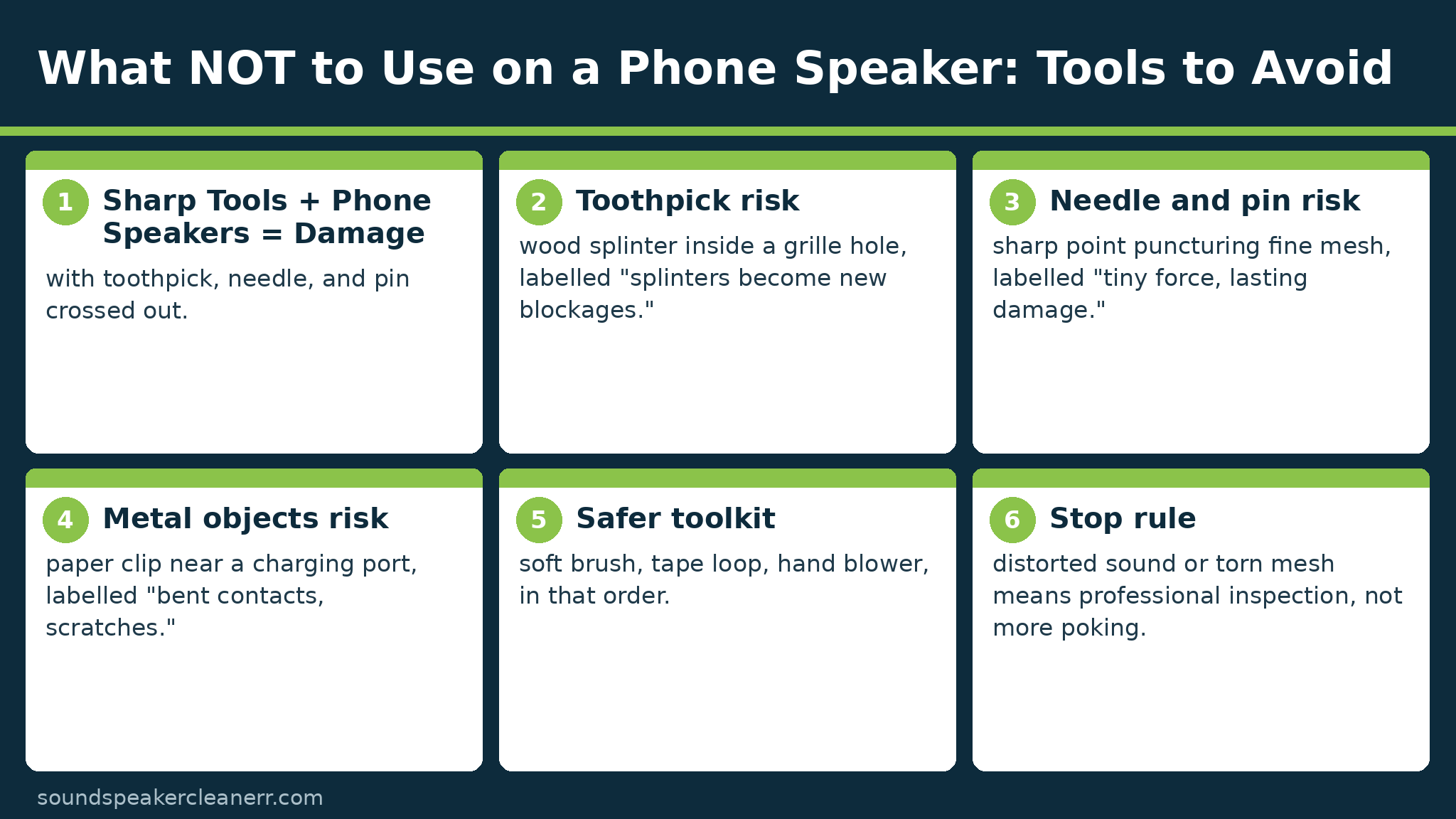
Do not put toothpicks, needles, pins, paper clips, or any other sharp or pointed object into a phone speaker. These tools can tear the fine mesh, push dust deeper, scratch internal parts, or snap off inside the opening. A soft dry brush and low-adhesive tape remove the surface dust that home cleaning can safely handle, and anything deeper needs professional help.
Why Sharp Tools Feel Tempting
A speaker grille looks like a set of tiny holes with something stuck in them, and a pointed tool looks like the obvious way to pick that something out. The tip fits, the motion feels precise, and the first speck of dust that comes away feels like proof that the method works. That feeling is misleading, because the damage a sharp tool causes is often invisible at first and only shows up later as muffled, distorted, or uneven sound.
The core problem is scale. You cannot see what the tip is touching once it enters a grille hole. The mesh, the speaker diaphragm, and nearby internal parts are all within a millimetre or two of the surface. A tool that feels gentle in your hand can still exert a large force on a tiny, fragile part at its tip, because all of the force is concentrated on a very small point.
Sharp tools also give a false sense of control. You may believe you are only touching surface dust, while the tip is actually pressing on mesh fibres, catching an edge, or pushing a clump of dust sideways under the mesh where it is harder to remove. Once dust is pushed deeper, gentle methods are less likely to retrieve it, and the cleaning job has made the problem worse.
Toothpicks: Wood Can Splinter and Push Dust In
A toothpick is the most commonly suggested sharp tool, and it is still not safe for a speaker grille. Wood is softer than metal, but a toothpick tip is still hard and pointed relative to speaker mesh. Pressed into a grille hole, it can snag mesh fibres, widen a hole, or push a dust clump deeper instead of lifting it out.
Toothpicks also splinter. A tiny wood fibre can break off inside a grille hole and become a new blockage, one that is harder to remove than the dust you were trying to clean. Because the fibre is light-coloured and small, it may not be visible without magnification, so you may not even realise a new problem has been created.
There is a related risk in the charging port, which is often cleaned in the same session as the speaker. A toothpick in a charging port can bend or scratch the small contacts inside, leading to unreliable charging. That is a separate opening with its own risks, and it is a good illustration of a general rule: if a tool can bend, scratch, or snap inside one small phone opening, it should not be used in any of them.
Needles and Pins: The Highest Puncture Risk
Needles and pins are the most dangerous common household tools for a speaker, because they combine a very sharp point with a hard metal shaft. A needle can puncture mesh with little force, and once the mesh is punctured, its protective function is reduced. More dust can enter, and the torn area can catch further debris.
A needle can also scratch or puncture parts behind the mesh. The speaker diaphragm is a thin, moving part, and a scratch or dent can change how it moves and therefore how it sounds. Unlike a surface smudge, that kind of damage does not improve with further cleaning. It usually needs a part replacement.
Pins add a further risk: they are smooth, thin, and easy to lose grip on. If a pin slips, it can scratch the phone body around the grille, or, in a worst case, break or bend inside the opening. Retrieving a broken tip from a speaker grille at home usually means more poking, which compounds the damage. If any object breaks inside a speaker opening, stop immediately and seek professional help rather than trying to fish it out.
Paper Clips, SIM Tools, and Other Metal Objects
Paper clips and SIM ejector tools are sometimes suggested because they are already in a drawer and roughly the right size. They are still metal objects with hard edges, and they carry the same risks as pins: scratching, bending contacts, and pushing debris deeper. A SIM tool is designed to press a small release mechanism inside a SIM tray, not to scrape inside a speaker or charging port. Using it for a different job applies force in a direction and location it was never designed for.
Metal objects also conduct electricity. That matters most in the charging port, where a metal tool can bridge contacts, but it is another reason to keep metal out of phone openings generally. The safe rule is simple and covers every case: no metal object goes into a speaker, microphone, or charging-port opening during home cleaning.
What Else to Keep Away
Sharp tools are the headline risk, but several other common items should also stay away from speaker openings. Cotton swabs can shed fibres that become new blockages, especially if pushed into a hole. Liquid cleaners, sprays, and drips can enter the grille and reach parts that should stay dry, and they can loosen adhesives around the mesh. Strong tape can pull at mesh in the same way sticky putty can, so only low-adhesive tape, pressed lightly on the surface, is appropriate.
Household vacuum suction and canned compressed air are separate topics with their own warnings, and neither should be used as a way to blast out dust that a sharp tool has pushed deeper. Escalating from one risky method to another rarely fixes the original problem and often adds a second one. If a sharp tool has already been used, the correct next step is a gentle inspection and, if sound has changed, professional assessment, not a stronger home method.
Damage Mechanisms, Summarised
It helps to name the mechanisms plainly, because each one points to a different warning sign. Puncture happens when a sharp tip goes through mesh or a diaphragm. Tearing happens when a tip catches mesh fibres and pulls them apart. Scratching happens when a hard edge drags across mesh, a diaphragm, or charging contacts. Compaction happens when a tool pushes dust deeper or packs it under the mesh. Breakage happens when a tool splinters or snaps inside an opening. Shorting is a charging-port risk when metal bridges contacts.
Warning signs include sound that is suddenly quieter, muffled, distorted, or uneven; a grille hole that looks larger, torn, or lifted; visible fibres or fragments in an opening; and charging that becomes unreliable after port cleaning. Any of these signs after using a sharp tool means home cleaning should stop. Further poking will not reverse puncture, tearing, or scratching.
What to Use Instead
The safe home toolkit is short on purpose. A soft, dry brush is the first method: brush lightly across the grille, with the phone held so loosened dust falls away. A piece of low-adhesive tape, looped sticky-side out around a finger and pressed lightly on the surface, lifts surface dust without entering holes. A hand-squeezed air blower can dislodge loose dust with short, gentle squeezes aimed across the surface.
After cleaning, test sound at moderate volume with different audio, such as music and a voice recording, and compare the loudspeaker and earpiece separately. Moderate volume is important: it gives a realistic picture of clarity without stressing a speaker that may already be damaged. If sound does not improve after gentle methods, that is information, not a reason to escalate. It suggests the problem is deeper than surface dust, or is not dust at all.
If a Sharp Tool Has Already Been Used
Do not panic, but do stop. Inspect the grille in bright light and, if possible, with magnification. Look for torn or lifted mesh, fragments, and holes that look different from their neighbours. Play audio at moderate volume and note exactly what sounds wrong: quieter, muffled, distorted, crackling, or uneven between speakers. That description will help a technician.
Do not try to repair mesh with glue, tape pressed into the hole, or further poking. Do not pour liquid cleaner into the grille to flush out fragments. If a fragment is visible on the surface and lifts away with low-adhesive tape, that is acceptable, but anything lodged in a hole should be left for a professional. A repair shop can inspect under magnification, remove fragments safely where possible, and replace a damaged mesh or speaker.
The temptation to use a toothpick, needle, or pin is understandable, because the tool fits and the dust looks reachable. But a phone speaker is not a surface to be picked at. Its mesh and diaphragm are fragile, the damage is easy to cause and hard to see, and the safe alternatives handle the dust that home cleaning can actually remove. Put the sharp tools back in the drawer, use a brush and tape, and let a professional handle anything deeper.
FAQ
Can I use a toothpick to clean my phone speaker?
No. A toothpick can snag mesh, push dust deeper, widen holes, and splinter inside the grille. Use a soft dry brush or low-adhesive tape instead.
Is a needle safe if I am very careful?
No. A needle's sharp metal point can puncture mesh or scratch the speaker diaphragm with very little force, and the damage is often invisible at first. Care does not remove that risk.
What about a pin or paper clip?
Both carry the same risks as a needle: scratching, puncturing, pushing debris deeper, and, in a charging port, bending contacts. No metal object should go into a speaker, microphone, or charging-port opening.
Can a SIM ejector tool clean a speaker grille?
No. It is designed to press a SIM tray release, not to scrape inside a speaker. Using it in a speaker applies force where it was never designed to go.
What should I do if a toothpick splinters inside the speaker?
Stop immediately. Do not try to fish the fragment out with another sharp tool, and do not pour liquid into the grille. If surface tape cannot lift it, seek professional help.
Are cotton swabs safe for speaker holes?
No, not pushed into holes. Cotton can shed fibres that become new blockages. Keep swabs, if used at all, to wiping the flat surface around the grille, and never force them into openings.
What is the safest way to clean a phone speaker at home?
A soft dry brush first, then low-adhesive tape pressed lightly on the surface, then a gentle hand blower for loose dust. Test sound at moderate volume afterwards.
When should I get professional help instead of cleaning?
If sound stays distorted or muffled after gentle cleaning, the mesh looks torn or lifted, a fragment is lodged in a hole, or a sharp tool has already been used and sound has changed.
Leave a Reply