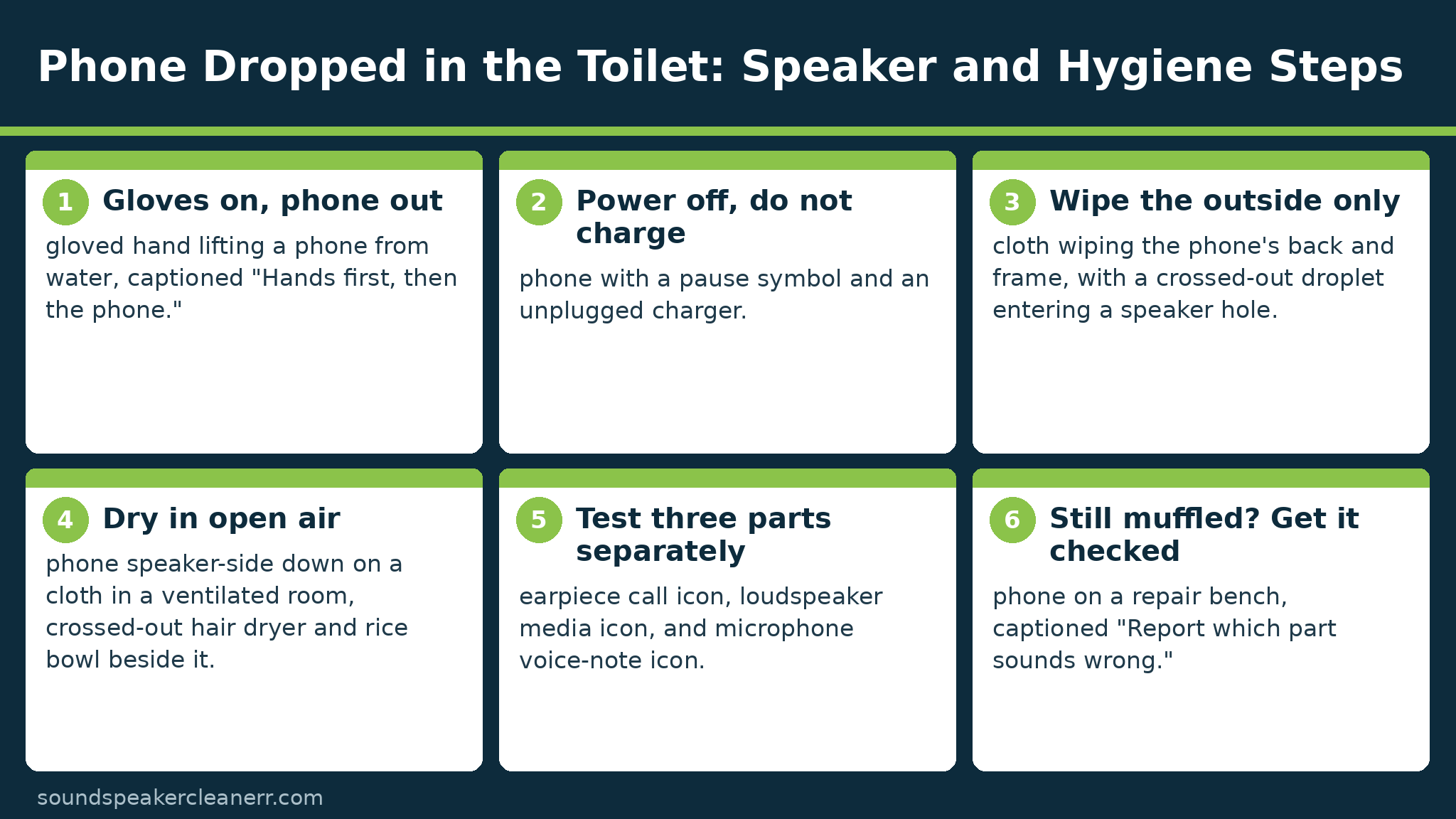
If your phone fell in the toilet, put on gloves, take it out, turn it off, and do not charge it. Clean and disinfect only the outside of the phone, let it dry fully in open air, and only then check whether the speaker sounds muffled.
First: retrieve it safely and protect your hands
The first step is about you, not the phone. Put on disposable gloves if you have them, and wash your hands thoroughly afterwards even if you wore gloves. Toilet water carries bacteria, and the goal is to avoid transferring it to your face, your mouth, or other surfaces while you handle the phone.
Lift the phone out promptly. If the toilet has just been flushed and the water is clean, this is a straightforward retrieval. If the water is visibly soiled, take extra care: avoid splashing, avoid touching your face, and set the phone down on a disposable towel or a surface you can clean afterwards. Do not flush again with the phone inside, and do not reach in with a bare hand if you can avoid it.
Once the phone is out, turn it off if it is still on, and leave it off if it is already off. Do not press buttons repeatedly to check whether it works, and do not plug in a charger. Power and charging are the fastest ways to turn a wet phone into a damaged phone, because current flowing through wet circuitry can cause short circuits and corrosion.
Remove the case, since a case traps contaminated water against the phone. If the case is washable, set it aside to clean separately. Remove the SIM tray and any memory card if your phone has one, and set them aside. If your phone has a removable battery, remove it. Do not force open a sealed phone. You are not trying to clean the inside of the phone yourself; you are making the outside safe to handle and letting the phone dry.
Hygiene first: clean the outside only
This is the step people get wrong, and it matters more than any speaker tip. Disinfect the exterior of the phone only. Use a soft, lint-free cloth lightly dampened with a disinfectant that your phone maker approves for exterior cleaning, or follow your maker's own cleaning guidance if you know it. Wipe the screen, the back, and the frame. Wipe the area around the speaker holes, but do not push liquid into them.
Never pour, spray, or drip disinfectant, alcohol, bleach, or soapy water into the speaker grille, the earpiece slot, the microphone hole, or the charging port. Liquids forced into openings can reach the speaker driver, the microphone, and internal connectors, and harsh cleaners can damage coatings, adhesives, and the mesh itself. The speaker openings are not a surface to disinfect from the inside; they are a delicate part that must be kept as dry as possible once the outside is clean.
Pay attention to the edges where a case meets the phone, the camera surround, and the buttons, since contaminated water can sit in those seams. Wipe them gently with the damp cloth, then wipe again with a clean, dry, lint-free cloth. Wash or dispose of the cloth you used, and wash your hands again. If the phone has a screen protector that is peeling or trapping water underneath, remove it and clean the screen beneath it; a trapped layer of contaminated water is worse than a bare screen.
Do not use the phone against your face for calls until you are satisfied the exterior is clean and the phone is dry. If you need to make a call urgently, use speakerphone at a distance or another device. This is a hygiene precaution, not just a speaker precaution: the earpiece sits against your ear, and the microphone sits near your mouth.
Drying: the right order after a toilet drop
After the outside is clean, drying follows the same safe rules as any wet phone, with one extra point: do not rush to test the speaker while the phone is still damp. Stand the phone upright or place it speaker-side down on a clean, lint-free cloth so gravity can help surface water drain. Leave the SIM tray out so air can circulate, and keep the phone in a dry, ventilated room at normal room temperature.
Do not charge the phone while the port may still be wet. Follow your phone maker's drying guidance, which takes priority over any general advice. Do not use a hair dryer, a radiator, an oven, or extended direct sunlight to speed drying. Heat can damage seals, adhesives, and the battery, and it does not make the phone hygienic any faster.
Do not put the phone in rice. Rice does not reliably dry the inside of a sealed phone, and rice dust can enter the speaker and microphone openings — the last thing you want after you have just cleaned the outside. Do not use compressed air or cotton swabs inside openings either. Compressed air can push water deeper, and cotton fibres can snag on the mesh.
Allow plenty of time. A brief toilet drop in clean water may need several hours of open-air drying, and a longer soak needs longer. Feeling dry on the outside does not prove the inside is dry. If the phone was submerged for a while, or if it shows any sign of trouble — it will not stay off, it feels hot, the screen misbehaves, or the battery looks swollen — get a professional check before you charge or use it normally. Tell the repairer honestly that it was a toilet drop, so they can clean it appropriately.
Why the speaker sounds muffled after a toilet drop
A muffled speaker after a toilet drop is usually caused by water sitting in or on the speaker mesh. The mesh is a fine screen over the speaker, and a thin film of water across it blocks sound waves, making audio sound quiet, dull, or distorted. That film is often the whole problem after a brief, clean-water drop, and it usually clears as the phone dries.
There are other possibilities, though, and it helps to know them before you start testing. Residue from toilet water, cleaning products in the bowl, or soap can dry on the mesh and keep it partially blocked even after the water itself has gone. Water may also have reached the speaker driver behind the mesh, or the microphone and charging port at the same time, which is why a toilet drop can affect calls, recordings, and charging as well as media sound.
A cleaning tone played at a moderate volume may help move loose surface droplets from the grille once the phone is fully dry. It cannot disinfect the phone, dry water inside the device, remove dried residue from inside the mesh, stop corrosion, or repair a damaged speaker. Sound is a limited helper for surface water, not a cure for contamination or damage. If the sound is still muffled after the phone is fully dry, the problem is deeper than surface water, and further home attempts are unlikely to help.
Checking the speaker, earpiece, and microphone separately
Only test sound once the phone is dry, clean, and safe to use. Start with the loudspeaker: disconnect Bluetooth, remove any headphones, and play a short spoken-word clip at a comfortable, moderate volume. Listen for muffled, quiet, distorted, or rattling sound. Keep the volume moderate; loud, repeated testing will not clear residue and can strain a speaker that is already struggling.
Next, test the earpiece. Make or receive a call without speakerphone and listen through the small speaker at the top of the phone. The earpiece is a separate, smaller speaker, and it can be blocked while the loudspeaker is fine, or the other way around. Testing both tells you which part is affected, which is useful information for a repairer.
Then test the microphone by recording a short voice note and playing it back. The microphone hole is small and sits near the other openings, so it can hold the same water and residue. If your voice sounds muffled or distant in the recording, the microphone may be affected even if the loudspeaker sounds fine.
Also check the charging port before you charge. Look for visible moisture or debris, and do not insert a cable until you are confident the port is dry. If the phone shows a liquid warning, or refuses to charge, do not force it. Let it dry longer, or get it checked. A working speaker does not prove the charging port is dry.
If any test sounds wrong after full drying, stop testing and note exactly what you hear: which speaker, what kind of distortion, and whether it is constant or intermittent. Take that description to a repairer. Continuing to blast a damaged speaker at high volume will not fix it.
When to seek professional help
Seek professional help promptly if the phone was submerged for more than a brief moment, if the water was visibly soiled, if the phone will not turn off or stay off, if the battery looks swollen or the phone feels unusually hot, if the screen shows lines or discolouration, or if sound, microphone, or charging problems persist after full drying. A swollen or hot battery is a safety issue: do not charge the phone and do not press on the battery.
Tell the repairer that the phone fell in the toilet. That detail matters, because they will clean and handle the phone with appropriate precautions, and they will know to look for contamination as well as water damage. Ask what the inspection covers and what it costs before work starts.
Keep in mind that liquid damage, including a toilet drop, is commonly excluded from standard warranties. That does not mean repair is impossible, but it does mean you should get a clear quote first, and back up your data as soon as the phone is safe to use again.
Preventing the next toilet drop
The simplest prevention is a habit change: never carry the phone in a back pocket or a loose jacket pocket into the bathroom, and never balance it on the toilet tank, the sink edge, or a towel rail. Put it on a shelf outside the bathroom, or leave it in another room while you are in there. If you need something to read, use a device that is not your main phone, or wait until you are out.
A waterproof pouch helps only if it is properly sealed and rated for immersion, and most everyday cases offer no protection against a toilet drop at all. Do not rely on a case, and do not rely on a water-resistance rating as a guarantee: ratings are tested under controlled conditions with clean water, not in a real toilet bowl, and seals can weaken over time.
Finally, keep a small pack of disposable gloves and a lint-free cloth somewhere accessible. If a drop happens again, you will be able to retrieve and clean the phone safely without searching for supplies while it sits in water.
FAQ
Is a phone safe to use after falling in the toilet?
It can be, once the exterior has been cleaned, the phone is fully dry, and sound, microphone, and charging all work normally. Until then, do not hold it against your face for calls, and do not charge it while the port may be wet.
Should I disinfect inside the speaker holes?
No. Disinfect the exterior only. Never pour, spray, or drip disinfectant, alcohol, or bleach into speaker, microphone, or charging openings, as liquid inside can damage the speaker, microphone, and internal parts.
Can I use a hair dryer to dry a phone that fell in the toilet?
No. Heat can damage seals, adhesives, and the battery. Dry the phone in open air at room temperature, with good ventilation, and allow plenty of time.
Does rice help after a toilet drop?
No. Rice does not reliably dry the inside of a sealed phone, and rice dust can enter speaker and microphone openings. Air drying is safer, and a professional check is better after a longer soak.
Can a speaker cleaning tone fix a toilet-drop speaker?
Only in a limited way. Once the phone is fully dry, a moderate-volume tone may help move loose surface droplets from the grille. It cannot disinfect the phone, remove residue, stop corrosion, or repair damage.
Why does the earpiece sound muffled but the loudspeaker sound fine?
They are separate speakers in different positions. Water or residue can block one and not the other, so test both separately and report which one is affected to a repairer.
Should I tell a repair shop the phone fell in the toilet?
Yes. Tell them honestly. It helps them clean the phone with appropriate precautions and look for contamination as well as water damage, and it leads to a more accurate repair assessment.
What if the phone charges normally but the speaker is still muffled?
A working charging port does not mean the speaker is undamaged. The speaker mesh may hold dried residue, or the speaker driver may be damaged. If the problem persists after full drying, get the speaker checked rather than testing at high volume.
Leave a Reply