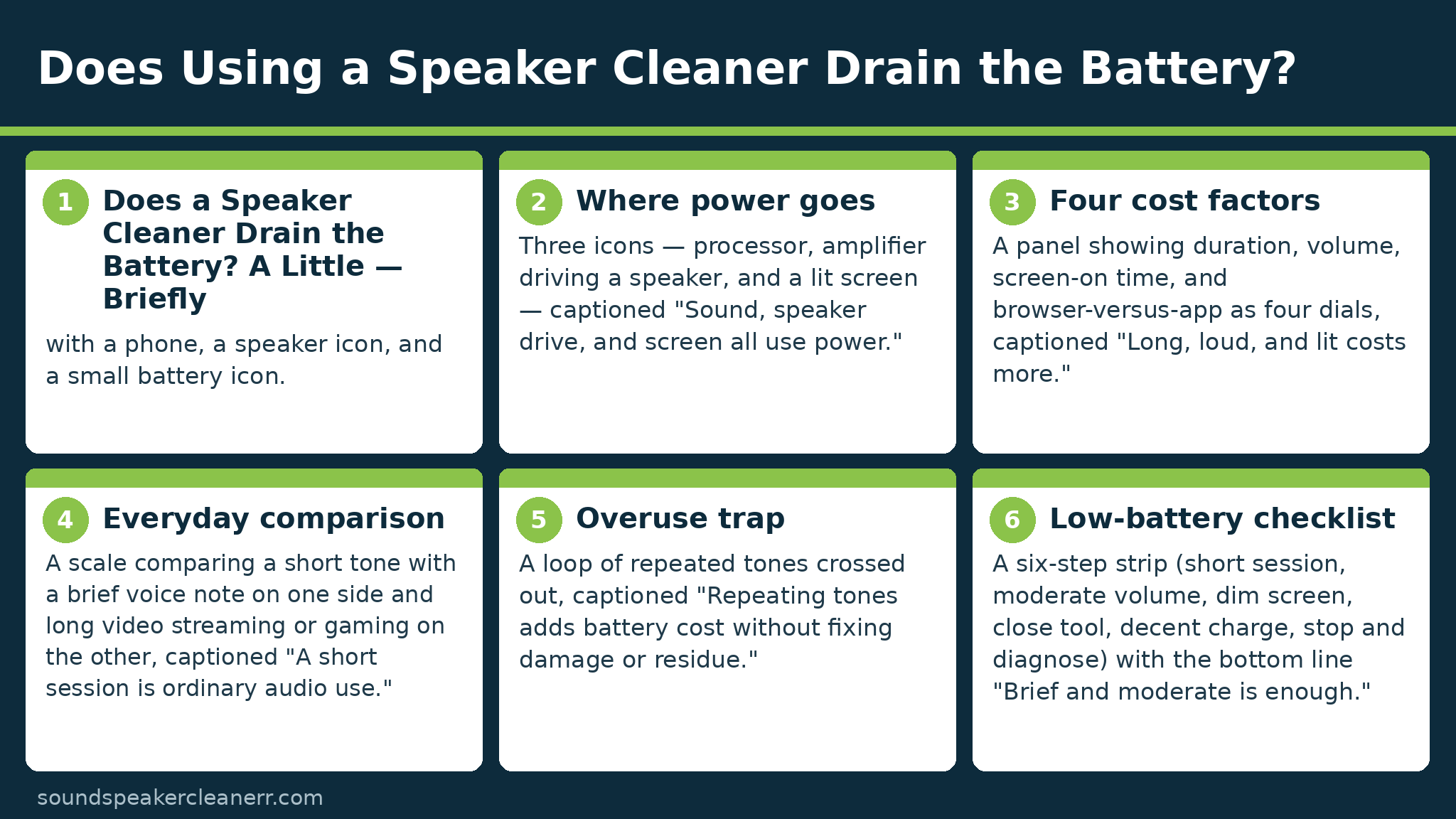
Yes, a speaker cleaner uses battery, because any sound played through the built-in speaker draws power. A single short cleaning session, however, is a small share of a day's phone use, similar to playing a brief voice note aloud. Volume, session length, and screen-on time matter far more than the tone itself.
That short answer should settle the main worry: a normal cleaning session will not noticeably drain a healthy phone battery, and it will not damage battery health on its own. The longer answer is about what actually uses power during a session, what makes that use bigger or smaller, and how to keep it low if your battery is already low. None of this requires measurements, because the pattern is consistent across phones: short plus moderate equals small; long plus loud plus screen-on equals noticeably more.
Why any speaker sound uses battery
Playing sound through a phone's built-in speaker uses power in three places. First, the processor and audio system have to generate or decode the sound. A browser-based cleaning tone is generated on the device, which keeps the processor lightly busy for the length of the session. Second, the amplifier has to drive the speaker diaphragm, and driving a physical speaker takes more power than sending the same sound to wired earphones, because the speaker has to move air in a room rather than in an ear canal. Third, the screen is often on during a session, because the user is watching the tool's progress, and a lit screen is one of the largest power draws on any phone.
None of these are unique to cleaning tones. A cleaning tone uses battery in the same way as playing a song, a video, or a voice note through the speaker. The tone itself is not a special battery drain — it is ordinary speaker audio, played for a short time. That is why the question "does a speaker cleaner drain the battery?" has the same answer as "does playing audio drain the battery?": yes, a little, in proportion to how long and how loud you play it.
What actually determines the battery cost of a session
Four factors decide whether a cleaning session costs almost nothing or a noticeable amount:
Duration. A cleaning session is normally short — a tone played for a brief period, sometimes repeated once or twice to test the result. A short session costs a small amount of battery. The cost grows with time, so the main way people waste battery on cleaning is not one session, but many repeated sessions: running tone after tone for a long period in the hope that one more will fix a problem that is not surface water or loose dust. If one or two short sessions do not help, further sessions are unlikely to help either, and they are the ones that add up.
Volume. Higher volume requires more power from the amplifier, and the difference between moderate and maximum volume is the largest single factor you control. This is also a safety point, not just a battery point: moderate volume is the recommended level for cleaning tones anyway, because a damaged or waterlogged speaker should not be stressed at full volume. Moderate volume therefore saves battery and protects the speaker at the same time.
Screen-on time. If the screen stays lit for the whole session, the screen may use more battery than the tone itself. This is easy to miss, because people blame the tone for drain that actually came from the display. Letting the screen dim or turn off during a session, where the tool allows it, reduces the total cost noticeably.
Browser versus app. A browser-based tool and an installed app both play sound through the same speaker, so the speaker cost is similar. The difference is in the overhead around it. A browser tool runs inside a browser that is already open and generates the tone on the device, with no background service left running after you close the tab. An installed app may keep background permissions, notifications, or background activity, depending on how it is built and what permissions it holds, which can add small ongoing costs beyond the session itself. For a one-off clean, a browser tool is the simpler option with nothing left running afterward. For a fuller comparison, see Speaker Cleaner Apps and Speaker Cleaner Frequency.
How a cleaning session compares with everyday phone use
It helps to put a cleaning session in context. A short tone at moderate volume is comparable to playing a brief voice note or a short video clip aloud — a small, ordinary piece of speaker use. It is far smaller than the battery cost of the activities that dominate a day's use: long video streaming, gaming, navigation with the screen on, or a long video call. Those activities combine a lit screen, a busy processor, and often a network connection for an extended period, while a cleaning session is brief and uses only the speaker and a small amount of processing.
That comparison also explains why a cleaning session feels negligible on a well-charged phone but noticeable on a nearly empty one. The session itself has not changed; the remaining battery has. On a phone with very little charge left, any speaker use is a larger share of what remains, so the sensible move is to clean only if you need to, keep the session short and moderate, and charge afterward if you can. On a phone with a healthy charge, a normal session is not something to worry about.
Does a speaker cleaner harm battery health?
A short cleaning session does not harm battery health in any meaningful way. Battery health declines over months and years through charge cycles, heat, and age — not through a few minutes of speaker playback. The battery-related risks worth avoiding are the general ones: heat, and repeatedly draining the phone to empty. A cleaning session does not create meaningful heat on its own, and it does not drain a phone to empty unless it is run for a very long time on an already nearly empty battery.
There is one indirect battery point worth knowing. If a phone is wet, do not charge it until it is completely dry, following your phone maker's guidance — that rule is about safety, not battery health, but it interacts with cleaning because people often want to clean and charge a wet phone at the same time. Clean first, dry fully, and charge only when dry. If the phone's battery behaves strangely after water exposure — swelling, overheating, or rapid draining — that is a safety and damage issue, not a cleaning-tone issue, and the phone should be checked promptly rather than cleaned repeatedly.
The battery cost of overuse: the real trap
The genuine battery trap with speaker cleaners is not one session but the habit of overuse. When a speaker stays muffled after cleaning, the temptation is to run the tone again, louder and longer, ten or twenty times. Each session adds battery cost, and none of them addresses the real cause if the problem is packed dust, residue, corrosion, or damage. Overuse also stresses the speaker itself, which is a worse outcome than the battery cost.
A better rule is simple: one or two short sessions at moderate volume, then a sound test, then a decision. If the sound improved, the job is done and the battery cost was small. If it did not improve, stop and diagnose instead of repeating: check Bluetooth and volume, inspect the grille, consider whether the phone is wet or damaged, and read Phone Speaker Troubleshooting or Phone Speaker Muffled. Diagnosis costs no battery and finds the cause that repetition cannot.
How to keep battery use low during a cleaning session
If you want to keep the cost as small as possible, especially on a low battery, follow these steps:
- Keep it short. Run the tone for the tool's suggested session length, once or twice at most, then test the sound. Do not loop it.
- Keep volume moderate. Moderate volume is enough to test whether surface water or loose dust was the problem, and it uses less power than maximum volume while being safer for the speaker.
- Let the screen dim. If the tool keeps working with the screen dimmed or off, let it. If it needs the screen on, keep the session as short as you can.
- Close the tab or app when done. A browser tab left open or an app left running can keep using small amounts of power afterward. Close it once the sound test is done.
- Clean on a decent charge when you can. If the battery is very low and the speaker problem is not urgent, wait until you can charge. If the problem is urgent, keep the session short and moderate, then charge.
- Do not chase a fault with repetition. If the sound does not improve after two short sessions, stop and diagnose. Repetition is the most expensive and least useful response.
Browser tool versus app: which is lighter on battery?
For a single clean, a browser tool is usually the lighter choice, because there is nothing to install and nothing left running after you close the tab. The tone is generated on the device in the browser, the session is short, and when you close the tab, the tool stops. An app can be just as light during the session itself, but it may carry background permissions or background activity afterward, depending on the app, and it takes storage and update attention over time. Neither option is a major battery drain for a short session, and the difference between them is smaller than the difference made by volume and duration. Choose based on convenience and trust, not on battery fear: use the browser tool for a quick clean, and consider an app only if you clean often enough for an installed tool to be genuinely convenient.
When battery drain after cleaning means something else
Sometimes people notice their battery draining faster around the same time they used a speaker cleaner, and they blame the tone. More often, something else changed at the same time. A wet phone can drain faster because internal moisture affects components. A phone that was dropped can drain faster because a damaged part draws power abnormally. A phone with a newly installed app, a stuck background process, or a screen left at full brightness can drain faster for reasons unrelated to the tone. If battery drain is sudden, large, or accompanied by heat, swelling, or a speaker fault, treat it as a separate problem: check battery usage in settings, look for a stuck app or a wet or damaged phone, and get the phone checked if the drain persists after the cleaning session is long over. A tone that finished hours ago cannot be draining the battery now.
The honest bottom line
A speaker cleaner uses battery, because all speaker audio uses battery. A normal session — short, moderate, screen dimmed where possible — costs a small amount, comparable to playing a brief audio clip aloud, and does not harm battery health. What raises the cost is repetition, maximum volume, and a lit screen over a long period, and those are all avoidable. Keep sessions short and moderate, close the tool when done, and stop and diagnose if the sound does not improve. The battery question, in the end, is not a reason to avoid a cleaning tone — it is a reason to use it briefly, sensibly, and only where it fits.
FAQ
Does using a speaker cleaner drain the battery?
Yes, a little, like any speaker audio. A single short session at moderate volume is a small share of a day's use. Volume, session length, and screen-on time matter more than the tone itself.
Can a speaker cleaner damage my battery health?
No, not from normal use. Battery health declines over months and years through charge cycles, heat, and age, not through a few minutes of speaker playback.
Does a browser speaker cleaner use less battery than an app?
For a single clean, usually slightly less overall, because there is nothing installed and nothing left running after you close the tab. During the session itself the speaker cost is similar. The bigger factors are volume and duration.
Does maximum volume drain much more battery than moderate volume?
Yes. Higher volume requires more power from the amplifier, so maximum volume costs noticeably more than moderate volume, and it is also harder on the speaker. Moderate volume is the safer and cheaper choice.
Why does my battery seem to drop during a cleaning session?
Part of the drop may come from the screen staying lit, not just the tone. Let the screen dim where the tool allows it, keep the session short, and close the tab or app when done.
Should I avoid cleaning if my battery is low?
If the clean is not urgent, wait until you can charge. If it is urgent, keep the session short and moderate, then charge afterward. Avoid long, repeated sessions on a nearly empty battery.
I ran many tones and my battery dropped a lot. Is that normal?
Repeated long sessions at high volume add up, and they are also unlikely to fix a problem that is not surface water or loose dust. Stop repeating, test the sound, and diagnose the real cause instead.
My battery drains fast hours after using a speaker cleaner. Is the tone still draining it?
No. A finished tone cannot drain the battery hours later. Sudden or persistent drain points to something else — a stuck app, a wet or damaged phone, or a battery problem — and should be checked separately.
Leave a Reply