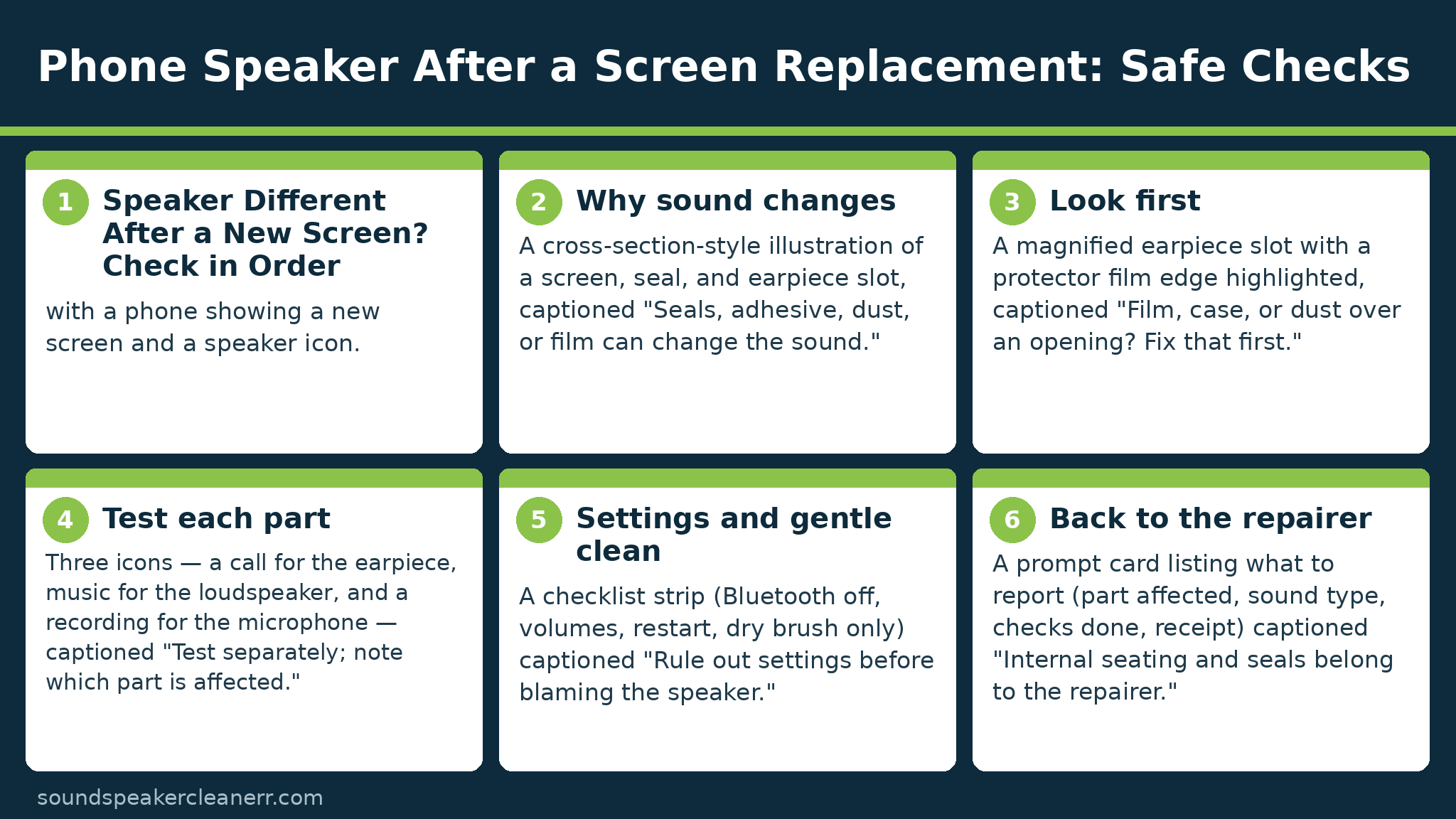
A speaker can sound different after a screen replacement without being broken. A new screen, fresh adhesive, a shifted seal, or dust trapped during repair can muffle the earpiece or loudspeaker. Work through the safe checks in order — grille, earpiece, loudspeaker, then settings — before deciding the speaker itself is faulty.
That framing matters because the first reaction after a repair is often frustration: the phone went in for a screen and came back with a new sound problem. In many cases the speaker itself is untouched, and the change comes from something around it — a seal that sits slightly differently, a mesh that picked up dust while the phone was open, a protective film covering a cutout, or a setting that changed during the repair. The checks below help you tell those cases apart from a genuine speaker fault, and they give you a clear description to take back to the repairer if the problem needs their attention.
Why a screen replacement can change the sound
A modern phone is a tightly fitted assembly, not a set of separate boxes. The screen sits against seals and adhesive, and the earpiece — the small speaker used for calls — sits very close to the top of the screen assembly, often behind a narrow slot or mesh. When the screen is removed and replaced, several small things can change at once:
- A seal or gasket can sit slightly differently. The earpiece and loudspeaker rely on small seals and channels that direct sound outward. If a seal is slightly misaligned after reassembly, sound can be partly blocked or redirected, making it quieter or duller without any damage to the speaker itself.
- Adhesive can affect the edges. Fresh adhesive seals the new screen, and any excess or misalignment near a speaker opening can narrow the path sound travels through.
- Dust can enter while the phone is open. A repair bench is not a clean room, and dust or small fibers can settle on a grille or mesh during the repair, then stay there once the phone is closed.
- A protective film can cover a cutout. A new screen protector, or a film left over from the replacement screen's packaging, can partially cover the earpiece slot. This is a common, easily fixed cause of a muffled earpiece, and it is worth checking before anything else.
- A part can be left slightly out of position. Community repair discussions describe earpiece outlets that were not seated correctly in their rubber fitting after a screen assembly repair, producing a quiet, muffled earpiece. That is an internal seating issue, and it is a repairer's job to correct, not a cleaning problem.
None of this means the repair was done badly. Small seating and sealing differences are a known risk of any repair that opens a sealed phone, which is why a careful post-repair check is part of good repair practice, not an accusation.
Before you start: what not to do
Do not reopen the phone yourself to check the seals or seating. Modern phones are sealed with strong adhesive and contain tiny, fragile cables; opening a freshly repaired phone risks damaging the new screen, the battery, or the board, and it can affect any warranty on the repair. The checks in this guide are all external: what you can see, hear, and test from outside the phone. Anything internal belongs to the repairer who did the work.
Also do not insert anything into a speaker grille or earpiece slot to clear it. Pins, toothpicks, and similar objects can tear a mesh or puncture a diaphragm, turning a seating or dust problem into a genuine speaker fault. Gentle surface cleaning only, as described below.
Check 1: Look at the grille, slot, and protector
Start with your eyes, in good light.
- Check the screen protector. Look closely at the top edge of the screen, where the earpiece slot sits, and at the bottom edge near the loudspeaker. Is any part of a protector film, or a leftover packaging film, lying across a speaker opening? If so, that alone can muffle sound. Peeling back or replacing a misaligned protector is a safe, external fix — but if the protector was applied by the repairer, mention it to them rather than assuming it is your fault.
- Look at the earpiece slot. Shine a light across it and look for visible dust, fibers, or a mesh that looks covered. Do not poke at it; just note what you see.
- Look at the loudspeaker grille. Check for dust, debris, or any visible change compared with before the repair, such as a grille that looks partly covered by the new screen's edge or a case that now sits differently.
- Check the case. A case that fit the old screen may sit slightly differently on the new one and cover a grille edge. Remove the case and test again before concluding anything about the speaker.
If you find a film or a case covering an opening, fix that first and retest. Many post-repair "speaker faults" end at this step.
Check 2: Test the earpiece separately
The earpiece is the part most affected by screen replacements, because it sits closest to the screen assembly. Test it on its own:
- Make a call or play a voicemail with the phone held to your ear, not on speakerphone. Note whether the voice sounds quiet, muffled, or distorted.
- Try a second call or recording, in a quiet room, to rule out a bad connection on one call.
- Compare with speakerphone. If speakerphone sounds clear but the earpiece does not, the problem is specific to the earpiece path — which points toward seating, a seal, or a blocked slot rather than a general speaker failure.
A quiet, muffled earpiece with clear speakerphone audio is the classic post-repair pattern described in repair community discussions, where a blocked mesh or an unseated earpiece outlet is the usual suspect. That pattern is useful information for the repairer, and it is not something a cleaning tone can fix from outside, because the cause is seating or blockage behind the screen assembly. See Clean Ear Speaker for general earpiece care, but do not treat a post-repair seating issue as a cleaning job.
Check 3: Test the loudspeaker separately
Next, test the main loudspeaker on its own:
- Play music or a video at a moderate volume, with the case off and Bluetooth off, and listen for quietness, muffling, distortion, or rattling.
- Try different content — speech, music, and a bass-heavy track — because a fault can show up on one type of sound more than another.
- Use the Speaker Test tool to check left and right output if your phone has stereo speakers, and note whether one side is affected or both.
If the loudspeaker sounds fine and only the earpiece is affected, the problem is almost certainly in the earpiece path near the new screen. If both are affected, the cause could be broader — a setting, a software issue from the repair, or a part affected during the repair — and the settings checks below become more important.
Check 4: Rule out settings and routing
Repairs can change settings, and a phone that comes back from repair may have Bluetooth paired to a shop device, a volume limit changed, or an audio enhancement toggled. Before concluding the speaker is faulty:
- Turn Bluetooth off and test again, so you know audio is coming from the phone itself and not from earbuds, a car system, or another device.
- Check media volume and call volume separately. Media volume and call volume are different controls, and one can be low while the other is fine.
- Check silent, Do Not Disturb, and Focus modes, which can affect ringtones and alerts even when media plays normally.
- Restart the phone. A restart clears temporary audio glitches and is worth trying once after any repair.
- Check accessibility audio settings, such as mono audio or balance controls, which can make one side sound quiet if they were changed.
If a settings change fixes the sound, the speaker was never the problem. If settings are all correct and the sound problem remains, you have ruled out the simple causes and your description for the repairer is stronger.
Check 5: Try a gentle clean — only where it fits
A gentle external clean is reasonable only in one case: visible surface dust on a grille, with no sign of a seating or seal problem. Brush the grille lightly with a dry, soft brush, or wipe with a dry, soft cloth. Do not use liquids, pastes, compressed air, or sharp objects.
A short tone at moderate volume may help only if the cause is loose dust near the grille. It cannot correct a shifted seal, reseat an earpiece outlet, or remove dust trapped behind the screen assembly. If one short, moderate session does not help, stop — more sessions will not fix a seating problem. The Dust Cleaner tool is the relevant one for loose dust, and Ear Speaker Cleaner is the earpiece tool page, but neither is a substitute for a repairer correcting an internal seating issue.
When to go back to the repairer
Go back promptly if any of these apply:
- The earpiece or loudspeaker stays muffled, quiet, or distorted after the film, case, settings, and gentle-clean checks.
- Sound is distorted, crackling, or rattling at every volume, which points to damage rather than blockage.
- Sound cuts in and out, or a speaker part stops working entirely.
- The new screen lifts, gaps appear at the edges, or the phone no longer sits flat — these can indicate a sealing problem that affects sound and water resistance.
- The problem appeared immediately after the repair and has never improved. A problem that starts exactly when a repair ends is most efficiently solved by the person who did the repair.
Take a clear description with you: which part is affected (earpiece, loudspeaker, or both), what it sounds like (quiet, muffled, distorted, rattling), what you already checked (film, case, Bluetooth, volume, restart, gentle clean), and whether the problem changes with volume or phone position. That description helps the repairer check seating and seals first, rather than starting from scratch. Keep the repair receipt and any warranty terms, and raise the issue promptly rather than waiting weeks, since a prompt return makes it easier for the repairer to connect the sound problem to the repair.
What about water resistance after a screen replacement?
A screen replacement changes the phone's seals, and water resistance after any repair is not guaranteed to match the phone's original rating unless the repairer specifically restored the seals and tested them. This guide does not make a claim about your phone's water resistance after repair — ask the repairer what they did about seals and whether they tested them. In the meantime, treat the phone as more vulnerable to water than before, and do not rely on a cleaning tone or any other method to restore a seal. Sound cannot reseal a phone.
The honest bottom line
A speaker that sounds different after a screen replacement is often not a broken speaker. It is frequently a film over a slot, a case sitting differently, a setting changed during repair, dust from the repair, or a seal or earpiece seating that needs the repairer's attention. The safe checks in order — look, test each part, rule out settings, gentle clean only where it fits — will find the simple causes and give you a precise description for the rest. What they will not do is open the phone, reseat a part, or restore a seal, and that is deliberate: those jobs belong to the repairer, and doing them yourself risks turning a small post-repair adjustment into real damage.
FAQ
Why does my earpiece sound muffled after a screen replacement?
The earpiece sits close to the screen assembly, so a shifted seal, a misaligned gasket, dust from the repair, or a protective film over the slot can muffle it. Check the film and case first, then test the earpiece separately from speakerphone.
Can a speaker cleaner fix a post-repair speaker problem?
Only if the cause is loose dust on the grille surface. A tone cannot correct a shifted seal, reseat an earpiece outlet, or remove dust trapped behind the screen assembly. Those need the repairer.
Should I open the phone to check the earpiece seating myself?
No. Modern phones are sealed with strong adhesive and contain fragile cables. Opening a freshly repaired phone risks damaging the new screen or other parts and can affect the repair warranty. Leave internal checks to the repairer.
What if only the earpiece is affected and speakerphone is clear?
That pattern points to the earpiece path near the new screen — seating, a seal, or a blocked slot — rather than a general speaker failure. Note it for the repairer, since it narrows down what they need to check.
Could a screen protector be causing the muffled sound?
Yes. A protector or leftover packaging film partially covering the earpiece slot is a common cause. Check the top edge of the screen closely and remove or realign any film covering an opening.
What should I tell the repairer when I go back?
Which part is affected, what it sounds like, what you already checked (film, case, Bluetooth, volume, restart, gentle clean), and whether the problem changes with volume or position. Bring the repair receipt and raise the issue promptly.
Is my phone still water resistant after a screen replacement?
Not necessarily. A repair changes the seals, and water resistance is not guaranteed to match the original rating unless the repairer restored and tested the seals. Ask the repairer directly, and treat the phone as more vulnerable to water in the meantime.
What if the new screen lifts or gaps appear at the edges?
Go back to the repairer promptly. Lifting or gaps can indicate a sealing problem that affects both sound and water resistance, and it needs the repairer's attention rather than cleaning.
Leave a Reply