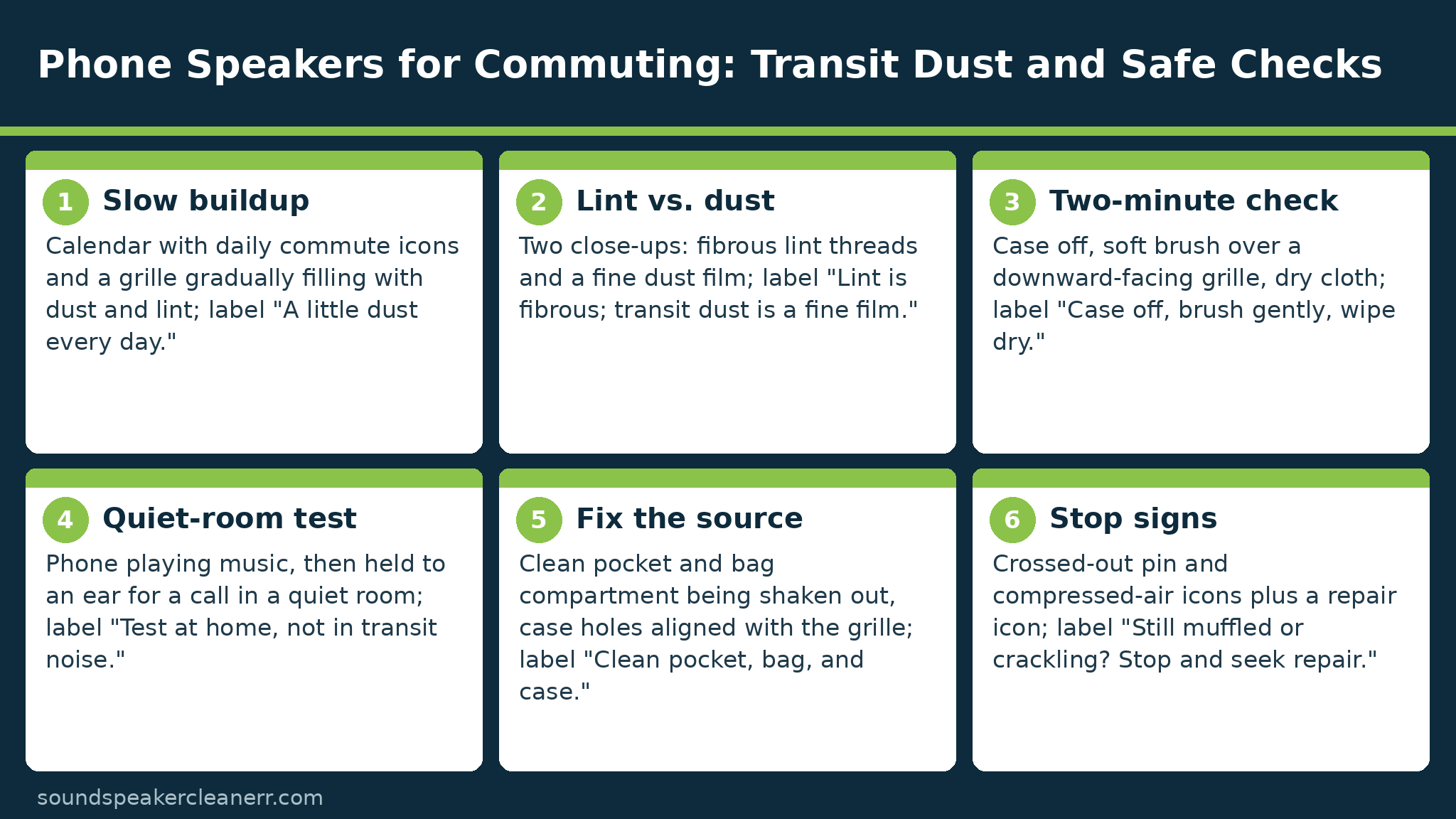
A commuter's phone speaker usually sounds duller over weeks because transit dust and pocket lint slowly collect on the grille, not because the speaker has failed. Brush the grille gently with a soft dry brush, holding the phone grille-down, wipe with a clean dry cloth, and test at moderate volume. If sound stays muffled afterwards, stop and seek repair.
Why commuting clogs speakers slowly
Commuting is a slow, repeated exposure, and that is what makes it tricky. No single bus ride or train journey dumps a visible layer of dirt on a phone. Instead, each day adds a little: fine dust from platforms and streets, fibres from a coat pocket, lint from a bag lining, and dust that settles while the phone sits face-up on a seat or a table. Over weeks, that thin accumulation narrows the grille openings enough that music sounds flat and calls sound distant.
The pocket is the main collector. A phone carried in the same pocket every day sits against fabric that sheds fibres, and every time the phone slides in and out, fibres are pressed toward the grille. Trouser pockets, coat pockets, and bag side pockets all shed differently, but all of them transfer lint. A phone that also shares a pocket with keys, coins, or a travel card picks up harder grit as well, which can sit across the grille and resist a light wipe.
Transit dust adds a second layer. Platforms, station concourses, and busy streets carry fine airborne dust that settles on any exposed surface, including a phone held in the hand for a whole journey. A phone used for navigation, tickets, or music with its grille exposed collects that dust continuously. The combination — lint from below, dust from the air — is why a commuter's grille can look clean at a glance while sounding muffled: the blockage is fine, even, and spread across the mesh rather than a single visible clump.
Pocket lint versus transit dust
Lint and transit dust behave differently, and telling them apart helps you clean correctly. Lint is soft, fibrous, and often visible as pale threads or a felt-like layer across the grille or around the case edge. It usually comes from the pocket or bag itself. A soft dry brush lifts lint well, and a light adhesive putty pressed gently onto the surface and lifted away can pick up what brushing leaves behind. Do not press putty deep into the grille.
Transit dust is finer and drier, more like a thin film than threads. It may not be visible at all, and brushing alone sometimes moves it around rather than removing it. The sequence that works best is brush first with the grille facing down, so loosened dust falls away, then wipe with a clean dry cloth to pick up the film, then brush once more lightly. A gentle bulb blower at a distance can help between brushing and wiping, as long as air is directed so dust leaves the grille rather than being driven into it.
A third commuter problem is the charging port, and it is easy to confuse with a speaker problem. Pocket lint packed into the charging port causes charging trouble — a cable that only works at an angle, or that falls out — while the speaker may be fine. Speaker problems affect what you hear; charging problems affect charging; microphone problems affect what others hear. Keep the three separate. If charging is the issue, the port needs its own gentle lint check, without metal tools, and that is a different job from brushing the speaker grille.
The two-minute commuter check
A commuter does not need a long routine every day. A two-minute check, done once or twice a week or whenever sound seems duller, is enough to catch buildup early. Do it at home or in a clean, dry place, not on a dusty platform where you will add dust as fast as you remove it.
First, remove the case and look at the grille and the case edge in good light. If lint is visible on the case edge or partly covering the speaker holes, the case itself is part of the problem. Wipe the case with a dry cloth and check that its holes line up exactly with the phone's speaker openings when it is back on. A misaligned case muffles sound no matter how clean the grille is.
Second, brush the grille gently with a soft, dry brush, such as a clean soft toothbrush, holding the phone grille-down and brushing at an angle so particles fall away. Wipe with a clean dry cloth. Third, test at moderate volume: play a familiar song through the loudspeaker, then test a short call for the earpiece. The earpiece, the narrow slot near the top, collects pocket lint when the phone is stored earpiece-down, and calls in noisy transit make earpiece muffling easy to miss — you may blame the train noise when the grille is actually blocked. Testing in a quiet room after the commute gives a truer result than testing on a noisy platform.
If sound is clear, the check is done. If sound is still dull after brushing and wiping, one gentle repeat after checking the pocket and case is reasonable. Do not escalate to sharp tools, canned compressed air at close range, or liquids. Those methods risk pushing lint deeper or damaging the mesh, and a commuter's fine dust does not need them.
Rain, sweat, and the commute home
Commuting also mixes dust with moisture. Rain on the walk to the station, sweat on a crowded journey, and condensation when moving between cold outdoor air and a warm train can all dampen a grille that already holds dust. Damp dust sticks harder than dry dust and dries into a film, which is why a speaker can sound worse the morning after a wet commute than it did the evening before.
If the phone got wet during a commute, wipe it dry at once with a clean dry cloth, remove the case, and let it air-dry fully in a ventilated spot before charging. Do not use a hair dryer, direct heat, or a sealed container of rice. Do not charge a wet phone, and follow your phone maker's guidance for wet devices if any liquid warning appears. Once the phone is fully dry, brush the grille gently as above, since dried residue from a wet commute often needs brushing after drying, not while damp.
Sweat deserves the same care on a crowded commute as it does at the gym. A phone pressed against the body in a packed train, or held to a sweaty ear for a long call, picks up salt residue that dries into a film. Wiping the phone after a hot, crowded journey, rather than letting that sweat dry in a closed bag, prevents the film from hardening against the grille. Keep a small clean microfiber cloth in your bag so the wipe is easy on the way home.
When sound can help, and when it cannot
After brushing and wiping, a short browser-based speaker cleaner cycle at moderate volume may help move loose dust near the grille. Use it only after the surface is brushed, with the speaker facing down on a soft dry cloth, and stop when sound is clear. Sound is a follow-up to brushing, not a replacement for it, and it will not remove a felt-like lint layer or a case that covers the speaker holes.
Sound cannot repair a torn mesh or a damaged speaker, and it cannot dry the inside of a phone. If the speaker is completely silent, sound cannot help, because a silent speaker is not vibrating. If crackling grows louder with each cycle, if the phone gets warm, or if sound cuts in and out, stop and seek professional help. A speaker that needs a sound cycle after every commute is signalling a storage problem — a lint-shedding pocket, a dusty bag compartment, or a misaligned case — and fixing that source matters more than adding cycles. A clean, dry speaker gains nothing from extra cleaning sounds.
Commuter habits that stop repeat buildup
Small storage changes have the biggest effect for commuters. Keep the phone in a clean pocket or a clean, dedicated bag compartment, not loose with keys, coins, or a travel card. Shake out and wipe that pocket or compartment weekly, since it is the lint source. If a particular coat or bag sheds heavily, use a different pocket for the phone or a clean pouch inside the bag.
Keep the phone out of the dustiest spots when you can: a seat or table where dust settles, an open bag on a platform floor, or a pocket already full of receipts and tissues. When the phone is not in use on a journey, a closed clean pocket protects the grille better than holding it face-up in dusty air for the whole ride. At home, take the phone out of its case once a week, wipe the case inside and out, and do the two-minute check. That weekly habit catches fine buildup before it becomes a muffled speaker, and it lets you notice whether the loudspeaker or the earpiece is consistently worse.
Finally, do not judge speaker clarity only in transit noise. Buses and trains are loud, and a slightly muffled speaker is easy to miss there. The quiet-room test after the commute — a familiar song at moderate volume, then a short call — is the reliable check. If the quiet-room test is clear, the speaker is fine and the transit noise was the problem. If the quiet-room test is dull, the grille routine above is the right next step.
What not to do to a commuter's phone
Do not push a pin, needle, toothpick, or metal tool into the grille to dig out lint. Those tools can tear the mesh or push lint deeper, turning a cleaning job into a repair. Do not use canned compressed air at close range, which can force dust deeper or discharge liquid into the phone. Do not blow hard into the grille with your mouth, since breath adds moisture to dust. Do not pour water over the phone to wash off dust, and do not use household cleaners or solvents on the grille.
Do not charge a wet phone after a rainy commute. Do not ignore warning signs: a speaker that stays muffled after brushing, wiping, and one short sound cycle; a speaker that crackles, buzzes, or cuts out; or a phone that was dropped in water rather than merely dusted. Those are repair questions, not cleaning questions, and continued loud tones will not fix them.
FAQ
Why does my phone speaker sound worse after months of commuting?
Transit dust and pocket lint build up gradually across the grille, narrowing the openings sound passes through. No single journey causes it, but weeks of daily pocket and dust exposure add up. A gentle brush and wipe usually restores clarity if the mesh is undamaged.
How is pocket lint different from transit dust?
Lint is soft and fibrous, often visible as threads or a felt-like layer from a pocket or bag. Transit dust is finer and drier, more like a thin film from platforms and streets. Both brush away dry, but lint may also lift with light adhesive putty, while dust needs brushing grille-down followed by a dry wipe.
How often should a commuter clean a phone speaker?
A two-minute check once or twice a week is enough for most commuters, plus a wipe after a wet or sweaty journey. Daily deep cleaning is unnecessary. If sound stays clear between weekly checks, the routine is working and nothing more is needed.
Why do calls sound muffled on the train but fine at home?
Transit noise can mask or mimic muffling, and a partly blocked earpiece is harder to notice in noise. Test in a quiet room after the commute: play music through the loudspeaker, then make a short call. If the quiet-room test is clear, the noise was the problem, not the speaker.
Can a speaker cleaner sound fix commuter dust buildup?
It may help move loose dust near the grille after brushing, used in a short cycle at moderate volume. It will not remove a felt-like lint layer, fix a misaligned case, or repair a torn mesh. Brushing and wiping come first; sound is only a follow-up.
Is my case causing the muffled sound?
It can be. A case whose holes do not line up with the speaker openings, or whose edges have collected lint, muffles sound no matter how clean the grille is. Test with the case off: if sound improves, clean or replace the case.
Is it safe to charge my phone after a rainy commute?
Not while the phone or charging port is still wet. Wipe the phone dry, let it air-dry fully in a ventilated spot, and follow your phone maker's guidance for wet devices. Charging while wet risks damage far more serious than a muffled speaker.
What should I do if the speaker still crackles after cleaning?
Stop and seek professional help. Crackling that persists after brushing, wiping, drying, and one short sound cycle can mean mesh or speaker damage, and repeated loud tones will not repair it.
Related tools on this site
Related guides on this site
- How to Clean Phone Speakers
- Phone Speaker Muffled
- Phone Speaker Crackling
- Does Speaker Cleaner Work?
- Clean Dust from Phone Speaker
- Clean Ear Speaker
- Clean Charging Port Lint
- Water in Charging Port
- Dry Phone Without Rice
- Phone Fell in Water
- Speaker Cleaner Apps: Safe Use Without Installing One
- Speaker Cleaner Frequency
- Phone Speaker Troubleshooting
- Phone Speaker Volume Low
Leave a Reply