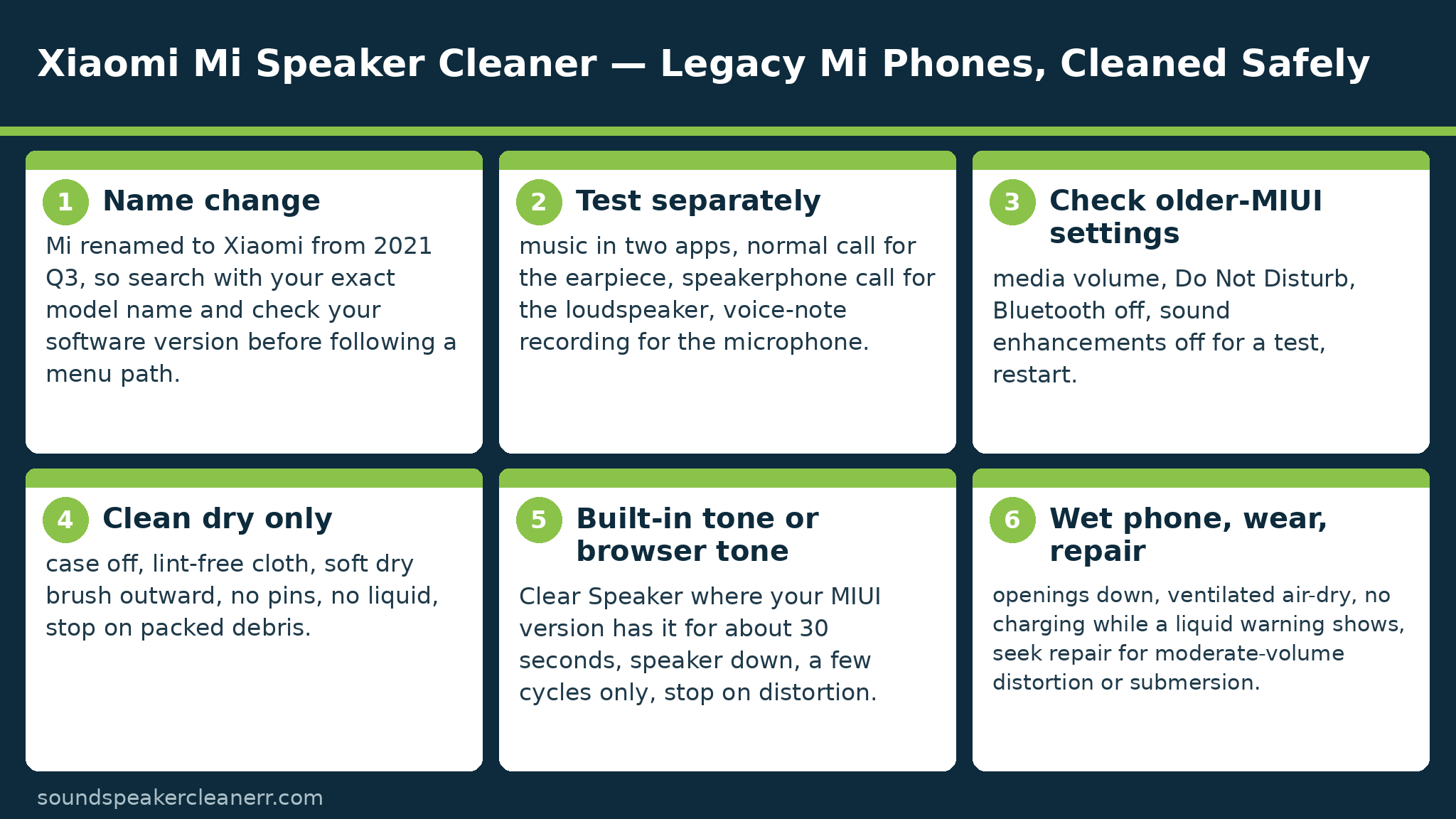
If your phone says Mi on the box but Xiaomi in stores today, you own a legacy Mi phone, and its guide differs. Older MIUI menus, years of buildup, and the retired Mi name change where you look for help. Test each part separately, clean the grille dry, and use the built-in tone if your model still has it.
Mi versus Xiaomi: why the name matters for finding help
From 2021 Q3, Xiaomi renamed its "Mi" product series to "Xiaomi." The Mi 11 was among the last flagships sold under Mi branding, and later premium phones carry the Xiaomi name alone, while Redmi branding was retained for the value line. That rename causes a practical problem: support articles, forum threads, and settings guides written for a "Mi 10" or "Mi 11" may use old menu names, while current guides written for "Xiaomi 14" or "Xiaomi 15" may describe HyperOS menus your phone never received.
When you search for help, search with both names — your exact model name and "Xiaomi" plus that model — and check the software version on your phone in Settings, then About phone, before following a menu path. A path that matches a newer HyperOS phone may not exist on an older MIUI phone, and a missing menu is not proof that your phone is broken. It usually means your software version never included that option, or an update moved it.
Older MIUI and the Clear Speaker question
On Mi phones with the relevant MIUI version, Clear Speaker is usually found in Settings, then Additional settings, then Clear Speaker. Enabling it plays audio for about 30 seconds, and the guidance reported in third-party guides from the MIUI era is to use it two to five times while gently shaking the device with the speaker pointing down. Early reporting notes the feature was first built for one Redmi Note model and then expanded to other Xiaomi smartphones model by model, so its presence was never universal even in the MIUI era.
If you search Settings for "Clear Speaker" or "Clean speaker" and find nothing, do not assume your phone is faulty, and do not install a random app to replace the feature. Use this site's browser cleaning tool instead, at a moderate volume, speaker facing down, for one short cycle, then test with music. The browser tool gives the same short test without permissions or payment, and it works regardless of whether your MIUI version included Clear Speaker. Repeat only a few times if sound is clean and improving, and stop on distortion or no change.
Older phones also deserve a settings check before any tone. Confirm media volume itself is up, not just ringtone volume, because media, ring, notification, and alarm volumes are separate controls. Check Do Not Disturb, turn Bluetooth off temporarily so sound cannot be routed to an unused paired device, and disable sound enhancements or an equalizer temporarily if sound is distorted, then retest at moderate volume. Restart the phone once; a restart clears temporary audio-routing glitches on MIUI as on HyperOS.
Test each part before you clean anything
Years of use make part-by-part testing more important, not less. A Mi phone that has been carried daily for years may have a blocked loudspeaker grille, a dusty earpiece slot, and a microphone hole affected by pocket lint — three separate faults that need three separate checks.
Play music or a video at a moderate volume in two different apps, and note whether sound is muffled, quiet, crackly, or distorted, and whether it fails everywhere or in one app only. Make a normal call without speakerphone for the earpiece, then switch the same call to speakerphone for the loudspeaker. Record a short voice note and play it back for the microphone. Use this site's Speaker Test tool at a moderate volume to confirm the pattern. If a test tone sounds distorted at moderate volume, stop cleaning tones; on an older phone, distortion at moderate volume is a stronger signal of packed debris or speaker wear than of light dust, and repeated tones will not reverse it.
Clean a Mi grille safely, dry only
Remove the case first. On an older phone, the case itself may have deformed slightly, or a replacement case may not line up with the openings as the original did, so test with the case off before concluding the speaker is at fault. Wipe the outside of the grille with a dry, lint-free cloth. Use a soft, dry brush with light outward strokes across the grille, and the same light outward strokes across the earpiece slot. Do not press a brush into any slot, and never insert a pin, needle, toothpick, or any sharp object into a speaker, earpiece, microphone hole, or charging port. Never use liquid cleaners, and never blow hard into an opening, because forced air can push years of debris or moisture deeper.
For packed debris that does not shift with gentle brushing, stop. An older grille can hold debris that has been pressed in over years of pocket carry, and forcing it risks pushing debris past the mesh or damaging the mesh itself. That is a repair-shop job, not a reason to try a sharper tool or a higher volume. Sound may help with light water or loose dust near a speaker opening. It does not always eject water or dust, it does not repair damage or wear, and it does not clean a microphone or a charging port.
If a Mi phone gets wet
Water changes the order, and age makes caution more important. Do not start with a cleaning tone, and do not plug in a charger while the port may be wet. Remove the case, wipe the outside dry with a lint-free cloth, and hold the phone with the speaker and port openings facing down. Power it off if you suspect liquid inside, and let it air-dry in a ventilated place away from heat. Do not use a hair dryer, do not put the phone in rice, and do not charge it until you are confident the port is dry and no liquid warning is shown. Follow the manufacturer's guidance for your exact model; no charging-wait hour figure is given here, because guidance varies by model.
Only after drying, and only with no liquid warning, test at moderate volume with Clear Speaker where present, or one short browser tone. If sound is still muffled after drying, or the phone was fully submerged or exposed to salt water or soapy water, seek professional guidance rather than repeating tones. On an older phone, seals and adhesives may have aged, so a splash that a new phone tolerates deserves a longer drying period and a lower threshold for seeking repair.
When an older Mi speaker needs repair, not cleaning
Seek Xiaomi service or a qualified repair shop if sound stays distorted after gentle dry cleaning and full drying; a speaker stays silent after settings checks and a restart; distortion appears at moderate volume in every app and in the speaker test; the phone was fully submerged or exposed to salt or soapy water; you see corrosion, swelling, or a cracked area near a speaker; or a liquid warning will not clear. A factory reset is a last step, only after backing up your data, and it will not fix a blocked grille, water damage, or a worn or damaged speaker. Before visiting a repair shop, note which part failed and whether the fault appeared gradually over years or suddenly after water, a drop, or an update; that history helps distinguish wear and damage from a simple blockage.
Conclusion
For a legacy Mi phone, the safe order is: confirm your exact model and software version, because Mi-era menus differ from current HyperOS menus; test the loudspeaker, earpiece, and microphone separately; check media volume, Do Not Disturb, Bluetooth, and sound enhancements; restart; remove the case; brush the grille dry and outward only; use Clear Speaker where your MIUI version still has it, or one short browser tone where it does not; dry a wet phone fully before any tone; and stop on distortion, rattling, or no change. That routine respects an older phone's reality — years of buildup, older menus, and a retired brand name — without promising that sound alone can reverse wear or repair damage.
FAQ
Is a Mi phone the same as a Xiaomi phone?
Mi was Xiaomi's former product-series name. From 2021 Q3, the Mi series was renamed to Xiaomi, while Redmi branding was retained. A Mi 11-era phone and a current Xiaomi phone share a manufacturer, but their software menus and support articles may differ.
Where is Clear Speaker on an older Mi phone?
On MIUI versions that include it, it is usually in Settings, then Additional settings, then Clear Speaker. It was never on every model, and it expanded model by model. If you cannot find it, use a browser cleaning tool instead.
Why does my old Mi speaker sound distorted at moderate volume?
Distortion at moderate volume, in every app and in a speaker test, points toward packed debris or speaker wear or damage rather than light dust. Stop cleaning tones and seek qualified repair if gentle dry cleaning does not help.
Can sound clean a Mi microphone or charging port?
No. A loudspeaker tone is played through the loudspeaker. For a microphone, wipe around the opening and brush lightly outward without inserting anything; for a charging port, do not charge while it may be wet and follow charging-port guidance.
Will a very high frequency tone clean my Mi speaker better?
No. A typical phone speaker cannot reliably reproduce 30,000, 50,000, or 100,000 Hz, and a high-frequency label does not make a tone stronger. Use an audible, moderate-volume tone and judge by a careful test afterwards.
My Mi phone got wet. Should I use Clear Speaker right away?
No. Remove the case, wipe the outside dry, hold openings facing down, and let the phone air-dry. Do not charge while a liquid warning is shown. Only after drying, test with Clear Speaker or one short browser tone.
My Mi phone's menu does not match the guide. What do I do?
Check your software version in Settings, then About phone, and search Settings for the setting name. Menu names vary by MIUI version and region, and a missing menu usually means your version never included that option.
When is a Mi speaker beyond home cleaning?
When sound stays distorted at moderate volume after dry cleaning and drying, stays silent after settings checks and a restart, or follows full submersion or salt or soapy water exposure. Seek qualified repair in those cases.
Leave a Reply