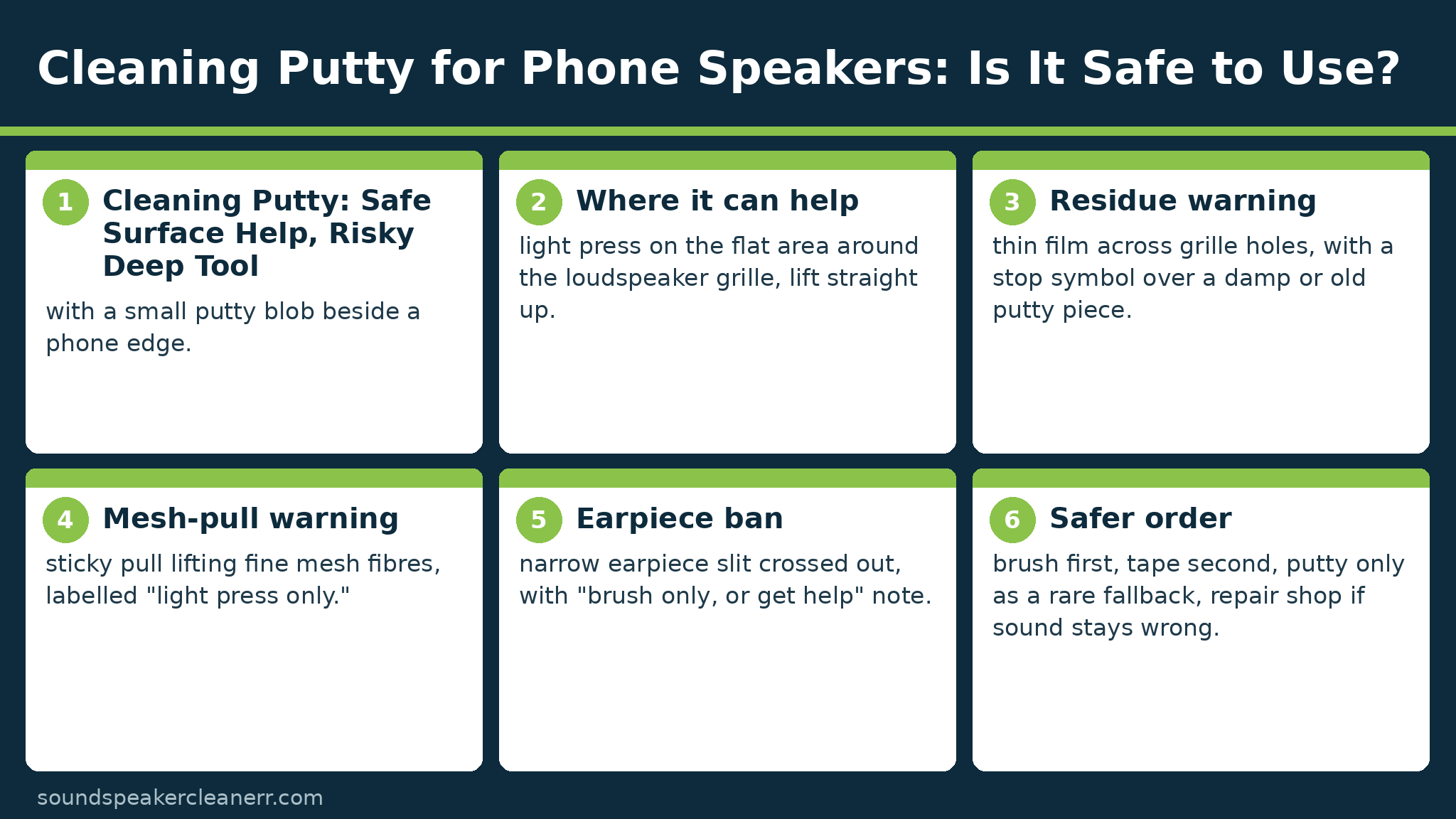
Cleaning putty can lift loose surface dust from around a phone speaker, but it is not a safe general-purpose speaker cleaner. Press it only lightly on the flat surface around the grille, never push it into the holes, and never use it on the earpiece. A soft dry brush and low-adhesive tape are safer first choices, and putty should only be a narrow fallback for surface dust that those methods have not removed.
What Cleaning Putty Actually Is
Cleaning putty, also sold as cleaning gel or cleaning slime, is a soft, sticky compound that you press onto a surface and lift away. Dust, crumbs, and lint stick to it and come away with it. That simple action is why it looks so satisfying in videos: a dull keyboard or vent suddenly looks clean after a few presses.
A phone speaker grille is different from a keyboard. The openings are small, the mesh behind them is fine, and the parts underneath are delicate. Putty does not know where the surface ends and the opening begins. If it is pressed hard, it can flow into a hole, spread under the grille, or leave a thin sticky layer behind. That is the core safety question, and it is why this guide treats putty with more caution than most general cleaning guides do.
Putty also varies. Some compounds stay firm and lift cleanly. Others soften with warmth, age, or repeated use, and softer putty is more likely to tear or leave residue. Because you cannot verify the exact formula of a generic gel from its packaging alone, treat every putty as a product that could leave something behind, and inspect the grille closely after every press.
Where Putty Can Help
Putty has one legitimate, limited job on a phone: lifting loose dust from the flat area around a speaker grille. If dust is sitting on the surface and a dry brush has scattered it rather than removed it, a light press of putty can pick it up. Used this way, the putty stays on the surface, the contact is brief, and the grille holes are not filled.
This is most useful on the bottom loudspeaker area of a phone, where the grille is a row of holes in a flat edge or back panel. Work in good light, use a small piece rather than a large blob, and press only enough to make contact. Lift straight up. Check the putty and the grille after each press. If the putty is picking up dust, that is a sign it is working. If it is coming away clean, further pressing will not help and only adds risk.
Putty is not a tool for deep cleaning. It cannot reach dust that is already packed under the mesh, and it cannot dissolve sticky residue, earwax, or dried liquid. Pressing harder will not turn it into a deep cleaner. It will only increase the chance that putty enters the opening or pushes dust further in.
The Residue Problem
Residue is the most common putty failure, and it is easy to miss. A thin film may not be visible at a glance, but it can sit across the tiny grille holes and change how the speaker sounds. In some cases the phone may sound slightly duller after cleaning than before, which is the opposite of what the user wanted.
Residue risk rises when putty is old, warm, very soft, or pressed repeatedly into the same spot. It also rises when putty is used on a dirty or slightly damp surface, because moisture can change how the compound behaves. For that reason, never use putty on a wet phone, a damp grille, or a surface that has just been wiped with a liquid cleaner. The phone and the grille should be completely dry first.
If you suspect residue, stop using putty immediately. A dry soft brush, used lightly across the surface, may remove a thin surface film. Do not try to dissolve putty residue with liquid cleaners poured into the grille, and do not scrape at it with a sharp tool. If sound stays muffled or distorted after a gentle brush, the residue may be under the mesh, and that is a repair-shop job, not a home-cleaning job.
The Mesh-Pull Risk
Speaker mesh is fine and, on many phones, held in place by adhesive or a small frame. Putty works by sticking to things and pulling them away. That same sticking action can pull at mesh fibers or at a mesh that is already loose, worn, or damaged. The risk is small with one light surface press, but it grows with force, repetition, and putty that is unusually sticky.
Signs of mesh trouble include a visible change in the grille, a flap or lifted edge, a hole that looks larger than its neighbours, or dust that suddenly seems deeper or looser than before. Any of those signs means you should stop. Do not press putty over the damaged area again to try to fix it, and do not push the mesh back with a pointed tool. A damaged mesh can let more dust in, and a torn mesh may need professional replacement.
This is also why putty should never be rolled, kneaded, or pushed into the grille as if it were dough. The correct motion is a single light press and a straight lift. If you find yourself pushing the putty in to reach deeper dust, you have passed the safe limit of the method.
Why the Earpiece Is Off Limits
The earpiece speaker deserves a stricter rule than the loudspeaker: do not use putty on it at all. The earpiece opening is usually a narrow slit, its mesh is finer, and it sits close to the ear during calls. Residue or a pulled mesh in the earpiece is harder to see, harder to clean, and more noticeable during a call than a similar problem on the loudspeaker.
Earpiece dust is also harder to judge. Because the slit is narrow, dust can look worse than it is, and a phone can sound quiet on calls for reasons that have nothing to do with dust, including volume settings, network quality, or a case that partially covers the opening. Before attempting any earpiece cleaning, check the simple causes first: remove the case, check call volume, and test with a different call or recording.
For the earpiece, a soft dry brush used lightly across the surface is the safer home method. If that does not help, or if the earpiece sounds distorted rather than merely quiet, seek professional inspection. The earpiece is not the place to experiment with a sticky compound.
How to Use Putty Safely, If You Use It at All
If you decide to use putty as a fallback for surface dust on the loudspeaker grille, follow a strict sequence. First, power the phone off or at least stop any audio, remove the case, and make sure the phone and grille are dry. Work in bright light so you can see what the putty is touching.
Take a small, fresh piece of putty. Discard putty that is discoloured, torn, crumbling, or already full of debris from another surface. Press it lightly onto the flat area around the grille, not into the holes, and lift it straight away. Inspect both the putty and the grille. Repeat only a few times, with a fresh surface of putty each time, and stop as soon as the putty comes away clean.
Afterwards, inspect the grille closely and play audio at moderate volume to check the sound. Moderate volume matters here: a loud test can mask a subtle change, and it is kinder to a speaker that may already be stressed. If the sound is worse, or if you can see residue or a lifted mesh, stop and do not repeat the method. Note what happened so you can describe it accurately to a repair technician if needed.
What to Try Before Putty
Putty should never be the first method you reach for, because safer methods cover most cases. A soft dry brush is the standard starting point recommended in manufacturer-style guidance: brush lightly across the grille, with the phone held so loosened dust falls away rather than deeper in. A piece of low-adhesive tape, looped sticky-side out around a finger and pressed lightly on the surface, can lift surface dust without the flow and residue risks of a gel.
A sound-based speaker tool can also help you judge whether cleaning is even the issue. Play a tone at moderate volume and listen for clarity, then compare before and after any cleaning step. Sound may help move loose water from a wet speaker grille, but it does not repair damage, remove packed dust, or dissolve residue, so do not repeat it endlessly if the sound does not improve.
If the phone has been exposed to water, follow manufacturer guidance for wet devices first: do not charge it while wet, let it dry in open air, and do not use heat, rice, or forced air as a shortcut. Putty has no role in drying a wet phone, and pressing a sticky compound onto a wet grille can trap moisture and debris together.
When to Stop and Get Help
Stop home cleaning and seek professional help if any of the following apply: sound stays distorted after gentle cleaning, the grille mesh looks lifted or torn, putty residue is visible and cannot be removed with a light dry brush, the phone was dropped in water and still sounds wrong after drying, or the problem affects the earpiece. These are signs that the issue is deeper than surface dust.
A repair shop can inspect the grille under magnification, clean from the inside if the design allows, or replace a damaged mesh or speaker. That inspection is also useful because it can rule out causes that cleaning cannot fix, such as a failing speaker, a blocked internal path, or damage from an earlier liquid exposure. Bring a clear description of what you tried, including putty, so the technician does not have to guess.
Putty is not a villain, but it is not a harmless toy either. Used lightly, briefly, and only on the flat surface around a loudspeaker grille, it can lift surface dust. Used firmly, repeatedly, into holes, or on the earpiece, it can leave residue, disturb the mesh, or make the sound worse. Knowing that boundary is what makes the difference between a quick tidy-up and a repair bill.
FAQ
Is cleaning putty safe for phone speakers?
It can be safe for light surface dust around the loudspeaker grille if pressed lightly and lifted straight away, but it is not safe to push into speaker holes or to use on the earpiece. A soft brush and tape are safer first choices.
Can cleaning putty damage a speaker mesh?
Yes, in some cases. Strong or repeated sticking action can pull at fine mesh, especially if the mesh is already loose or worn. Stop immediately if the grille looks changed, lifted, or torn.
What should I do if putty leaves residue on the speaker?
Stop using putty, try a gentle dry brush across the surface, and do not pour liquid cleaner into the grille or scrape with a sharp tool. If sound stays muffled, seek professional inspection.
Can I use cleaning putty on the earpiece speaker?
No. The earpiece slit and fine mesh make residue and mesh damage harder to see and fix, and call sound problems often have non-dust causes. Use a light dry brush only, or get professional help.
Is cleaning putty better than a brush for phone speakers?
Not as a first method. A soft dry brush is more controlled, does not flow into holes, and does not leave a sticky film. Putty is only a narrow fallback for surface dust that a brush has not lifted.
Can putty remove dust from inside the speaker?
No. Putty only lifts what it touches on the surface. Dust packed under the mesh, sticky residue, or dried liquid needs professional inspection, not harder pressing.
Should I use putty on a wet phone speaker?
No. The phone and grille must be completely dry first. Putty on a wet surface can behave unpredictably and may trap moisture and debris together. Follow manufacturer guidance for wet devices.
How often can I use cleaning putty on my phone?
Rarely, and only when surface dust is actually present. Frequent pressing adds residue and mesh risk without benefit. If you need it often, check whether a case or pocket is shedding lint onto the grille.
Related tools on this site
Related guides on this site
- Does Speaker Cleaner Work?
- How to Clean Phone Speakers
- Phone Speaker Muffled
- Phone Speaker Crackling
- Phone Speaker Troubleshooting
- Speaker Cleaner Apps: Safe Use Without Installing One
- Best Speaker Cleaner Apps: How to Judge One Safely
- iPhone Speaker Cleaner: A Safe Guide to Clearer Sound
- Clean Dust from Phone Speaker
Leave a Reply