Category: How-To Guides

  • How to Use a Mic Test to Diagnose Speaker Problems

    How to Use a Mic Test to Diagnose Speaker Problems

    A mic test can diagnose a speaker problem because a phone has more than one microphone and more than one speaker, and each test uses a different combination. The pattern across tests points to the faulty part, not any single test alone.

    Record your voice and play it back through the loudspeaker: if the recording is muffled, the microphone or its path may be at fault, and if playback is muffled, the loudspeaker or its grille may be at fault. Compare a regular call with a speakerphone call, and the pattern of what works and what fails points to the faulty part.

    Why one test is never enough

    A single failed test is ambiguous. Silence on a call could mean the earpiece speaker is blocked, the volume is set for a different context, audio is routing to a Bluetooth device, or the other person's microphone is the problem. A muffled recording could mean the microphone is blocked, the room was noisy, or the loudspeaker playing it back is blocked. Each of these explanations predicts a different result on the next test, so the diagnosis comes from the pattern across tests, not from any one test alone.

    That is why this guide uses four short tests, each changing one variable. The voice memo test checks the microphone plus loudspeaker playback. The regular call test checks the earpiece plus the primary call microphone. The speakerphone test checks the loudspeaker plus a different microphone path. The video test checks the microphones used for recording. Write down each result in plain words — clear, quiet, muffled, distorted, silent — before moving on, because memory blurs exactly the detail that matters.

    Know the parts before you test

    A modern phone typically has several audio openings, and confusing them leads to wrong conclusions. The earpiece is the small speaker at the top used for regular calls, held to the ear. The loudspeaker is the larger speaker, usually at the bottom, used for speakerphone, media, and ringtones. The microphone used for regular calls is usually near the bottom, while additional microphones, often near the top or near a camera, are used for speakerphone, video recording, and noise reduction. The charging port is a separate opening at the bottom; it is not a speaker or a microphone, and lint in the charging port does not explain muffled sound, though it can affect charging.

    Keeping these parts separate matters for the diagnosis. A phone can have a perfectly working loudspeaker and a blocked earpiece, so media sounds fine while calls sound faint. A phone can have a working primary microphone and a blocked secondary microphone, so regular calls sound fine while speakerphone calls sound muffled. Naming the part in each result — earpiece, loudspeaker, primary microphone, secondary microphone — turns a vague complaint into a testable claim.

    Before you test: rule out routing and settings

    Before concluding that any part is faulty, rule out the settings that mimic hardware faults. Turn Bluetooth off, so audio cannot be routing to earbuds, a car, or a watch you forgot about. Check that Do Not Disturb or a focus mode is not silencing calls or alerts. Check volume in the right context: media volume, call volume, and ringtone volume are often separate, so turning up media volume during a video does not prove call volume is up. Remove the case and any screen protector edge that might cover an opening, and test again without them; a thick case is a common, invisible cause of muffled microphones and speakers.

    Also check the basics that are easy to miss. Make sure the correct output is selected during a call, rather than a connected device. Make sure the phone is not muted in the calling app itself. Restart the phone once if you have not already; a restart clears temporary audio routing glitches that can look like hardware failure. If any of these steps fixes the problem, you have your answer, and no further test is needed.

    Test 1: Voice memo — microphone plus loudspeaker

    Open the built-in voice recorder, hold the phone normally, and record about ten seconds of speech at your normal volume and distance, in a quiet room. Then play the recording back through the loudspeaker at a moderate volume. Listen for three things: volume, clarity, and distortion. A clear recording played back clearly means both the recording microphone and the loudspeaker are basically working in this test. A quiet recording played back quietly points first to the microphone side. A clear recording that sounds muffled on playback points first to the loudspeaker side.

    Repeat the playback through earphones or headphones if you can. If the same recording sounds clear on earphones but muffled on the loudspeaker, the loudspeaker or its grille is the likely cause, because the recording itself is fine. If the recording sounds muffled on both the loudspeaker and earphones, the microphone, its opening, or the recording environment is the likely cause. This single comparison — same recording, two outputs — separates a microphone problem from a loudspeaker problem more reliably than either playback alone.

    Test 2: Regular call — earpiece plus primary microphone

    Call a known number, such as voicemail or a willing friend, and ask how you sound. During the call, listen through the earpiece at a comfortable volume. Note two results separately: how well you hear the other person, and how well the other person hears you. If you cannot hear them but they hear you clearly, the earpiece side is implicated. If they cannot hear you but you hear them clearly, the primary microphone side is implicated. If both directions fail, the problem may be routing, network, or a wider audio fault, and the speakerphone test becomes especially important.

    Keep the call short and note the exact symptom. "Quiet" and "muffled" and "cutting in and out" point in different directions: quiet may be volume or blockage, muffled may be grille debris, and cutting in and out may be a connection, a loose accessory, or an intermittent fault. Avoid shouting into the phone to compensate; louder speech can distort a recording and mask the difference between a blocked microphone and a quiet one.

    Test 3: Speakerphone — loudspeaker plus alternate microphone

    Switch the same call to speakerphone, or start a new call on speakerphone, and repeat the check. Speakerphone typically uses the loudspeaker for output and a different microphone path for input, so this test swaps both sides at once. If the regular call failed but speakerphone works clearly in both directions, the earpiece and the primary microphone path are the suspects, while the loudspeaker and the alternate microphone path are probably fine. If speakerphone output is muffled or distorted while the regular call was clear, the loudspeaker or its grille is the suspect.

    If both regular and speakerphone calls fail in the same way — for example, the other person cannot hear you in either mode — the fault is less likely to be a single microphone opening, and more likely to be a setting, a permission, a routing problem, or a wider hardware fault. That distinction is valuable even though it does not name a single part: it tells you that cleaning one grille is unlikely to fix the problem, and that a settings check or professional assessment is the better next step.

    Test 4: Video recording — the other microphones

    Record a short video with the front camera, speaking normally, then another with the rear camera. Play both back at a moderate volume. Front- and rear-camera video often use different microphones, so a fault that appears in only one video points to one microphone path, while a fault in both points to a wider recording problem or to the loudspeaker used for playback. If a video sounds muffled but the voice memo sounded clear, the difference may be the microphone used, the distance from the phone, or wind and room noise during the video — repeat the video indoors, close to the phone, before drawing a conclusion.

    This test is also useful for a common confusion: a phone that records voice memos well but produces quiet videos may have a blocked secondary microphone, not a broken speaker. Conversely, a phone whose videos sound fine but whose calls fail may have a call-specific routing or permission problem. The video test does not replace the call tests, but it adds a third microphone path to the pattern, and patterns are what make a diagnosis trustworthy.

    Reading the pattern: a simple decision table

    Use this table after all four tests. Find the row that matches your results, and treat it as a lead, not a certainty.

    Voice memoRegular callSpeakerphoneMost likely lead
    Clear on loudspeakerClear both waysClear both waysNo fault found in these tests; check settings or the other person's device
    Muffled on loudspeaker and earphonesOther person cannot hear youOther person cannot hear youPrimary microphone path or recording path
    Clear on earphones, muffled on loudspeakerYou cannot hear, they hear youClear both waysEarpiece blocked or faulty
    Clear on earphones, muffled on loudspeakerClear both waysOutput muffledLoudspeaker or its grille
    ClearOther person cannot hear youOther person hears youPrimary microphone path, not the alternate path
    Muffled in one camera video onlyClear both waysClear both waysSecondary microphone path used for that camera

    If no row matches, your results are still useful: note which tests passed and which failed, and take that list to a repair assessment. A technician can use the pattern far more effectively than a vague report of "sound problems."

    Safe cleaning and what not to do

    If the pattern points to a blocked grille or microphone opening, clean gently and dry only. Brush the grille lightly with a soft, dry brush, holding the phone so debris falls away rather than deeper in. Wipe the outside with a soft, dry or slightly damp cloth. Do not poke sharp objects into any opening, do not use compressed air at close range on a phone speaker or microphone, and do not pour liquid into an opening. After any cleaning, repeat the same test that failed before; an improvement confirms the cause, while no change suggests the cause lies elsewhere.

    For a wet device, the rules are stricter. Dry the outside with a soft cloth, place the phone in a dry room with airflow, and let it air-dry fully before charging, following the manufacturer's guidance for your model. Do not charge a wet phone, do not use heat to force drying, and do not assume that playing a tone has ejected water or repaired damage. A tone played after full drying can check whether sound has returned, but it does not prove the inside is dry, and it is not a repair. If sound does not return after full drying, or if the phone was exposed to salt water, soapy water, or a long immersion, seek professional assessment rather than repeating loud tones.

    When to stop testing and seek help

    Stop and seek professional help if the phone was dropped, exposed to liquid, or shows swelling, heat, or a damaged charging port; if all audio paths fail at once; if sound cuts in and out unpredictably; or if a microphone or speaker problem appeared suddenly after a repair or a software update and persists after a restart and a settings check. Do not open the phone yourself. Bring your test notes — which tests passed, which failed, and in which mode — because that pattern shortens the assessment and reduces the chance of an unnecessary part replacement.

    A mic test is a diagnostic tool, not a cure. Used carefully, it separates microphone from speaker, earpiece from loudspeaker, and settings from hardware, and it does so with tools already on the phone. Used carelessly — at maximum volume, with sharp tools, or on a wet device — it adds risk without adding information. Test quietly, change one variable at a time, and let the pattern speak.

    FAQ

    Can a mic test really diagnose a speaker problem?

    Yes, indirectly. A voice memo test uses the microphone to record and the loudspeaker to play back, so comparing playback on the loudspeaker with playback on earphones separates a recording fault from a playback fault. Call and speakerphone tests then narrow the fault further to the earpiece, the loudspeaker, or a microphone path.

    Why does my microphone work on speakerphone but not on a regular call?

    Regular calls and speakerphone often use different microphone paths. If speakerphone works but a regular call does not, the primary call microphone path is the likely lead, while the alternate path used for speakerphone appears to work. Check case coverage, permissions, and Bluetooth routing before assuming hardware failure.

    Why can the other person hear me but I cannot hear them?

    That pattern points to your output side, not your microphone. Check call volume, Bluetooth routing, and whether the earpiece is blocked or covered. If speakerphone output is clear while earpiece output is not, the earpiece or its grille is the likely cause.

    Is a voice memo test enough on its own?

    No. A voice memo tests one microphone and one playback path. It cannot tell you whether the earpiece works, whether a different microphone works, or whether call routing is correct. Use at least the voice memo, a regular call, and a speakerphone call for a useful pattern.

    Should I use a tone or noise to test after cleaning?

    A short tone or noise at a moderate volume can confirm whether sound has returned after gentle cleaning and full drying. Keep the volume moderate, stop if you hear distortion, and do not repeat loud cycles hoping to force a result. A tone checks sound; it does not clean, eject water, or repair damage.

    What if every test fails?

    If the microphone, earpiece, and loudspeaker all fail, and Bluetooth, volume, permissions, and a restart have been checked, the fault may be a wider audio or hardware problem. Do not keep testing louder. Note the full pattern and seek professional assessment, especially after liquid exposure or a drop.

    Can a mic test damage my phone?

    A normal voice recording and call test at moderate volume should not damage a phone. Damage risk comes from the extras people add: sharp objects in openings, liquid poured into grilles, compressed air at close range, or loud tones repeated on a wet or damaged device. Avoid those, and the tests themselves are low risk.

    Do I need a special app for a mic test?

    No. The built-in voice recorder, the phone app, and the camera app cover the four tests in this guide. A browser microphone tool can add a level display, but it is optional, and its readings are not calibrated measurements. Start with the built-in tools, which test the phone's own audio paths directly.

    Related tools on this site

    Related guides on this site

  • AGM Phone Speaker Cleaner: A Safe Guide to Clear Sound

    AGM Phone Speaker Cleaner: A Safe Guide to Clear Sound

    An AGM rugged phone speaker sounds muffled because dust, mud, or water is blocking the grille, not because it has failed. Remove the case, find whether calls or media are affected, brush the grille gently with a dry soft brush, check that port covers are seated, and let a wet phone air-dry fully before charging or judging the sound.

    Which AGM phones this guide covers

    This is a parent guide for AGM rugged phones as a group. It does not claim a feature, rating, or menu layout for any single model, because AGM's rugged range spans many years and designs, from small rugged feature phones to large rugged smartphones with additional outdoor tools. Speaker placement varies by model, and every phone has a separate earpiece near the top for calls, where the model is a smartphone. Before cleaning, find both openings on your own phone in good light and treat them separately. A blocked earpiece makes calls sound faint while music sounds normal, and a blocked loudspeaker does the opposite. That distinction is the fastest way to avoid cleaning the wrong part.

    Menu names also vary by model and Android version on AGM smartphones. On most Android phones, volume, sound, and Bluetooth controls live under Sound settings, but exact labels and order change. This guide therefore describes what to check — media volume, call volume, Bluetooth routing, and mute or do-not-disturb settings — rather than giving one exact tap sequence that may not match your phone. If a label on your phone differs, follow the label that matches the idea. If your model has its own cleaning or water-care instruction in its manual, that instruction wins over anything general written here. The manual examples cited in section (A) are a starting point for what AGM manuals tend to say, not a replacement for your own model's manual.

    What AGM manuals actually advise

    The strongest evidence for this guide comes from AGM's own model manuals, and it is refreshingly simple. The M7 and M6 manuals both advise wiping the phone with a soft, damp cloth, avoiding harsh chemicals or abrasive materials, and ensuring all port covers are securely closed to maintain water and dust resistance. The M6 manual adds that after salt water or other corrosive liquids, the phone should be rinsed thoroughly with fresh water and dried completely before charging or opening any ports. The M11 manual advises ensuring the USB port is completely dry before charging or reverse charging after water exposure, and again stresses port covers closed.

    Apply those ideas to the speaker with care. A soft, damp cloth is for the phone's outer surface, not for pressing liquid into the speaker grille. Port covers matter because an open or damaged cover can let water and dust reach the inside even on a phone whose body is well sealed. A fresh-water rinse after salt water is a manual instruction for the phone as a whole, not an instruction to pour water into the speaker opening. The speaker steps below follow the same spirit: gentle, dry, and patient for the grille itself, with the manual's cloth, cover, and drying advice applied around it.

    First, diagnose before you clean

    Play the same music track and then make or receive a short call, both at a moderate volume, and note what sounds wrong. Remove any case and test again before cleaning anything. A thick case, a case with a misaligned cutout, or dust trapped inside a case can block a grille and make a healthy speaker sound quiet. If sound improves without the case, the case was the problem. Clean the inside of the case as well, or the same dust will block the grille again as soon as the case goes back on.

    Try a different audio source too. If only one app sounds muffled, that app's own volume or audio setting is more likely than a blocked speaker. Check the simple causes next. Media and call volumes are separate on Android smartphones, so turn both up for testing. Disconnect Bluetooth headphones, earbuds, and speakers, because audio routed to another device makes the phone speaker seem dead. Check that no mute or do-not-disturb setting is suppressing the sound you are testing. The M6 manual's troubleshooting advice points in the same direction: ensure the speaker is not obstructed and adjust volume settings for poor audio quality. Restart the phone after these checks. A restart clears temporary audio routing glitches, including audio stuck on a previous Bluetooth device, and gives you a clean comparison after cleaning.

    Dust, mud, and grit: the safe cleaning sequence

    For a dry AGM phone, power it off or stop all audio, then hold it with the grille angled downward so loosened material falls away from the phone rather than deeper into it. Brush lightly across the grille with a clean, dry, soft-bristled brush, such as a soft toothbrush kept only for this job, using short outward strokes and almost no pressure. Wipe the surrounding body with a dry microfiber cloth, or a lightly damp cloth on the outer surface only, following the manual pattern of a soft cloth and no harsh chemicals. Inspect the grille in bright light. If surface dust remains after gentle brushing, repeat once, then retest. Do not insert pins, needles, paper clips, or any metal tool into the holes. A sharp tool can tear the mesh or push debris deeper, and that damage cannot be brushed back out.

    For dried mud, do not scrape it off with a hard edge. Brush the dry surface very lightly first, and if a crust remains, leave it for professional cleaning rather than forcing it. A light dab with adhesive putty, pressed gently and lifted straight away without pushing it into the holes, can lift surface lint that brushing leaves behind. Do not pour or spray liquid into the speaker opening to wash mud out, and do not use chemical cleaners or abrasive materials on the grille, in line with the manual advice against harsh chemicals and abrasives. If sticky residue remains after dry brushing, pause and consider professional cleaning. Sticky residue, unlike dry dust, can be pushed deeper by brushing.

    Do not use a high-pressure air gun, and do not blow hard with your mouth, which adds moisture to a grille you are trying to clear. Gentle dry brushing is the safer first step. If you use canned air at all, hold the can upright, keep it at a distance, and use short bursts only, and stop if debris moves inward.

    If the phone got wet: dry first, test second

    Water changes the order completely. If your AGM phone got wet, do not charge it, do not plug anything into the port, and do not play loud sound through it while it is still wet. This is the manual advice in its clearest form: the M11 manual says the USB port must be completely dry before charging, and the M6 manual says the phone must be dried completely before charging or opening any ports after salt water. Check that port covers, where your model has them, are seated, but do not open a cover to force-dry the inside. Wipe the outside with a soft, dry cloth, remove the case, and hold the phone with the speaker facing down so gravity helps water drain out of the grille area. Tap it very gently against your hand if droplets are visible, then set it speaker-down on a dry cloth in a room with good airflow, away from direct heat.

    Let the phone air-dry fully before you judge the speaker. A speaker that sounds muffled an hour after rain may sound normal once the grille is fully dry, because a thin film of water across the mesh blocks sound even when the rest of the phone is fine. Do not use a hair dryer, a heater, or an oven, and do not put the phone in rice. Heat can damage the speaker and other parts, and rice dust can add debris to the grille. Do not open the phone at home to dry the inside. Opening a modern sealed phone without the right tools risks breaking the body and battery area, and it is not needed for a surface grille clean.

    This draft gives no universal drying hour figure for AGM models in the body, because drying needs vary by model and exposure, and the only model-specific port-drying instruction found is noted in section (A) for the M11 alone. Use the general rule instead: the phone must be fully dry, inside the ports as well as on the surface, before charging or judging the speaker, and if your own model's official guidance gives a specific drying instruction, follow that instruction. If the phone was exposed to salt water, soapy water, muddy water, or drinks rather than clean fresh water, follow the M6 manual pattern: rinse thoroughly with fresh water on the outside, dry completely, and seek professional advice sooner, because residue from those liquids can cause corrosion even after the phone feels dry. Do not rinse by pouring water into the speaker opening.

    Only after full air-drying should you try a sound check at a moderate volume. A browser-based speaker tool can play a low tone that vibrates the speaker, and that vibration may help move remaining droplets near the grille. Treat this honestly: it may help with loose surface water, it does not guarantee that all water is ejected, and it cannot repair internal water damage. Run a short cycle at a moderate volume, pause between cycles, and stop if you hear crackling, distortion, or silence. Those sounds after full drying point to damage, not to a need for louder sound.

    Settings checks that are often mistaken for damage

    Before concluding that a speaker is broken, work through the settings that mimic a speaker fault. Confirm Bluetooth is off or disconnected from other audio devices. Confirm media, ring, and call volumes separately. Check that no silent or do-not-disturb mode is active, and check the in-app volume of the app you are testing. Check audio balance if your phone offers it, since a balance slider pushed to one side can mimic a one-sided fault. Check for a software update, because an update can fix an audio routing problem that looks like a speaker fault. Also check the earpiece area for a screen protector or film covering it, since a misaligned film can muffle calls while leaving music untouched. Realigning or replacing that film is simpler than any cleaning step.

    Keep notes as you go: whether the phone was wet, muddy, or dusty, which speaker was affected, whether port covers were seated, what you cleaned, how long it dried, and what changed after each step. Those notes are exactly what a repair shop will ask for if you end up taking the phone in, and they help separate a simple grille blockage from a fault that needs parts.

    After a drop: check more than the sound

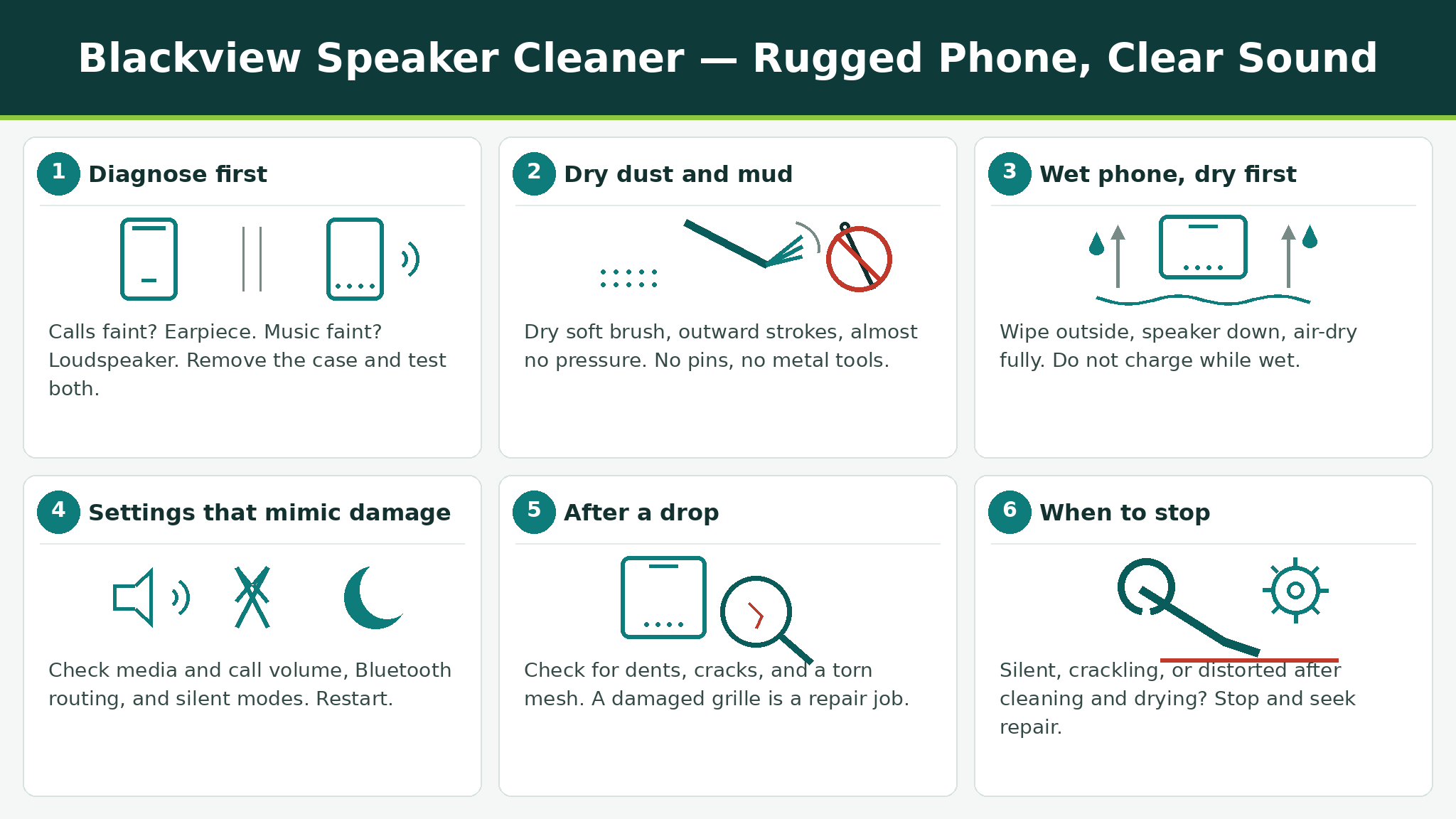
    Rugged phones are built to survive drops, but a drop can still change the speaker and the seals around it. After a drop, inspect the grille for dents, cracks, or a pushed-in mesh, inspect the body around the speaker for a crack or a gap, and check that port covers still close securely. A cover that no longer seats properly cannot maintain water and dust resistance, even if the rest of the body looks fine. Test calls and media separately after a drop, because a drop can affect one speaker path more than the other. If the body is cracked or a cover is damaged, treat later water exposure more cautiously and seek advice sooner rather than assuming the original rating still applies in full.

    When cleaning is not the answer

    Stop home cleaning and seek professional or manufacturer support if the speaker is completely silent after drying and a restart; if sound is distorted or crackling at normal volume after gentle cleaning; if the phone was submerged, exposed to salt or soapy water, or shows condensation under the screen; if the phone will not power on, charges abnormally, or smells of burning; or if the grille is dented, torn, or pushed inward, or a port cover no longer closes. Sound tools and dry brushing can move loose surface debris and surface water. Neither can fix a torn mesh, a damaged driver, corrosion, or a loose internal connection. Continuing to play loud tones into a damaged speaker can make the damage worse, so a persistent fault after careful cleaning is information, not a reason to try harder with the same method.

    Prevention follows the manuals. Wipe the phone with a soft cloth after dusty or wet days, avoid harsh chemicals and abrasive materials, check port covers are securely closed before wet or dusty work, brush the grille lightly with a dry soft brush, and check the grille in good light occasionally rather than waiting until sound fades. A minute of care now prevents a hardened layer later, and it avoids the temptation to use a sharp tool when sound finally fades.

    FAQ

    Why does my AGM phone speaker sound muffled?

    Most often, dust, mud, or a thin film of water is blocking the grille mesh. Clean the grille gently with a dry soft brush for dust, or air-dry the phone fully for water, then retest. If sound stays muffled after both, check settings, the case, port covers, and the earpiece-versus-loudspeaker distinction before concluding the speaker is broken.

    Can I use a pin to clear my AGM speaker holes?

    No. Pins, needles, and other sharp or metal tools can permanently damage the speaker mesh and push debris deeper. Use only a dry soft brush and a dry microfiber cloth on the grille surface, and leave stubborn blockages to a professional.

    My AGM phone got wet. Should I charge it right away?

    No. Do not charge a phone that may still be wet inside the port or grille. AGM manuals stress that the port must be completely dry before charging, and that port covers must be securely closed. Wipe the outside, keep the speaker facing down, and let the phone air-dry fully first, following your own model's manual.

    What should I do after salt water exposure?

    Follow the manual pattern for the M6: rinse the outside thoroughly with fresh water, dry completely before charging or opening any ports, and seek professional advice sooner. Do not pour water into the speaker opening, and do not judge the speaker until the phone is fully dry.

    Why are calls quiet but music sounds normal?

    Calls use the earpiece and media uses the loudspeaker, so a blocked earpiece or a screen film covering it makes calls faint while music stays clear. Check the top earpiece area, the film alignment, and call volume separately from media volume.

    Can a speaker cleaner tone repair my AGM speaker?

    No. A short tone at a moderate volume, after full drying, may help move remaining surface droplets near the grille, but it does not guarantee water ejection and cannot repair a damaged driver or internal water damage. Persistent distortion or silence after drying is a repair question.

    Why do port covers matter for speaker sound?

    A port cover that is open or damaged can let water and dust reach the inside, even on a well-sealed rugged phone. AGM manuals stress keeping covers securely closed to maintain water and dust resistance. Check covers before wet or dusty work, and after a drop.

    When should I take my AGM phone to a repair shop?

    When the speaker stays silent, distorted, or crackling after gentle cleaning, full drying, a restart, and a settings check, or when the phone was submerged, exposed to salt or soapy water, shows condensation, will not charge normally, has a dented or torn grille, or has a port cover that no longer closes.

    Related tools on this site

    Related guides on this site

  • CAT Phone Speaker Cleaner: A Safe Guide to Clear Sound

    CAT Phone Speaker Cleaner: A Safe Guide to Clear Sound

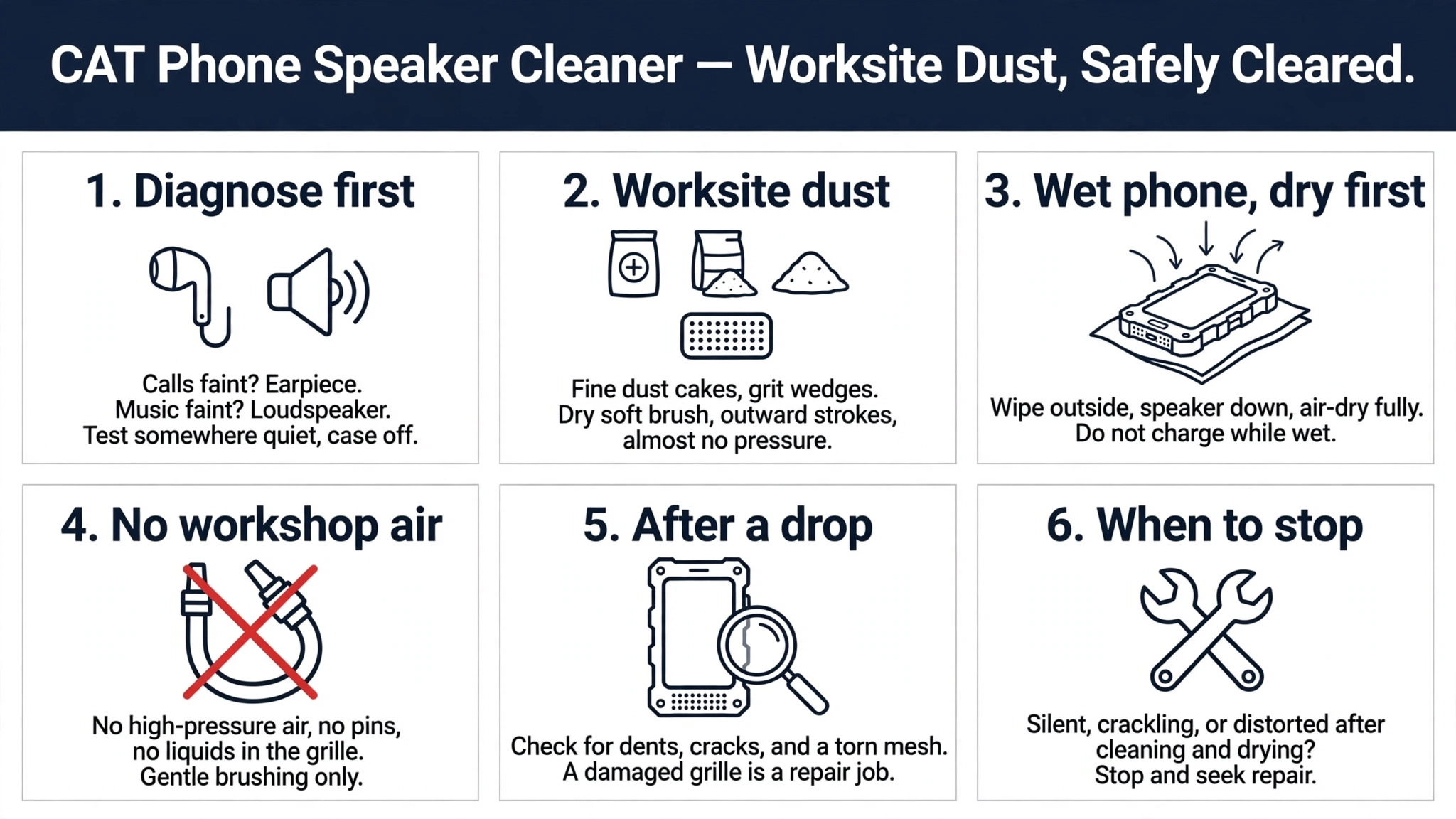
    A CAT rugged phone speaker usually sounds muffled because worksite dust, mud, or water is blocking the grille, not because the speaker has failed. Remove the case, find whether calls or media are affected, brush the grille gently with a dry soft brush, and let a wet phone air-dry fully before charging or judging the sound.

    Which CAT phones this guide covers

    This is a parent guide for CAT-branded rugged phones as a group. It does not claim a feature, rating, or menu layout for any single model, because CAT phones span many years and designs, from older single-speaker work phones to newer models with additional work tools. Speaker placement varies by model, and every phone has a separate earpiece near the top for calls. Before cleaning, find both openings on your own phone in good light and treat them separately. A blocked earpiece makes calls sound faint while music sounds normal, and a blocked loudspeaker does the opposite. That distinction is the fastest way to avoid cleaning the wrong part, and it matters on a noisy site, where a faint call is easily mistaken for a broken phone.

    Menu names also vary by model and Android version. On most Android phones, volume, sound, and Bluetooth controls live under Sound settings, but exact labels and order change. This guide therefore describes what to check — media volume, call volume, Bluetooth routing, and mute or do-not-disturb settings — rather than giving one exact tap sequence that may not match your phone. If a label on your phone differs, follow the label that matches the idea. If your model has its own cleaning or water-care instruction in its manual, that instruction wins over anything general written here.

    Worksite dust is different from household dust

    Household lint is soft and usually lifts off with one gentle brush. Worksite dust is not one material. Cement dust and plaster dust are fine and can cake into a hard layer when mixed with sweat or rain. Sawdust is coarser and can wedge into grille holes. Mud from a site track dries into a crust that looks like part of the grille. Metal dust and grit from cutting or grinding are abrasive, and scrubbing them hard across a mesh can damage the mesh itself. The cleaning rule stays the same for all of them — gentle, dry, outward brushing — but the patience required changes. Fine caked dust may need two gentle rounds with a retest between them, not one forceful scrub.

    A rugged rating does not make this dust harmless. Ratings test sealing under controlled conditions and do not guarantee sealing stays perfect after impacts or wear. A grille can be blocked even when the phone's inside is well sealed, because the blockage sits on the outside of the mesh. Treat the grille as a part needing regular inspection after site work.

    First, diagnose before you clean

    Play the same music track and then make or receive a short call, both at a moderate volume, and note what sounds wrong. On a noisy site, step somewhere quieter if you can, because site noise can mask a faint speaker. Remove any case and test again before cleaning anything. A thick case, a misaligned cutout, or dust inside a case can block a grille and make a healthy speaker sound quiet. If sound improves without the case, the case was the problem. Clean inside the case too, or the same dust will block the grille again.

    Try a different audio source too. If only one app sounds muffled, that app's own volume or audio setting is more likely than a blocked speaker. This matters for push-to-talk use: if a push-to-talk app sounds faint but music sounds clear, check that app's volume and audio routing before cleaning anything. Check the simple causes next. Media and call volumes are separate on Android, so turn both up for testing. Disconnect Bluetooth headphones, earbuds, and speakers, because audio routed to another device makes the phone speaker seem dead. Check that no mute or do-not-disturb setting is suppressing the sound you are testing. Restart the phone after these checks. A restart clears temporary audio routing glitches, including audio stuck on a previous Bluetooth device, and gives you a clean comparison after cleaning.

    Dust, mud, and grit: the safe cleaning sequence

    For a dry CAT phone, power it off or stop all audio, then hold it with the grille angled downward so loosened material falls away from the phone rather than deeper into it. Brush lightly across the grille with a clean, dry, soft-bristled brush, such as a soft toothbrush kept only for this job, using short outward strokes and almost no pressure. Wipe with a dry microfiber cloth and inspect the grille in bright light. If surface dust remains after gentle brushing, repeat once, then retest. Do not insert pins, needles, paper clips, or any metal tool into the holes. A sharp tool can tear the mesh or push debris deeper, and that damage cannot be brushed back out.

    For dried mud or caked cement dust, do not scrape it off with a hard edge and do not scrub it hard while dry. Brush the surface very lightly first, and if a crust remains, leave it for professional cleaning rather than forcing it. For sawdust and grit, the same gentle rule applies: brush outward, check in good light, and stop if particles visibly move inward rather than out. A light dab with adhesive putty, pressed gently and lifted straight away without pushing it into the holes, can lift surface lint that brushing leaves behind. Do not pour or spray liquid into the speaker opening to wash site dust out, and do not use chemical cleaners on the grille. A lightly damp cloth may be used on the phone's outer surface, but not pressed over the speaker opening. If sticky residue remains after dry brushing, pause and consider professional cleaning. Sticky residue, unlike dry dust, can be pushed deeper by brushing.

    Do not use a high-pressure air gun, and do not blow hard with your mouth, which adds moisture to a grille you are trying to clear. On a worksite, a compressed-air line is a particular temptation, and it is one to resist: workshop air pressure is far stronger than a gentle blower and can drive dust deeper or damage the mesh. Gentle dry brushing is the safer first step. If you use canned air at all, hold the can upright, keep it at a distance, and use short bursts only, and stop if debris moves inward. This guide does not advise washing or scrubbing the phone with soap and hot water as a general step, even though a review of one CAT model mentions scrubbing for that model. Follow your own model's manual for washing, if it allows it at all, and use the dry steps here otherwise.

    If the phone got wet: dry first, test second

    Water changes the order completely. If your CAT phone got wet, do not charge it, do not plug anything into the port, and do not play loud sound through it while it is still wet. Check that port covers, where your model has them, are in place, but do not open a cover to force-dry the inside. Wipe the outside with a soft, dry cloth, remove the case, and hold the phone with the speaker facing down so gravity helps water drain out of the grille area. Tap it very gently against your hand if droplets are visible, then set it speaker-down on a dry cloth in a room with good airflow, away from direct heat.

    Let the phone air-dry fully before you judge the speaker. A speaker that sounds muffled an hour after rain may sound normal once the grille is fully dry, because a thin film of water across the mesh blocks sound even when the rest of the phone is fine. Do not use a hair dryer, a heater, or an oven, and do not put the phone in rice. Heat can damage the speaker and other parts, and rice dust can add debris to the grille. Do not open the phone at home to dry the inside. Opening a modern sealed phone without the right tools risks breaking the body and battery area, and it is not needed for a surface grille clean.

    This draft gives no fixed drying hour figure for CAT models, because none was verified across CAT models for this guide. Use the general rule instead: the phone must be fully dry, inside the ports as well as on the surface, before charging or judging the speaker, and if your own model's official guidance gives a specific drying instruction, follow that instruction. If the phone was exposed to salt water, soapy water, muddy water, cement slurry, or drinks rather than clean fresh water, seek professional advice sooner, because residue from those liquids can cause corrosion even after the phone feels dry.

    Only after full air-drying should you try a sound check at a moderate volume. A browser-based speaker tool can play a low tone that vibrates the speaker, and that vibration may help move remaining droplets near the grille. Treat this honestly: it may help with loose surface water, it does not guarantee that all water is ejected, and it cannot repair internal water damage. Run a short cycle at a moderate volume, pause between cycles, and stop if you hear crackling, distortion, or silence. Those sounds after full drying point to damage, not to a need for louder sound.

    Settings checks that are often mistaken for damage

    Before concluding that a speaker is broken, work through the settings that mimic a speaker fault. Confirm Bluetooth is off or disconnected from other audio devices. Confirm media, ring, and call volumes separately. Check that no silent or do-not-disturb mode is active, and check the in-app volume of the app you are testing, including any push-to-talk app. Check audio balance if your phone offers it, since a balance slider pushed to one side can mimic a one-sided fault. Check for a software update, because an update can fix an audio routing problem that looks like a speaker fault. Also check the earpiece area for a screen protector or film covering it, since a misaligned film can muffle calls while leaving music untouched. On a phone used with gloves, also check that a glove has not pressed a volume key or a mute control without the owner noticing. Realigning a film or correcting a volume setting is simpler than any cleaning step.

    Keep notes as you go: whether the phone was wet, muddy, or dusty, which dust type was involved, which speaker was affected, what you cleaned, how long it dried, and what changed after each step. Those notes are exactly what a repair shop will ask for if you end up taking the phone in, and they help separate a simple grille blockage from a fault that needs parts.

    After a drop: check more than the sound

    CAT phones are built to survive drops, and drop testing is part of the durability story for models like the S62 Pro cited above. A drop can still change the speaker. After a drop, inspect the grille for dents, cracks, or a pushed-in mesh, and the body around it for a crack or gap. A dented or torn grille will not be fixed by brushing, and playing loud tones into it can make the problem worse. Test calls and media separately after a drop. If the phone was dropped in water, mud, or dust too, deal with that first, then judge sound only after full drying and gentle cleaning. If the body is cracked, treat later water exposure more cautiously and seek advice sooner.

    When cleaning is not the answer

    Stop home cleaning and seek professional or manufacturer support if the speaker is completely silent after drying and a restart; if sound is distorted or crackling at normal volume after gentle cleaning; if the phone was submerged, exposed to salt or soapy water or cement slurry, or shows condensation under the screen; if the phone will not power on, charges abnormally, or smells of burning; or if the grille is dented, torn, or pushed inward. Sound tools and dry brushing can move loose surface debris and surface water. Neither can fix a torn mesh, a damaged driver, corrosion, or a loose internal connection. Continuing to play loud tones into a damaged speaker can make the damage worse, so a persistent fault after careful cleaning is information, not a reason to try harder with the same method.

    Prevention fits site work. Use a case whose cutouts line up with your model's speaker openings, brush the grille lightly at the end of a dusty shift, check port covers before the next wet or dusty shift, and store the phone grille-up, not face-down on a dusty bench. A minute of dry care now prevents a hardened layer later.

    FAQ

    Why does my CAT phone speaker sound muffled after site work?

    Most often, cement dust, plaster dust, sawdust, mud, or a thin film of water is blocking the grille mesh. Clean the grille gently with a dry soft brush for dust, or air-dry the phone fully for water, then retest. If sound stays muffled after both, check settings, the case, and the earpiece-versus-loudspeaker distinction before concluding the speaker is broken.

    Can I use a pin to clear my CAT speaker holes?

    No. Pins, needles, and other sharp or metal tools can permanently damage the speaker mesh and push debris deeper. Use only a dry soft brush and a dry microfiber cloth on the grille surface, and leave stubborn blockages to a professional.

    My CAT phone got wet. Should I charge it right away?

    No. Do not charge a phone that may still be wet inside the port or grille. Wipe the outside, keep the speaker facing down, and let the phone air-dry fully in a room with airflow first. If your model's official guidance gives a specific drying instruction, follow that instruction.

    Why are calls quiet but music sounds normal?

    Calls use the earpiece and media uses the loudspeaker, so a blocked earpiece or a screen film covering it makes calls faint while music stays clear. Check the top earpiece area, the film alignment, and call volume separately from media volume.

    Can I wash or scrub my CAT phone to clean the speaker?

    Not as a general rule. This guide uses dry brushing for the grille, and washing instructions vary by model. Follow your own model's manual for washing, if it allows it at all. Do not pour or spray liquid into the speaker opening, and do not use chemical cleaners on the grille.

    Can a speaker cleaner tone repair my CAT speaker?

    No. A short tone at a moderate volume, after full drying, may help move remaining surface droplets near the grille, but it does not guarantee water ejection and cannot repair a damaged driver or internal water damage. Persistent distortion or silence after drying is a repair question.

    Does a rugged rating mean dust cannot block the speaker?

    No. A rating describes a test result under controlled conditions, and resistance can decrease with wear and drops. Dust can still block the outside of the grille mesh, so regular gentle inspection and brushing are still needed.

    When should I take my CAT phone to a repair shop?

    When the speaker stays silent, distorted, or crackling after gentle cleaning, full drying, a restart, and a settings check, or when the phone was submerged, exposed to salt or soapy water or cement slurry, shows condensation, will not charge normally, or has a dented or torn grille.

    Related tools on this site

    Related guides on this site

  • Ulefone Speaker Cleaner: A Safe Guide to Clear Sound

    Ulefone Speaker Cleaner: A Safe Guide to Clear Sound

    A Ulefone phone speaker sounds muffled because dust or water is blocking the grille, or because a rear speaker is pressed against a table, not because it has failed. Lift the phone, remove the case, find whether calls or media are affected, brush the grille gently with a dry soft brush, and let a wet phone air-dry fully before charging.

    Which Ulefone phones this guide covers

    This is a parent guide for Ulefone rugged phones as a group. It does not claim a feature, rating, or menu layout for any single model, because Ulefone's rugged range spans many years, sizes, and designs, from compact work phones to large loud-speaker outdoor models. Speaker placement is the first thing to check on your own phone, because it varies more here than on many standard phones: some models have a bottom loudspeaker, some place the loudspeaker on the back, and every phone has a separate earpiece near the top for calls. Before cleaning, find both openings on your own phone in good light and treat them separately. A blocked earpiece makes calls sound faint while music sounds normal, and a blocked loudspeaker does the opposite. That distinction is the fastest way to avoid cleaning the wrong part.

    Menu names also vary by model and Android version. On most Android phones, volume, sound, and Bluetooth controls live under Sound settings, but exact labels and order change. This guide therefore describes what to check — media volume, call volume, Bluetooth routing, and mute or do-not-disturb settings — rather than giving one exact tap sequence that may not match your phone. If a label on your phone differs, follow the label that matches the idea. If your model has its own cleaning or water-care instruction in its manual, that instruction wins over anything general written here.

    The placement test: lift the phone before you clean it

    On at least one Ulefone model, the Armor 10 reviewed by MakeUseOf, the loudspeaker sits as a single point on the rear of the device, and audio is described as badly muffled when the phone is placed on a table. That is a placement problem, not a blockage, and no amount of brushing will fix it while the speaker stays pressed against a surface. This parent guide does not claim your model shares that layout, but it does make the placement test a required first step for every Ulefone reader, because rear and bottom speakers are both common in this range.

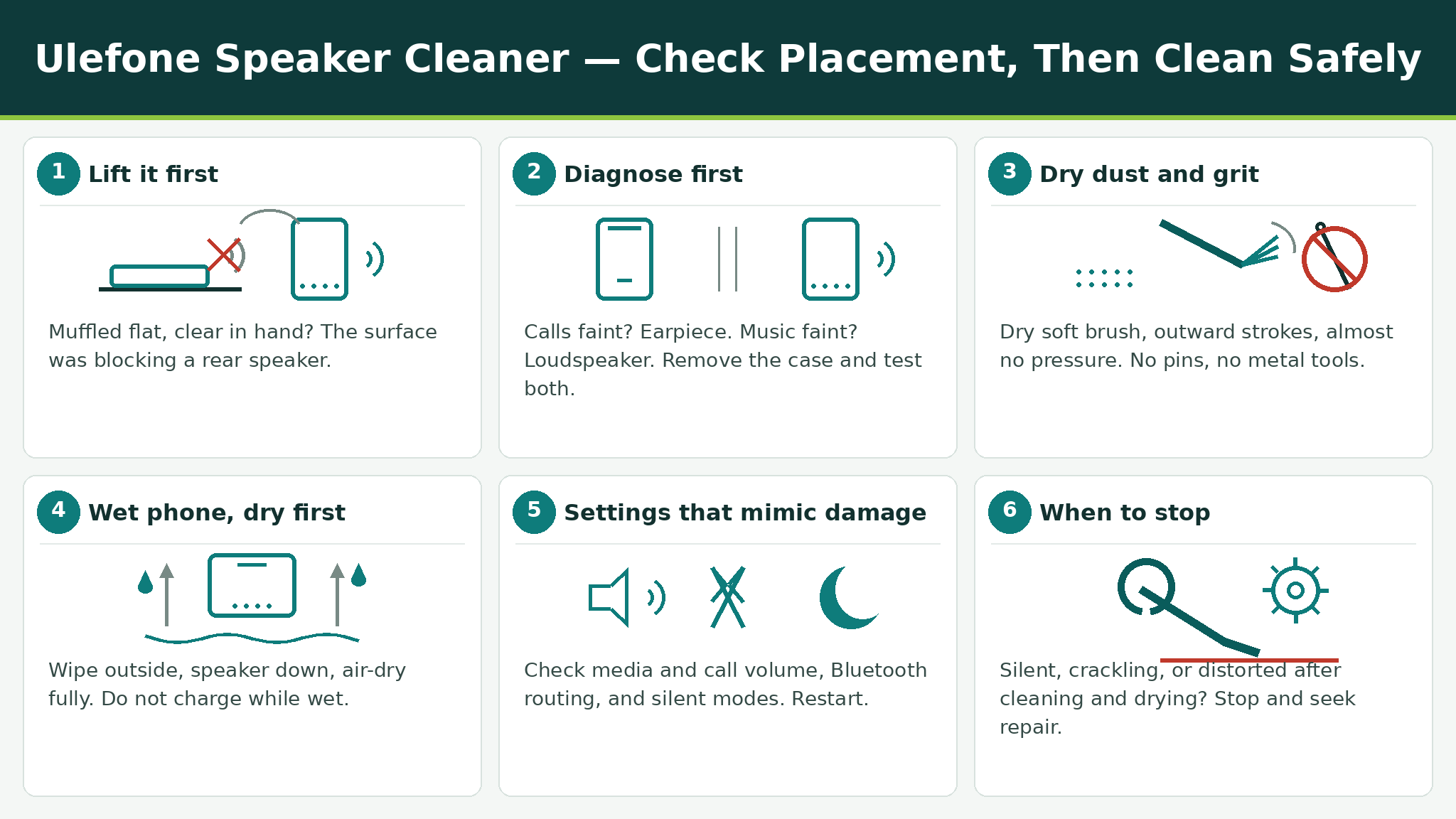
    Play the same track twice at a moderate volume: once with the phone lying flat on a table, and once with the phone held up in your hand or propped so the speaker side is clear. If sound is clear when held up and muffled only when flat, the surface was blocking the speaker. Use a stand, a pocket, or a hand grip that keeps the speaker side clear during calls on speakerphone and media playback, and retest before cleaning anything. If sound is muffled in both positions, continue to the case check and cleaning steps below. This single test prevents a common mistake: cleaning a healthy speaker because a table was doing the muffling.

    First, diagnose before you clean

    Play the same music track and then make or receive a short call, both at a moderate volume, and note what sounds wrong. Remove any case and test again before cleaning anything. A thick case, a case with a misaligned cutout, or dust trapped inside a case can block a grille and make a healthy speaker sound quiet. On a phone with a rear speaker, a case matters even more, because a case back that sits flush over a rear grille can muffle sound even when the cutouts look correct from the front. If sound improves without the case, the case was the problem. Clean the inside of the case as well, or the same dust will block the grille again as soon as the case goes back on.

    Try a different audio source too. If only one app sounds muffled, that app's own volume or audio setting is more likely than a blocked speaker. Check the simple causes next. Media and call volumes are separate on Android, so turn both up for testing. Disconnect Bluetooth headphones, earbuds, and speakers, because audio routed to another device makes the phone speaker seem dead. Check that no mute or do-not-disturb setting is suppressing the sound you are testing. Restart the phone after these checks. A restart clears temporary audio routing glitches, including audio stuck on a previous Bluetooth device, and gives you a clean comparison after cleaning.

    Dust and grit: the safe cleaning sequence

    For a dry Ulefone phone, power it off or stop all audio, then hold it with the grille angled downward so loosened material falls away from the phone rather than deeper into it. For a rear speaker, angle the back downward, not the bottom edge, so gravity helps the correct grille. Brush lightly across the grille with a clean, dry, soft-bristled brush, such as a soft toothbrush kept only for this job, using short outward strokes and almost no pressure. Wipe with a dry microfiber cloth and inspect the grille in bright light. If surface dust remains after gentle brushing, repeat once, then retest. Do not insert pins, needles, paper clips, or any metal tool into the holes. A sharp tool can tear the mesh or push debris deeper, and that damage cannot be brushed back out.

    A light dab with adhesive putty, pressed gently and lifted straight away without pushing it into the holes, can lift surface lint that brushing leaves behind. Do not pour or spray liquid into the speaker opening to wash grit out, and do not use chemical cleaners on the grille. A lightly damp cloth may be used on the phone's outer surface, but not pressed over the speaker opening. If sticky residue remains after dry brushing, pause and consider professional cleaning. Sticky residue, unlike dry dust, can be pushed deeper by brushing, and a repair shop can clean it without risking the mesh.

    Do not use a high-pressure air gun, and do not blow hard with your mouth, which adds moisture to a grille you are trying to clear. Gentle dry brushing is the safer first step. If you use canned air at all, hold the can upright, keep it at a distance, and use short bursts only, and stop if debris moves inward. On a loud-speaker model, resist the temptation to test with maximum volume after cleaning. A loud speaker can sound distorted at full volume even when healthy, so judge the result at a moderate volume with a familiar track.

    If the phone got wet: dry first, test second

    Water changes the order completely. If your Ulefone phone got wet, do not charge it, do not plug anything into the port, and do not play loud sound through it while it is still wet. Wipe the outside with a soft, dry cloth, remove the case, and hold the phone with the speaker facing down so gravity helps water drain out of the grille area. For a rear speaker, that means back-down, not bottom-down. Tap it very gently against your hand if droplets are visible, then set it speaker-down on a dry cloth in a room with good airflow, away from direct heat.

    Let the phone air-dry fully before you judge the speaker. A speaker that sounds muffled an hour after rain may sound normal once the grille is fully dry, because a thin film of water across the mesh blocks sound even when the rest of the phone is fine. Do not use a hair dryer, a heater, or an oven, and do not put the phone in rice. Heat can damage the speaker and other parts, and rice dust can add debris to the grille. Do not open the phone at home to dry the inside. Opening a modern sealed phone without the right tools risks breaking the body and battery area, and it is not needed for a surface grille clean.

    This draft gives no fixed drying hour figure for Ulefone models, because none was verified across Ulefone models for this guide. Use the general rule instead: the phone must be fully dry, inside the ports as well as on the surface, before charging or judging the speaker, and if your own model's official guidance gives a specific drying instruction, follow that instruction. If the phone was exposed to salt water, soapy water, muddy water, or drinks rather than clean fresh water, seek professional advice sooner, because residue from those liquids can cause corrosion even after the phone feels dry.

    Only after full air-drying should you try a sound check at a moderate volume. A browser-based speaker tool can play a low tone that vibrates the speaker, and that vibration may help move remaining droplets near the grille. Treat this honestly: it may help with loose surface water, it does not guarantee that all water is ejected, and it cannot repair internal water damage. Run a short cycle at a moderate volume, pause between cycles, and stop if you hear crackling, distortion, or silence. Those sounds after full drying point to damage, not to a need for louder sound.

    Settings checks that are often mistaken for damage

    Before concluding that a speaker is broken, work through the settings that mimic a speaker fault. Confirm Bluetooth is off or disconnected from other audio devices. Confirm media, ring, and call volumes separately. Check that no silent or do-not-disturb mode is active, and check the in-app volume of the app you are testing. Check audio balance if your phone offers it, since a balance slider pushed to one side can mimic a one-sided fault. Check for a software update, because an update can fix an audio routing problem that looks like a speaker fault. Also check the earpiece area for a screen protector or film covering it, since a misaligned film can muffle calls while leaving music untouched. Realigning or replacing that film is simpler than any cleaning step.

    Keep notes as you go: whether the phone was wet or dusty, which speaker was affected, whether sound changed when the phone was lifted off a table, what you cleaned, how long it dried, and what changed after each step. Those notes are exactly what a repair shop will ask for if you end up taking the phone in, and they help separate a simple grille blockage or placement problem from a fault that needs parts.

    After a drop: check more than the sound

    Rugged phones are built to survive drops, but a drop can still change the speaker. After a drop, inspect the grille for dents, cracks, or a pushed-in mesh, and inspect the body around the speaker for a crack or a gap. A grille that is dented or torn will not be fixed by brushing, and playing loud tones into it can make the problem worse. Test calls and media separately after a drop, and test the phone both flat and held up, so a placement change caused by a bent case or a swollen body is not mistaken for a speaker fault. If the body is cracked, a seal may no longer protect the inside as it did before the drop, so treat later water exposure more cautiously and seek advice sooner rather than assuming the original rating still applies in full.

    When cleaning is not the answer

    Stop home cleaning and seek professional or manufacturer support if the speaker is completely silent after drying and a restart; if sound is distorted or crackling at normal volume after gentle cleaning; if the phone was submerged, exposed to salt or soapy water, or shows condensation under the screen; if the phone will not power on, charges abnormally, or smells of burning; or if the grille is dented, torn, or pushed inward. Sound tools and dry brushing can move loose surface debris and surface water. Neither can fix a torn mesh, a damaged driver, corrosion, or a loose internal connection. Continuing to play loud tones into a damaged speaker can make the damage worse, so a persistent fault after careful cleaning is information, not a reason to try harder with the same method.

    Prevention is simple. Use a case whose cutouts line up with your model's actual speaker position, including a rear speaker, keep the phone out of loose dusty pockets without a case, wipe the grille area with a dry cloth after dusty or sweaty days, and check the grille in good light occasionally rather than waiting until sound fades. A minute of dry wiping now prevents a hardened layer of lint later, and it avoids the temptation to use a sharp tool when sound finally fades.

    FAQ

    Why does my Ulefone phone speaker sound muffled on a table but clear in my hand?

    On some Ulefone models the loudspeaker sits on the rear, so a table blocks it directly. Lift the phone so the speaker side is clear and retest. If sound is clear when held up, the surface was the problem, not a blocked or broken speaker.

    Can I use a pin to clear my Ulefone speaker holes?

    No. Pins, needles, and other sharp or metal tools can permanently damage the speaker mesh and push debris deeper. Use only a dry soft brush and a dry microfiber cloth on the grille surface, and leave stubborn blockages to a professional.

    My Ulefone phone got wet. Should I charge it right away?

    No. Do not charge a phone that may still be wet inside the port or grille. Wipe the outside, keep the speaker facing down, and let the phone air-dry fully in a room with airflow first. If your model's official guidance gives a specific drying instruction, follow that instruction.

    Why are calls quiet but music sounds normal?

    Calls use the earpiece and media uses the loudspeaker, so a blocked earpiece or a screen film covering it makes calls faint while music stays clear. Check the top earpiece area, the film alignment, and call volume separately from media volume.

    Can a speaker cleaner tone repair my Ulefone speaker?

    No. A short tone at a moderate volume, after full drying, may help move remaining surface droplets near the grille, but it does not guarantee water ejection and cannot repair a damaged driver or internal water damage. Persistent distortion or silence after drying is a repair question.

    How do I find the speaker on my Ulefone phone?

    Look in good light for the small grille holes on the bottom edge, the back, or both, depending on your model. Do not assume a front or bottom position from another model. Clean only the grille you can see, and test calls and media separately to learn which opening serves which sound.

    Does a rugged rating mean I never need to clean the speaker?

    No. A rating describes a test result for a specific model under controlled conditions, and resistance can decrease with wear and drops. Dust can still block the outside of the grille mesh, so regular gentle inspection and brushing are still needed.

    When should I take my Ulefone phone to a repair shop?

    When the speaker stays silent, distorted, or crackling after gentle cleaning, full drying, a restart, a placement test, and a settings check, or when the phone was submerged, exposed to salt or soapy water, shows condensation, will not charge normally, or has a dented or torn grille.

    Related tools on this site

    Related guides on this site

  • Doogee Speaker Cleaner: A Safe Guide to Clear Sound

    Doogee Speaker Cleaner: A Safe Guide to Clear Sound

    A Doogee rugged phone speaker usually sounds muffled because sand, dust, or water is blocking the grille, not because the speaker has failed. Remove the case, find whether calls or media are affected, brush the grille gently with a dry soft brush, and let a wet phone air-dry fully before charging or judging the sound.

    Which Doogee phones this guide covers

    This is a parent guide for Doogee rugged phones as a group. It does not claim a feature, rating, or menu layout for any single model, because Doogee's rugged range spans many years, sizes, and designs. Speaker placement varies by model: some have a bottom loudspeaker, some place the loudspeaker on the back, and every phone has a separate earpiece near the top for calls. Before cleaning, find both openings on your own phone in good light and treat them separately. A blocked earpiece makes calls sound faint while music sounds normal, and a blocked loudspeaker does the opposite. That distinction is the fastest way to avoid cleaning the wrong part.

    Menu names also vary by model and Android version. On most Android phones, volume, sound, and Bluetooth controls live under Sound settings, but exact labels and order change. This guide therefore describes what to check — media volume, call volume, Bluetooth routing, and mute or do-not-disturb settings — rather than giving one exact tap sequence that may not match your phone. If a label on your phone differs, follow the label that matches the idea. If your model has its own cleaning or water-care instruction in its manual, that instruction wins over anything general written here. No Doogee-specific step is invented in this guide, because none was found in search.

    Why sand and site dust are the main problem here

    A rugged phone that travels in a pocket, a tool bag, a vehicle cab, or a jacket on a building site meets a steady supply of fine dust, sand, and lint. Fine dust does not always look dramatic. It builds up as a thin layer across the mesh, and sound fades gradually, so the owner often notices the problem only when calls become hard to hear in noise. Sand is different: grains can wedge into the holes and resist a light wipe, and pressing harder only wedges them further. A phone that has been in a dusty pocket for weeks may therefore need two gentle rounds of brushing and a retest, not one forceful scrub.

    A rugged rating does not prevent this buildup. The rating systems described in the Oukitel guide cited above test dust-tight sealing and water immersion under controlled conditions, and they do not guarantee that sealing stays perfect after heavy impacts or long-term wear. A grille can be blocked even when the inside of the phone is well sealed, because the blockage sits on the outside of the mesh. Treat the grille as a part that needs regular inspection, not as a part that a rugged body makes maintenance-free.

    First, diagnose before you clean

    Play the same music track and then make or receive a short call, both at a moderate volume, and note what sounds wrong. Remove any case and test again before cleaning anything. A thick case, a case with a misaligned cutout, or dust trapped inside a case can block a grille and make a healthy speaker sound quiet. If sound improves without the case, the case was the problem. Clean the inside of the case as well, or the same dust will block the grille again as soon as the case goes back on.

    Try a different audio source too. If only one app sounds muffled, that app's own volume or audio setting is more likely than a blocked speaker. Check the simple causes next. Media and call volumes are separate on Android, so turn both up for testing. Disconnect Bluetooth headphones, earbuds, and speakers, because audio routed to another device makes the phone speaker seem dead. Check that no mute or do-not-disturb setting is suppressing the sound you are testing. Restart the phone after these checks. A restart clears temporary audio routing glitches, including audio stuck on a previous Bluetooth device, and gives you a clean comparison after cleaning.

    Dust and sand: the safe cleaning sequence

    For a dry Doogee phone, power it off or stop all audio, then hold it with the grille angled downward so loosened material falls away from the phone rather than deeper into it. Brush lightly across the grille with a clean, dry, soft-bristled brush, such as a soft toothbrush kept only for this job, using short outward strokes and almost no pressure. Wipe with a dry microfiber cloth and inspect the grille in bright light. If surface dust remains after gentle brushing, repeat once, then retest. Do not insert pins, needles, paper clips, or any metal tool into the holes. A sharp tool can tear the mesh or push debris deeper, and that damage cannot be brushed back out.

    For sand, keep the same gentle rule and add patience. Brush outward, check in good light, and stop if grains visibly move inward rather than out. A light dab with adhesive putty, pressed gently and lifted straight away without pushing it into the holes, can lift surface lint that brushing leaves behind. Do not pour or spray liquid into the speaker opening to wash sand out, and do not use chemical cleaners on the grille. A lightly damp cloth may be used on the phone's outer surface, but not pressed over the speaker opening. If sticky residue remains after dry brushing, pause and consider professional cleaning. Sticky residue, unlike dry dust, can be pushed deeper by brushing, and a repair shop can clean it without risking the mesh.

    Do not use a high-pressure air gun, and do not blow hard with your mouth, which adds moisture to a grille you are trying to clear. The iFixit answer cited above warns that blasting air tends to push water further in, and the same caution applies to loose dust: strong air can drive it deeper instead of out. Gentle dry brushing is the safer first step. If you use canned air at all, hold the can upright, keep it at a distance, and use short bursts only, and stop if debris moves inward.

    If the phone got wet: dry first, test second

    Water changes the order completely. If your Doogee phone got wet, do not charge it, do not plug anything into the port, and do not play loud sound through it while it is still wet. Wipe the outside with a soft, dry cloth, remove the case, and hold the phone with the speaker facing down so gravity helps water drain out of the grille area. Tap it very gently against your hand if droplets are visible, then set it speaker-down on a dry cloth in a room with good airflow, away from direct heat.

    Let the phone air-dry fully before you judge the speaker. A speaker that sounds muffled an hour after rain may sound normal once the grille is fully dry, because a thin film of water across the mesh blocks sound even when the rest of the phone is fine. Do not use a hair dryer, a heater, or an oven, and do not put the phone in rice. Heat can damage the speaker and other parts, and rice dust can add debris to the grille. Do not open the phone at home to dry the inside. Opening a modern sealed phone without the right tools risks breaking the body and battery area, and it is not needed for a surface grille clean.

    This draft gives no fixed drying hour figure for Doogee models, because none was verified across Doogee models for this guide. Use the general rule instead: the phone must be fully dry, inside the ports as well as on the surface, before charging or judging the speaker, and if your own model's official guidance gives a specific drying instruction, follow that instruction. If the phone was exposed to salt water, soapy water, muddy water, or drinks rather than clean fresh water, seek professional advice sooner, because residue from those liquids can cause corrosion even after the phone feels dry.

    Only after full air-drying should you try a sound check at a moderate volume. A browser-based speaker tool can play a low tone that vibrates the speaker, and that vibration may help move remaining droplets near the grille. Treat this honestly: it may help with loose surface water, it does not guarantee that all water is ejected, and it cannot repair internal water damage. Run a short cycle at a moderate volume, pause between cycles, and stop if you hear crackling, distortion, or silence. Those sounds after full drying point to damage, not to a need for louder sound.

    Settings checks that are often mistaken for damage

    Before concluding that a speaker is broken, work through the settings that mimic a speaker fault. Confirm Bluetooth is off or disconnected from other audio devices. Confirm media, ring, and call volumes separately. Check that no silent or do-not-disturb mode is active, and check the in-app volume of the app you are testing. Check audio balance if your phone offers it, since a balance slider pushed to one side can mimic a one-sided fault. Check for a software update, because an update can fix an audio routing problem that looks like a speaker fault. Also check the earpiece area for a screen protector or film covering it, since a misaligned film can muffle calls while leaving music untouched. Realigning or replacing that film is simpler than any cleaning step.

    Keep notes as you go: whether the phone was wet, sandy, or dusty, which speaker was affected, what you cleaned, how long it dried, and what changed after each step. Those notes are exactly what a repair shop will ask for if you end up taking the phone in, and they help separate a simple grille blockage from a fault that needs parts.

    The end-of-shift routine that prevents the next blockage

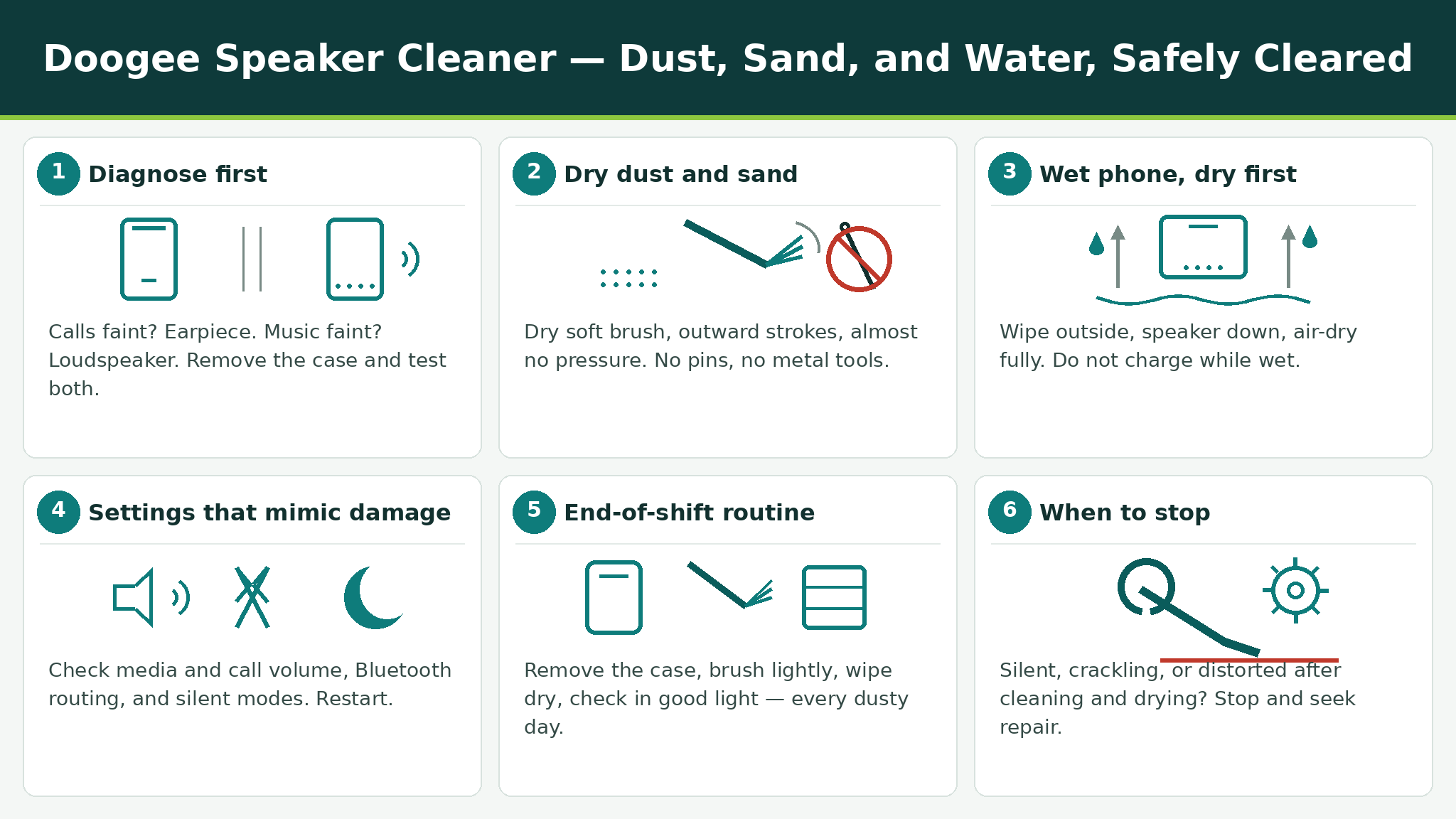
    Because dust buildup on a work phone is gradual, a short routine at the end of a dusty day prevents most of the problem. Remove the case, shake out loose dust away from the phone, brush the grille lightly with a dry soft brush, wipe the body with a dry microfiber cloth, and check the grille in good light. Put the phone in a clean pocket or bag overnight, not back into a dusty tool bag with the grille pressed against fabric and grit. Check port covers are seated before the next dusty or wet shift, not after. If the phone has been in heavy dust all day, do this routine before sound fades, not after. A minute of dry care now prevents a hardened layer later, and it avoids the temptation to use a sharp tool when sound finally fades.

    Also check the phone after a drop, even if the body looks fine. A drop can dent a grille, crack the body near the speaker, or loosen a seal, and any of those changes can make later water or dust exposure more harmful. Test calls and media separately after a drop, inspect the grille for a dent or torn mesh, and if the body is cracked, treat later water exposure more cautiously and seek advice sooner rather than assuming the original rating still applies in full.

    When cleaning is not the answer

    Stop home cleaning and seek professional or manufacturer support if the speaker is completely silent after drying and a restart; if sound is distorted or crackling at normal volume after gentle cleaning; if the phone was submerged, exposed to salt or soapy water, or shows condensation under the screen; if the phone will not power on, charges abnormally, or smells of burning; or if the grille is dented, torn, or pushed inward. Sound tools and dry brushing can move loose surface debris and surface water. Neither can fix a torn mesh, a damaged driver, corrosion, or a loose internal connection. Continuing to play loud tones into a damaged speaker can make the damage worse, so a persistent fault after careful cleaning is information, not a reason to try harder with the same method.

    FAQ

    Why does my Doogee phone speaker sound muffled?

    Most often, dust, sand, or a thin film of water is blocking the grille mesh. Clean the grille gently with a dry soft brush for dust or sand, or air-dry the phone fully for water, then retest. If sound stays muffled after both, check settings, the case, and the earpiece-versus-loudspeaker distinction before concluding the speaker is broken.

    Can I use a pin to clear my Doogee speaker holes?

    No. Pins, needles, and other sharp or metal tools can permanently damage the speaker mesh and push debris deeper. Use only a dry soft brush and a dry microfiber cloth on the grille surface, and leave stubborn blockages to a professional.

    My Doogee phone got wet. Should I charge it right away?

    No. Do not charge a phone that may still be wet inside the port or grille. Wipe the outside, keep the speaker facing down, and let the phone air-dry fully in a room with airflow first. If your model's official guidance gives a specific drying instruction, follow that instruction.

    Why are calls quiet but music sounds normal?

    Calls use the earpiece and media uses the loudspeaker, so a blocked earpiece or a screen film covering it makes calls faint while music stays clear. Check the top earpiece area, the film alignment, and call volume separately from media volume.

    Can a speaker cleaner tone repair my Doogee speaker?

    No. A short tone at a moderate volume, after full drying, may help move remaining surface droplets near the grille, but it does not guarantee water ejection and cannot repair a damaged driver or internal water damage. Persistent distortion or silence after drying is a repair question.

    Is there a Doogee-specific cleaning setting I should use?

    No Doogee-specific speaker-cleaning guide or setting was found in search for this guide, so none is claimed here. Use the general safe steps in this guide, and follow your own model's manual if it gives a cleaning or water-care instruction.

    Does a rugged rating mean dust cannot block the speaker?

    No. A rating describes a test result under controlled conditions, and resistance can decrease with wear and drops. Dust and sand can still block the outside of the grille mesh, so regular gentle inspection and brushing are still needed.

    When should I take my Doogee phone to a repair shop?

    When the speaker stays silent, distorted, or crackling after gentle cleaning, full drying, a restart, and a settings check, or when the phone was submerged, exposed to salt or soapy water, shows condensation, will not charge normally, or has a dented or torn grille.

    Related tools on this site

    Related guides on this site

  • Blackview Speaker Cleaner: A Safe Guide to Clear Sound

    Blackview Speaker Cleaner: A Safe Guide to Clear Sound

    A Blackview rugged phone speaker usually sounds muffled because dust, mud, or water is blocking the grille, not because the speaker has failed. Remove the case, find whether calls or media are affected, brush the grille gently with a dry soft brush, and let a wet phone air-dry fully before charging or judging the sound.

    Which Blackview phones this guide covers

    This is a parent guide for Blackview rugged phones as a group. It does not claim a feature, rating, or menu layout for any single model, because Blackview's rugged range spans many years, sizes, and designs, from compact work phones to large loud-speaker outdoor models. Speaker placement varies by model: some have a bottom loudspeaker, some place the loudspeaker on the back, and every phone has a separate earpiece near the top for calls. Before cleaning, find both openings on your own phone in good light and treat them separately. A blocked earpiece makes calls sound faint while music sounds normal, and a blocked loudspeaker does the opposite. That distinction is the fastest way to avoid cleaning the wrong part.

    Menu names also vary by model and Android version. On most Android phones, volume, sound, and Bluetooth controls live under Sound settings, but exact labels and order change. This guide therefore describes what to check — media volume, call volume, Bluetooth routing, and mute or do-not-disturb settings — rather than giving one exact tap sequence that may not match your phone. If a label on your phone differs, follow the label that matches the idea. If your model has its own cleaning or water-care instruction in its manual, that instruction wins over anything general written here.

    Rugged use changes what blocks the grille

    A rugged phone is more likely than a standard phone to meet mud, sand, sawdust, cement dust, rain, and sweat in the same week. Those materials block a grille in different ways, and that matters for cleaning. Dry dust and lint sit on the surface of the mesh and usually lift off with gentle brushing. Mud dries into a crust that can look like part of the grille, and scrubbing a dry crust hard can push it inward. Sand grains can wedge into the holes and resist a light wipe. A thin film of water across the mesh blocks sound even when the rest of the phone feels dry, so a phone that has just been in rain can sound muffled without any dust at all.

    Do not treat a rugged rating as permission to ignore any of this. A rating describes a test result for a specific model under controlled conditions. It does not mean the grille cannot be blocked, that seals stay perfect after drops and wear, or that mud, salt water, soapy water, or chemicals are harmless. Check your own model's rating and care instructions, and treat the grille as a part that still needs inspection after hard use, even on a phone built for hard use.

    First, diagnose before you clean

    Play the same music track and then make or receive a short call, both at a moderate volume, and note what sounds wrong. Remove any case and test again before cleaning anything. A thick case, a case with a misaligned cutout, or mud trapped inside a case can block a grille and make a healthy speaker sound quiet. If sound improves without the case, the case was the problem. Clean the inside of the case as well, or the same mud will block the grille again as soon as the case goes back on.

    Try a different audio source too. If only one app sounds muffled, that app's own volume or audio setting is more likely than a blocked speaker. Check the simple causes next. Media and call volumes are separate on Android, so turn both up for testing. Disconnect Bluetooth headphones, earbuds, and speakers, because audio routed to another device makes the phone speaker seem dead. This is one of the steps in Blackview's own support guide, and it is worth checking before any cleaning. Check that no mute or do-not-disturb setting is suppressing the sound you are testing. Restart the phone after these checks. A restart clears temporary audio routing glitches, including audio stuck on a previous Bluetooth device, and gives you a clean comparison after cleaning.

    Dust, mud, and sand: the safe cleaning sequence

    For a dry Blackview phone, power it off or stop all audio, then hold it with the grille angled downward so loosened material falls away from the phone rather than deeper into it. Brush lightly across the grille with a clean, dry, soft-bristled brush, such as a soft toothbrush kept only for this job, using short outward strokes and almost no pressure. Wipe with a dry microfiber cloth and inspect the grille in bright light. If surface dust remains after gentle brushing, repeat once, then retest. Do not insert pins, needles, paper clips, or any metal tool into the holes. A sharp tool can tear the mesh or push debris deeper, and that damage cannot be brushed back out.

    For dried mud, do not scrape it off with a hard edge. Brush the dry surface very lightly first, and if a crust remains, leave it for professional cleaning rather than forcing it. For sand, the same gentle rule applies: brush outward, check in good light, and stop if grains visibly move inward rather than out. A light dab with adhesive putty, pressed gently and lifted straight away without pushing it into the holes, can lift surface lint that brushing leaves behind. Do not pour or spray liquid into the speaker opening to wash mud out, and do not use chemical cleaners on the grille. A lightly damp cloth may be used on the phone's outer surface, but not pressed over the speaker opening. If sticky residue remains after dry brushing, pause and consider professional cleaning. Sticky residue, unlike dry dust, can be pushed deeper by brushing.

    Blackview's own guide mentions compressed air as an option. This parent guide is more cautious: gentle dry brushing is the safer first step, and high-pressure air should never be used on the grille. If you use canned air at all, hold the can upright, keep it at a distance, and use short bursts only, and stop if debris moves inward. Never use a high-pressure air gun, and do not blow hard with your mouth, which adds moisture to a grille you are trying to clear.

    If the phone got wet: dry first, test second

    Water changes the order completely. If your Blackview phone got wet, do not charge it, do not plug anything into the port, and do not play loud sound through it while it is still wet. Check that port covers, where your model has them, are in place, but do not open a cover to force-dry the inside. Wipe the outside with a soft, dry cloth, remove the case, and hold the phone with the speaker facing down so gravity helps water drain out of the grille area. Tap it very gently against your hand if droplets are visible, then set it speaker-down on a dry cloth in a room with good airflow, away from direct heat.

    Let the phone air-dry fully before you judge the speaker. A speaker that sounds muffled an hour after rain may sound normal once the grille is fully dry, because a thin film of water across the mesh blocks sound even when the rest of the phone is fine. Do not use a hair dryer, a heater, or an oven, and do not put the phone in rice. Heat can damage the speaker and other parts, and rice dust can add debris to the grille. Do not open the phone at home to dry the inside. Opening a modern sealed phone without the right tools risks breaking the body and battery area, and it is not needed for a surface grille clean.

    This draft gives no fixed drying hour figure for Blackview models, because none was verified across Blackview models for this guide. Use the general rule instead: the phone must be fully dry, inside the ports as well as on the surface, before charging or judging the speaker, and if your own model's official guidance gives a specific drying instruction, follow that instruction. If the phone was exposed to salt water, soapy water, muddy water, or drinks rather than clean fresh water, seek professional advice sooner, because residue from those liquids can cause corrosion even after the phone feels dry.

    Only after full air-drying should you try a sound check at a moderate volume. A browser-based speaker tool can play a low tone that vibrates the speaker, and that vibration may help move remaining droplets near the grille. Treat this honestly: it may help with loose surface water, it does not guarantee that all water is ejected, and it cannot repair internal water damage. Run a short cycle at a moderate volume, pause between cycles, and stop if you hear crackling, distortion, or silence. Those sounds after full drying point to damage, not to a need for louder sound.

    Settings checks that are often mistaken for damage

    Before concluding that a speaker is broken, work through the settings that mimic a speaker fault. Confirm Bluetooth is off or disconnected from other audio devices. Confirm media, ring, and call volumes separately. Check that no silent or do-not-disturb mode is active, and check the in-app volume of the app you are testing. Check audio balance if your phone offers it, since a balance slider pushed to one side can mimic a one-sided fault. Check for a software update, as Blackview's own guide suggests, because an update can fix an audio routing problem that looks like a speaker fault. Also check the earpiece area for a screen protector or film covering it, since a misaligned film can muffle calls while leaving music untouched. Realigning or replacing that film is simpler than any cleaning step.

    Keep notes as you go: whether the phone was wet, muddy, or dusty, which speaker was affected, what you cleaned, how long it dried, and what changed after each step. Those notes are exactly what a repair shop will ask for if you end up taking the phone in, and they help separate a simple grille blockage from a fault that needs parts.

    After a drop: check more than the sound

    Rugged phones are built to survive drops, but a drop can still change the speaker. After a drop, inspect the grille for dents, cracks, or a pushed-in mesh, and inspect the body around the speaker for a crack or a gap. A grille that is dented or torn will not be fixed by brushing, and playing loud tones into it can make the problem worse. Test calls and media separately after a drop, because a drop can affect one speaker path more than the other. If the phone was dropped in water or mud at the same time, deal with the wet or muddy grille first using the steps above, then judge the sound only after full drying and gentle cleaning. If the body is cracked, a seal may no longer protect the inside as it did before the drop, so treat later water exposure more cautiously and seek advice sooner rather than assuming the original rating still applies in full.

    When cleaning is not the answer

    Stop home cleaning and seek professional or manufacturer support if the speaker is completely silent after drying and a restart; if sound is distorted or crackling at normal volume after gentle cleaning; if the phone was submerged, exposed to salt or soapy water, or shows condensation under the screen; if the phone will not power on, charges abnormally, or smells of burning; or if the grille is dented, torn, or pushed inward. Sound tools and dry brushing can move loose surface debris and surface water. Neither can fix a torn mesh, a damaged driver, corrosion, or a loose internal connection. Continuing to play loud tones into a damaged speaker can make the damage worse, so a persistent fault after careful cleaning is information, not a reason to try harder with the same method.

    Prevention is simple and fits rugged use. Use a case whose cutouts line up with your model's speaker openings, keep the phone out of loose dusty pockets without a case, wipe the grille area with a dry cloth after muddy, dusty, or sweaty days, and check the grille in good light occasionally rather than waiting until sound fades. Check port covers are seated before wet or dusty work, not after. A minute of dry wiping now prevents a hardened layer of mud or lint later, and it avoids the temptation to use a sharp tool when sound finally fades.

    FAQ

    Why does my Blackview phone speaker sound muffled after outdoor use?

    Most often, dust, mud, or a thin film of water is blocking the grille mesh. Clean the grille gently with a dry soft brush for dust or dried mud, or air-dry the phone fully for water, then retest. If sound stays muffled after both, check settings, the case, and the earpiece-versus-loudspeaker distinction before concluding the speaker is broken.

    Can I use a pin to clear my Blackview speaker holes?

    No. Pins, needles, and other sharp or metal tools can permanently damage the speaker mesh and push debris deeper. Use only a dry soft brush and a dry microfiber cloth on the grille surface, and leave stubborn blockages to a professional.

    My Blackview phone got wet. Should I charge it right away?

    No. Do not charge a phone that may still be wet inside the port or grille. Wipe the outside, keep the speaker facing down, and let the phone air-dry fully in a room with airflow first. If your model's official guidance gives a specific drying instruction, follow that instruction.

    Why are calls quiet but music sounds normal on my Blackview phone?

    Calls use the earpiece and media uses the loudspeaker, so a blocked earpiece or a screen film covering it makes calls faint while music stays clear. Check the top earpiece area, the film alignment, and call volume separately from media volume.

    Can a speaker cleaner tone repair my Blackview speaker?

    No. A short tone at a moderate volume, after full drying, may help move remaining surface droplets near the grille, but it does not guarantee water ejection and cannot repair a damaged driver or internal water damage. Persistent distortion or silence after drying is a repair question.

    How do I know if the case is the problem?

    Remove the case and replay the same track. If volume and clarity return without the case, the case was blocking or muffling the grille. Clean mud and lint from inside the case and replace a case whose cutouts do not line up with your model's speaker openings.

    Does a rugged rating mean I never need to clean the speaker?

    No. A rating describes a test result for a specific model under controlled conditions. It does not stop dust, mud, or sand from blocking the grille, and seals can degrade after drops and wear. Inspect and brush the grille gently after hard use, even on a rugged phone.

    When should I take my Blackview phone to a repair shop?

    When the speaker stays silent, distorted, or crackling after gentle cleaning, full drying, a restart, and a settings check, or when the phone was submerged, exposed to salt or soapy water, shows condensation, will not charge normally, or has a dented or torn grille.

    Related tools on this site

    Related guides on this site

  • Phone Speakers for Outdoor Use: Safe Care and Checks

    Phone Speakers for Outdoor Use: Safe Care and Checks

    Outdoor use exposes a phone speaker to rain, dust, sand, sun, heat, cold, and drops — often in the same outing. Check the speaker before you go, keep the phone covered and off the ground while outside, and clean and dry it after you return.

    That short answer covers the whole pattern, but each hazard needs a slightly different response, and confusing them causes harm. Rain needs drying, sand needs brushing, heat needs cooling time, and a drop needs inspection. This guide walks through the pre-outing check, protection for each hazard, the post-outing routine, and the warning signs that mean repair rather than cleaning.

    Before you go: the two-minute check

    A quick check before an outing prevents most outdoor speaker problems:

    1. Test the speaker with a known clip. Play a short voice message at a comfortable volume. If it already sounds muffled indoors, clean it before you go — outdoor dust and moisture will only add to an existing blockage.
    2. Check the case. Make sure speaker holes align with the phone's openings, the case is not cracked, and no dust ring is trapped around the grille. A case that fits badly muffles sound by itself.
    3. Check the charging port. Make sure it is clean, dry, and free of lint. A port that is already dirty will trap outdoor moisture and dust more easily.
    4. Plan where the phone will live. Choose a pocket, pouch, or bag compartment that is clean, dry, and protected from rain and dust — not an open cup holder, a sandy beach bag pocket, or a backpack compartment shared with wet gear.
    5. Charge fully and download what you need. A charged phone with offline maps and music needs less fumbling outdoors, which means less time with the phone exposed to rain, dust, and drops.

    If rain is forecast, add one more item: a clean, dry inner bag or pouch for the phone during downpours. The pouch only helps if it is clean and dry inside; a damp pouch traps moisture against the phone.

    Rain: keep it dry, and dry it properly afterward

    Rain is the most common outdoor speaker problem. Light drizzle on a protected phone is usually harmless; heavy rain, driving rain, or a dropped phone in a puddle is a wet-device event.

    During rain, keep the phone in a pocket, under a jacket, or in a dry pouch, and take it out only briefly for navigation or a call. Do not hold the phone out in heavy rain to film or photograph for long periods, and do not use it as an outdoor speaker in rain — playback draws air and moisture through the grille.

    After rain exposure, disconnect cables, remove the case, wipe the outside with a soft, lint-free cloth, and place the phone speaker-side down on a dry cloth in a room with good airflow. Do not charge until the phone is fully dry, following your phone maker's guidance. Do not use heat, rice, compressed air, or sharp objects. A cleaning tone may help only after the phone is dry on the outside, as one short cycle at moderate volume — and it cannot dry a charging port, remove corrosion, or repair damage.

    If the phone was submerged, exposed to muddy water, or shows a liquid warning, treat it as a serious wet-device event: disconnect, dry, wait, and seek repair advice if sound stays muffled or charging fails.

    Sand, dust, and trails

    Sand and trail dust are the second outdoor hazard, and they behave differently from rain. Sand grains are coarse and can block a grille hole completely; fine trail dust packs tightly and resists a casual wipe.

    On the trail or beach, keep the phone off the ground and off sandy surfaces. An elevated surface — a picnic table, a rock ledge above sand level, a clean bag — keeps grains out of the grille. Do not set the phone face-down in sand, even for a moment, and do not shake sand off by banging the phone against a hard surface.

    After a sandy or dusty outing, brush the grille lightly with a clean, dry, soft-bristled brush, away from the phone, then wipe with a dry cloth. Inspect hole by hole in good light, because a single grain can block one hole while the rest look clean. Do not use compressed air on an iPhone, and on other phones use only short, gentle bursts from a distance — never high-pressure air, which forces grains deeper. Do not poke grains out with sharp objects, and do not use magnets for any metallic particles.

    If sand and water mix — wet sand in a grille, for example — dry first, then brush. Brushing wet sand packs it deeper, so patience in the drying step saves the cleaning step.

    Sun, heat, and cold

    Temperature affects speakers indirectly but really. Direct sun heats the phone, degrades housings and adhesives over time, and overheats batteries. A phone left on a car dashboard, a sandy beach surface, or a sunlit rock can become too hot to handle, and heat can warp parts around the speaker and charging port.

    Keep the phone shaded when possible: in a pocket, under a towel, in a bag compartment out of direct sun. If the phone feels hot, move it to shade, stop charging and heavy use, and let it cool naturally. Do not plunge a hot phone into cold water, and do not use a freezer or ice to cool it quickly — rapid temperature change causes condensation inside the phone.

    Cold brings the opposite problem. A phone carried in freezing air and then brought into a warm room fogs with condensation, just as glasses do. Give it time to adjust to room temperature, wipe the outside, and let it air-dry before charging or judging its sound. Do not charge a cold, condensed phone immediately, and do not warm it with a hairdryer or radiator.

    Altitude and pressure changes, such as during flights to a hiking destination or mountain driving, can also make a water-resistant phone sound temporarily quiet. This is pressure equalization, not dirt, and it usually resolves on its own. Do not clean aggressively for a pressure effect; wait, retest, and only then consider gentle cleaning.

    Drops, knocks, and water pressure

    Outdoor use increases drop risk: uneven ground, wet hands, cycling, and climbing all raise the chance of a fall. A drop onto rock or concrete can crack the phone, loosen the speaker grille, or break the seals that protect against water and dust. After any drop, inspect the phone before further use: look for cracks, a loose grille, a swollen battery, or a charging fault, and do not charge a damaged or wet device.

    Water pressure deserves its own warning. A phone rated for splashes or brief immersion is not necessarily built for high-pressure water: showers, waterfalls, pressure washers, and fast-moving river water apply force that laboratory immersion tests do not cover. Do not deliberately expose a phone to jets, falls of water, or fast currents, and do not swim with a phone unless the maker explicitly says that use is safe for your model. Salt water is harsher than fresh water because salt residue holds moisture and encourages corrosion; after any salt exposure, follow the maker's guidance rather than rinsing on your own initiative, because rinsing a non-sealed phone can do more harm than the salt itself.

    The post-outing routine

    After every outing, in a clean indoor area, run this routine:

    1. Remove the case and inspect. Check the loudspeaker grille, the earpiece at the top, the microphone hole, and the charging port in good light.
    2. Dry first if anything is damp. Wipe with a soft, lint-free cloth and allow airflow time. Never brush wet sand or mud; dry first.
    3. Brush lightly. A clean, dry, soft-bristled brush across each opening, away from the phone, removes surface dust and sand. Wipe with a dry cloth afterward.
    4. Check the charging port separately. Lint and moisture in the port are a different problem from a muffled speaker, and a phone that plays music fine can still have a damp port. Do not charge until the port is clean and dry.
    5. Test with a known clip. Play the same voice message you used before the outing, at a comfortable volume, with Bluetooth disconnected. Compare, do not guess.
    6. Try a tone only if needed. If gentle cleaning does not restore sound, one short tone cycle at moderate volume, phone on a table, may help with loose dust or moisture near the grille. It does not always work and cannot repair damage; if it does not help, stop.

    Store the phone afterward in a dry room with airflow, not in a damp bag, a bathroom cabinet, or a sealed bag that traps moisture. Clean the case before putting it back on, so trapped dust does not start the next outing already blocking the grille.

    When outdoor muffling means repair

    Seek repair advice if any of these apply:

    • Sound stays muffled, crackles, buzzes, or cuts out after full drying and gentle cleaning.
    • The speaker works only on speakerphone, or only one side produces sound.
    • The phone was dropped, cracked, submerged, or exposed to salt water or muddy water.
    • The phone gets hot, restarts, shows a liquid warning, or will not charge.
    • Muffling returns within hours of drying, again and again, suggesting moisture trapped deeper than the grille.

    Bring a short note: where you went, what the phone was exposed to (rain, sand, drop, heat, cold), how long the muffling has lasted, and what drying and cleaning you already tried. That note helps a repairer distinguish a blocked grille from deeper damage without repeating your steps.

    FAQ

    How do I protect my phone speaker when hiking?

    Keep the phone in a clean, dry pocket or pouch, off the ground and out of heavy rain, and take it out only briefly for navigation or calls. After the hike, dry it if damp, brush the grille lightly, and test with a known voice message before the next outing.

    What should I do if my phone speaker gets wet in the rain?

    Disconnect cables, remove the case, wipe with a soft lint-free cloth, and place the phone speaker-side down on a dry cloth with good airflow. Do not charge until fully dry, do not use heat or rice, and try a cleaning tone only after the outside is dry, as one short moderate-volume cycle.

    Can sand damage a phone speaker?

    Sand grains can block grille holes completely, and fine dust packs tightly. Keep the phone off sandy surfaces, brush grains out gently with a soft dry brush after the outing, and never poke them out with sharp objects or blast them with high-pressure air.

    Does heat affect phone speakers?

    Direct sun and heat degrade housings and adhesives over time and can overheat batteries. Keep the phone shaded, let a hot phone cool naturally in shade, and never cool it rapidly with water, ice, or a freezer, which causes condensation inside.

    Why does my phone sound muffled after coming inside from the cold?

    Condensation forms when a cold phone warms up indoors, just as glasses fog. Give the phone time to adjust, wipe the outside, and let it air-dry before charging or judging its sound. Do not warm it with a hairdryer.

    Does a water-resistant rating mean my phone is safe outdoors?

    A rating describes laboratory tests on a new device, not a guarantee for every outdoor condition. Ratings do not automatically cover salt water, high-pressure water, steam, or a phone whose seals are worn or cracked. Treat any rating as a margin and keep protecting the phone.

    Can I swim with my phone if it is water-resistant?

    Not unless the maker explicitly says that use is safe for your model. Ratings do not make underwater use safe for every phone, and salt water, soap, and water pressure change the risk. Do not deliberately swim with a phone on the basis of a rating alone.

    When should I stop cleaning after an outing and seek repair?

    When sound stays muffled, crackles, or is absent after full drying and gentle cleaning; when the phone was dropped, cracked, or submerged; or when it gets hot, restarts, shows a liquid warning, or will not charge. Those signs point beyond surface dust or moisture.

    Related tools on this site

    Related guides on this site

  • Phone Speakers in a Dusty Workplace: Safe Care

    Phone Speakers in a Dusty Workplace: Safe Care

    Dust is the most common reason a work phone sounds muffled, and it is also one of the most fixable — if you protect the phone during the shift and clean it gently afterward. Keep the phone covered and off dusty surfaces at work, brush the grille lightly after your shift, and never poke the speaker holes.

    That short answer sounds simple, and it is, but dusty workplaces punish shortcuts. A phone that lives in a pocket full of sawdust, sits on a concrete ledge, or rides in a tool bag collects dust in every opening: the loudspeaker grille, the earpiece, the microphone hole, and the charging port. Cleaning fixes surface dust. It cannot fix dust that has been pushed deep inside by a sharp tool or a blast of high-pressure air, and it cannot fix a speaker damaged by a drop onto concrete. This guide separates protection, cleaning, and repair so each gets the right response.

    Why workplace dust is harder on speakers than household dust

    Household dust is mostly soft lint and skin particles. Workplace dust is often harder, sharper, or stickier:

    • Sawdust and wood dust are light and plentiful; they settle into grilles quickly and combine with sweat into a paste.
    • Concrete, plaster, and drywall dust are fine and abrasive; they pack tightly into tiny holes and resist a casual wipe.
    • Metal filings and grinding dust are sharp and, in some cases, magnetic; they can sit in the grille and, worse, be drawn toward speaker magnets. Never use a magnet to "pull out" filings.
    • Grain, flour, and textile dust are soft but sticky when damp, and they build up fast in enclosed spaces.
    • Sand and soil are coarse and heavy; a single grain pressed into a grille can block sound from that hole.

    Dust reaches the speaker in three ways: settling from the air, transfer from hands and pockets, and vibration during use, which draws air — and dust — through the grille as the diaphragm moves. That is why a phone used for calls and music all shift in a dusty room collects more dust than a phone left untouched in the same room.

    A dust-resistance rating helps but does not make a phone dustproof in practice. Ratings describe laboratory tests on a new device; worn seals, cracked cases, and misaligned speaker openings reduce protection over time. Treat any rating as a margin, not a reason to leave the phone uncovered on a workbench.

    Protect the phone during the shift

    Protection is worth more than any cleaning method, because dust that never enters the grille never needs removing:

    Keep the phone off dusty surfaces. Do not set it on a workbench, a concrete ledge, a sawhorse, or the ground. A clean pocket, a closed toolbox lid, a high shelf away from the work, or a locker is far kinder. If the phone must stay nearby for calls, place it speaker-side up on a clean cloth or in a clean container, not face-down in dust.

    Use a case with aligned speaker openings. A case with a raised edge around the speaker area helps keep dust from settling directly into the grille. Check that the case holes line up with the phone's speaker holes; a misaligned case can trap dust against the grille and muffle sound by itself. Remove and clean the case regularly — a case that holds a ring of dust around the speaker is worse than no case at all.

    Cover the phone when dust is heaviest. During cutting, grinding, sanding, or sweeping, put the phone in a pocket with a flap, a zip bag that is clean and dry inside, or a locker. A zip bag traps heat and moisture if the phone is damp, so only bag a dry phone, and take it out as soon as the dusty task ends. Do not use the phone as a music speaker during the dustiest tasks if you can avoid it; every minute of playback draws air through the grille.

    Keep hands and pockets clean. Wipe dusty hands before handling the phone, and do not share a pocket with tissues, rags, or loose material that sheds lint. At the end of a task, brush dust off clothing before putting the phone back in a pocket, so the pocket does not become a dust reservoir.

    Follow workplace rules first. If your site restricts phone use, requires phones in lockers, or bans certain cleaning products near materials, those rules override anything in this guide. Do not bring solvents, sprays, or compressed-air cans into areas where they are prohibited, and never clean a phone near open flames, hot work, or ignition sources.

    The end-of-shift cleaning routine

    Clean the phone after the shift, in a clean area, not on site in the middle of dust. The routine takes a few minutes:

    1. Remove the case and inspect in good light. Look at the loudspeaker grille, the earpiece at the top, the microphone hole, and the charging port. Note which openings actually show dust; cleaning a clean opening achieves nothing.
    2. Tap lightly, speaker-side down, over a clean surface. Gentle tapping shakes loose surface dust out. Do not bang the phone or shake it hard.
    3. Brush with a clean, dry, soft-bristled brush. Brush lightly across each opening, away from the phone, so dust comes out rather than being pushed in. A soft brush is the gentlest method and the one most consistently recommended for speaker openings. Brush the earpiece too if it looks blocked.
    4. Wipe with a dry, soft cloth. A microfiber cloth removes surface dust from around the grilles and the body. If the cloth is slightly damp, wring it thoroughly and keep moisture out of openings; follow your phone maker's cleaning guidance for liquids.
    5. Use short air bursts only with care, and never on an iPhone. A bulb blower with short, controlled bursts from a distance can dislodge loosened dust. Compressed-air cans are riskier: hold the can upright, use short bursts from a safe distance, and never use high-pressure air, which can force dust deeper or damage internal parts. Apple advises against compressed air for iPhone cleaning, so skip it entirely on an iPhone.
    6. Test with a known voice message. Play the same short clip at a comfortable volume, with Bluetooth disconnected. If sound is clear, you are done. If it is still muffled, repeat the brush step once — not harder, just once more — and retest.

    What not to do matters as much as the routine. Do not use pins, needles, toothpicks, paper clips, or any sharp object in speaker holes; they can puncture the mesh or push dust deeper. Do not use a vacuum cleaner at high suction close to the grille. Do not use sticky tape or putty aggressively pressed into the grille; light adhesive methods can lift surface dust, but pressing hard packs dust deeper and can leave residue. Do not wash the phone or run it under a tap unless the maker explicitly says that is safe for your model.

    A cleaning tone can be tried only after physical cleaning, as one short cycle at moderate volume, with the phone on a table in a clean, empty area. Sound may help move loose dust near the grille, but it does not always work, it cannot remove packed or sticky dust, and it cannot repair damage. If one short cycle does not help, stop rather than repeating it louder.

    Dust type: what changes

    Most dust responds to the same routine, but a few types deserve special care:

    • Concrete and plaster dust: fine and packing. Brush patiently and repeat lightly rather than pressing harder. If dust has hardened with moisture into a crust, do not scrape it; seek repair advice, because scraping risks the mesh.
    • Metal filings: do not use magnets, do not blow hard, and do not poke. Brush lightly and, if filings remain visible in the grille, seek professional cleaning rather than forcing them out.
    • Sawdust mixed with sweat: wipe the phone body dry first, then brush. Damp sawdust paste resists dry brushing, so patience and a second light pass beat pressure.
    • Sand: brush grains out gently. A single coarse grain can block one hole completely, so inspect hole by hole in good light rather than assuming the whole grille is equally blocked.

    In every case, if dust is inside the phone rather than on the grille — for example, after a cracked screen or a damaged seal — surface cleaning will not reach it. That is a repair matter, not a cleaning failure.

    A weekly work-phone routine

    Daily brushing handles surface dust, but a weekly check catches what daily cleaning misses:

    • Inspect the case. Clean inside the case, check that speaker holes still align, and replace a case that is cracked, warped, or holding packed dust.
    • Inspect the charging port. Lint and dust in the port can hold moisture and block charging. Remove lint only with a gentle, maker-approved method, and never with a metal tool while the phone is powered.
    • Check the earpiece separately. Make a test call and listen: if media sounds fine but calls are muffled, the earpiece needs attention, not the loudspeaker.
    • Check for damage. Look for cracks, a loose grille, a swollen battery, or a case that no longer seals. Damage plus dust is a repair matter, because dust entering through a crack bypasses the grille entirely.
    • Review where the phone lives at work. If the same pocket or shelf keeps producing dust, change the storage spot. Prevention that fails repeatedly is not prevention.

    When dust muffling means repair

    Seek repair advice if any of these apply:

    • Sound stays muffled, crackles, buzzes, or cuts out after gentle cleaning and one short tone cycle.
    • The speaker works only on speakerphone, or only one side produces sound.
    • Dust is visibly packed, crusted, or lodged deep in the grille and will not move with gentle brushing.
    • The phone was dropped onto a hard surface, cracked, or exposed to water as well as dust.
    • The phone gets hot, restarts, shows charging faults, or has a swollen battery.

    Bring a short note: your work environment and dust type, how long the muffling has lasted, what cleaning you already tried, and whether calls, media, or both are affected. That note helps a repairer decide between a professional clean and a speaker replacement without repeating your steps.

    FAQ

    How do I protect my phone speaker at a construction site?

    Keep the phone off dusty surfaces, in a clean pocket, locker, or closed container during the dustiest tasks, and use a case whose speaker holes align with the phone's. Remove and clean the case regularly so it does not trap dust against the grille.

    What is the safest way to clean dust from a phone speaker?

    Brush lightly with a clean, dry, soft-bristled brush, away from the phone, then wipe with a dry cloth. Tap gently first to shake off loose dust. Do not use pins, needles, toothpicks, high-pressure air, or liquids in the openings.

    Can I use compressed air on a dusty phone speaker?

    Use it only with caution on phones whose maker allows it: can upright, short bursts from a safe distance, never high-pressure air. Do not use compressed air on an iPhone, where Apple advises against it. A bulb blower with short, controlled bursts is the gentler air option.

    Will a speaker cleaner tone remove workplace dust?

    It may help with loose surface dust near the grille after physical cleaning, as one short cycle at moderate volume. It does not always work, cannot remove packed or sticky dust, and cannot repair damage. If one short cycle does not help, stop rather than repeating it louder.

    Why is my work phone muffled even after cleaning?

    Dust may be packed deep in the grille, hardened with moisture into a crust, or inside the phone through a crack or worn seal. The earpiece may also be the blocked part rather than the loudspeaker. If gentle cleaning does not restore sound, seek repair advice instead of cleaning harder.

    Should I use a zip bag for my phone at work?

    A clean, dry zip bag helps during the dustiest tasks, but only for a dry phone and only temporarily. A bag traps heat and moisture if the phone is damp, so take the phone out as soon as the dusty task ends and let it air out.

    Does a dust-resistance rating mean I can ignore dust?

    No. Ratings describe laboratory tests on a new device, and worn seals, cracks, and misaligned cases reduce protection over time. Treat any rating as a margin, and keep protecting and cleaning the phone as described above.

    When should I stop cleaning and get the phone repaired?

    When sound stays muffled, crackles, or is absent after gentle cleaning; when dust is packed or crusted and will not move; when the phone is cracked or was dropped; or when it gets hot, restarts, or will not charge. Those signs point beyond surface dust.

    Related tools on this site

    Related guides on this site

  • Phone Speakers in a Humid Climate: Safe Care

    Phone Speakers in a Humid Climate: Safe Care

    Humidity alone rarely ruins a phone speaker in a day, but repeated damp air, steam, and condensation can leave speakers sounding muffled and can corrode circuits over time. Keep the phone dry, let it air-dry fully after any moisture, and never charge a wet phone.

    That short answer is reassuring and cautionary at once. A humid climate does not mean your phone is doomed, and it does not mean a muffled speaker is automatically damaged. It does mean daily habits matter more than any single rescue step. This guide explains what humidity does, how to tell it apart from dust or damage, and what routine keeps a phone sounding clear through a wet season.

    What humidity does to a phone speaker

    A phone speaker produces sound by moving a thin diaphragm behind a fine mesh grille. Moisture affects that system in three ways:

    Surface moisture dulls sound. A thin film of condensation on or behind the grille adds weight to the moving parts and blocks tiny holes. Voices sound muffled, as if heard through cloth. This kind of muffling often improves as the phone dries, which is why patience matters more than volume.

    Repeated moisture encourages corrosion. Humidity and liquids can carry minerals that corrode electronic circuits over time. Corrosion does not happen in an afternoon, and it is not visible from outside, but it is the reason repeated damp exposure is worse than a single dry day. Salt air near the coast is harsher than inland humidity, because salt residue attracts and holds moisture.

    Condensation forms when temperature changes quickly. Moving from an air-conditioned room into hot, humid outdoor air — or the reverse — can condense moisture on and inside a phone, just as glasses fog up. The phone may look dry while moisture sits in the grille, earpiece, or charging port. That is why a phone that was "never dropped in water" can still sound muffled after a humid day.

    Water resistance ratings do not remove this concern. A rating describes laboratory test conditions for a new device, and resistance can weaken with age, drops, and worn seals. Treat any rating as a safety margin, not permission to ignore moisture.

    How to tell humidity muffling from dust or damage

    Before doing anything, run a simple comparison. Play the same short voice message you know well, at a comfortable volume, with Bluetooth disconnected, and note exactly what you hear:

    • Muffled, but improving as the phone dries. This fits humidity or light surface moisture. Let the phone dry fully and retest before trying anything else.
    • Muffled and unchanged after full drying. This fits dust, lint, or residue blocking the grille. Gentle physical cleaning is the next step.
    • Crackling, buzzing, cutting out, or absent sound. This fits damage or a deeper fault. Stop cleaning attempts and seek repair advice.
    • Muffled only on calls, with music sounding fine. This points to the earpiece, the small speaker at the top, rather than the main loudspeaker. The earpiece and loudspeaker are different parts and need different handling.
    • Muffled plus charging warnings, overheating, restarts, or screen problems. Stop all DIY steps. These are signs of deeper liquid effects, not a dirty grille.

    Keep the distinction between parts in mind throughout: the loudspeaker plays media and speakerphone calls; the earpiece plays normal calls; the microphone captures your voice; the charging port carries power. Moisture in one does not mean moisture in all, and a working speaker does not prove a wet charging port is safe.

    Safe drying: what to do after moisture exposure

    If the phone got splashed, steamed up, or shows condensation, follow this sequence:

    1. Disconnect cables and remove the case. Cases trap moisture against the phone and hide it. Do not charge the phone.
    2. Wipe the outside with a soft, lint-free cloth. Dab gently; do not rub hard around openings.
    3. Place the phone speaker-side down on a dry, lint-free cloth in a room with good airflow. Gravity and airflow help moisture leave the grille. For an iPhone, this speaker-side-down position is the one Apple describes in its water-resistance guidance.
    4. Wait until fully dry. Do not rush this step, and follow your phone maker's guidance for wet devices. This draft deliberately gives no universal hour count, because maker guidance varies and a charging port can stay damp after the speaker sounds fine.
    5. Do not use heat, rice, compressed air, or sharp objects. Hairdryers can push water deeper and damage diaphragms and adhesives. Rice dust can enter openings and does little to dry the inside. Compressed air is advised against for iPhone cleaning and can force moisture deeper on other phones. Sharp objects can puncture the speaker mesh.
    6. Retest only when the phone is safe to use. Play the same voice message at a comfortable volume. If sound is clear, you are done. If it is still muffled, try gentle physical cleaning next — not louder volume.

    A cleaning tone may help only after the phone is dry on the outside, and only for loose moisture or dust near the grille. Run one short cycle at moderate volume with the phone on a table, speaker-side down or facing away from you, in an empty room. Sound does not always move moisture, it cannot dry a charging port, it cannot remove corrosion, and it cannot repair damage. If one short cycle does not help, stop rather than repeating it louder or longer.

    Daily habits for a humid climate

    Emergency drying matters, but routine habits prevent most humid-climate problems:

    Keep the phone out of steam. Do not take the phone into a steamy bathroom during a shower, and do not leave it beside a kettle, a pot of boiling water, or a running humidifier. Steam reaches openings that a splash never would, and it condenses inside as the phone cools.

    Mind the air-conditioning transition. When moving between air-conditioned rooms and humid outdoors, give the phone a few minutes to adjust before judging its sound. If condensation appears, wipe the outside and let it air-dry before charging or playing audio loudly.

    Carry it wisely. A pocket traps sweat and body heat against the phone. A bag compartment or a belt pouch with airflow is kinder than a tight, sweaty pocket, especially on long walks. Avoid leaving the phone in a damp bag, a wet towel, or a car that heats up and cools down through the day.

    Store it dry. At home, store the phone in a dry room with airflow, not in a bathroom cabinet, a damp drawer, or a sealed plastic bag that traps moisture inside. A sealed bag only helps if the phone and the bag are both dry to begin with; sealing a damp phone inside a bag makes drying slower, not faster.

    Clean the grille on a schedule. In a humid climate, dust and moisture combine into a sticky film that plain drying will not remove. Once a week, brush the speaker grille lightly with a clean, dry, soft-bristled brush and wipe the phone with a dry cloth. In coastal areas, wipe more often, because salt residue holds moisture against the grille.

    Check the charging port separately. Lint plus humidity can pack into a charging port and hold moisture there. Inspect it in good light, remove lint only with a gentle, maker-approved method, and never charge through a wet or visibly damp port. A phone that plays music fine can still have a damp port, so judge charging safety by the port, not by the speaker.

    Watch the case. Cases that cover or nearly cover the speaker holes trap humidity and lint. Choose a case with clear, aligned speaker openings, and remove the case regularly to clean and dry underneath it. A case that fits badly can cause more muffling than the climate does.

    Coastal and monsoon variations

    Coastal humidity deserves extra attention. Salt air leaves residue that attracts moisture and encourages corrosion, so wipe the phone more often and never rinse a phone with water unless the maker explicitly says that is safe for your model. Rinsing a non-sealed phone to remove salt can do more harm than the salt itself.

    During monsoon or prolonged rainy periods, the same rules intensify: keep a dry cloth handy, dry the phone after every outdoor trip, and do not judge the speaker until the phone has had airflow time indoors. If rain exposure was heavy, treat it as a wet-device event — disconnect, dry, wait, retest — rather than as ordinary humidity.

    When muffled sound needs repair, not drying

    Seek repair advice if any of these apply:

    • Sound stays muffled, crackles, buzzes, or cuts out after full drying and gentle cleaning.
    • The phone was submerged, exposed to salt water or soapy water, or shows a liquid warning.
    • The phone gets unusually hot, restarts, shows screen problems, or will not charge.
    • The speaker works only on speakerphone, or only one side produces sound.
    • Muffling returns within hours of drying, again and again, which can indicate moisture trapped deeper than the grille.

    Bring a short note: when the muffling started, whether the phone got wet, what drying and cleaning you already tried, and whether charging is affected. That note helps a repairer distinguish a blocked grille from deeper liquid effects without repeating your steps.

    FAQ

    Does humidity damage a phone speaker?

    Repeated humidity and condensation can dull sound and, over time, encourage corrosion of circuits, especially in salty coastal air. A single humid day rarely causes permanent damage, but repeated damp exposure without drying and cleaning adds up. Keep the phone dry, let it air-dry after moisture, and clean the grille regularly.

    Why does my phone speaker sound muffled on humid days?

    Condensation or a moisture film on the speaker grille adds weight to the moving parts and blocks tiny holes, so voices sound as if heard through cloth. This often improves as the phone dries. If muffling persists after full drying, dust or residue blocking the grille is more likely than humidity alone.

    How long should I let a wet phone dry?

    Until it is fully dry, following your phone maker's guidance. This guide gives no universal hour count because maker guidance varies and a charging port can stay damp after the speaker sounds fine. Do not charge until the phone is fully dry, and do not use heat or rice to rush drying.

    Can I use a speaker cleaner tone for humidity muffling?

    Only after the phone is dry on the outside, as one short cycle at moderate volume with the phone on a table. A tone may help move loose moisture or dust near the grille, but it does not always work, cannot dry a charging port, cannot remove corrosion, and cannot repair damage.

    Should I store my phone in a sealed bag in a humid climate?

    No, not unless both the phone and the bag are fully dry. A sealed bag traps moisture inside and slows drying. Store the phone in a dry room with airflow, and remove the case regularly to clean and dry underneath it.

    Is a water-resistant phone safe in humidity?

    A resistance rating is a laboratory safety margin for a new device, not a guarantee. Resistance can weaken with age, drops, and worn seals, and it does not cover all liquids or steam. Treat a rated phone with the same drying and storage habits as any other phone.

    Why does my phone fog up when I go outside?

    Moving from cool air-conditioning into hot, humid air condenses moisture on and inside the phone, just as glasses fog up. Give the phone a few minutes to adjust, wipe the outside, and let it air-dry before charging or judging its sound.

    When should I stop drying and seek repair?

    When sound stays muffled, crackles, or is absent after full drying and gentle cleaning; when the phone was submerged or exposed to salt or soapy water; or when it gets hot, restarts, shows screen problems, or will not charge. Those signs point to deeper liquid effects, not a dirty grille.

    Related tools on this site

    Related guides on this site

  • Speaker Accessibility Settings: A Safe Guide

    Speaker Accessibility Settings: A Safe Guide

    Accessibility settings change how your phone delivers sound, alerts, and calls, so you can hear more clearly, miss fewer calls, or replace sound with text and vibration. The most useful ones are mono audio, audio balance, flash and vibration alerts, live captions, and hearing-device pairing.

    That short answer is the whole list, but each setting solves a different problem, and turning on the wrong one can be confusing. This guide groups settings by the job they do, explains each in plain language, gives the usual path to find it, and notes the trade-offs. It also covers the one safety rule that matters for this site: accessibility settings and cleaning tones interact, and a tone must never be played into hearing aids, earbuds, or an ear held close to the speaker.

    Before changing anything, note your starting point. Play a short voice message at a comfortable volume and notice whether it is quiet, muffled, one-sided, or fine for media but hard for calls. That baseline tells you which group below matters most, and it gives you something to compare against after each change. Change one setting at a time and test again; changing five at once makes it impossible to know which one helped.

    Job 1: Make the sound itself easier to hear

    Mono audio

    Normal stereo sound splits audio between left and right channels. If you hear better in one ear, or you usually listen with a single earbud, part of the sound can be lost on the weaker side. Mono audio combines both channels into one, so the same full sound comes through both sides. Nothing is hidden in the channel you cannot hear well.

    On iPhone, the usual path is Settings, then Accessibility, then Audio/Visual, then Mono Audio. On Android, it is usually Settings, then Accessibility, then Hearing enhancements, then Mono audio. The trade-off is small but real: mono audio removes stereo separation, so music and movies sound less spacious. For speech, calls, and podcasts, that trade is usually worth it.

    Audio balance

    The balance slider shifts sound toward the left or right. If your right ear hears better, shift the balance right; if your left ear is stronger, shift it left. Balance sits next to mono audio in the same accessibility audio menu on both iPhone and Android. Use it together with mono audio or on its own — try mono audio first, then adjust balance if one side still dominates.

    Volume, used properly

    Call volume, media volume, ringtone volume, and alert volume are separate controls on most phones. The side buttons usually control whichever sound is active: during a call they control call volume, while on the home screen they control ringtones. If calls are quiet but music is fine, raise volume during a call, not on the home screen. If sound distorts at maximum, turn it down slightly; distortion means the speaker is being pushed past clean output, not that you need still more volume.

    Hearing-device pairing

    Many hearing aids and similar devices pair with a phone over Bluetooth, so calls and media stream directly to the devices instead of through the phone speaker. On iPhone, hearing devices are managed under Settings, then Accessibility, then Hearing Devices. On Android, they usually appear under Connected Devices, Bluetooth pairing, or an Accessibility hearing menu. Follow the hearing-device maker's pairing instructions for the exact steps, because pairing behavior differs by device.

    Once paired, check audio routing: decide whether calls, media, or both should go to the hearing devices. Some people prefer calls streamed but media on the speaker, or the reverse. If streamed sound is worse than speaker sound, try speakerphone for that call and mention it to your hearing professional — the issue may be a routing or fitting setting, not a broken phone.

    Also note battery: streaming uses battery faster than a normal call, so keep the phone charged and nearby during long streamed calls.

    Job 2: Make sure you never miss a call or alert

    Sound is only one way a phone can get your attention. These settings add sight and touch:

    Vibration and haptic alerts

    Turn on vibration for calls and notifications, and choose a strong or distinctive pattern if your phone offers one. Vibration works when the phone is in a pocket, on a table, or in another room within reach. On iPhone, vibration is managed under Sounds & Haptics; on Android, under Sounds and vibration. If you rely on vibration, keep the phone on your body or on a hard surface where vibration is noticeable, not buried in a soft bag.

    LED flash alerts

    LED Flash for Alerts on iPhone makes the camera light flash when a call or notification arrives. Many Android phones offer flash notifications too, sometimes for the camera light, the screen, or both. Flash alerts are especially useful at night or in noisy rooms where sound and vibration are easy to miss. Note that a flashing light in a dark room can disturb others, so consider it a daytime and evening tool rather than an overnight one, or pair it with Do Not Disturb hours.

    Sound recognition and sound notifications

    Sound recognition listens for specific sounds — such as a doorbell, a smoke alarm, a siren, or a baby crying — and shows a notification when it detects one. On iPhone, it is under Settings, then Accessibility, then Sound Recognition. On Android, Sound Notifications live under Accessibility. Choose only the sounds you actually need, because every extra sound is another notification competing for attention. Sound recognition is a helpful backup, not a safety system: never rely on it alone for a smoke alarm or a similar critical alert.

    Notification duration

    If notifications vanish before you read them, lengthen how long they stay on screen. This setting, usually under Accessibility display or notification options, gives you time to notice and act on a banner. Combined with flash and vibration, it turns a missed call into a call you can still return promptly.

    Job 3: Replace sound with text or touch

    Live captions

    Live captions turn speech into text on screen, for videos, calls, and sometimes media playback. This helps when speech is fast, accented, or hard to follow, and it helps in noisy rooms where raising volume is not an option. Caption style can usually be adjusted for size and contrast, which matters as much as the captions themselves. Captions are generated automatically and are not perfect, so treat them as an aid to understanding, not a transcript.

    Real-Time Text (RTT)

    RTT lets you send and receive text during a live phone call, character by character. It is useful when hearing a call is difficult but a conversation is still needed in real time. Availability depends on the carrier and region, so check with your carrier if the option does not appear. Where RTT is unavailable, ordinary messaging before or after a call covers much of the same ground.

    Voice control and screen readers

    Voice Control on iPhone and Voice Access on Android let you operate the phone by speaking instead of tapping, which helps when hands, vision, or dexterity make touch difficult. TalkBack on Android and VoiceOver on iPhone read screen contents aloud. These are not sound settings in the narrow sense, but they change how you use the speaker: spoken feedback comes through the phone speaker or earpiece, so set its volume separately and test it in a quiet room first. If spoken feedback is too fast, slow the speaking rate in the same accessibility menu.

    Settings that interact with speaker cleaning

    Accessibility settings change how sound reaches you, so they change how cleaning must be done:

    • Never run a cleaning tone into hearing aids or earbuds. Hearing devices amplify sound, and a cleaning tone is loud by design. Remove hearing devices and earbuds, put the phone on a table in an empty room, and run one short cycle at moderate volume only.
    • Turn off mono audio confusion, not mono audio itself. Mono audio does not affect cleaning, but if you test the speaker after cleaning with one earbud in, you may misjudge the result. Test with the phone speaker, in the open, at a comfortable volume.
    • Flash alerts and vibration are your friends during cleaning. If you must leave the room while a tone plays — which you should not — you would miss the result anyway. Stay with the phone for the whole short cycle, then judge the speaker in normal use.
    • Sound recognition should be off during a tone. A loud cleaning tone can trigger sound notifications or confuse recognition. Turn it off before a cycle and back on afterward if you use it.

    Physical cleaning comes before any tone: a clean, dry, soft-bristled brush across the speaker opening, and a dry cloth around it. Do not use sharp objects, and do not use compressed air on an iPhone. A tone may help move loose moisture or dust near the grille, but it does not always work and it cannot repair damage. If gentle cleaning and one short tone do not help, stop and seek repair advice rather than repeating the tone louder.

    A setup checklist, in order

    1. Test with a voice message and note the problem in one sentence.
    2. Set call volume during a real call, and ringtone volume on the home screen.
    3. Turn on mono audio if you hear better in one ear or use one earbud; adjust balance toward the stronger ear.
    4. Turn on vibration and, if useful, LED flash alerts.
    5. Pair hearing devices if you use them, and check call versus media routing.
    6. Turn on live captions if speech is hard to follow, and lengthen notification duration.
    7. Turn on sound recognition only for the sounds you truly need.
    8. Clean the speaker gently if it looks or sounds blocked, then retest with the same voice message.
    9. Write down what you changed, or ask a family member to write it down, so the setup can be restored after a software update resets a setting.

    Software updates sometimes move menus or reset a setting. If sound suddenly changes after an update, work through this checklist again before assuming the speaker is broken — and check the general speaker settings guides for your phone type if a menu name has changed.

    FAQ

    What is mono audio on a phone?

    Mono audio combines the left and right sound channels into one identical signal, so you hear everything even if you listen with one ear or one earbud. It removes stereo separation, which matters little for speech and calls. It is found in the accessibility audio menu on iPhone and Android.

    How do I shift phone sound to my better ear?

    Use the audio balance slider in the same accessibility audio menu as mono audio. Drag it toward the side you hear better. Try mono audio first, then balance, and test with a voice message after each change.

    How can I stop missing calls if I cannot hear the ringtone?

    Turn on vibration for calls, and turn on LED flash alerts if your phone offers them, so the camera light flashes for incoming calls. Keep the phone where vibration is noticeable, and lengthen notification duration so banners stay on screen longer.

    Can I connect hearing aids to my phone?

    Many hearing aids pair over Bluetooth. On iPhone, manage them under Settings, then Accessibility, then Hearing Devices; on Android, under Connected Devices, Bluetooth, or the accessibility hearing menu. Follow the hearing-device maker's pairing instructions, and check whether calls, media, or both should stream to the devices.

    What is sound recognition on a phone?

    Sound recognition listens for chosen sounds, such as a doorbell or smoke alarm, and shows a notification when it detects one. It is a helpful backup, not a safety system, and should never be the only way you rely on a critical alert such as a smoke alarm.

    Do live captions work for phone calls?

    Live captions turn speech into on-screen text for supported calls, videos, and media. They help when speech is hard to follow or the room is noisy, but they are automatic and imperfect, so treat them as an aid, not an exact transcript.

    Should I run a cleaning tone while wearing hearing aids?

    No. Remove hearing aids and earbuds first, place the phone on a table in an empty room, and run one short cycle at moderate volume. A cleaning tone is loud, hearing devices amplify sound, and the combination risks discomfort without improving the clean.

    Why did my accessibility settings change after an update?

    Software updates sometimes move menus or reset settings. Work through the setup checklist again, use the Settings search box to find a moved setting by name, and retest with a voice message before concluding the speaker is damaged.

    Related tools on this site

    Related guides on this site