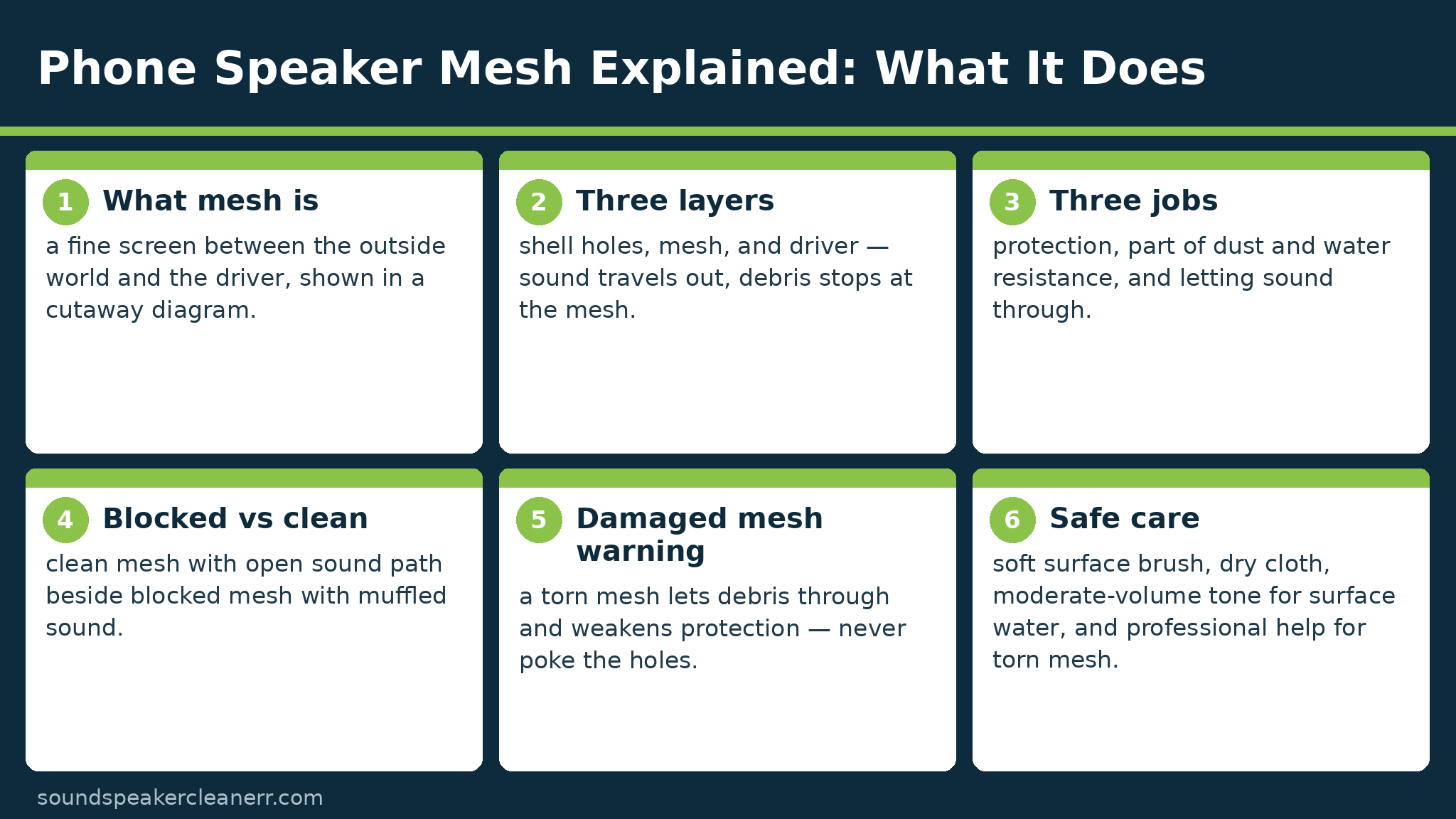
Phone speaker mesh is a fine protective screen that sits in front of the speaker driver, behind or within the visible holes in your phone. It lets sound pass through while helping to keep dust, lint, and larger debris out of the speaker itself.
That is its whole job, and it does that job quietly until something goes wrong. When the mesh is clean and intact, you never think about it. When it is blocked, sound turns muffled. When it is torn or pushed inward, debris and water have an easier path to the driver, and the phone's dust and water protection may be weaker than before.
Where the mesh sits, and what you are actually looking at
From the outside, you usually see a row of small holes along the bottom edge of the phone, or a narrow slot near the top for the earpiece. Those holes are in the phone's outer shell. The mesh is a finer layer behind that shell, closer to the driver. On some designs the mesh is visible as a dark, fine screen through the holes; on others you cannot see it at all without taking the phone apart, and you should not try.
It helps to picture three layers. The outermost layer is the shell with its holes. The middle layer is the mesh: a fine screen or woven layer with very small openings. The innermost part is the driver itself — the voice coil and diaphragm that actually make the sound. Sound travels outward through the mesh and the shell holes; dust and lint travelling inward meet the mesh first.
The earpiece has its own, usually smaller, mesh. It faces the same problems — dust, skin oils, pocket lint, and makeup residue can collect there — but because the earpiece opening is smaller and closer to your ear, even a thin layer of buildup can make calls noticeably quieter. The microphone opening may also have a mesh or screen, but it is a separate part with a separate job, and it should not be confused with either speaker mesh.
What the mesh is for
The mesh has three related jobs, and all three matter.
First, protection. The driver is delicate. A grain of sand, a sharp point, or a build-up of lint pressed against the diaphragm could damage it or change how it moves. The mesh acts as a first barrier, stopping larger particles before they reach the driver. It does not make the phone indestructible — a sharp object can still damage the mesh itself — but it raises the bar for everyday debris.
Second, dust and water resistance, as part of a system. Mesh covers are described in repair sources as part of a phone's water and dust ingress protection. That wording matters: the mesh is one part of a system that also includes seals, adhesives, and the shell design. A healthy mesh helps the system, but the mesh alone does not make a phone waterproof, and a damaged mesh can weaken the system even if everything else is intact. Never treat a phone with a torn or missing mesh as if it still has its original protection.
Third, letting sound through. A good mesh is designed to block particles while blocking as little sound as possible. Its openings are small enough to stop debris but open enough that sound waves pass with little loss. That balance is the engineering trade-off at the heart of mesh design: make the openings too large and debris gets through; make them too small or too thick and the sound becomes muffled even when the mesh is clean.
Why mesh design is a trade-off, not a perfect filter
No mesh can block everything and pass all sound perfectly, because the two goals pull in opposite directions. A finer, denser mesh stops smaller particles, but it also presents more material in the path of the sound, which can soften higher sounds in particular. A more open mesh passes sound more freely, but lets smaller particles through.
Phone makers also have to fit the mesh into a very thin space, keep it attached through drops and temperature changes, and make it resistant to moisture and skin oils. Materials therefore vary: some meshes are fine metal screens, others are woven or non-woven fabric-like layers, and some designs combine a shell grille with an inner acoustic layer. The exact material and construction differ by model, which is why this article does not name a material for any specific phone.
A mesh that stops water droplets entering may also hold water in its tiny openings after a splash, because surface tension keeps small droplets sitting in small holes. That is why a phone can sound muffled for a while after getting wet even though the driver is fine.
What happens when mesh gets blocked
Blocked mesh is one of the most common causes of muffled phone sound, and also one of the most misunderstood. The driver is still working, but the sound has to pass through a layer that is now partly filled with dust, lint, dried liquid residue, or wax-like buildup. The result is familiar: calls sound distant, music loses clarity, alarms sound softer, and higher sounds fade first.
Blockage builds gradually, which is why people often do not notice it until it is quite advanced. A phone carried in a pocket collects lint a little at a time. A phone used at a beach collects fine sand and salt residue. A phone used during workouts collects sweat residue. None of these events alone may cause a problem, but together they fill the mesh openings until the sound changes noticeably.
Water blockage behaves differently from dust blockage. Dust blockage tends to stay until it is physically removed or loosened. Water blockage often clears on its own as the phone dries, provided the phone is left in a dry place with airflow and is not charged while wet. If muffling persists long after the phone should be dry, the likely causes are residue left behind by the water — for example, minerals from hard water or salt — or a problem beyond the mesh, and that is the point to stop repeating cleaning tones and seek inspection.
What happens when mesh is damaged
A torn, punctured, or pushed-in mesh is a different problem from a blocked mesh, and it should be treated more seriously. A hole in the mesh is a direct path for dust, lint, and water to reach the driver. It also means one part of the phone's dust and water protection system is compromised, even if the phone still sounds normal.
Damage usually comes from poking. The most common causes are inserting a pin, needle, toothpick, or SIM tool into a speaker hole, pressing hard with a brush, or trying to scrape buildup out of the holes with a sharp object. Speaker holes can look like the SIM tray hole on some phones, and confusing the two is a real risk. Never insert anything into a speaker opening: the mesh and the driver behind it are both within reach of a sharp point, and the damage may not be visible from outside.
If you can see a hole, a tear, or a mesh that has been pushed inward, do not try to patch it with glue or a stick-on cover unless a repair professional advises it, and do not assume a stick-on grille restores the original protection. A stick-on cover sits on top of the shell, not in place of the original mesh, and it may change the sound or trap moisture. The honest step is to treat the phone as having reduced dust and water protection, keep it away from water and dusty places where possible, and ask a repair professional about proper mesh replacement, which normally requires opening the phone.
How to care for speaker mesh safely
Safe mesh care is mostly about what not to do, plus a few gentle steps.
Do not poke, scrape, or press into the holes. No pin, needle, toothpick, SIM tool, or sharp brush belongs in a speaker opening. Even a soft object pushed firmly can dent the mesh or push debris deeper.
Do not use compressed air into the opening. A strong blast can force dust past the mesh and toward the driver, and it can also push water deeper instead of out. This is especially important if the phone is wet: blowing air into a wet opening does not dry the inside, and it may spread the water.
Do not use liquids, cleaning sprays, or solvents on the mesh. Liquids can leave residue in the tiny openings, damage adhesives, or carry debris deeper. A barely damp cloth on the outside of the phone is different from spraying or pouring liquid into the holes, and only the outside wipe is safe.
Do use a soft, dry brush lightly across the surface. A soft-bristled brush, used gently across the outside of the holes without pressing inward, can loosen surface lint. Follow with a soft, dry, lint-free cloth wipe. This removes what is sitting on the surface, which is the safest kind of cleaning.
Do use sound tools for water near the opening, at moderate volume. A short tone session can move water droplets sitting in or near the mesh outward, because the diaphragm's movement pushes air through the mesh. This is a help for surface water, not a repair, and it does not dry the inside of the phone. If the sound does not improve after drying time and a short session, stop and reassess rather than repeating at maximum volume.
Do keep the phone out of pockets full of lint, and wipe the openings occasionally. Prevention is far more effective than any cleaning method. A case that fits properly and does not cover the openings, plus an occasional gentle surface wipe, keeps buildup from reaching the point where sound changes.
Mesh, cases, and stick-on protectors
A case can help or hurt the mesh. A well-fitting case with properly aligned cutouts protects the phone while leaving the speaker openings clear. A poorly fitting case that partly covers the holes acts like an extra, badly designed mesh layer: it muffles sound and traps lint against the openings. If sound improves noticeably when you remove the case, the case — not the mesh — is the problem, and a better-fitting case is the fix.
Stick-on mesh protectors and dust plugs are sold for some phones. They add a layer over the shell holes, which means they add another barrier in the sound path. Some users find them helpful in very dusty work, but they can also muffle sound, trap moisture, and hide buildup underneath. If you use one, check the sound with and without it, remove it if sound worsens, and do not treat it as a replacement for damaged original mesh. The original mesh is part of the phone's designed protection system; an add-on layer is not the same thing.
When mesh is not the problem
It is easy to blame the mesh for every sound problem, but several problems look similar and need different responses. If sound is distorted or crackling rather than simply muffled, the driver itself may be damaged or loose. If only calls are affected but media sound fine, the earpiece or the call audio path is the suspect. If the other person cannot hear you, the microphone is the suspect. If the phone has been dropped, the internal speaker module may have shifted, and no amount of surface cleaning will reseat it.
A useful test is comparison. Play the same sound through the loudspeaker and through the earpiece, with the case removed, at moderate volume. If one is clearly muffled and the other is clear, the muffled side's opening and mesh deserve attention. If both are distorted, or if sound cuts in and out, the problem is more likely inside the phone, and professional inspection is the right next step. Understanding the mesh helps you make that distinction instead of spending days cleaning a part that was never the fault.
The short version to remember
Mesh is the fine screen between the outside world and the speaker driver. It protects the driver, forms one part of the phone's dust and water protection, and is designed to pass sound while blocking debris. Blocked mesh muffles sound; damaged mesh weakens protection and lets debris reach the driver. Care for it gently from the outside, never poke into the holes, and treat a torn mesh as reduced protection until a professional can replace it properly. If you remember that the mesh is a protective layer in the sound path — not the speaker itself, and not a waterproof seal on its own — you will make better decisions about cleaning, cases, and repairs.
FAQ
What is phone speaker mesh?
It is a fine protective screen behind the visible speaker holes, in front of the driver. It lets sound pass while helping to keep dust, lint, and larger debris away from the delicate moving parts inside.
Is the mesh the same as the speaker grille?
They are closely related and the words are often used interchangeably. Strictly, the grille is the outer pattern of holes in the phone shell, while the mesh is the finer screen behind it. Together they form the protective layer in front of the driver.
Why does dirty mesh make sound muffled?
Sound has to pass through the mesh openings. When dust, lint, or water fills those openings, less sound gets through and higher sounds fade first, so the result is muffled, distant, or uneven sound even though the driver is working.
Can I clean speaker mesh with a pin or toothpick?
No. Poking into a speaker opening can tear or push in the mesh and can damage the driver behind it. Use only a soft brush lightly across the surface and a dry cloth, and never insert a sharp object.
Does a torn speaker mesh mean my phone is no longer water resistant?
It means the phone's dust and water protection is weakened, because the mesh is one part of that protection system. Treat the phone as having reduced protection, keep it away from water and dust where possible, and ask a repair professional about proper replacement.
Can a cleaning tone fix blocked mesh?
A tone can sometimes move water droplets sitting in or near the mesh outward, because the diaphragm pushes air through the openings. It cannot reliably remove packed dust or residue, it cannot repair a torn mesh, and it cannot dry the inside of the phone.
Should I use a stick-on mesh protector?
It is a personal choice with trade-offs. An add-on layer can block some dust, but it can also muffle sound and trap moisture, and it does not replace damaged original mesh. Test the sound with and without it before deciding.
How can I tell if the mesh or the driver is the problem?
Compare speakers and remove the case. If one speaker is muffled while the other is clear, its opening and mesh are likely involved. If sound is distorted, crackling, or cutting out on both speakers, the problem is more likely inside the phone and needs inspection.
Leave a Reply