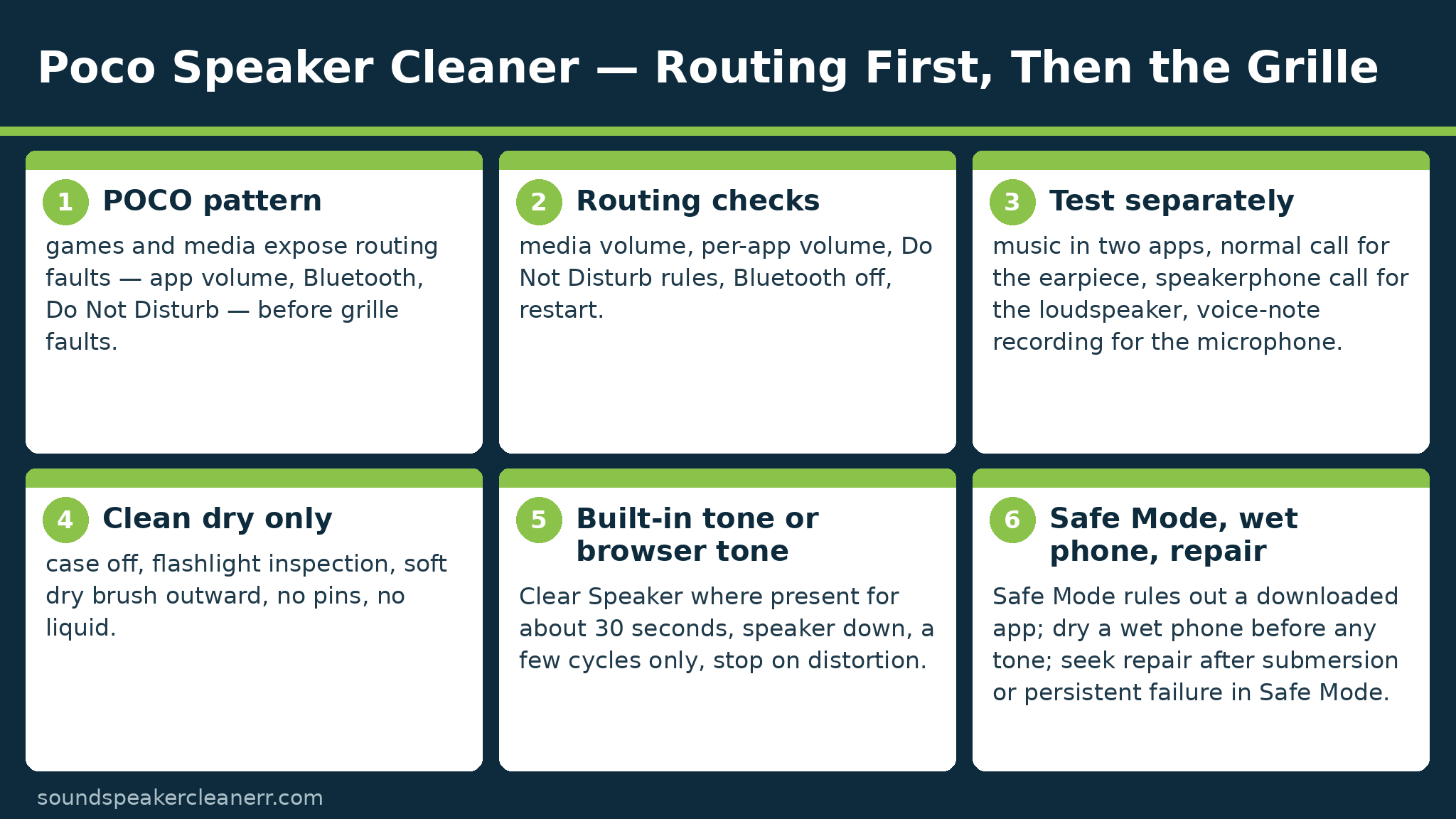
A silent or muffled Poco speaker is often a routing problem, not a broken speaker. Before cleaning anything, check media volume, per-app volume, Do Not Disturb, and Bluetooth, then test the loudspeaker, earpiece, and microphone separately. Clean only the outside of the grille, dry, and stop on distortion.
What makes a POCO different from a Redmi
POCO sits inside the Xiaomi family but is positioned as the performance-per-dollar line, with gaming-focused features and high-refresh displays on many models. That positioning changes how speaker faults show up. A POCO owner is more likely to notice a fault while gaming or watching video, where an app's own volume, a game audio setting, or a Bluetooth headset left connected can silence the phone speaker entirely while the phone itself is healthy. A POCO is also more likely, on recent models, to include the built-in Clear Speaker option: third-party guides report it on many POCO phones, though it is still not on every model, and its presence varies by software version.
This guide therefore starts with routing, not with the grille. If you own a POCO X model specifically, read the POCO X guide in this batch alongside this one: it adds the X series' documented bottom-grille location and top-and-bottom stereo checks. The brand-wide routine here applies first either way, because a blocked grille and a routed-away audio stream look identical until you test them apart.
Test routing first: volume, app volume, Do Not Disturb, Bluetooth
Open a video or game, start playback, and press a volume button. Confirm media volume itself is up, not just ringtone volume, and tap the gear or expand icon beside the slider if your HyperOS build shows one, to check whether that app's volume was turned down independently of the system. Some apps keep their own mute button inside the player; a muted video will stay silent on a healthy speaker, so test with a second app and, if possible, a locally saved file.
Next, check Do Not Disturb. Swipe down twice for the full quick-settings panel and check whether the Do Not Disturb tile is active; for schedules and rules, go to Settings, then Sound and vibration, then Do Not Disturb. A scheduled rule can silence calls and notifications at the same time every day, which feels like an intermittent hardware fault until the schedule is found. Turn Bluetooth off temporarily. If the phone is sending sound to earbuds, a car system, or a Bluetooth speaker you are not using, the phone speaker will be silent, and no amount of grille cleaning will change that.
Restart the phone once. On HyperOS, a restart clears temporary audio-routing glitches, and a force restart — holding the power button until the POCO or HyperOS logo appears — is the documented fallback if the normal restart path does not respond. A restart erases no data.
Test each speaker part separately
With Bluetooth off and the case removed, play music at a moderate volume and note whether it is muffled, quiet, crackly, or distorted, and whether it fails in every app or one app only. Make a normal call without speakerphone for the earpiece, then switch the same call to speakerphone for the loudspeaker. Record a short voice note and play it back for the microphone. These parts fail separately: a blocked earpiece makes calls faint while music sounds fine, and a blocked loudspeaker makes music muffled while calls sound fine.
Use this site's Speaker Test tool at a moderate volume to confirm the pattern. If a test tone sounds distorted at moderate volume, stop cleaning tones; distortion at moderate volume points toward packed debris or damage, not toward light dust. If sound works in one orientation but not another, check that your hand or case is not covering the bottom grille or the top earpiece during playback.
Clean the grille safely, dry only
Remove the case and check that it was not covering the bottom grille or the top earpiece; this alone resolves some POCO faults. Wipe the outside of the grille with a dry, lint-free cloth. Use a soft, dry toothbrush or clean, dry paintbrush with light outward strokes across the grille, and inspect it with another phone's flashlight or a bright light to see whether debris is still packed inside. Short bursts of compressed air from a few inches away, can held upright, are described in third-party POCO guides as an option; if you use this method, keep bursts short and the can upright, and stop if it does not shift debris. Never poke a pin, paperclip, needle, or toothpick into any opening, and never use liquid cleaners or blow hard into an opening.
If your POCO has Clear Speaker, it is usually in Settings, then Additional settings, then Clear Speaker, where present, and plays for about 30 seconds. Third-party guides report Xiaomi's guidance as repeating it a few times with the speaker pointing down. If you cannot find it, use this site's browser cleaning tool instead, at a moderate volume, speaker facing down, for one short cycle, then test with music. Repeat only a few times if sound is clean and improving. Sound may help with light water or loose dust near a speaker opening. It does not always eject water or dust, it does not repair damage, and it does not clean a microphone or a charging port.
Game and media audio: the POCO-specific trap
Games and media apps are where POCO routing faults hide. Check the game's own audio settings and any in-game mute, and check whether a headset or controller audio route is still active after a gaming session. If sound fails only in one game, check that game's volume and mute controls before changing phone-wide settings. If sound fails in every app, return to the brand-wide routine: media volume, Do Not Disturb, Bluetooth, restart, grille, tone.
Safe Mode is the decisive test for an app problem. In Safe Mode only pre-installed apps run. If the speaker works normally in Safe Mode but fails in normal mode, a downloaded app is the likely cause; restart normally and uninstall recently installed or updated audio-related apps one at a time, testing after each removal. If the speaker still fails in Safe Mode, the cause is more likely a setting, blockage, water, or hardware. Menu wording for Safe Mode varies by HyperOS version, so use Xiaomi's instructions for your model if the usual power-menu path differs.
If your POCO gets wet
Do not start with a cleaning tone, and do not plug in a charger while the port may be wet. Remove the case, wipe the outside dry with a lint-free cloth, and hold the phone with the speaker and port openings facing down. Power it off if you suspect liquid inside, and let it air-dry in a ventilated place away from heat. Do not use a hair dryer, do not put the phone in rice, and do not charge it until you are confident the port is dry and no liquid warning is shown. Follow the manufacturer's guidance for your exact model; no charging-wait hour figure is given here, because guidance varies by model.
Only after drying, and only with no liquid warning, test at moderate volume with Clear Speaker where present, or one short browser tone. If sound is still muffled after drying, or the phone was fully submerged or exposed to salt water or soapy water, seek professional guidance rather than repeating tones. Water deep inside a phone is not the same as water in the grille.
When to seek repair
Seek Xiaomi or POCO service, or a qualified repair shop, if sound stays distorted after gentle dry cleaning and full drying; a speaker stays silent in Safe Mode and after routing checks; the phone was fully submerged or exposed to salt or soapy water; you see corrosion, swelling, or a cracked area near a speaker; or a liquid warning will not clear. A factory reset is a last step, only after backing up your data, and it will not fix a blocked grille, water damage, or a damaged speaker. Bring your part-by-part test results — which part failed, and whether Safe Mode changed anything — because that information shortens the repair diagnosis.
Conclusion
For a POCO, the safe order is: check media and per-app volume, Do Not Disturb, and Bluetooth; restart; test the loudspeaker, earpiece, and microphone separately; remove the case; brush the grille dry and outward only; use Clear Speaker where present or one short browser tone where it is not; use Safe Mode to rule out an app; dry a wet phone fully before any tone; and stop on distortion or no change. That order respects how POCO phones are actually used — for games and media, where routing fails first — without promising that sound alone can repair damage.
FAQ
Where is the speaker cleaner on a Poco phone?
On models that include it, it is usually in Settings, then Additional settings, then Clear Speaker. It is reported on many POCO phones, but not every model has it. If you cannot find it, use a browser cleaning tool instead.
Why does my Poco have no sound in games but sound in calls?
Games and calls use different audio routes and volumes. Check the game's own volume and mute, per-app volume, Bluetooth routing, and Do Not Disturb before assuming the speaker is broken.
Can sound clean a Poco microphone or charging port?
No. A loudspeaker tone is played through the loudspeaker. For a microphone, wipe around the opening and brush lightly outward without inserting anything; for a charging port, do not charge while it may be wet and follow charging-port guidance.
My Poco speaker is muffled after I changed my case. What should I check?
Remove the case and test again. A case lip covering the bottom grille or the top earpiece is a common cause, and it looks exactly like a blocked speaker until the case is off.
Will a very high frequency tone clean my Poco speaker better?
No. A typical phone speaker cannot reliably reproduce 30,000, 50,000, or 100,000 Hz, and a high-frequency label does not make a tone stronger. Use an audible, moderate-volume tone and judge by a careful test afterwards.
My Poco got wet. Should I use Clear Speaker right away?
No. Remove the case, wipe the outside dry, hold openings facing down, and let the phone air-dry. Do not charge while a liquid warning is shown. Only after drying, test with Clear Speaker or one short browser tone.
What does Safe Mode tell me on a Poco?
If sound works in Safe Mode but fails in normal mode, a downloaded app is the likely cause. If it still fails in Safe Mode, the cause is more likely a setting, blockage, water, or hardware.
When is a Poco speaker beyond home cleaning?
When sound stays distorted after dry cleaning and drying, stays silent in Safe Mode after routing checks, or follows full submersion or salt or soapy water exposure. Seek qualified repair in those cases.
Leave a Reply