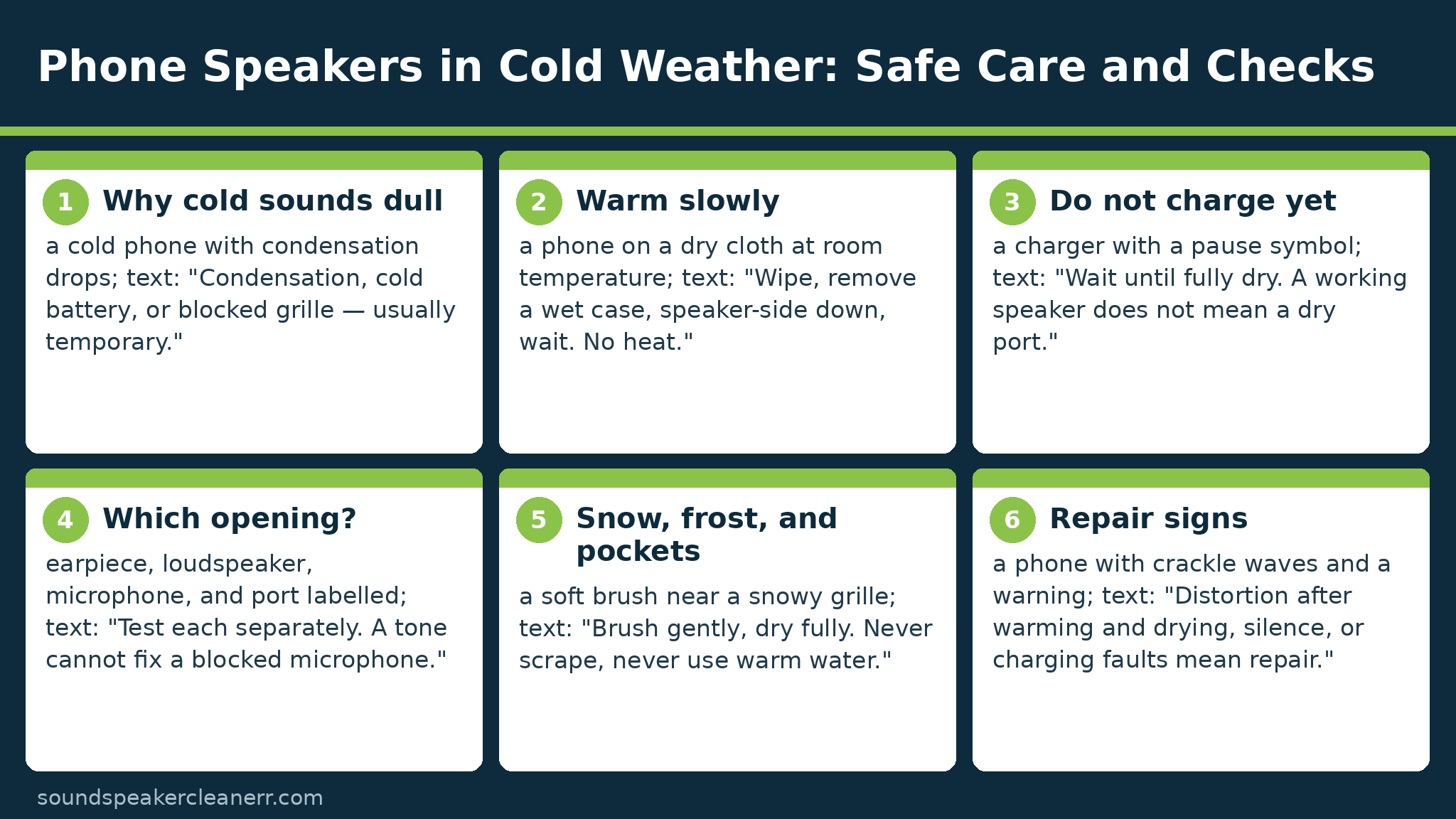
Cold weather makes phone speakers sound dull, quiet, or crackly, usually through condensation, a cold battery, or a blocked grille — not permanent damage. Bring the phone inside gradually, let it warm and dry at room temperature, and do not charge or judge its sound until it is fully dry and back to normal temperature.
That short answer matters because the most common winter mistake is haste: warming a cold phone quickly with heat, charging it while condensation is still inside, or cleaning a grille that is only wet from warming. Each of those turns a temporary effect into real damage. The order in this guide — protect, warm slowly, dry, test, then decide — separates temporary cold effects from genuine faults.
What cold actually does to a phone speaker
Cold affects a phone speaker through three separate routes, and telling them apart decides the fix.
First, condensation. A cold phone brought into a warm room fogs, just as glasses do. Moisture forms on the outside and can form around speaker and microphone openings. A thin film of moisture across a speaker grille muffles sound exactly as a splash does, even though the phone never touched water. This is the most common winter cause, and it clears with drying time.
Second, battery and power behavior. A cold battery delivers less power, and a phone protecting a cold battery may reduce performance, dim the screen, or limit loud playback. Sound can seem quieter or flatter because the phone is conserving power, not because the speaker is blocked. Warming the phone to room temperature usually restores normal behavior. Do not judge speaker volume while the phone is still cold or showing a low-temperature warning; retest only after warming.
Third, physical blockage and stiffness. Winter pockets add lint, gloves leave fibres, and snow or frost can block a grille outright. Materials also stiffen in extreme cold, which can change how a speaker sounds until it warms. A grille blocked by snow or frost needs gentle removal and drying, not heat and not poking.
None of these three routes, on its own, proves the speaker is damaged. Damage is suggested instead by persistence: sound that stays distorted after full warming and drying, sound that cuts in and out when the phone is moved, or sound accompanied by charging failures or restarts.
The safe warming routine
When a phone comes in from the cold, follow this routine before anything else:
- Wipe the outside. Use a soft, lint-free cloth to remove snow, frost, and surface moisture. Do not rub hard around the grille; a gentle wipe is enough.
- Remove the case if it is wet or frosty. A case can trap condensation against the phone. Remove it, wipe the phone and the case separately, and leave both to dry.
- Place the phone speaker-side down on a dry cloth in a room with good airflow, at ordinary room temperature. Let gravity and airflow help moisture escape from around the openings.
- Wait. Give the phone time to reach room temperature and dry fully. Do not set a timer from a generic article; wait until the outside is dry, the screen is no longer fogged, and the phone no longer feels cold. If the phone was very cold or visibly condensed, waiting longer is safer than testing early.
- Do not charge yet. Do not connect a charger while the phone may still be wet or condensed inside, and do not charge through a wet port. Follow the phone maker's guidance and wait until the device is fully dry. A working speaker does not mean the charging port is dry.
- Retest with a known clip. Play a short voice clip you know well through the loudspeaker at a moderate volume, then listen to a voicemail through the earpiece. Compare with how the same clips sounded before winter. Only this retest, after warming and drying, tells you whether a real fault remains.
Never speed up warming. Do not use a hair dryer, radiator, oven, microwave, or direct heat on the phone, and do not place it in a freezer or plunge it into water to "equalize" temperature. Rapid temperature change causes more condensation inside the phone, not less, and heat can damage seals, adhesives, and components. Do not shake the phone violently; gentle handling with the speaker facing down is enough.
Condensation versus a splash: why the distinction matters
Winter condensation and a splash look alike — both leave a muffled speaker — but they differ in one important way: condensation after warming is usually only around the openings, while a splash or submersion can leave water deeper inside, including the charging port. That is why the charging rule matters even when the phone "only got cold." If the phone was also exposed to snow, slush, rain, or a wet pocket, treat it as a wet device: disconnect cables, dry fully with airflow, and do not charge until fully dry, following the maker's guidance.
A cleaning tone fits only after that drying step, and only narrowly: one short cycle at moderate volume, speaker-side down, for moisture near a speaker opening after a minor wetting. It cannot dry a charging port, remove internal condensation, remove corrosion, or repair damage. If the phone's only problem is condensation from warming, time and airflow — not sound — are the fix. Running repeated loud tones through a cold, condensed phone wastes effort and risks nothing gained.
Earpiece, loudspeaker, microphone, and charging port in winter
Winter affects each opening differently, so test each one separately after warming and drying.
The earpiece near the top handles ordinary call audio. If ordinary calls are muffled after winter exposure but speakerphone is clear, the earpiece opening is the suspect — possibly condensation, lint from a pocket, or a screen protector edge lifted by cold.
The loudspeaker at the bottom handles speakerphone, music, and ringtones. If speakerphone and music are muffled but ordinary calls are clear, the loudspeaker grille is the suspect — possibly snow, frost, or pocket lint.
Microphone openings are separate from both speakers. If other people cannot hear you on winter calls but you hear them clearly, a microphone opening may be blocked by lint, frost, or a case. Test with a voice recording. A cleaning tone through the speaker will not fix a blocked microphone.
The charging port is the winter trap. A port can stay wet or frosty after the speaker has dried, and charging through it risks damage. Inspect it in good light, let it dry fully with airflow, and do not insert anything into it to "clear" frost or lint aggressively. If charging behaves oddly after winter exposure — warnings, intermittent charging, or no charging — stop and seek repair advice rather than forcing the cable.
Winter pockets, gloves, and cases
Winter clothing creates its own speaker problems. Thick pockets trap lint and moisture against the phone. Gloves leave fibres and make it hard to notice a blocked grille. A phone carried in an outer pocket gets colder than one in an inner pocket, and a phone in a wet outer pocket gets both cold and damp.
Keep the phone in a clean, dry inner pocket when possible, away from keys, coins, and wet items. Check the case regularly in winter: a case that fits tightly around the grille holds lint and frost against it, and a cracked case lets snow and slush reach the phone. Clean the case separately, and check that speaker and microphone openings still align after the case has stiffened in the cold.
Gloves deserve a brief note. Touchscreen gloves and thick gloves make volume buttons hard to feel, so winter users sometimes conclude the speaker is quiet when the volume was simply never raised, or when a glove pressed a mute control. Check media and call volumes deliberately after warming, and remember that call volume can often only be adjusted during a call.
Snow, frost, and slush on the grille
If snow or frost is visible on the grille, brush it off gently with a clean, dry, soft-bristled brush, away from the phone, then wipe with a dry, soft cloth and let the phone dry fully at room temperature. Do not scrape frost off with a fingernail, key, or sharp object, and do not melt it with warm water or breath blown directly into the grille — breath adds moisture. Do not use compressed air on an iPhone, and on other phones use only short, gentle bursts from a distance if you must; high-pressure air forces snow and grit deeper.
Slush is worse than snow, because it combines water, grit, and road salt residue. After slush exposure, wipe promptly, dry fully, and note the exposure. Even after the phone looks dry, residue can stay on the grille and cause later muffling. If sound stays muffled after full drying and gentle brushing, seek repair advice rather than repeating cleaning attempts.
Cold batteries and quiet sound
A cold phone may sound quiet for a power reason, not a speaker reason. If the phone is cold, the battery is low, and playback seems weak, warm the phone to room temperature first and recharge only once it is dry and warm, following the maker's guidance. Then retest. If volume returns with warmth and charge, the speaker was never the problem.
Also check settings after winter use. Low-power modes, volume limits, and focus modes carried over from travel or quiet days can all make a healthy speaker seem quiet. Play a ringtone, a notification, and a media clip in turn, and check each volume separately. If media is loud but the ringtone is silent, a ringtone or mute setting is the cause, not the cold.
When cold muffling needs repair
Seek repair help if any of these apply after full warming and drying: the speaker crackles or distorts at low volume; sound cuts in and out when the phone is moved; one speaker mode is silent entirely; the phone was submerged in slush or water; the phone gets unusually hot, restarts, or shows charging failures after winter exposure; or the screen, buttons, or charging behave oddly alongside the sound fault. Continuing to play loud cleaning tones through a damaged speaker will not repair it and may make distortion worse.
If the phone is still under warranty or covered by the maker, describe the exposure accurately — cold, condensation, snow, or slush — and the steps already taken: slow warming, full drying, no heat, no charging while wet. Accurate notes help a technician distinguish a temporary cold effect from a genuine fault, and they avoid a repair attempt based on a wrong cause.
A winter routine you can repeat
Before going out in cold weather, test the speaker at home with a known clip and check case alignment. While out, keep the phone in a clean, dry inner pocket. On returning inside, wipe it, remove a wet case, place it speaker-side down on a dry cloth, wait until fully warm and dry, and only then charge or retest. That routine — protect, warm slowly, dry, test — prevents most winter speaker complaints and keeps a temporary cold effect from becoming real damage.
FAQ
Does cold weather damage a phone speaker?
Cold alone usually causes temporary effects — condensation, a cold battery, or a blocked grille — rather than permanent damage. Damage is suggested only when distortion persists after full warming and drying, or when it comes with charging or restart faults.
Why does my phone sound muffled after coming inside from the cold?
Because a cold phone fogs with condensation when it warms, and moisture across the speaker grille muffles sound. Let it warm slowly at room temperature, dry fully with airflow, and retest only after it is dry and warm.
How should I warm up a cold phone safely?
Wipe the outside with a soft lint-free cloth, remove a wet case, place the phone speaker-side down on a dry cloth at ordinary room temperature, and wait until it is fully warm and dry. Never use a hair dryer, radiator, or other direct heat, and never plunge it into water.
Can I charge a cold, condensed phone?
No — not until it is fully dry. Do not charge through a wet port, and follow the phone maker's guidance. A working speaker does not mean the charging port is dry.
Why does my phone sound quieter when it is cold?
A cold battery delivers less power, and the phone may limit playback to protect the battery. Warm the phone to room temperature and recharge only once it is dry and warm, then retest before concluding the speaker is faulty.
Can snow or frost block a phone speaker?
Yes. Brush snow or frost off gently with a clean, dry, soft-bristled brush, away from the phone, wipe with a dry cloth, and let the phone dry fully. Do not scrape with sharp objects, melt frost with warm water, or blow into the grille.
Should I use a cleaning tone for a cold phone speaker?
Only after full warming and drying, and only as one short cycle at moderate volume for moisture near a speaker opening. It cannot dry a charging port, remove internal condensation, or repair damage; for condensation alone, time and airflow are the fix.
When does cold muffling need repair?
When distortion persists after warming and drying, sound cuts in and out when the phone moves, one speaker mode is silent, or the fault follows submersion, slush exposure, overheating, or charging failure. Those signs point to hardware, not cold alone.
Related tools on this site
Related guides on this site
- How to Clean Phone Speakers
- Clean Dust from Phone Speaker
- Phone Speaker Muffled
- Phone Speaker Crackling
- Phone Speaker Volume Low
- Phone Speaker Troubleshooting
- Phone Fell in Water
- Water in Charging Port
- Dry Phone Without Rice
- Phone Speaker After Rain: A Safe Drying Guide
- IP67 vs IP68: What Water Resistance Really Means for Your Phone
Leave a Reply