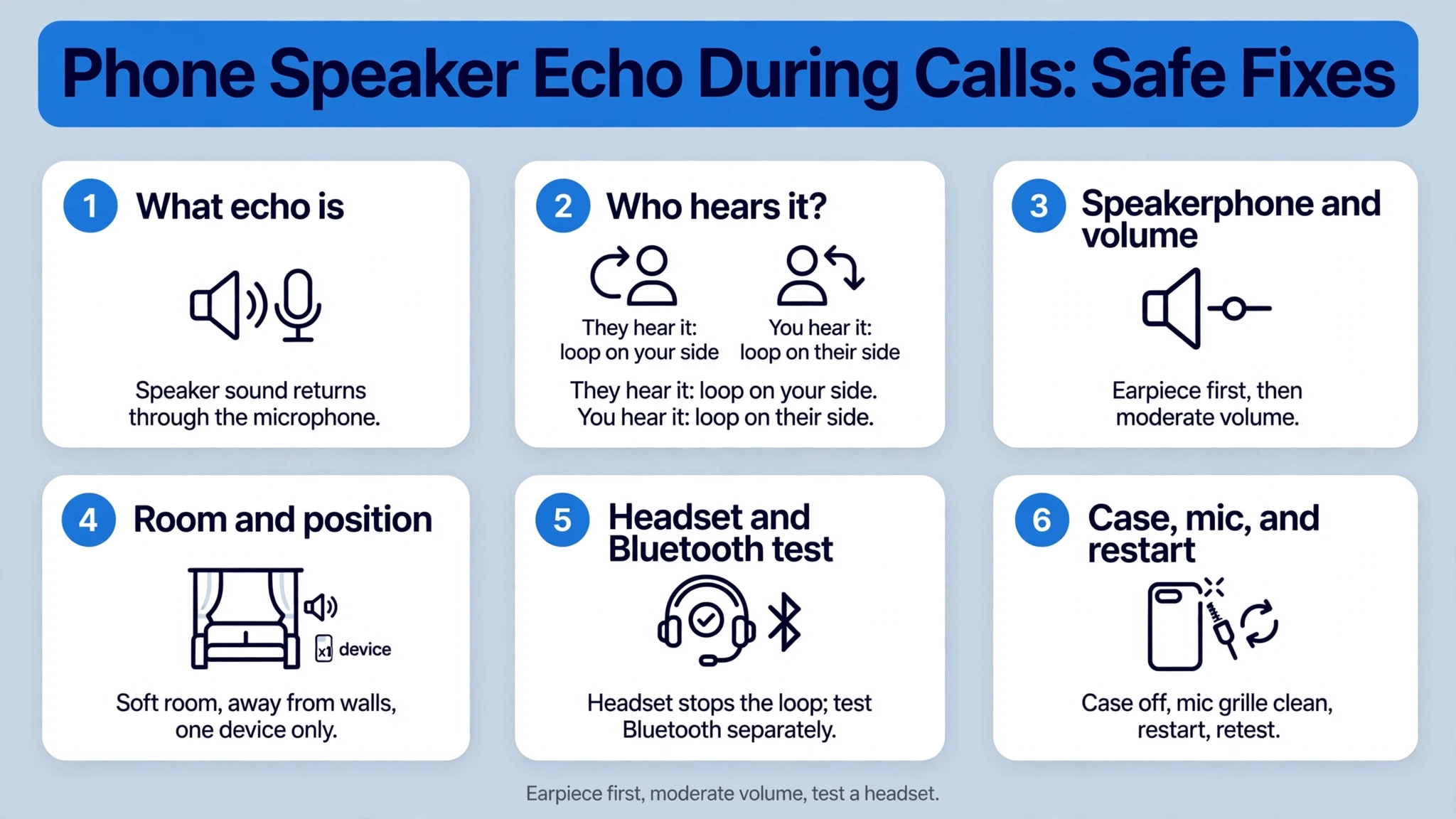
Call echo is usually a loop: speaker sound reaches the microphone and returns delayed. First ask who hears it — if the other person does, the loop is on your side. Move off speakerphone, lower the volume to a moderate level, or use a headset. Any of those three steps usually breaks the loop and stops the echo.
Call echo is usually a loop, not a broken speaker. Your phone's speaker plays the other person's voice, your phone's microphone picks that sound up again, and it is sent back so the other person hears their own voice a moment later. Lowering the volume, moving off speakerphone, or using a headset breaks that loop, and in most cases one of those three steps stops the echo.
The first step is to find out who hears the echo, because that tells you whose phone is causing it. Ask the other person directly: "Do you hear your own voice coming back?" If they hear the echo and you do not, the loop is usually on your side — your speaker sound is reaching your microphone. If you hear the echo and they do not, the loop is usually on their side, and the fixes below are still worth trying, but the other person may need to make the same changes on their phone. If both of you hear it, both phones may be contributing, so both sides should lower volume and move off speakerphone.
Why echo happens on calls but not on music
Music playback does not involve a live microphone, so there is no loop. A call does. On a normal handset call, the earpiece is small, close to your ear, and far from the microphone at the bottom of the phone, so very little speaker sound reaches the microphone. On speakerphone, the loudspeaker is much louder and the microphone is open to the room, so speaker sound reaches the microphone easily. That is why echo so often appears only when speakerphone is on, only in a hard, echoey room, or only when the volume is high.
Echo cancellation software is designed to subtract the speaker's own output from what the microphone sends, but it has limits. Very high volume, a reflective room, a blocked microphone, a second device answering the same call, or a Bluetooth device in the chain can all push the loop past what cancellation can handle. None of that means the speaker is damaged. It means the loop needs to be broken at one of its points: the speaker output, the room reflections, the microphone pickup, or the connection.
Fix 1: Move off speakerphone and lower the volume
Switch from speakerphone to the handset earpiece and ask whether the echo stops. This is the fastest diagnostic test in the whole article, and it is also the most common fix. If the echo stops on the earpiece, the speakerphone loop was the cause, and you can stay on the earpiece for the rest of the call.
If you need to stay on speakerphone, lower the call volume to a moderate level — roughly half, or just loud enough to hear comfortably — and move the phone a little farther from your mouth and away from hard surfaces. Do not shout to compensate; a louder voice from the other side also feeds the loop. If the other person hears the echo, ask them to do the same on their side: lower volume, move off speakerphone, and speak at a normal level. A small volume change on the echoing side often matters more than any setting on the listening side.
Fix 2: Change the room and the phone's position
Hard rooms make echo worse. Bare floors, tiled walls, large windows, and empty rooms reflect sound back into the microphone with a delay, which the ear hears as echo. Move to a smaller, softer room if you can, or at least move away from a wall or window and put the phone on a soft surface rather than a hard table. Do not place the phone on top of a laptop or another electronic device during a call; nearby devices can interfere with call audio, and a second device with its own microphone and speaker in the same room can create a second loop.
If you are on speakerphone in a car, the car's own audio system can be part of the loop, especially if the call is also routed through the car. Switch the call back to the phone's earpiece for a test, and disconnect the car connection for that call if the echo stops. The same logic applies at home: if a smart speaker, tablet, or second phone is answering or joining the same call, silence or disconnect it so only one device carries the call.
Fix 3: Test a headset, then test Bluetooth separately
Put on a wired headset or earbuds and make a test call. A headset breaks the loop physically: the sound goes into your ears, not into the room, so the microphone cannot pick it up. If the echo stops with a headset, the phone's speaker and microphone are probably working, and the problem was the open-air loop. Keep the headset for important calls, or use it as proof that the loop — not damage — was the cause.
Bluetooth needs its own test, because it can both fix and cause echo. If you are already on a Bluetooth headset or car system and the echo appears, disconnect Bluetooth and test on the handset earpiece. If the echo stops, the Bluetooth device or its connection was contributing, so forget and re-pair it, or use the wired headset instead. If you are not on Bluetooth and the echo appears on speakerphone, a wired headset is a better test than a Bluetooth one, because it removes wireless delay and pairing problems from the result.
Fix 4: Check the microphone grille and the case
A blocked microphone changes how echo cancellation works, because the phone's software may misread the room sound when one microphone is covered. Remove the case, look at the microphone openings — usually at the bottom edge and sometimes near the top or camera — and brush the outside gently with a soft, dry brush. Wipe the phone with a soft, lint-free cloth. Do not insert anything into a microphone hole, and do not use compressed air or blow hard into it.
Also check that the case is not covering a microphone hole or pressing against the speaker. A case that covers the secondary microphone, which many phones use for noise reduction, can make call audio sound muffled, muted, or echoey. Retest with the case off. If the echo stops, the case fit was the problem, and a case with correct cutouts for your exact model is the fix. Keep the earpiece, loudspeaker, microphone, and charging port distinct in your checks: a blocked charging port does not cause echo, and cleaning the speaker grille will not fix a microphone loop.
Fix 5: Test another call, another app, and a restart
Make a test call to a different person, and if the echo happens in one calling app, test a regular phone call as well. If the echo happens with one person only, the loop may be on their side, and they should run the same volume and speakerphone checks. If it happens in one app only, check that app for an update, and check its audio settings for any echo or noise feature your phone or the app offers — enable it if it is off, or disable and re-enable it for a test. Do not assume every phone exposes an echo-cancellation toggle; many handle it automatically, and the volume and speakerphone steps matter more.
Restart the phone and test again, especially if the echo started suddenly or after an app update. A restart clears temporary audio-routing problems, including a call that stayed routed to a Bluetooth device or speakerphone after the device was disconnected. If the echo started right after a system update, check for a follow-up update, and note whether the echo happens on every call or only in one app before concluding the update caused it. The update article on this site covers that diagnosis in more detail.
When echo points to something else
Echo that stays after all of these steps — handset earpiece, moderate volume, soft room, headset test, case off, microphone grille clean, second caller, restart — may point to a network problem, a faulty microphone or speaker, or a problem on the other caller's network or device. Try the call on a different network if you can, such as switching between Wi-Fi calling and mobile data where your phone offers that choice, and note whether the echo follows the phone or the network. If the echo is constant, loud, and present on every call even on a headset, seek a repair check rather than buying accessories to work around it.
Also seek help if echo comes with other new symptoms: no sound on calls, a microphone that cuts out, or a speaker that buzzes or distorts. Those combinations suggest a hardware or system problem beyond a simple loop, and the general troubleshooting and microphone guides on this site can help you describe the symptoms accurately to a repair shop.
Conclusion
Echo on a call is a loop, and loops are broken, not cleaned away. Find out who hears it, move off speakerphone, lower the volume, soften the room, test a headset, and check the case and microphone grille. Those steps, in that order, resolve most call echo without any repair. If they do not, the next question is whether the loop lives on the other caller's side, on the network, or in the phone's hardware — and a test call with a different person, on a different connection, is how you answer it.
FAQ
Why do I hear an echo on phone calls?
You usually hear your own voice returning because the other person's speaker sound is being picked up by their microphone and sent back to you. The loop is usually on the other side, so ask them to lower volume and move off speakerphone.
Why does the other person hear an echo but I do not?
Because the loop is on your side: your loudspeaker sound is reaching your microphone. Lower your volume, switch off speakerphone, or use a headset, and the echo they hear should stop.
Why does echo happen only on speakerphone?
Speakerphone uses the loudspeaker, which is louder and open to the room, so its sound reaches the microphone easily. The handset earpiece is smaller and close to your ear, so far less speaker sound reaches the microphone.
Does a headset stop call echo?
Usually, yes. A headset sends sound into your ears instead of into the room, so the microphone cannot pick it up again. If echo stops with a headset, the cause was the open-air loop, not a damaged speaker.
Can Bluetooth cause echo on calls?
Yes, it can contribute, especially through a car system or a headset with its own microphone. Disconnect Bluetooth and test on the handset earpiece; if the echo stops, re-pair the device or use a wired headset for that call.
Can a phone case cause echo?
A case can contribute if it covers a microphone opening or presses against the speaker, which can disturb noise reduction and echo cancellation. Remove the case and retest; if the echo stops, the case fit was part of the problem.
Leave a Reply