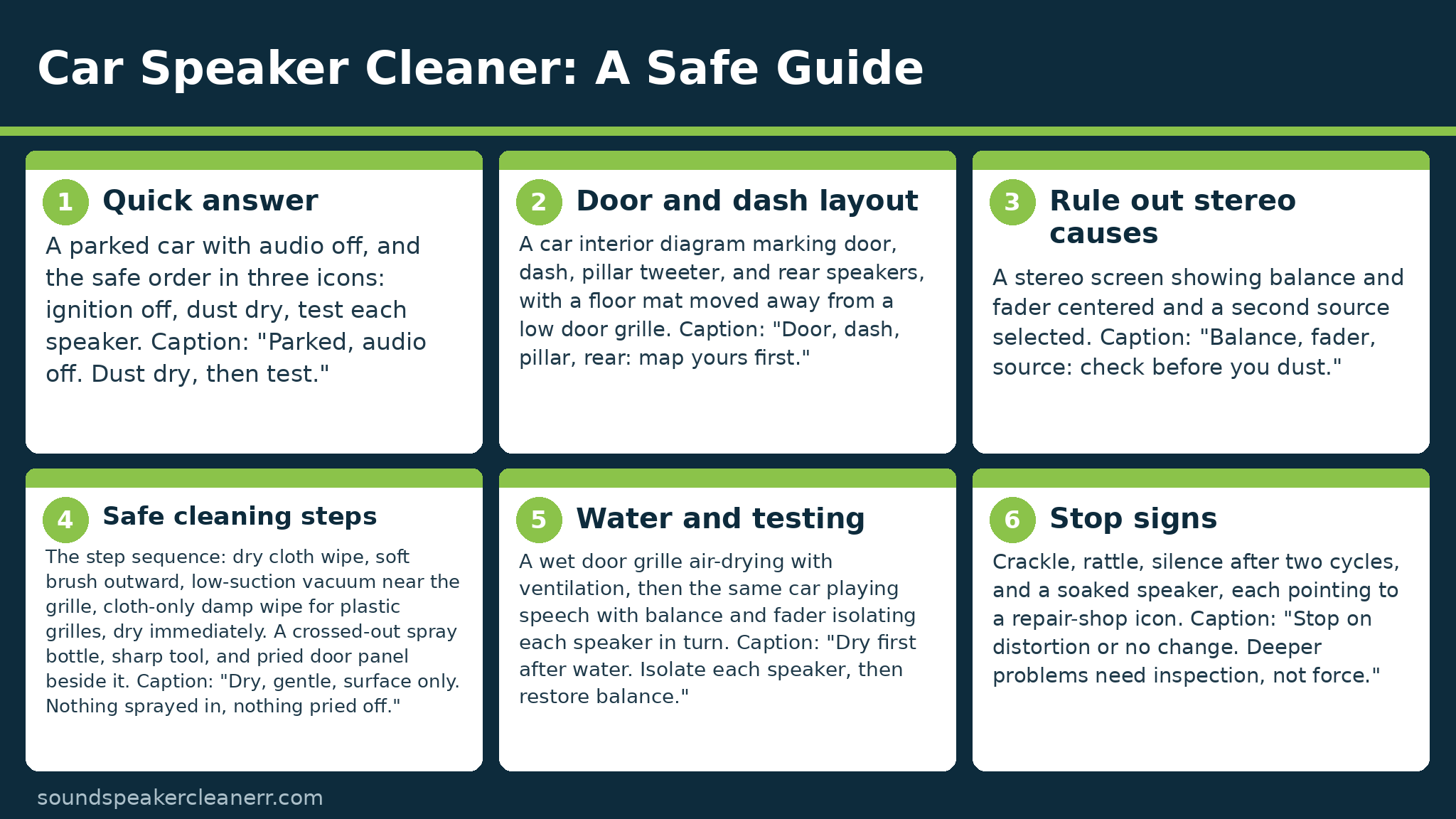
A muffled car speaker is usually a dusty grille, a stereo balance or fader setting, or sound going to the wrong source, not a broken speaker. Turn the ignition and audio off before any physical cleaning, find the door and dash grilles, and dust them gently with a dry cloth, soft brush, and low-suction vacuum.
Test each speaker separately at a moderate volume, and stop if the sound crackles, rattles, or gets worse. That order matters in a car. Door speakers sit low, where shoes, road dust, and pollen collect, dash speakers sit under the windshield, where sun and dust bake onto the grille, and rear speakers sit under a rear window or in a rear deck, where dust settles unseen. Pushing a tool through a grille, spraying liquid at it, or prying off a door panel to reach the cone risks the grille, the cone, the tweeter, and the panel clips. A careful sequence does more, with less risk, than a forceful one.
Where car speakers actually are
Cars do not share one speaker layout, so start by finding yours. Most cars have door speakers in the front doors, often low in the door, and sometimes in the rear doors as well. Many have dash speakers near the windshield, small tweeters in the pillars or upper doors, and rear speakers in the rear deck, rear doors, or side panels. The exact count and position vary by car, trim, and audio system, so look at your own car rather than assuming a picture online matches it.
That layout changes the cleaning approach. A low door speaker collects dust, grit, and crumbs from shoes and floor mats, and its grille is often a perforated panel built into the door trim, not a separate cover you can lift off. A dash speaker collects dust from the windshield area and can be blocked by a dash mat, a phone mount, or items left on the dash. A tweeter is small and fragile, and its grille may look like a plain trim piece. A rear-deck speaker collects dust from above and can be blocked by items stored on the rear deck. Note your layout before you clean anything.
Car speakers are also different from phone speakers in what they are not. The car's speakers are not your phone's speaker, even if your phone is connected by Bluetooth or cable. The phone, the car stereo, and any external amplifier can all control volume and output, and they can disagree. Do not clean a phone speaker as if it were a car speaker, and do not clean a car grille while sound is actually coming from a phone or a portable speaker. The car's microphone, used for hands-free calls, is a separate small opening, usually near the roof or mirror: keep it out of speaker cleaning entirely.
Also remember that a car is a vehicle, not a workbench: do all physical cleaning with the car parked, ignition off, and audio off, in a safe place, and never clean speakers while driving.
Find which speaker is the problem
Start by looking, not cleaning, with the car parked, ignition off, and audio off. Look at each door grille, dash grille, pillar tweeter area, and rear grille in good light. Note every grille you can see, and note any grille that looks caked with dust, pollen, or grime, or blocked by a floor mat, dash item, or rear-deck object. Do not poke at them yet; this is only a map.
Next, turn the audio on and play speech, not music, at a moderate volume, with windows closed and the engine off or idling only if safe and needed for the stereo. Speech makes a quiet speaker easier to hear than bass-heavy music. Sit in the driver's seat, then move your head slightly toward each door and toward the dash. If one area sounds clearly duller, note which physical location it is: front left door, front right door, dash, rear, or a specific side. If the whole car sounds dull, note whether the problem is muffling, thinness, low volume, or distortion, since each points in a different direction.
Check blockage before you blame dirt. Move floor mats away from low door grilles, clear items from the dash and rear deck, and listen again. If the sound improves dramatically when a mat or object moves, the problem may be blockage, not a dirty grille. If one speaker stays quiet with clear space around it, that speaker is the suspect.
Rule out the easy car stereo causes first
Before any cleaning, check six easy causes with the stereo controls. First, balance and fader: check the stereo balance (left-right) and fader (front-rear) and make sure both are centered or set to your normal position. An off-center balance or a fader pushed fully front or rear can make one or more speakers sound dead even when all speakers work.
Second, volume and mute: check the stereo volume, mute, and any volume limit or speed-sensitive volume setting. Check the volume on a connected phone as well, since a phone at low volume can make car audio sound quiet even when the stereo is turned up.
Third, source: test with a second source, such as radio versus Bluetooth versus USB. If only one source sounds quiet, the problem may be that source's own audio, not the car speakers. A quick source comparison saves a cleaning that was never needed.
Fourth, output route: check whether sound is set to car speakers, or whether a phone, headphones, or another Bluetooth device has taken over playback. Disconnect Bluetooth audio and unplug auxiliary cables, then test again. A car that sounds silent is sometimes simply sending sound elsewhere.
Fifth, sound settings: check whether a sound mode, equalizer, surround, or bass and treble setting is cutting treble or boosting bass in a way that sounds dull. Reset bass and treble to neutral for the test, and note the original settings so you can restore them afterward.
Sixth, restart: turn the stereo off and on again, and if the maker allows it, restart the infotainment system. An audio problem that appears after a software update, or that disappears after a restart, is a software problem, not a cleaning problem. If any of these checks fixes the sound, stop there. Cleaning a working speaker will not improve it.
Clean a car speaker, step by step
Work in this order, and stop as soon as the sound is clear. Physical cleaning happens only with the car parked, ignition off, and audio off.
- Park safely, turn the ignition and audio off, remove mats and dash and rear-deck blockages, and open a door or window for ventilation if using cleaner on a cloth.
- Wipe each grille lightly with a clean, dry, soft microfiber cloth, without pressing hard on the grille.
- Brush outward along the grille with a clean, dry, soft detailing brush, using light strokes away from the openings.
- If using a vacuum, use only a soft brush attachment on the lowest suction, held near the grille, not pressed hard against it.
- For fabric grilles, roll a lint roller lightly across the surface once or twice, stopping if the fabric pulls or snags.
- For sticky grime on plastic or metal grilles only, wipe with a cloth very lightly dampened with mild interior cleaner (sprayed onto the cloth, never the grille), spot-tested on hidden trim first, then dry immediately.
- Removable grilles only, where the vehicle manual confirms removal: remove carefully per the manual, clean separately, and dry completely before refitting; otherwise treat the grille as fixed and do not pry it or remove a door panel.
- Turn the audio on, play the same speech at a moderate volume, compare with your earlier note, and repeat dry dusting once at most if improved but still dull.
A browser tone is only a brief, moderate-volume test, never a substitute for physical dusting or a repair for a distorted speaker.
What to do after water or a spill
Water changes the order. If a car speaker was splashed, rained on through an open window, or had a drink spilled on or near it, turn the audio off, turn the ignition off if it is safe to do so, and do not test the speaker repeatedly. Wipe only the outside of the grille area with a soft, dry cloth, and let the area air-dry with doors or windows open for ventilation, if safe. Do not use external heat, a hair dryer, or a hot surface to speed drying.
Only after the area is dry should you test the speaker briefly at a moderate volume.
If the speaker will not produce sound, smells unusual, shows swelling or damage, or if water reached wiring, a door panel interior, or the stereo itself, stop. Do not keep testing it. Follow the vehicle maker's guidance and seek qualified repair. No drying-time hour figure is given in this guide, because none was verified directly on a maker support site for this draft; follow the maker's current guidance instead.
Test each speaker separately
Testing is what turns cleaning into a result. Play the same speech clip you used at the start, at the same moderate volume, in the same parked position, and use the stereo balance and fader to isolate each speaker in turn: front left, front right, rear left, rear right, and dash if your stereo allows it. Listen to each speaker alone, then return balance and fader to your normal position. A successful clean should make the previously dull speaker sound close to the others, not merely louder overall.
Also test with a program with clear dialogue and some music, because speech alone can hide a rattle or distortion.
Troubleshooting
Quiet on one side only: Recheck balance and fader, then test with a second source.
Still muffled after two cycles: The dust may be packed into the grille, the grille may be damaged, or the driver may be at fault.
Crackling or rattling: Stop any tone at once.
Sound comes and goes: Check for a Bluetooth device reconnecting and stealing audio, a loose auxiliary or USB cable, a door that is not fully closed, or an object moving in front of a grille.
No sound at all: Check mute, volume, balance, fader, source, and output before assuming damage.
Worse after cleaning: Stop.
What not to do
Do not use a pin, needle, or sharp tool in a car speaker grille. Do not use a vacuum cleaner at full suction directly on a grille. Do not spray cleaning liquid, disinfectant, or water into the speaker. Do not use an abrasive cloth, a scouring pad, a hard brush, harsh chemicals, or solvents on a car speaker grille. Do not touch a cone or tweeter dome. Do not pry off a grille or door panel, remove a speaker, or remove screws yourself unless you are qualified and the vehicle manual provides for it. Do not play a cleaning tone at maximum volume for a long session.
Also do not chase extreme frequencies.
When to seek repair
Seek repair, or contact the vehicle maker or a qualified car audio shop, if a speaker was submerged or heavily soaked, will not produce sound, stays distorted, rattling, or silent after two careful dusting cycles, shows swelling, heat, smell, or a damaged grille, or if water reached wiring or the stereo itself. Bring your note: which speaker location, which symptom, what you tried, whether balance, fader, or source changed anything, and whether the grille is fixed or confirmed removable. That note saves diagnostic time and prevents a shop from repeating a dusting you already did carefully.
Conclusion
Car speaker cleaning is mostly diagnosis, then gentle work in the right order: map the door, dash, pillar, and rear speakers, rule out balance, fader, source, and output problems, then dust fixed grilles dry with the ignition and audio off. Test each speaker separately with balance and fader, stop on distortion or no change, and get a speaker that stays muffled checked rather than pushing harder or pulling apart a door panel.
FAQ
Why does my car speaker sound muffled?
Most often, dust, pollen, or grime has caked onto a door or dash grille, or a floor mat, dash item, or rear-deck object is blocking it. Less often, balance or fader is off-center, audio is set to another source or device, or the speaker itself is damaged. Clear blockages, check balance and fader, then dust the grille gently.
How do I find which car speaker is blocked?
Play speech at a moderate volume and use the stereo balance and fader to isolate each speaker in turn. The speaker that sounds dull alone is the suspect. Moving floor mats and dash items away first helps separate blockage from a dirty grille.
Can I remove a car speaker grille to clean behind it?
Only if your vehicle manual confirms that grille is designed to be removed. Most door grilles are fixed trim, not removable covers. If the manual does not confirm removal, treat the grille as fixed, clean only its surface, and do not pry it or remove a door panel.
Can I use a speaker cleaner tone on car speakers?
Only as a brief, moderate-volume test, not as the main cleaning method. A car's problem is usually dust on a grille, which needs physical dusting with the audio off. Sound does not always remove dust, and it cannot repair a distorted cone or tweeter.
Is compressed air safe for car speakers?
It can be risky if blown through a grille. Avoid it unless the speaker or vehicle manufacturer specifically allows it. If allowed, use short bursts from a distance, angled across the grille, not into it. Most car grilles can be dusted without it.
What should I do if my car speaker got wet?
Turn the audio off, wipe only the outside dry, and let the area air-dry with ventilation. Do not test repeatedly or run tones through a wet speaker. If it stays muffled, distorted, or silent after drying, or if water reached wiring or the stereo, seek qualified repair rather than repeating tones.
How is this different from cleaning a phone speaker in a car?
A phone-in-car guide is about a phone connected to car audio, or a phone speaker used inside a car. This guide is about the car's own door, dash, pillar, and rear speakers, their fixed grilles, and the car stereo's balance and fader. Clean the phone separately, following its own guide.
When should I stop cleaning and seek repair?
Stop if the sound crackles, rattles, or gets worse, if two careful dusting cycles change nothing, if a speaker was heavily soaked and still sounds wrong after drying, or if it will not produce sound at all. Those signs point beyond surface dust.
Leave a Reply