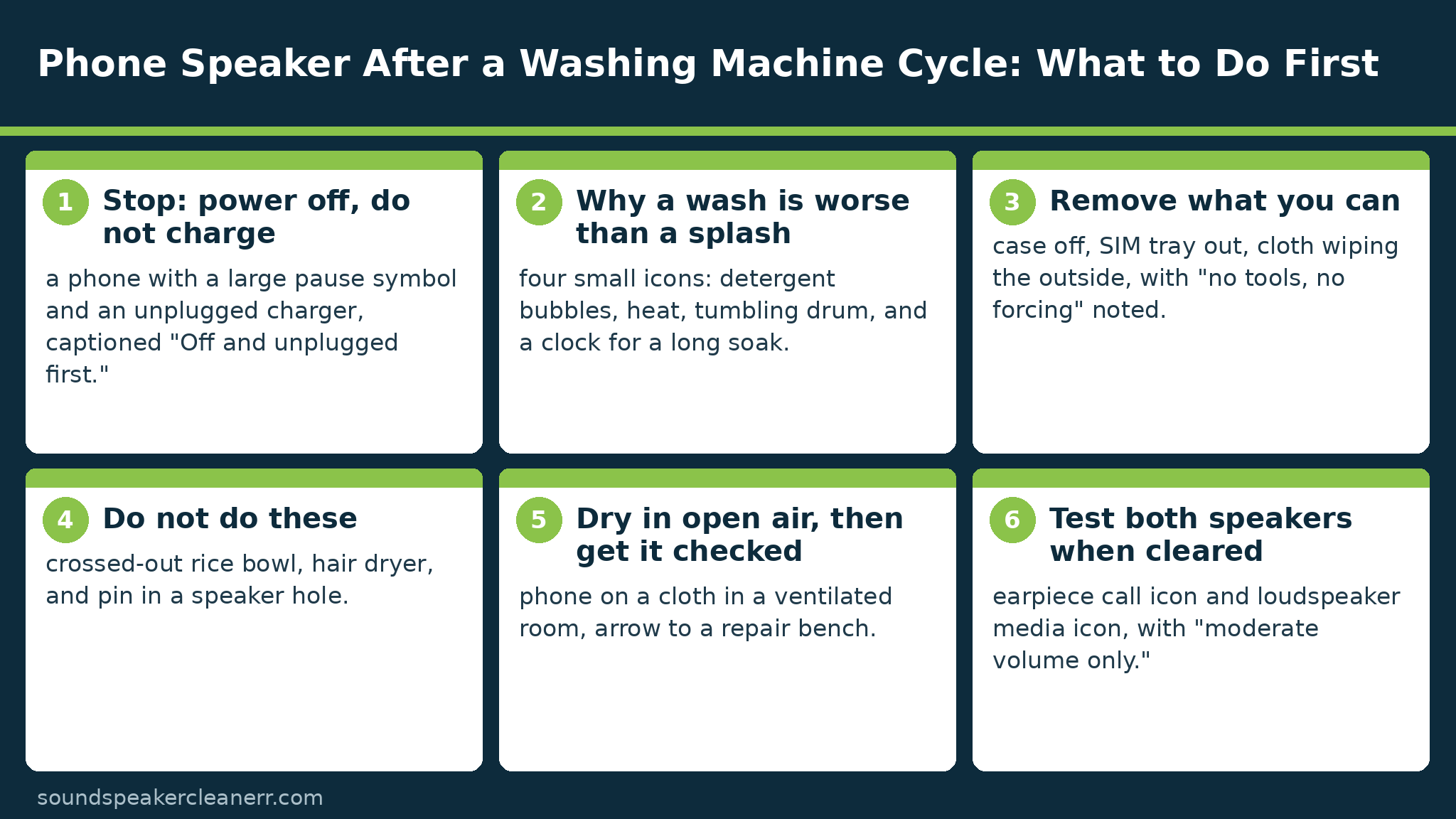
Your phone just came out of a washing machine cycle. The speaker is muffled, quiet, or silent, and the first instinct is to turn the phone on, play a loud tone, and force the water out. Do not do that. Power the phone off if it is still on, do not charge it, do not press any buttons you can avoid, and dry the outside gently. Wait until the phone is fully dry before you test the speaker at all. A washing machine cycle is not a splash: it is sustained soaking, detergent, tumbling, and pressure forcing water into every opening, including the speaker, microphone, and charging port, and the safest path is patience, not power.
A wet speaker can sound muffled because water is sitting on the grille and blocking the mesh, or because water has reached the speaker itself. Those two situations feel the same from the outside, but only the first is fixed by drying. The second can need repair, and testing too early, especially charging or playing sound through a wet speaker, can push water deeper, short a circuit, or corrode the speaker and its contacts. No tone, no app, and no shortcut can tell you which situation you are in. Drying first, then testing once, is the only honest sequence.
What a washing machine cycle does to a phone
A full wash cycle soaks a phone for far longer than a drop in a sink, and the water is not plain water. Detergent is designed to break down grease and penetrate surfaces, and it can leave residue on a speaker mesh that plain water does not. The drum tumbles the phone, so water is pushed into openings from every angle, and the spin cycle adds pressure. Fabric softener and laundry chemicals can leave films on grilles and inside ports. Even a short cycle exposes the phone to repeated immersion and agitation.
Water can reach the speaker grille, the earpiece, the microphones, the charging port, the SIM tray, buttons, and the internal seals. A phone that is water-resistant may still be damaged: water resistance is rated for clean, still water at a set depth and time, and it does not cover soapy water, hot water, detergent, pressure, or tumbling. A phone that was already scratched, cracked, or previously repaired may have weakened seals. Do not assume a rating means this cycle was safe.
First steps: power off, do not charge, dry the outside
Do these steps in order, right away, and only with dry hands. If the phone is on, power it off immediately, even if the screen still works. Do not test the speaker, do not play a tone, do not make a call, and do not press buttons repeatedly. Every action that draws power through a wet phone risks a short circuit.
Do not charge the phone, do not plug in headphones, and do not connect it to a computer. Do not use a hair dryer, a radiator, a microwave, or any external heat source. Do not put the phone in rice, which can leave starch dust and grains in openings and does not reliably dry the inside. Do not shake the phone violently or tap it hard, which can push water deeper.
Remove the phone from its case, and remove the SIM tray if you can do so without forcing it, to let air reach the opening. Wipe the outside gently with a clean, dry, soft cloth: the screen, back, edges, speaker grille, earpiece, microphones, and charging port area. Use a soft brush only on the outside of the grille, with light strokes, and do not push anything into openings. Do not use compressed air: it can push water further inside.
Set the phone down in a dry, airy place, speaker side down on a clean dry cloth if the phone can rest that way without pressure, and leave it alone. Open air and time are the safest drying method. Do not put it in a sealed bag, and do not cover it.
Wait until it is fully dry before testing
Do not test the speaker until the phone is fully dry inside and out. That means waiting well beyond the point where the outside looks dry: water inside a speaker mesh, a charging port, or a button can stay hidden for a long time. No hour figure is given in this guide, because drying time depends on the cycle, the phone, and the conditions, and no single figure was verified directly on a maker support site for this draft. Wait until you are confident the phone is dry, and when in doubt, wait longer. The maker's current guidance for liquid exposure is the authority here, and many makers recommend waiting at least a day or more, with the phone powered off and uncharged, before testing.
While you wait, do not check the phone every few minutes by powering it on. Each power-on while water remains inside is a risk. If you can, leave the SIM tray out during drying so air can circulate, and keep the phone in a room with steady airflow, away from humidity, steam, and direct sunlight.
Rule out the easy causes before blaming water
Only after the phone is fully dry should you test anything, and then test in this order. First, power the phone on, and check whether it boots normally, whether the screen works, and whether it charges normally when you connect a charger. If the phone will not turn on, will not charge, or shows swelling, heat, or smell, stop at once and seek repair: those signs point beyond a wet speaker.
Second, check volume, mute, and output. Make sure the phone is not on silent or Do Not Disturb, that volume is up, and that sound is set to the phone speaker, not to Bluetooth headphones, a car stereo, or another device. Disconnect Bluetooth audio and unplug headphones, then test again.
Third, test with a second source. Play speech at a moderate volume, then try a call, then try a different app. If only one app is silent, the problem may be that app, not the speaker. If the earpiece is clear but the loudspeaker is muffled, note which speaker is affected, since they are separate openings.
Fourth, check the charging port. If the phone will not charge, or shows a liquid warning, stop testing and seek repair. A wet charging port is a separate problem from a wet speaker, and forcing a charger into it risks damage.
If the phone works normally except for a muffled speaker, continue to the cleaning steps below. If anything else is wrong, stop and seek repair.
Clean the speaker after it is fully dry
Only clean the speaker once the phone is fully dry. Work in this order, and stop as soon as the sound is clear.
- With the phone powered off, wipe the speaker grille and earpiece with a clean, dry, soft cloth.
- Brush outward along the grille with a clean, dry, soft-bristled brush, using light strokes away from the openings.
- If detergent residue is visible on the grille, wipe very lightly with a cloth barely dampened with distilled water, then dry immediately; do this only on the outside of the grille, never while the phone is wet inside.
- Power the phone on, play speech at a moderate volume, and compare with your earlier note; if clear, stop, and if better but still dull, repeat dry dusting once more.
A browser tone may be used only as a brief, moderate-volume test after the phone is fully dry, never as the main drying method, and never while the phone is still wet. Sound does not always eject water, and it cannot repair a speaker damaged by a wash cycle.
Test each speaker separately
Testing is what turns drying into a result. Play the same speech clip at the same moderate volume, and listen to the loudspeaker, then make a call and listen to the earpiece. Test a microphone by recording a short voice note, if the phone allows it, and test charging separately. A successful dry should make the speaker sound close to normal, not merely louder. If the loudspeaker is clear but the earpiece is muffled, or the other way around, note which opening is affected, since each may need its own drying and cleaning.
Also test with a program with clear dialogue and some music, because speech alone can hide a rattle or distortion.
Troubleshooting
Still muffled after drying and two cleaning cycles: Water or detergent residue may be inside the speaker, or the speaker may be damaged.
Crackling or rattling: Stop any tone at once.
Phone will not turn on or charge: Stop testing and seek repair.
Sound comes and goes: Check for a Bluetooth device reconnecting and stealing audio, a loose connection, or remaining moisture.
Earpiece clear, loudspeaker muffled (or the reverse): Note which opening is affected; each may need separate drying and cleaning.
Worse after cleaning: Stop.
What not to do
Do not power the phone on while it is still wet. Do not charge a wet phone. Do not play a cleaning tone through a wet speaker. Do not use a hair dryer, radiator, microwave, or any external heat source. Do not put the phone in rice. Do not shake the phone violently or tap it hard. Do not use a pin, needle, or sharp tool in the speaker grille. Do not use compressed air on a wet phone. Do not use a vacuum cleaner at full suction directly on a grille. Do not spray cleaning liquid, disinfectant, or water into the speaker. Do not open the phone, remove its back, or pry off a grille yourself unless you are qualified, and never do so while it is wet or powered on.
Also do not chase extreme frequencies.
When to seek repair
Seek repair, or contact the phone maker or a qualified shop, if the phone will not turn on or charge, shows swelling, heat, or smell, stays distorted, rattling, or silent after full drying and two careful cleaning cycles, had a long or hot cycle with detergent and still sounds wrong, or shows a liquid warning that will not clear. Bring your note: how long the cycle was, what detergent was used, which speaker is affected, what you tried, and whether the phone charges normally. That note saves diagnostic time and prevents a shop from repeating a drying you already did carefully. Back up your data as soon as the phone is working again, if you can, since liquid exposure can cause problems later even after the speaker recovers.
Conclusion
A phone through a washing machine cycle needs patience before power: turn it off, do not charge it, dry the outside gently, and wait until it is fully dry before any test. Then rule out volume, output, and source problems, clean the grille gently, test each speaker separately, and stop on distortion or no change. A speaker that stays muffled after full drying deserves a qualified check, not another tone or a hotter dryer.
FAQ
My phone went through a washing machine cycle. What do I do first?
Power it off if it is still on, do not charge it, do not test the speaker, and dry the outside gently with a soft cloth. Remove the case and SIM tray if you can, set the phone in a dry, airy place, and wait until it is fully dry before you power it on or test anything.
Can I use a speaker cleaner tone to get the water out?
Not while the phone is wet. A tone may be used only as a brief, moderate-volume test after the phone is fully dry. Sound does not always eject water, and it cannot repair a speaker damaged by a wash cycle, detergent, or pressure. Drying first is the safe order.
How long should I wait before turning the phone on?
Wait until the phone is fully dry inside and out, well beyond the point where the outside looks dry. No single hour figure is given here, because drying time depends on the cycle and the phone. Follow the maker's current guidance for liquid exposure, and when in doubt, wait longer rather than testing early.
Does putting the phone in rice help?
No. Rice can leave starch dust and grains in openings, and it does not reliably dry the inside of a phone. Open air, time, and patience are safer. Do not use rice, and do not use external heat either.
Is my phone still water-resistant after a wash cycle?
Do not assume so. Water resistance is rated for clean, still water at a set depth and time, and it does not cover soapy water, hot water, detergent, pressure, or tumbling. A wash cycle can weaken seals, and a phone that was already scratched or cracked may have had weaker seals to begin with.
What if only the speaker is muffled but everything else works?
Wait until the phone is fully dry, then clean the grille gently with a dry cloth and soft brush, and test the loudspeaker and earpiece separately. If two careful cleaning cycles do not clear it, or if it crackles or rattles, seek qualified repair rather than repeating tones.
What if the phone will not turn on or charge?
Stop testing at once and seek repair. Do not keep trying to power it on or force a charger into a wet port. Those signs point beyond a wet speaker, and further testing risks more damage.
When should I stop and seek repair?
Stop if the phone will not turn on or charge, shows swelling, heat, or smell, stays distorted or silent after full drying and two cleaning cycles, or shows a liquid warning that will not clear. Back up your data as soon as the phone is working again, since liquid exposure can cause later problems even after the speaker recovers.
Leave a Reply