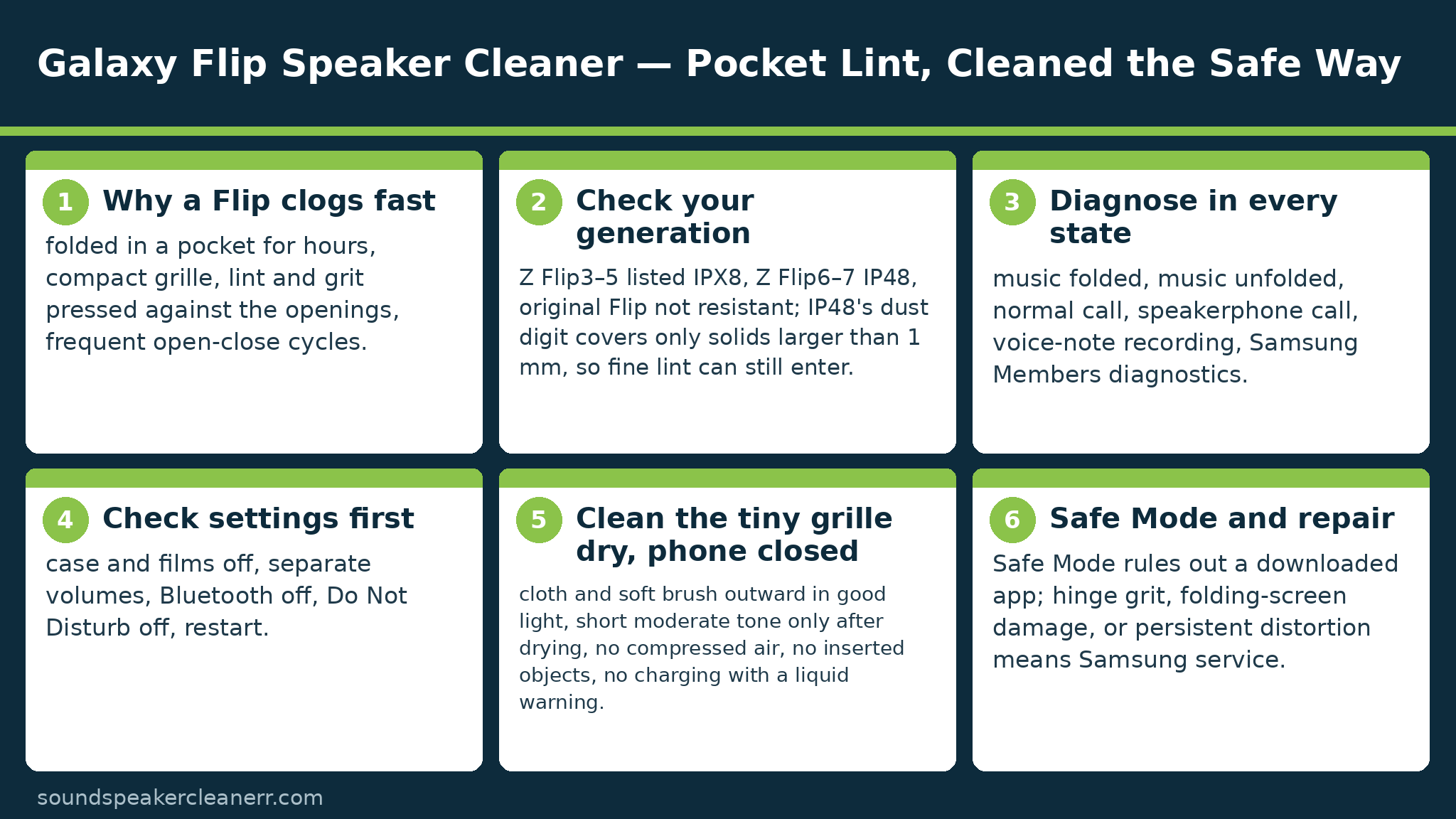
A Galaxy Flip is the smallest Galaxy phone when folded — and that is exactly why its speaker clogs so easily. Folded shut, it slips into the same pocket as keys, coins, tissues, and lint, where pocket debris collects on its compact grille. A muffled Flip speaker is usually still an ordinary problem — lint, a case, Bluetooth routing, or water that has not dried — but the fix is clamshell-specific: keep it folded while you clean, clear lint gently from a tiny grille, check a generation-specific rating, and test sound folded, unfolded, and through the cover screen.
Why a Flip clogs faster than a slab phone
A slab phone's grille is larger and easier to brush. A Flip spends most of its life folded, so its outer surfaces press against pocket fabric, lint, and grit for hours, and every slip in and out pushes debris toward the openings. Add tissues, crumbs, or sand, and the grille can clog noticeably in weeks rather than months.
The compact body makes it worse: the grille is small, so a little lint blocks a large share of it. Owners often notice it first on calls, since a Flip is opened, answered, and folded shut many times a day, and each cycle can shift debris. If sound worsened gradually, or after a pocket, bag, or case change, lint is the first suspect, not a failed speaker.
Protect the fold before you touch a speaker
Before any cleaning, fold the phone closed. Samsung's Flip precautions say to remove all foreign objects from the main screen before folding, to fold the device before bagging or storing it, and not to store it unfolded, where another object could scratch or puncture the screen. The same logic applies to cleaning: folded closed, the folding screen is protected inside, and you can work on the outer grilles without brushing near it.
Open the Flip only by holding the side area, as Samsung directs, and never force it open or closed. Never brush, wipe with pressure, or apply tape to the folding screen, and never poke, brush, or blow into the hinge gap. If the hinge feels gritty, crunches, or resists folding, stop and seek Samsung service — that is not a speaker problem. Do not press the folding screen or the front camera lens with a sharp object or excessive pressure.
Two Flip-specific cautions: keep the folded phone away from magnetic objects such as credit cards and access cards, which its magnets may damage or disable, and away from medical devices such as pacemakers unless your doctor advises otherwise. Also, a Flip case must fit the folded shape exactly and must not cover a speaker opening or air-vent groove; a wrong-generation case can sit wrong on the hinge and muffle sound. Remove the case before testing.
Check your Flip generation's rating — it changed over time
Flip ratings are generation-specific. Samsung's retrieved rating table lists the Galaxy Z Flip3, Z Flip4, and Z Flip5 at IPX8, and the Galaxy Z Flip6 and Z Flip7 at IP48. The original Z Flip was described in Samsung precautions as not water- or dust-resistant, with the Z Flip3 as the first water-resistant Flip. Find your exact model in Settings, then About phone, and confirm it against Samsung's page for that model; ratings also vary by region and fade with wear or damage.
The digits matter. IPX8 means water resistance was tested, but the "X" means no dust rating was claimed — so dust and lint were never covered by that rating, which fits the Flip's pocket-lint problem exactly. IP48 means water resistance plus protection only against solids larger than 1 mm. Fine lint, dust, and beach sand are smaller than that, so a newer Flip is still not a beach or pocket-grit-proof phone. The Flip 7 manual states the test plainly: 1.5 meters of fresh water for 30 minutes without moving, in controlled conditions — not pool water, sea water, a shower, or water moving with force. If you cannot confirm a rating for your exact Flip, treat it as unrated.
Diagnose first: test sound folded, unfolded, and on calls
A Flip has more states than a slab phone, so test each one: in a quiet room, case removed, no Bluetooth device connected, no headphones plugged in.
Start folded: play music or a video at a moderate volume and note whether it is muffled, crackly, quiet, or silent. Then unfold fully and play the same clip again at the same volume, noting any difference. Then make a normal call without speakerphone for the earpiece, switch the same call to speakerphone for the loudspeaker, and record a short voice note and play it back for the microphone. Use this site's Speaker Test tool in the state where the problem appears.
Cover-screen habits deserve a specific check: if you often answer calls or play audio while folded, test that exact habit and compare it with the unfolded result. A difference between states does not automatically mean a broken hinge — a case, a hand over a grille, or a lint plug that shifts when the phone opens can all cause it — but a persistent difference with the case off and hands clear is worth describing precisely to Samsung service. Also run Samsung Members, Support, Phone diagnostics speaker and microphone tests in the state where the problem appears.
Check the settings that mimic a broken Flip speaker
Remove any case, screen protector, or film covering a speaker opening, microphone hole, or air-vent groove, and test again in both states — Samsung warns third-party cases and protectors can cover those grooves, and a Flip case can shift as the phone opens, covering a grille only when unfolded. Check cover-screen protector edges too.
Next, check volumes separately. In-call volume can only be adjusted during a call, using the side keys, while media volume is adjusted during music or video. Open Settings, then Sounds and vibration, then Volume, and confirm media volume is up. Turn Bluetooth off temporarily, because audio may be routing to earbuds, a car system, or a Bluetooth speaker. Check Do Not Disturb and "Mute all sounds" under Settings, Accessibility, Hearing enhancements.
Restart and test again, folded and unfolded. If sound fails in only one app, check that app's mute controls and permissions first, and test with a second app and a locally saved file so a streaming problem does not confuse the result.
Clean a Galaxy Flip speaker safely — tiny grille, gentle strokes, phone closed
Keep the phone folded closed for the entire cleaning step — lint is the most common Flip cause and the grille is small. Wipe the outer grilles with a dry, lint-free cloth, then brush lightly outward with a soft, dry brush so loosened lint falls away. Work in good light — a lint plug is easy to miss — and brush from several angles. Keep the brush well away from the hinge gap and the folding screen. Do not press a brush into any slot, and never use a pin, needle, toothpick, or SIM ejector tool in any hole. For a microphone hole, wipe around the opening and brush lightly outward; do not insert anything, blow hard, or use liquid.
If the speaker still sounds muffled after dry cleaning, try one short browser tone at moderate volume with the speaker facing down and the phone folded closed, using this site's speaker cleaning tool or the Android Water Eject tool. Play one short cycle, then test with music, repeating only once or twice more if sound is clean and improving. Sound may help with light water or loose lint near a speaker opening; it is not a guarantee and does not repair a torn, corroded, or electrically damaged speaker. Do not use canned compressed air anywhere on a Flip: Samsung's guidance warns against it, and high-pressure air can push debris deeper, including toward the hinge and seals. If packed lint does not shift with brushing, stop; that is a repair-shop job.
For ongoing care: fold the phone before pocketing it, keep it away from lint, tissues, coins, or sand where you can, and brush the grille lightly when sound dulls.
If a Galaxy Flip got wet — dry first, protect the fold
Water changes the order, and on a Flip it changes how you handle the phone. Do not start with loud tones or a charger, and do not repeatedly open and close a wet Flip to "check" it. Keep it folded closed, remove the case, wipe the outside dry with a clean, soft cloth, and hold it with openings facing down. The Flip 7 manual's order is: wipe with a soft clean cloth, dry thoroughly before use, and if the microphone or speaker is not completely dry, expect unclear call sound. Avoid heat, and do not put the phone in rice.
If exposed to salt water, pool water, soapy water, oil, perfume, sunscreen, or any alcohol-containing liquid, clean with fresh water that does not flow and dry thoroughly, as the manual directs, because residue left to dry can block the openings. Do not connect a charger or accessories until completely dry, and do not charge while a liquid warning is shown. Only after drying, with no liquid warning, test the loudspeaker at moderate volume with a short tone, phone folded closed. No charging-wait hour figure is given here, because guidance varies by model; follow Samsung's instructions for your exact phone.
For an original Flip or any Flip with an unconfirmed rating, get service advice after any submersion, even if the phone seems to dry out, because corrosion can appear later. For an IPX8 or IP48 Flip, the same drying order still applies — a lab test in fresh water is not permission to swim with a folding phone.
Use Safe Mode to test for an app problem
If the speaker works in some apps but not others, test in Safe Mode: swipe down to open Quick Settings, tap the power icon, touch and hold Power off until the Safe Mode prompt appears, then tap Safe Mode. In Safe Mode only pre-installed apps run. If sound works there but fails normally, a downloaded app is the likely cause: restart normally, then uninstall recently installed or updated audio apps one at a time, testing after each removal. If sound still fails in Safe Mode, the cause is more likely a setting, blockage, water, hinge grit, or hardware.
If Safe Mode does not identify an app, Samsung's later steps are resetting all settings, then, as a last resort, a factory reset after backup. Do not start with a factory reset: it will not fix a blocked grille, water damage, hinge grit, or a damaged speaker.
Troubleshooting
Still muffled after water: air-dry longer, speaker facing down, phone folded closed, then try one more short tone. Crackling or rattling: stop the tone; it can mean debris, distortion, or damage. Do not raise the volume to push through it. Worse after pocket carry: suspect lint; brush the grille dry in good light. Sound differs folded vs. unfolded: retest with the case off and hands clear; if it persists, note which state is worse. Hinge gritty or crunching: stop cleaning and seek Samsung service; do not force the fold. Callers sound quiet, speakerphone sounds fine: check the earpiece, in-call volume, and any case or film covering the earpiece. Callers cannot hear you: check microphone permissions, case coverage of a mic hole, and Bluetooth routing, then test with a voice-note recording. Sound low but clear: check media volume and whether a case blocks the grille. Works in Safe Mode only: uninstall recently added audio apps one at a time. Tone plays but nothing changes: that suggests packed debris, a setting, deeper water, or damage, not a higher frequency.
When to seek repair
Seek Samsung service or a qualified repair shop if sound stays distorted after gentle cleaning and drying; a speaker stays silent in Safe Mode and after resetting settings; the hinge feels gritty, crunches, or resists folding; the folding screen shows damage; the phone was submerged with an unknown rating or is an original Flip; it still sounds wrong after salt or soapy water exposure, rinsing, and drying; or you see corrosion, swelling, a cracked screen near a speaker, or a liquid warning that will not clear. Bring a clear description: exact model and generation, when it started, whether water, dust, lint, or sand was involved, whether sound differs folded vs. unfolded, what diagnostics showed, and what you tried. Mention hinge feel and pocket habits explicitly.
Conclusion
For a Galaxy Flip, the safe order is: fold the phone closed, confirm your generation's rating, test sound folded and unfolded with the case off, run Samsung Members diagnostics, check volumes, Bluetooth, and Do Not Disturb, restart, clean the tiny grille dry in good light, try a short tone only after drying, use Safe Mode to rule out an app, and stop on hinge grit, distortion, or no change. The pocket-lint habit is what makes this a Galaxy Flip guide — on a phone that lives folded in a pocket, the pocket comes before the speaker.
FAQ
How do I clean a Galaxy Flip speaker safely?
Fold the phone closed first, then wipe the outer grilles with a dry, lint-free cloth and brush lightly outward with a soft, dry brush, in good light. Keep the brush away from the hinge gap and the folding screen, and never insert pins or toothpicks into any opening.
Why does my Galaxy Flip clog with lint so fast?
A folded Flip presses its outer surfaces against pocket fabric, lint, and grit for hours at a time, and its grille is compact, so a small lint plug blocks a large share of it. Keep it in a clean pocket where you can, and brush the grille lightly when sound dulls.
Is my Galaxy Flip waterproof?
No. Flip ratings changed by generation: Z Flip3 through Z Flip5 are listed at IPX8, Z Flip6 and Z Flip7 at IP48, and the original Flip was not water- or dust-resistant. IP48 still allows solids larger than 1 mm, so fine lint and sand can enter. Confirm your exact model.
Can I clean inside the hinge of my Galaxy Flip?
No. Do not poke, brush, or blow into the hinge gap, and do not use canned compressed air on a Flip. If the hinge feels gritty or crunches, seek Samsung service rather than cleaning it yourself.
My Galaxy Flip got wet. What should I do first?
Keep it folded closed, remove the case, wipe the outside dry with a clean, soft cloth, hold it with openings facing down, and let it air-dry thoroughly before calling or charging. Do not charge while a liquid warning shows, and follow Samsung's guidance for your exact model.
Should I use compressed air on a Galaxy Flip speaker?
No. Samsung's guidance warns against cans of compressed air, and on a Flip high-pressure air can also drive particles toward the hinge and seals. Use a dry cloth and a soft, dry brush on the outer grilles only.
What does Safe Mode prove on a Galaxy Flip?
If sound works in Safe Mode but fails normally, a downloaded app is the likely cause. If sound still fails in Safe Mode, the cause is more likely a setting, blockage, water, hinge grit, or hardware.
Can a cleaning tone fix a damaged Galaxy Flip speaker?
No. A short tone may help with light water or loose lint near a speaker opening, but it does not repair a torn, corroded, or electrically damaged speaker, hinge grit, or folding-screen damage, and it does not clean a microphone or a charging port.
Leave a Reply