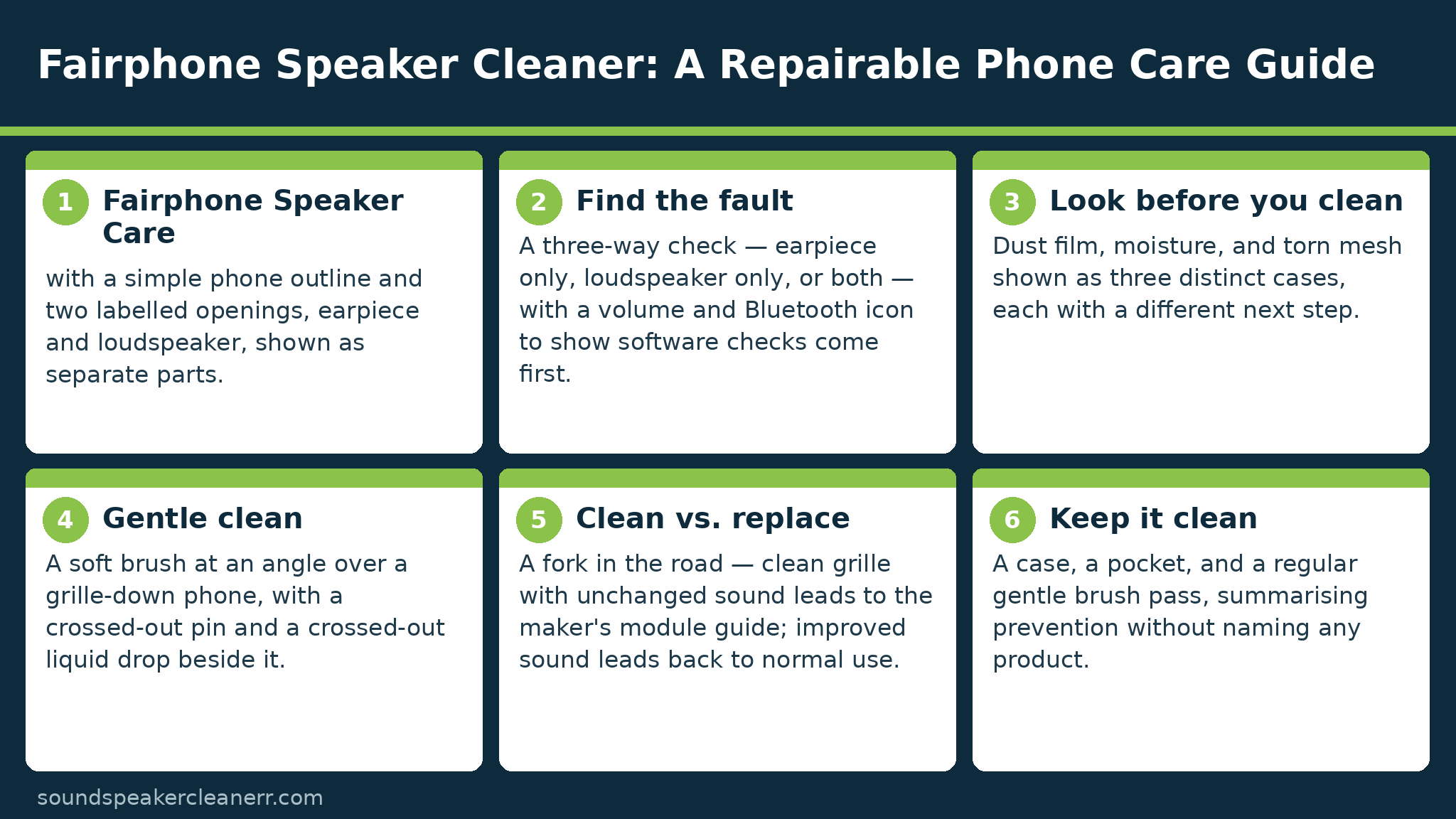
Fairphone speaker cleaning starts with a simple rule: clean the grille gently, test the sound, and only think about parts when cleaning no longer helps. On some models, the loudspeaker is a user-replaceable module, so a speaker that stays bad after cleaning may be a part problem, not a cleaning failure.
That distinction matters. On a sealed phone, a failed speaker usually means a repair shop visit. On a repairable phone, the same symptom can still mean a shop visit if you are unsure, but it can also mean checking the maker's own module guide for your exact model. This guide keeps those two paths separate: first the safe cleaning and testing anyone can do, then how to decide about a module, without turning this article into a repair manual.
How a Fairphone speaker setup differs
A phone has more than one sound opening, and they do different jobs. The earpiece is the small speaker you hold to your ear on a call. The loudspeaker, sometimes called the main speaker, plays media, ringtones, and speakerphone calls. The microphone picks up your voice, and the charging port charges the phone. Cleaning the wrong opening, or treating a microphone hole like a speaker grille, can cause new problems, so identify each opening before you touch it.
Fairphone's modular design adds one more distinction. On some models, the loudspeaker sits in its own module rather than being soldered permanently into the frame. Fairphone's own support material describes the Fairphone 3 speaker module as holding the loudspeaker used for calls and videos, and the Fairphone 4 loudspeaker as the main speaker for audio other than calls, paired with the earpiece for stereo sound. That does not mean every Fairphone works the same way, and it does not mean every part is interchangeable between models. Teardown coverage notes that Fairphone 3 modules are not compatible with Fairphone 2 parts, which is a useful warning against ordering a part by brand name alone. Always match the module to your exact model.
First, find out whether it is dust, water, or damage
Do not start cleaning until you know what you are dealing with, because the right next step depends on the cause.
Play a familiar song or voice recording at a moderate volume, first through the loudspeaker and then on a call through the earpiece. Note which one sounds wrong. If only the earpiece is muffled, the loudspeaker grille is probably not the problem. If only media sound is muffled, the loudspeaker grille is the prime suspect. If both are bad, or the sound cuts in and out, check for a software cause first: a muted media volume, a connected Bluetooth device stealing the audio, or a Do Not Disturb setting. Those checks cost nothing and prevent a cleaning job that was never needed.
Look at the grille in good light. A thin grey film, pocket lint, or crumbs sitting on the mesh point to dust. A phone that was recently splashed, rained on, or dropped in water points to moisture in the grille, which is a different situation: let the phone dry following the maker's guidance and do not charge it while it is wet. A grille that looks torn, dented, or pushed inward, or a speaker that rattles or buzzes even at low volume, points to possible damage. Cleaning will not repair a torn mesh or a damaged driver, and pushing tools into the grille can make it worse.
Safe cleaning steps for a Fairphone speaker
Power the phone off and remove the case. A case lip often traps dust right over the grille, and cleaning with the case on just moves that dust around. Work over a clean surface so you can see what comes out.
Use a clean, soft, dry brush, such as a new soft toothbrush or a soft paintbrush. Brush lightly across the grille at an angle, flicking outward, so dust lifts away instead of being driven deeper into the mesh. Hold the phone grille-down while you brush so loosened dust falls out rather than settling back in. Wipe the surrounding body with a dry microfiber cloth.
If dust remains on the surface, a small piece of cleaning putty pressed lightly onto the grille and lifted straight off can pick up surface dust. Do not press putty deep into the holes, and do not use it on a torn or damaged grille. Repeat the gentle brush pass once or twice, then power the phone back on and test at a moderate volume.
What not to do matters as much as what to do. Do not push pins, needles, toothpicks, or SIM tools into the grille. Do not use compressed air at close range, which can drive dust inward or stress the mesh. Do not pour or spray liquid, soap, or alcohol into the speaker openings. Do not run a sound-based cleaner at maximum volume for a long time in the hope of forcing dust out; moderate volume is the safe choice, and sound may help loosen surface moisture or dust but does not guarantee removal and does not repair damage.
For a wet phone, the order changes. Wipe the outside dry, keep the phone out of a charger, and let it dry fully following the maker's guidance before testing sound again. Sound-based tools are not a substitute for drying, and a phone that was exposed to soapy, salty, or dirty water needs maker guidance rather than repeated home cleaning attempts.
When cleaning is not enough: the module question
If the grille is visibly clean, the volume settings and Bluetooth routing are correct, and the same speaker still sounds muffled, distorted, or silent, you have reached the limit of what cleaning can answer. At this point, ask a different question: is this a dirty grille, or is the speaker part itself failing?
This is where a Fairphone's repairability changes the conversation. On supported models, Fairphone publishes its own module-replacement guides, and those guides are the authority for which part fits your model, what tools are needed, and what order to work in. This article deliberately does not reproduce those steps, because a step that is correct for one generation can be wrong for another. If you are comfortable following the maker's guide for your exact model, read it fully before starting, and stop if anything does not match your phone. If you are not comfortable, or if the phone is still under warranty, contact Fairphone support or an authorised repairer first; opening a phone can affect warranty terms, and that is a decision to make before, not after, you start.
A practical rule helps: clean once, properly, and test. If a second careful clean changes nothing, further scrubbing is unlikely to help and risks damaging the mesh. That is the moment to switch from cleaning to diagnosis — software checks, a test with headphones to confirm the audio system itself works, and then the module or repair route.
Living with a repairable phone: prevention
Repairability is easier to enjoy when the speaker rarely needs attention. Keep the phone out of dusty pockets without a case, or use a case that does not cover the grille with a dust-trapping lip. Brush the grille lightly during a regular phone wipe, rather than waiting until sound is badly muffled. Keep the phone away from sand, workshop dust, and kitchen steam where possible, and wipe the case separately, since a dirty case re-deposits dust on the grille every time it goes back on.
Also keep the distinction between openings in mind for the long term. The charging port collects lint of its own, and the microphone holes are smaller and easier to damage than the loudspeaker grille. Cleaning each opening with the right care — gentle brushing for grilles, no poking for microphone holes — protects the whole audio system, not just one speaker.
FAQ
Can I clean a Fairphone speaker the same way as any other phone?
Yes, for the outside of the grille: power off, brush gently with a soft dry brush, and avoid sharp tools and liquids. The difference is what comes after cleaning, because some Fairphone models have a replaceable loudspeaker module, so a persistent fault may be a part question rather than a cleaning question.
What makes a Fairphone speaker different from a sealed phone's speaker?
On some Fairphone models the loudspeaker is its own module, which the maker documents as replaceable for that model. That does not make every Fairphone identical, and modules are not interchangeable across generations, so always check the guide for your exact model.
Should I replace the speaker module instead of cleaning it?
Clean first. Replacement only makes sense after a careful clean, software checks, and a sound test still leave the same speaker muffled, distorted, or silent. If you are unsure, contact Fairphone support or an authorised repairer before opening the phone.
Does this guide tell me how to replace the module?
No, deliberately. Module steps differ by model, so this guide points you to Fairphone's official guide for your exact model rather than giving steps that could be wrong for your phone.
Can sound clean water or dust out of a Fairphone speaker?
Sound may help loosen surface moisture or dust, but it does not always remove it, does not dry the inside of the phone, and does not repair damage. Use moderate volume, and follow maker guidance for a wet device.
Is it safe to use compressed air on the speaker grille?
Avoid high-pressure air at close range. It can push dust deeper into the mesh or stress the grille. A soft brush and gravity, with the grille facing down, are the safer first steps.
What if only calls sound muffled but music sounds fine?
That points to the earpiece, not the loudspeaker. Test each speaker separately, check call volume and Bluetooth routing, and clean only the opening that matches the symptom.
Will opening my Fairphone affect its warranty?
It can, depending on the terms that apply to your model and region. Check the warranty and the maker's guidance before opening the phone, and choose an authorised repair route if you are unsure.
Leave a Reply